dsh-cinematic-wallpaper
English | 中文
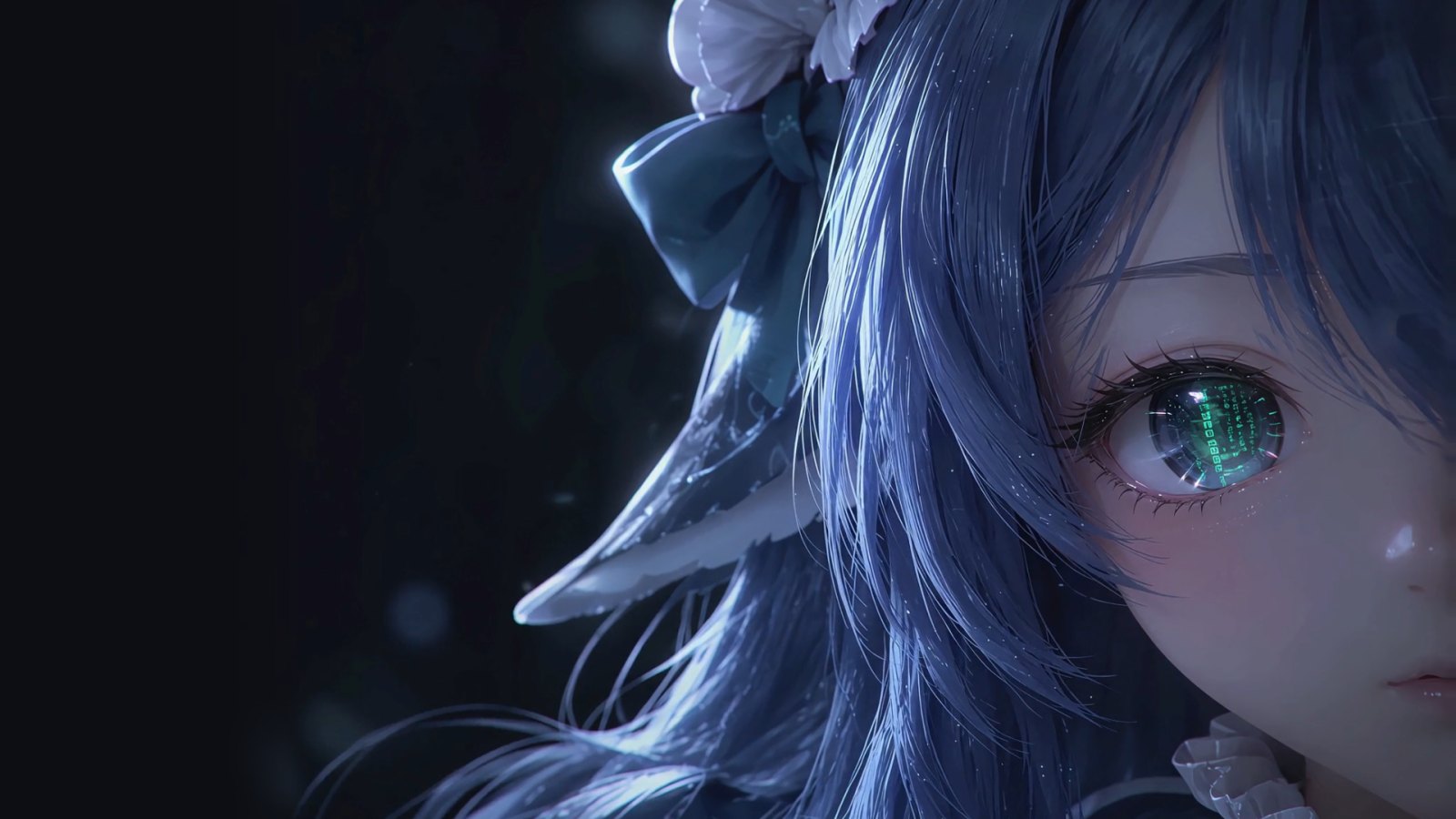
A DeepSeek Harness (DSH) web plugin. Every time the page opens, a character awakens in a 7-second cinematic intro; then the scene settles behind the DSH UI as an animated session wallpaper, and the UI's text colours adapt to whatever is behind them.

What it does
- Intro (7 s).
- The first 2.7 s play the film's line-art beat (light strands, wireframe, face scan). It comes from a cut-out clip whose baked-in HUD has been removed frame by frame.
- From there the animation is code-driven: the eye opens, the iris flares green, the camera pushes in.
- The HUD (logo, wordmark, status list, terminal, corner marks) is drawn in code.
- Click, or press any key (IME input included), to skip. Keys pressed during the intro never reach the composer.
- Handoff (0.9 s). The left HUD fades out and the DSH UI fades in.
- Session wallpaper.
- The character stays behind the UI, with the right-hand corner marks.
- An AI-generated idle loop plays over it: the hair sways at half speed, played forward then back, about 24 s per cycle.
- The canvas redraws at most 30 fps while the loop plays, and 10 fps without it.
- Translucent UI. There is no fog over the wallpaper in either theme. DSH's surfaces follow its theme as translucent layers, the composer especially so: 28 % opaque in the light theme, 30 % in the dark one.
- Adaptive text colour.
- Each visible piece of text (and each icon and placeholder) takes the light or dark text colour that contrasts best with what is really behind it: the wallpaper under it, with the UI's translucent surfaces composited on top. It also gets a faint halo.
- Text on opaque surfaces keeps DSH's colours. Coloured text keeps its colour and only gains the halo.
- Colours are recomputed on resize, theme change, UI changes and scrolling, and once a second while the loop plays.
- Fallbacks.
- With "reduce motion" on, the intro is skipped and the wallpaper is a still.
- A hidden tab pauses everything.
- If the assets have not loaded within 4 s, the layer removes itself and DSH works as usual.
- A missing clip only drops the line-art beat. A missing loop leaves a still wallpaper.
Install
Requires DSH >= 0.1.5-rc.1 and its web profile.
From the release package (prebuilt, includes the two videos):
dsh plugin --profile web add https://github.com/zus12873/dsh-cinematic-wallpaper/releases/latest/download/dsh-cinematic-wallpaper.tgz
dsh web
Restart dsh web after installing or updating. Check that the host half is mounted:
curl http://127.0.0.1:3080/dsh-cinematic-wallpaper/health
Uninstall:
dsh plugin --profile web remove dsh-cinematic-wallpaper
This plugin covers the same ground as boot-animation and wallpaper plugins, and with one of those installed the two stack on top of each other. Remove them while using this one.
Build from source
git clone https://github.com/zus12873/dsh-cinematic-wallpaper.git
cd dsh-cinematic-wallpaper
npm ci
npm run build
dsh plugin --profile web add link:"$PWD"
The two videos (assets/clip.mp4, assets/loop.mp4) are not in Git. Without them the plugin still runs, but without the line-art beat and the idle loop. To get them, take them from the release package:
curl -L -o /tmp/dcw.tgz https://github.com/zus12873/dsh-cinematic-wallpaper/releases/latest/download/dsh-cinematic-wallpaper.tgz
tar -xzf /tmp/dcw.tgz -C assets --strip-components=2 package/assets/clip.mp4 package/assets/loop.mp4
Change the HUD layout
Every HUD element is a row of the LAYOUT table in src/client/layout.ts:
anchor: the window corner it is pinned to,tl/tr/bl/br;x/y: design coordinates on a 1920×1080 frame;scale(optional): multiplies the group's scale;intro/hold: whether it shows during the intro / on the wallpaper;holdAt(optional): a separate{ anchor, x, y, scale }for the wallpaper; the handoff moves it there smoothly.
Run npm run build and restart dsh web after a change.
Development
npm run dev # http://127.0.0.1:5181
/?mode=play&t=3.0: scrub or play the intro./?mode=compare&t=3.0: the code render and the source film side by side./?mode=mock: the real runtime over a stand-in DSH shell (handoff, theme tokens, keys).
play and compare overlay the source film from .cache/reference.mp4, which authoring.measure --proxy makes from it.
Regenerating the assets
The pipeline in authoring/ is Python, run through uv. It does two things:
- turns the source film into the plate, the closed-eye patch, the manifest and the line-art clip;
- turns an AI-generated idle clip into the loop.
The hand-measured values in authoring/regions.py belong to that one film, and neither the film nor the idle clip is distributed, so the pipeline is only useful with the same sources:
uv run --group authoring python -m authoring.build_assets --video <film.mp4> --out assets --debug .cache/debug
uv run --group authoring python -m authoring.build_loop --source <idle-clip.mp4> --out assets
uv run --group authoring python -m authoring.fonts --out assets/fonts
build_loop does the following:
- matches the idle clip's first frame to the still to find the area it covers;
- grades the clip's tones back to the still's;
- plays it forward and back at half speed, with motion-compensated in-betweens;
- records in the manifest how wide its left fade can be without crossing the hair.
Tests
npm test && npm run typecheck
INTRO_FILM=<film.mp4> IDLE_CLIP=<idle-clip.mp4> uv run --group authoring pytest authoring/tests -q
Tests that need the film or the idle clip are skipped when those variables are not set.
License
MIT. The font subsets in assets/fonts/ are Exo 2, Rajdhani and JetBrains Mono, under the SIL Open Font License 1.1 (assets/fonts/OFL-*.txt).
This is a community plugin, not affiliated with DeepSeek. "DeepSeek" is a trademark of its owner.
No comments yet. Be the first to write one.