dsh-git-style-zeta
Configurable Git commit and pull request guidance for DeepSeek Harness (DSH). The plugin contributes two optional sections to DSH's native system prompt, edited from its own page in Settings.
This is prompt guidance, not enforcement. It cannot guarantee that every commit contains attribution. It does not run Git, install hooks, change Git settings, modify Codex or Claude, or rewrite existing commits. Its prompt preserves existing authors and co-author attribution, including attribution from other agents.
Settings
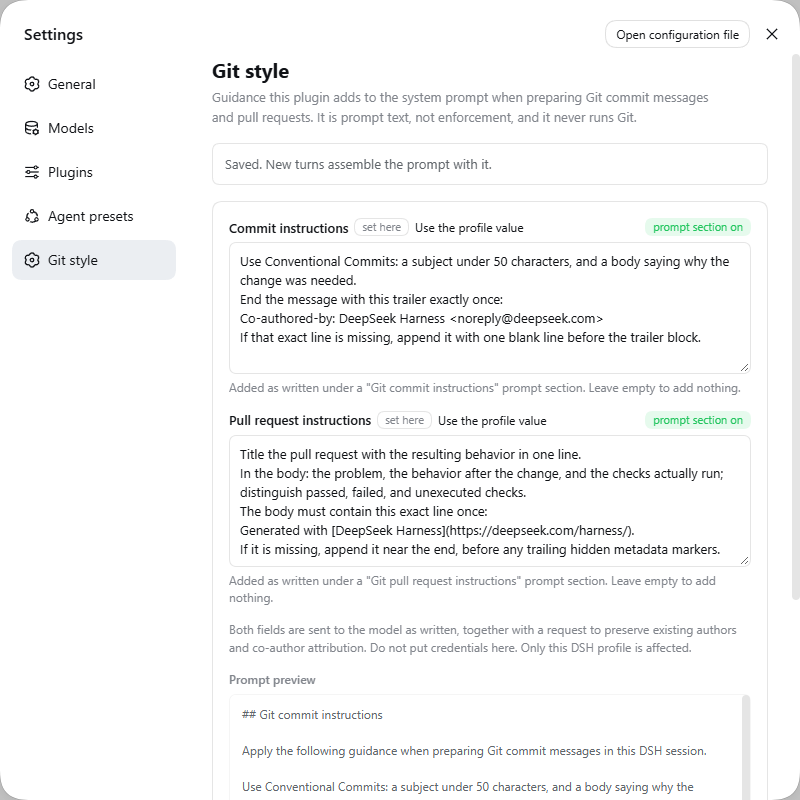
Both fields are optional and work independently. An empty field adds nothing. The preview shows exactly what the plugin contributes, and a saved change applies to new turns without restarting the host.
In a session
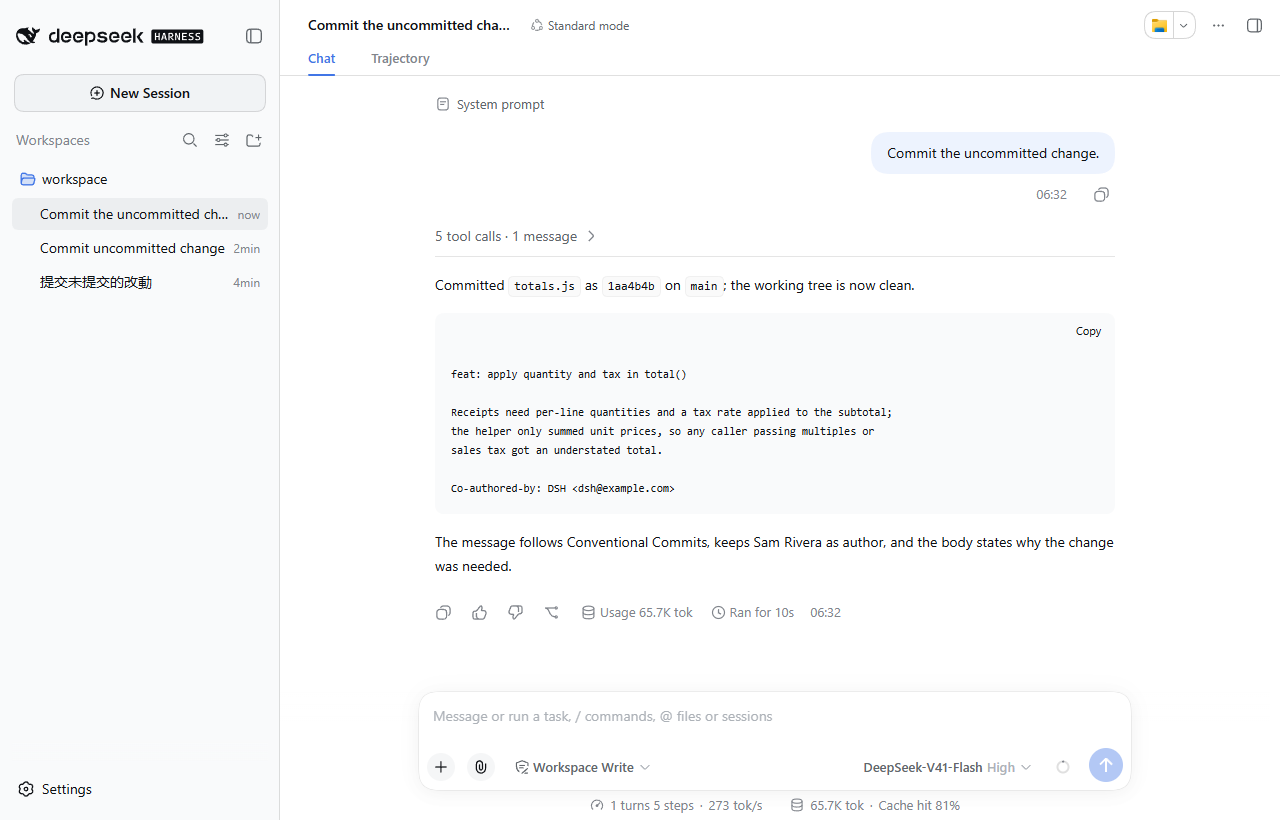
Asked only to commit, the session followed the configured style and added the co-author trailer.
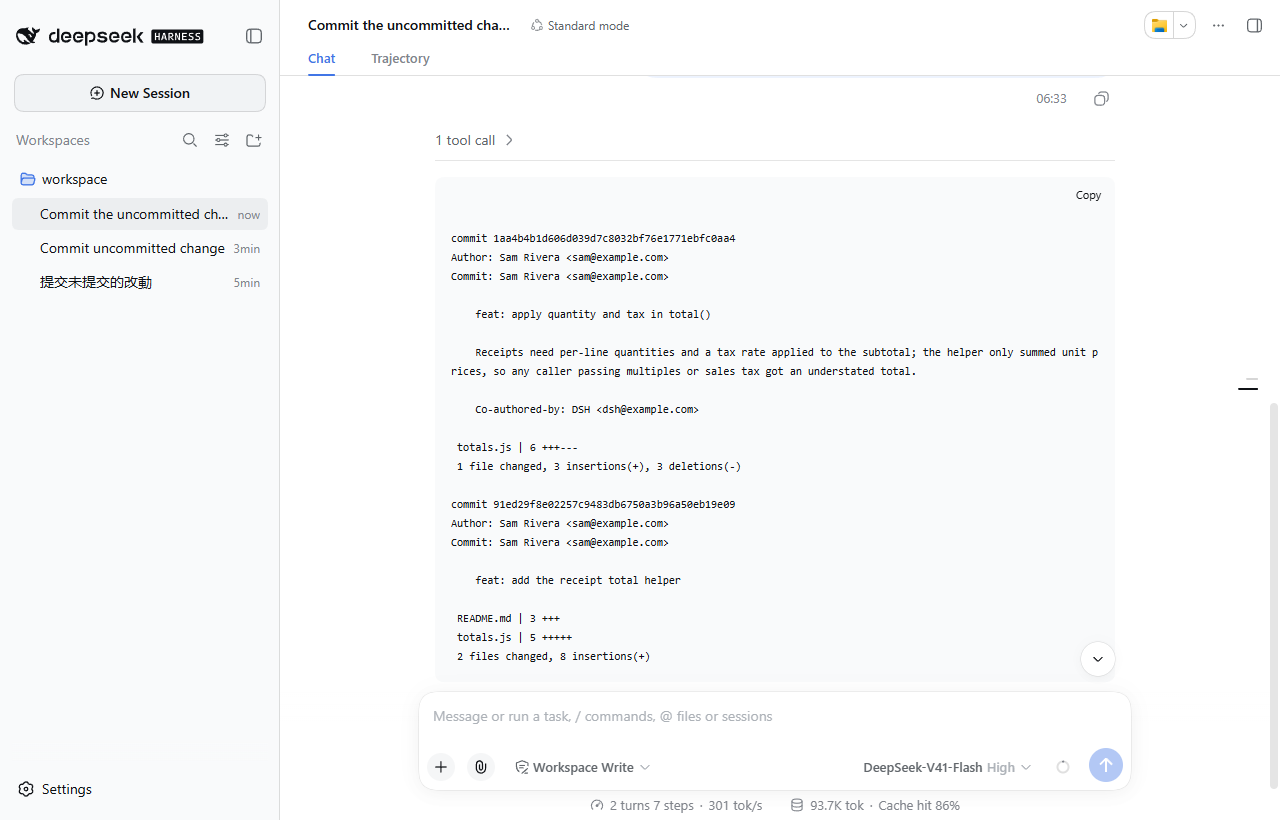
The commit keeps the repository's existing author and carries the trailer.
Install from npm
dsh plugin --profile web add dsh-git-style-zeta
# restart the host
Profiles are separate install roots. Replace web with the target profile and
install the plugin into each profile that should use these instructions.
This release requires DSH 0.1.7-rc.2 or later. On older hosts, stay on
dsh-git-style-zeta@0.2.1.
Configure
Open Settings and pick Git style. Saving writes the field into the
git-style-zeta row of the profile's cordis.patch.yml, which is where a
field's set here badge comes from; Use the default removes it from
that row again.
| Field | Default | Used for |
|---|---|---|
git-commit-instructions |
"" |
Commit messages |
git-pr-instructions |
"" |
Pull request titles and descriptions |
A field that is omitted, null, empty, or whitespace-only disables its prompt
section.
To ship a default with the profile instead — for a headless host, or a machine
with no settings storage — set the row in the profile's cordis.patch.yml,
normally $DSH_HOME/profiles/web/cordis.patch.yml. The bundle already inserts
the git-style-zeta row, so configure it with id rather than another
insert entry:
- id: git-style-zeta
  config:
    git-commit-instructions: |-
      Use Conventional Commits: a subject under 50 characters, and a body saying why the change was needed.
      End the message with this trailer exactly once:
      Co-authored-by: DeepSeek Harness <noreply@deepseek.com>
      If that exact line is missing, append it with one blank line before the trailer block.
    git-pr-instructions: |-
      Title the pull request with the resulting behavior in one line.
      In the body: the problem, the behavior after the change, and the checks actually run; distinguish passed, failed, and unexecuted checks.
      The body must contain this exact line once:
      Generated with [DeepSeek Harness](https://deepseek.com/harness/).
      If it is missing, append it near the end, before any trailing hidden metadata markers.
That row is the same one the settings page edits, so a value set in either
place shows up in the other. Keep the row id git-style-zeta: DSH names the
settings form by it, and a renamed row detaches the page. DSH replaces the
row's entire config when applying an override, so keep both fields in the
override when you use both.
The plugin adds your text as written and always asks the model to preserve existing authors and co-authors. Write each rule so the model can decide it by looking at the text: name the exact line, say it appears exactly once, and say what to do when it is missing. A condition the model has to interpret, such as "only when it is absent", is read less reliably — in one demo run the model took it as needing an explicit request and skipped the trailer. Do not put credentials in prompt text. Only the DSH profile loading this plugin is affected.
Update
Install the version explicitly, then restart the host:
dsh plugin --profile web add dsh-git-style-zeta@0.3.0
Remove
dsh plugin --profile web remove dsh-git-style-zeta
# restart the host
Remove the git-style-zeta override from the profile's cordis.patch.yml if
you added one. There are no Git hooks or Git settings to restore. Existing
commits remain unchanged.
Maintainers
Run npm test for the source tests. Release automation and npm Trusted
Publishing setup are documented in docs/releasing.md.
Screenshot conditions are recorded in docs/images/README.md.
Released under the MIT License.
No comments yet. Be the first to write one.