
DSH Windows Tray Launcher
English | 中文
An unofficial Windows system tray launcher for DeepSeek Harness (dsh).
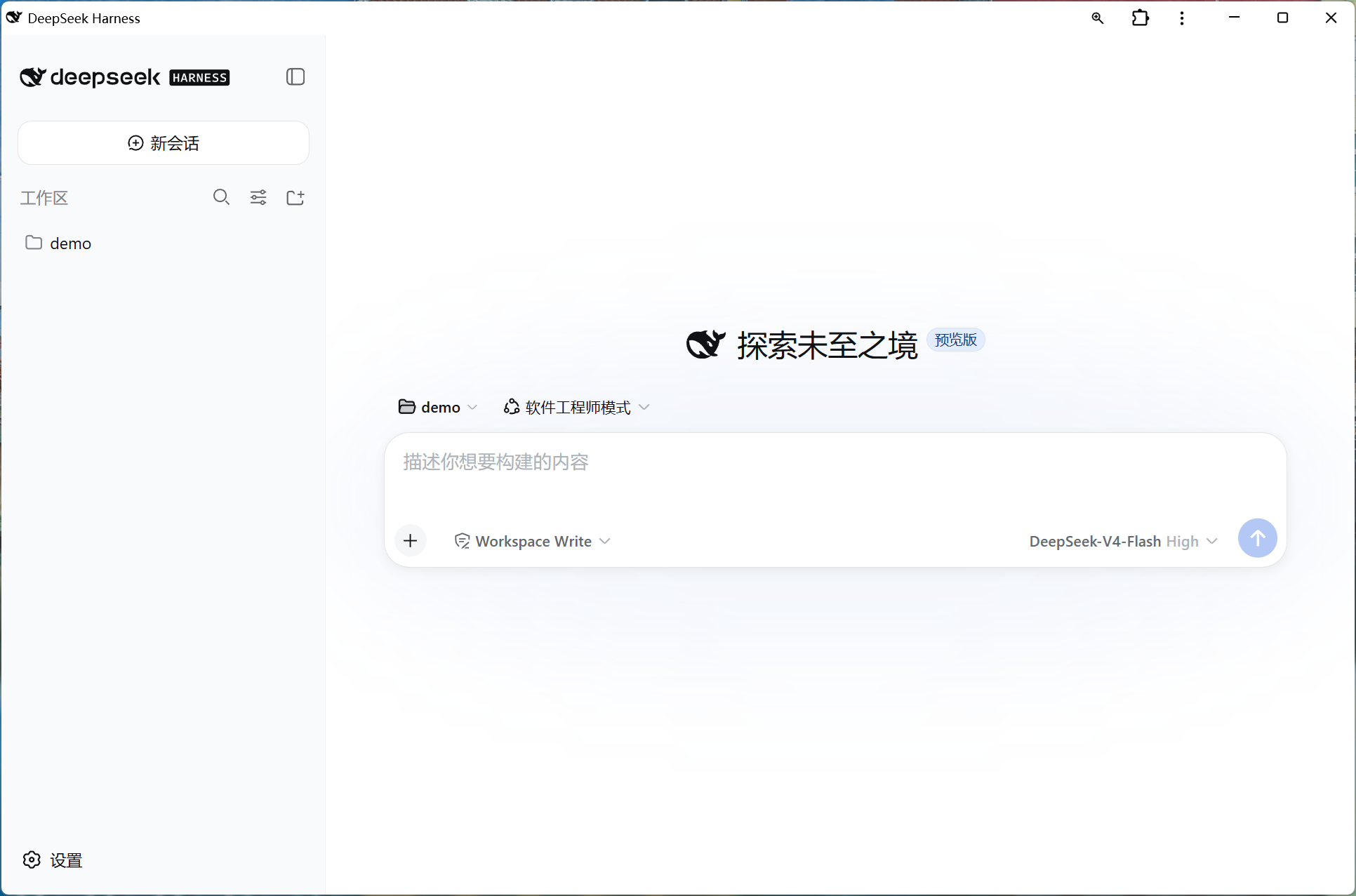
It manages isolated local copies of npm's official latest DSH release, prepares updates in the background, opens the Web UI in the installed browser PWA when available, and keeps a small management menu in the Windows notification area.
Unofficial community project. Not affiliated with or endorsed by DeepSeek AI.
Preview
Features
- Native Windows tray application written in C#; no persistent console window.
- Direct EXE shortcut—no PowerShell,
ExecutionPolicy Bypass, or hidden script command in the shortcut. - Follows only npm's default
latestrelease channel; preview releases published undernextare not installed. - When no managed copy exists yet, starts through npx first so the PWA is not blocked by the background managed installation.
- Downloads a newer
latestrelease into an isolated version directory while DSH keeps running. - Restart DSH, or a full exit and reopen, switches to the prepared release without another download.
- Automatically rolls back if the newly selected release cannot start.
- Extracts the actual URL from
dsh web: <URL>output instead of assuming port3080, and falls back to probing the default port if DSH ever changes that message. - Opens the DSH Web UI automatically after it is ready, preferring an installed Chrome or Edge PWA over a normal browser tab.
- Modern rounded tray menu with Open DSH, Restart DSH, and Exit. On Windows 11 the popup uses DWM rounding and the large system window shadow, the same chrome Electron apps get, instead of the small hard WinForms popup shadow.
- Installing and uninstalling report through a proper application window rather than a console prompt or a stock message box, and the console closes as soon as the build finishes.
- Single-instance protection. Starting the shortcut again opens the current DSH URL without launching a duplicate.
- Stops the whole DSH process tree reliably. The tree is held in a Windows job object, so Windows terminates DSH even if the launcher is force-killed, crashes, or the session ends.
- Recovers automatically from a leftover DSH server that is still holding port
3080, instead of failing to start withEADDRINUSE. - Uses the official DSH whale outline, recolored black, as a multi-size Windows icon.
- Per-user installation; administrator rights are not required.
Requirements
- Windows 10 or Windows 11
- Node.js with
npm - Internet access when the launcher checks or downloads
@deepseek-ai/dsh@latest - Windows .NET Framework C# compiler (included with normal Windows .NET Framework installations)
Install
- Download or clone this repository.
- Keep
Install.cmd,DeepSeekHarnessTray.cs, anddsh-favicon-black.svgtogether. - Double-click
Install.cmd—do not run it as administrator. - A console window appears only while the source compiles, then closes on its own and an installer window reports the result.
- Choose Start DeepSeek Harness in that window, or use the new desktop shortcut later.
If a build step fails, the console stays open with the compiler output and writes the same details to install.log next to the script.
The installer compiles the included source locally, creates a multi-resolution icon, embeds it in DeepSeekHarnessTray.exe, and installs the program to:
%LOCALAPPDATA%\DeepSeekHarnessTray
It also creates shortcuts on the current user's desktop and Start menu. Those shortcuts point directly to the installed EXE.
Daily use
Double-click the DeepSeek Harness desktop shortcut whenever you need DSH.
- If the launcher is not running, it starts DSH and opens the browser after DSH reports that it is ready.
- A full exit and reopen automatically switches to a prepared
latestupdate. - If the launcher is already running, another launch opens the current DSH page without starting a second process.
- Clicking the tray icon opens DSH. Right-click for Restart DSH and Exit.
- Restart DSH switches to a prepared
latestupdate and restarts the managed process tree. - Exit closes the managed DSH process tree and the tray launcher.
DSH does not have to remain running permanently. After choosing Exit, use the desktop shortcut to start it again later.
Update
- Replace the repository files with the newer version.
- Run
Install.cmdagain to rebuild and overwrite the installed copy.
If the launcher is running, the installer offers to close it first, so closing it from the tray beforehand is optional. DSH stops with the launcher and can be started again afterwards.
Uninstall
Double-click Uninstall.cmd in the downloaded repository folder. It offers to close a running launcher in the same way.
Logs and state
%LOCALAPPDATA%\DeepSeekHarnessTray\dsh-web.log
%LOCALAPPDATA%\DeepSeekHarnessTray\dsh-web-error.log
%LOCALAPPDATA%\DeepSeekHarnessTray\dsh-package-install.log
%LOCALAPPDATA%\DeepSeekHarnessTray\dsh-web.url
%LOCALAPPDATA%\DeepSeekHarnessTray\dsh\versions
%LOCALAPPDATA%\DeepSeekHarnessTray\npm-cache
dsh-web.url exists only while the managed DSH instance has reported a valid HTTP or HTTPS URL. It is cleared on restart and on Exit, and if the launcher is force-killed it is cleared at the next launch.
dsh-web.log also records launcher actions, prefixed with [tray], such as reclaiming port 3080 from a leftover DSH server.
Troubleshooting
The tray icon appears, but the browser never opens and Open DSH stays greyed out.
Open DSH is enabled only once DSH reports a working address, so a greyed-out entry means DSH never finished starting. Check dsh-web-error.log. If it ends with EADDRINUSE ... 127.0.0.1:3080, an earlier DSH server is still holding the port; choose Restart DSH, which now reclaims it automatically.
DSH is still reachable in the browser after Exit. That indicates a leftover server from a launcher build older than 1.3.0. Identify and stop it once with:
Get-NetTCPConnection -LocalPort 3080 -State Listen |
  ForEach-Object { Stop-Process -Id $_.OwningProcess -Force }
The first start takes several minutes.
If no managed copy exists yet, the launcher starts the available npx copy first. After DSH is ready, npm's current latest release is prepared in the background; its output is written to dsh-package-install.log.
Security notes
- The launcher source is included and compiled locally.
- The installed shortcut points directly to the EXE.
- The launcher accepts only HTTP/HTTPS URLs parsed from DSH output, restricted to loopback addresses unless DSH announces the URL itself.
- Process termination is scoped to the job object containing the DSH process tree created by this launcher; it does not terminate unrelated Node.js processes.
- A process holding port
3080at startup is terminated only when its command line identifies it as DSH. If it cannot be identified, the launcher asks for confirmation first; if it is clearly something else, the launcher refuses to start and reports which process owns the port. - The resulting executable is locally built and unsigned. Windows or security software may still perform normal reputation checks.
Icon and trademarks
The whale outline is derived from the official DeepSeek Harness website/public/favicon.svg and recolored black. See NOTICE.md.

DeepSeek, DeepSeek Harness, and their logos may be trademarks of their respective owners. Their use here identifies compatibility and does not imply endorsement.
License
The launcher code is released under the MIT License.
No comments yet. Be the first to write one.