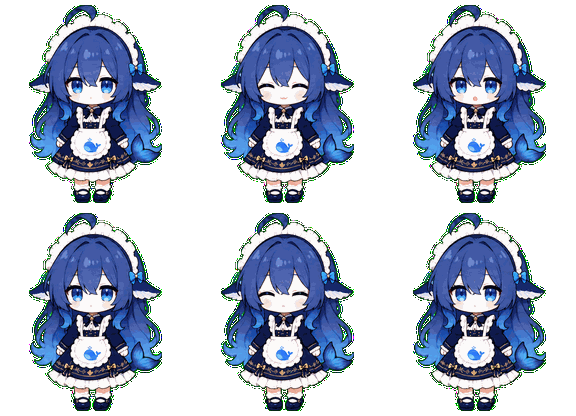
Blue Whale Maid
A little companion for DeepSeek Harness Web: task reactions, reminders when a turn needs your attention, and cost estimates.
English · 简体中文
What she does
After installation, she sits in the bottom-right corner of DSH Web. When a task starts, she gets busy too. When an action needs confirmation, a turn ends, or something goes wrong, she changes her animation and shows a speech bubble.
Drag her somewhere comfortable. Click once to make her wave, or double-click to make her jump. The balance button beside her opens your DeepSeek balance, an estimate of today's spending, and the current session's cost.
She only reports what the task state establishes. A finished turn is reported as ended, without assuming it succeeded.
Install
Requires Node.js ^22.19.0 or >=24.0.0, pnpm, and a working DeepSeek Harness Web profile. These commands use the unversioned DSH package entry point.
npx @deepseek-ai/dsh plugin --profile web add github:yuxino/dsh-blue-whale-maid
Restart DSH Web after installation:
npx @deepseek-ai/dsh web
The balance and cost panel requires DEEPSEEK_API_KEY in the current profile. The companion and task reminders still work without a key.
Cost estimates
- DSH reads the API key on the server; it is never passed to the browser. The companion UI only calls local endpoints.
- Today's estimated spending is calculated from changes in the locally observed balance during the current day. It is not an official bill.
- Session cost includes only recognized official DeepSeek models with an established source and known pricing. The DeepSeek console is the authority for actual charges.
Update:
npx @deepseek-ai/dsh plugin --profile web update dsh-blue-whale-maid
Uninstall:
npx @deepseek-ai/dsh plugin --profile web remove dsh-blue-whale-maid
Restart DSH Web after either operation.
Local developmentnpm run build
npm test
npm run check
Point the Web profile at this checkout:
npx @deepseek-ai/dsh plugin --profile web add .
npx @deepseek-ai/dsh --profile web --dump-config
npx @deepseek-ai/dsh web --no-open
Rebuild after changing the code, then restart DSH. Run add . again if dependencies or cordis.patch.yml change.
No comments yet. Be the first to write one.