DSH Session Manager
A DeepSeek Harness plugin that puts session history under control: browse stored sessions per workspace, search them, move them to a recycle bin or delete them permanently, clear a whole workspace, and remove a workspace from the sidebar in one step.


English | 中文
Features
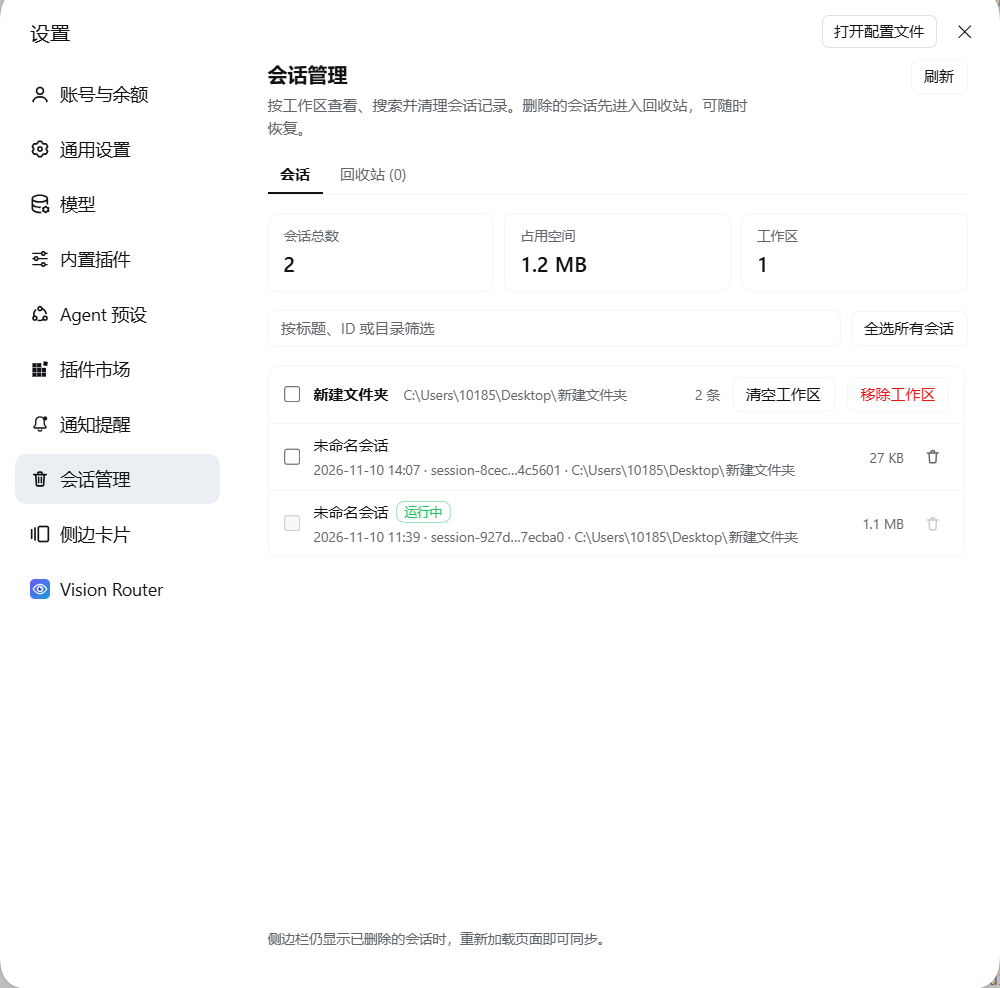
- A dedicated Settings page — Settings → Session manager lists every stored session grouped by workspace, with total session count, disk usage, and workspace count.
- Search — filter by session title, session ID, or directory.
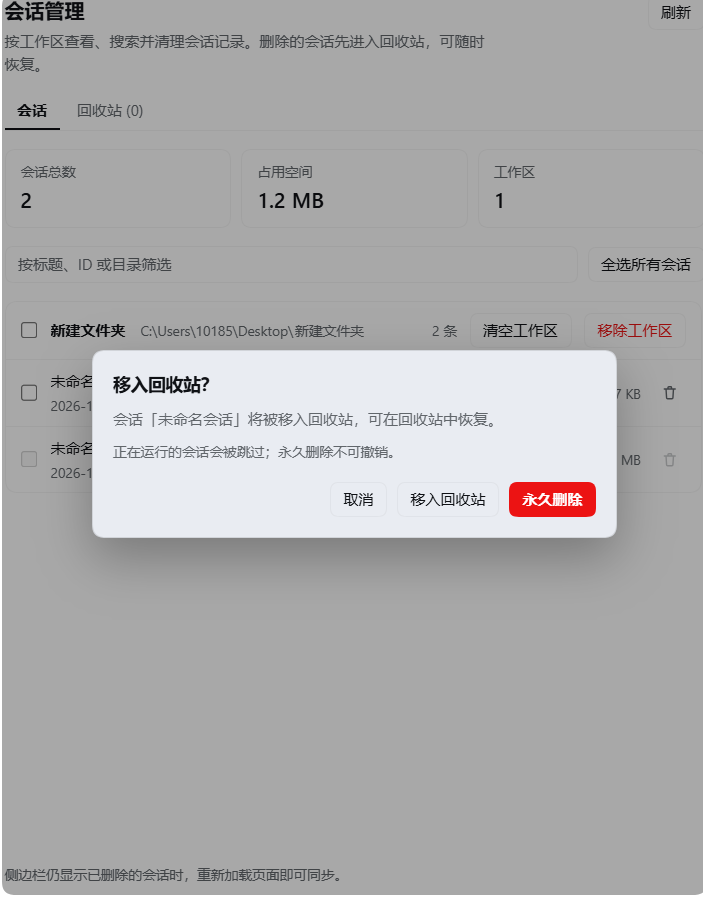
- Delete with a safety net — every deletion starts with a confirmation that offers Move to recycle bin (recoverable) or Permanently delete (irreversible).
- Bulk operations — check individual sessions, a whole workspace (the checkbox in its header), or every session at once, then delete the selection in one request.
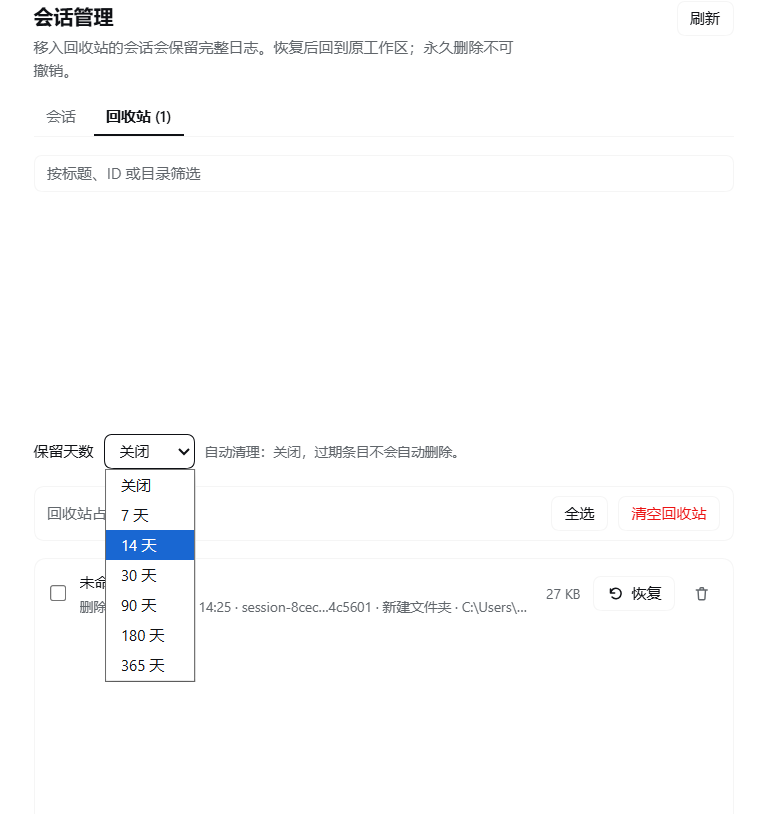
- Recycle bin — restore sessions to their original directory and workspace, permanently delete single entries, multi-select and delete, or empty the whole bin.
- Retention policy — a dropdown on the recycle-bin tab (off / 7 / 14 / 30 / 90 / 180 / 365 days). It is persisted to this plugin's config through the Harness config editor; expired entries are purged the next time the page is opened.
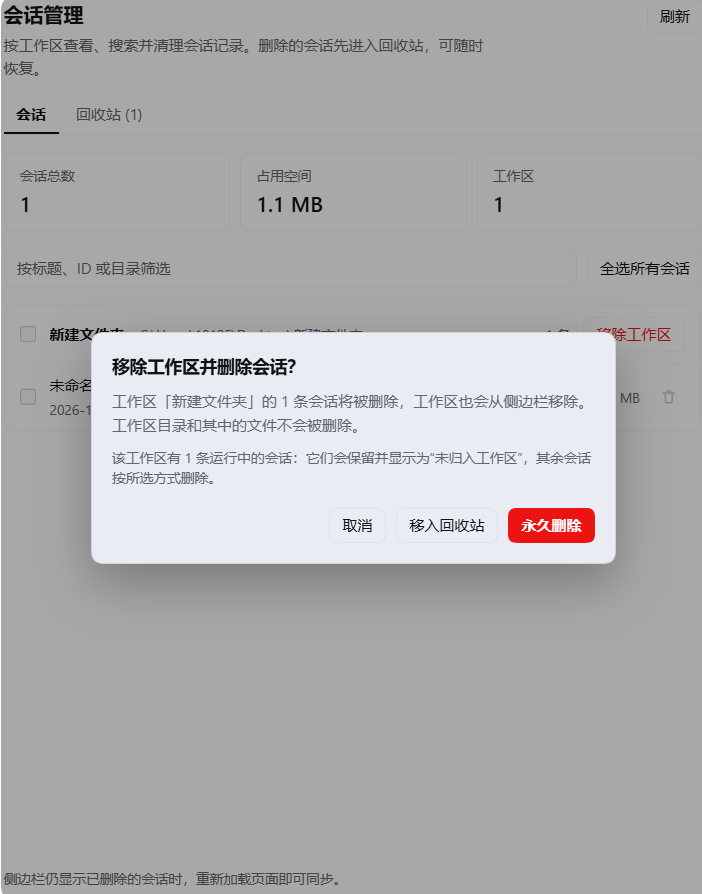
- Remove a workspace — deletes the workspace's sessions and removes the workspace registration from the sidebar, while never touching the workspace folder or its files. Live sessions are kept and become ungrouped.
- Running sessions are protected — a session that is currently running is skipped by every deletion path, so the conversation you are in is never removed underneath you.
- Bilingual and theme-aware — Chinese and English copy, rendered with the host theme tokens; no bundled React, no build step.
Screenshots
Sessions by workspace
Delete: recycle bin or permanent
Remove a workspace and its sessions
Recycle bin and retention policy
Installation
Clone this repository:
git clone https://github.com/ysthink/dsh-session-manager.gitIn the Harness, open Settings → Plugins and install the cloned directory as a local bundle. The bundle's
cordis.patch.ymlinserts thesession-managerplugin row; no configuration is required. When driving Harness through an agent, ask it to install the bundle from the checkout directory instead.Refresh the page once, then open Settings → Session manager.
The plugin activates with the Web GUI: it needs webServer, sessionQuery, sessionPersistence, workspaceRegistry, and agents, which the desktop profile provides. configEditor is used for the retention dropdown.
How it works
The bundle has two halves:
| File | Role |
|---|---|
index.js |
Host plugin. Registers an exact HTTP route, lists sessions through sessionQuery, resolves each log directory through sessionPersistence, and performs moves and deletions with path checks. |
client.js |
Browser plugin. Registers a settings.section page and its icon, then renders the UI with React from the host module table. |
cordis.patch.yml |
Inserts the plugin row and the default config. |
locale/*.json |
Plugin Manager title and description. |
icon.svg |
Plugin artwork. |
Deletion pipeline. A session's log directory is located through sessionPersistence.stat(), validated (expected log file name, at least one log file present, directory inside the log store), detached from the owning workspace and unarchived, and only then removed. Move to recycle bin relocates the directory to:
<sessions-root>/.dsh-session-trash/<timestamp>-<session-id>-<random>/
  manifest.json    # session id, title, cwd, original path, size, deletion time
  log/             # the original session directory
Permanently delete removes the session directory instead. A workspace's empty project directory is cleaned up as well.
Restore validates the manifest's original path against its recorded log store, refuses to overwrite an existing directory, moves the log back, and re-attaches the session to its workspace.
HTTP route. The browser talks to the Host through /api/dsh-session-manager. The route accepts loopback requests only and requires the x-dsh-session-manager: 1 header; every mutation requires JSON. Route handlers never expose a session's log contents to the page.
Configuration
| Key | Default | Meaning |
|---|---|---|
trashRetentionDays |
0 |
Purge recycle-bin entries older than this many days whenever the page is opened. 0 disables automatic cleanup. Values are clamped to 1–3650; invalid values fall back to off. |
- insert:
    - id: session-manager
      name: '@local/session-manager'
      config:
        trashRetentionDays: 30
The retention dropdown in the UI writes this same field through the Host config editor; when the value equals the bundle default (0), the override is removed again.
Safety notes
- Deletion is destructive. Permanently delete and Empty recycle bin cannot be undone.
- Sessions that are running are never deleted; the UI reports how many were skipped.
- Removing a workspace deletes its session logs and its sidebar registration, not its directory or project files.
- A session's workspace is re-attached on restore; if the workspace registration was removed in the meantime, the session returns as ungrouped.
- Recovery from a permanent deletion is only possible through your own filesystem backups; the plugin keeps nothing after a purge.
Compatibility
- Tested with DeepSeek Harness 0.2.2-rc.1 (Windows desktop profile).
- Uses the public host services
webServer,sessionQuery,sessionPersistence,workspaceRegistry,agents,configEditor, and thesettings.section/settings.section.iconclient slots. - Plain ESM JavaScript — no build step, no runtime dependencies, no bundled React.
Development
The plugin is a single local bundle. After editing, reinstall or reload it through the plugin manager, then refresh the page:
- Host changes are picked up when the plugin row restarts.
- Client changes require a page refresh (the bundle is served from
client.js).
The repository contains no test framework; behavior was verified with throwaway Harness sessions (move, restore, purge, permanent delete, workspace removal) and structural rendering checks of the browser half.
No comments yet. Be the first to write one.