MCP-Manager
English | 中文
@mcp-manager/mcp-manager — a dual-face Model Context Protocol manager plugin for deepseek-harness (dsh, built on Cordis). Single package, two entry points, one composition row: the Host half supervises any number of MCP servers, while the browser half renders a service management panel and a JSON configuration editor.
Features
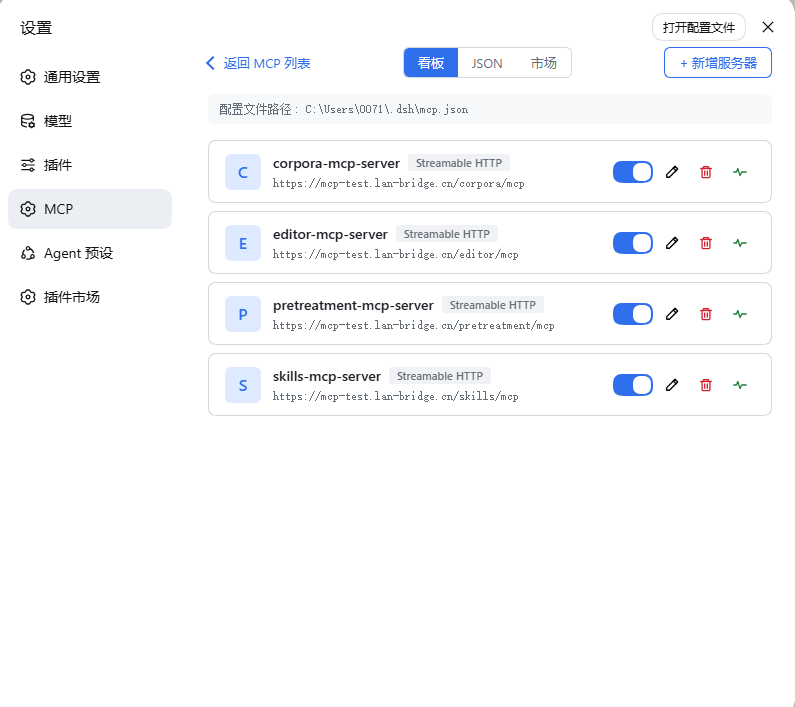
- Board View: Card-based UI for adding, editing, and managing MCP servers with one-click operations
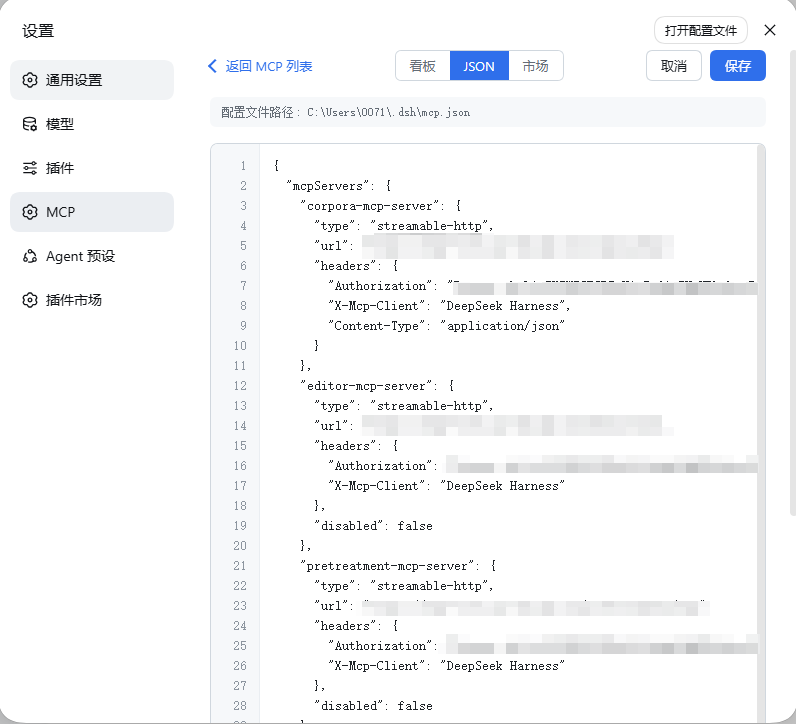
- JSON View: Direct JSON configuration editor for power users
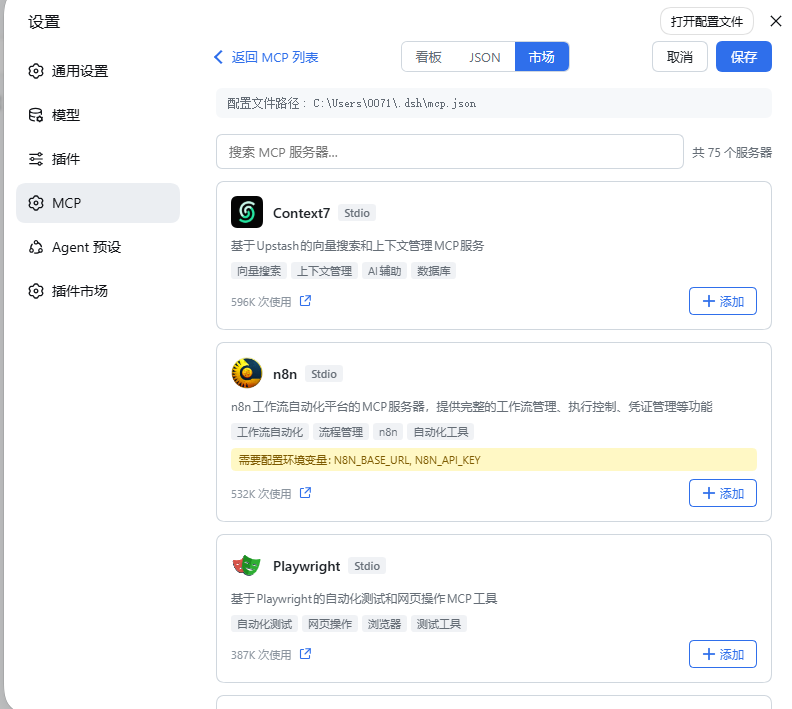
- MCP Market: Browse and install popular MCP servers from mcp-cn.com with one click
- Connection Testing: Test server connections with step-by-step results before saving
- Health Check: Per-server health monitoring with detailed diagnostic output
- Multiple Transports: Supports stdio, HTTP, SSE, and Streamable HTTP
- Headers Editor: Postman-style row-based editor for HTTP headers
- Delete Confirmation: Two-step confirmation to prevent accidental deletions
- Host-side HTTP Proxy: Market API requests go through Node.js to bypass browser CORS restrictions
Version compatibility
@deepseek-ai/dsh-* 0.1.5-rc.2 lockstep line or newer (see package.json peer dependencies).
Quick start
dsh plugin --profile web add @mcp-manager/mcp-manager
Restart dsh web, then open Settings → MCP. The install auto-inserts the composition row; the panel appears as its own sidebar entry.
Usage
List View
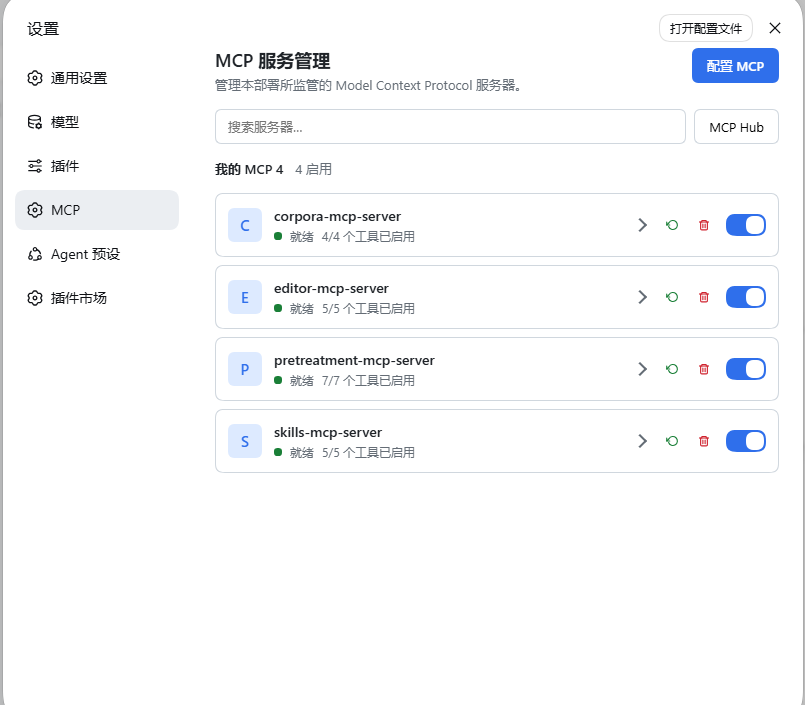
The default view shows all configured MCP servers with their live status (connecting / ready / failed / disabled), tool count, and quick controls:
- Expand: Show/hide the server's registered tools
- Restart: Reconnect the server
- Delete: Remove the server (with confirmation)
- Enable/Disable: Toggle the server on/off
Board View
Click "Configure MCP" to enter the board view. Each server is rendered as a card with:
- Enable/disable toggle
- Edit (pencil) button
- Delete (trash) button with two-step confirmation
- Health check (pulse) button
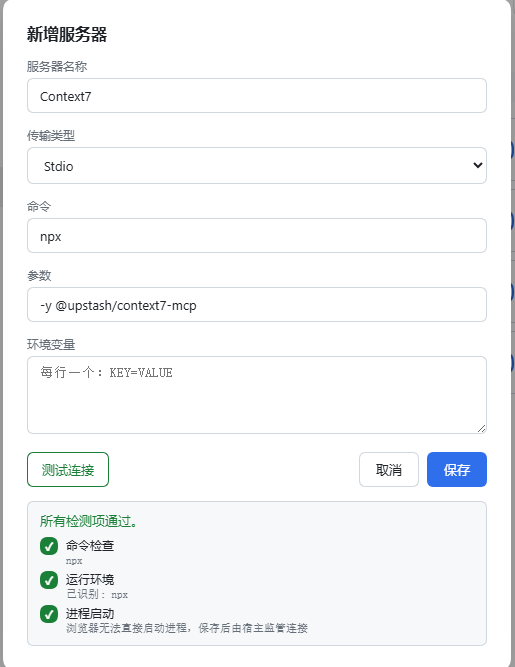
Use "+ Add Server" to create a new server entry. The form supports:
- Transport type selection (stdio / HTTP / SSE / Streamable HTTP)
- Command + arguments for stdio
- URL + headers for HTTP-type servers
- Environment variables (one per line)
- Test Connection button to verify the server before saving
JSON View
Switch to the JSON tab to edit the raw mcp.json configuration directly.
Market
Switch to the Market tab to browse popular MCP servers from mcp-cn.com. Features:
- Search by keyword
- Infinite scroll pagination
- Server logo, tags, and usage count
- One-click add to pre-fill the board form
Architecture
One npm package exposes two entry points:
| Entry | Plane | Responsibility |
|---|---|---|
. |
Host (Node) | Supervises MCP connections from ~/.dsh/mcp.json (stdio / http / sse / streamable-http, tool discovery, auto-reconnect); exposes the mcp Remote namespace including fetchMarket for CORS-free market API access. |
./client |
Client (web) | MCP service panel + board view + JSON editor + market browser, injected into settings.section. |
Host face: McpRegistry (extends TypertRemoteService) layers entry config over mcp.json user config, then hands the result to an internal ServerSupervisor — one connection per server, re-creating only what changed. Tools register under mcp__<serverName>__ on ctx.tools. The fetchMarket method proxies HTTP requests to external APIs on behalf of the client, avoiding browser CORS restrictions.
Client face: apply self-mounts the mcp Remote namespace, creates a McpManagerController, and injects the panel into settings.section. All RPC calls are serialized on a single queue to prevent concurrent answer clobbering.
License
MIT
No comments yet. Be the first to write one.