Whale Maid Companion


A chibi whale-maid companion who works, waits, celebrates and naps alongside you.
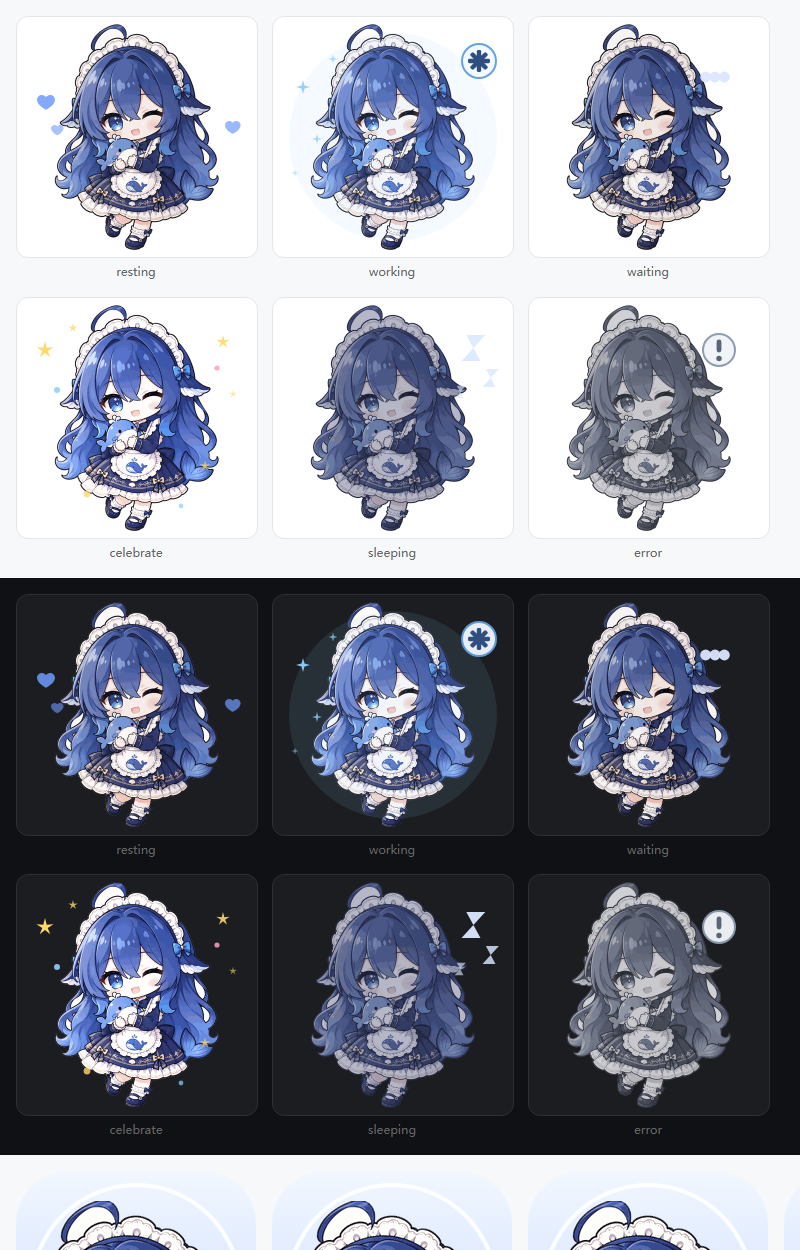
All six states, rendered by a real browser in both themes. Regenerate with python artwork/tools/review-states.py.
一只住在 DSH 窗口里的 Q 版鲸鱼小管家:陪你工作、等你确认、为你欢呼,也陪你打个盹。
This plugin keeps the full feature set of its upstream project
dsh-plugin-whale-pet (MIT code, v0.2.9)
and replaces the character: the whale stickers are gone, and every state is drawn from an
owner-supplied chibi whale-maid illustration with its own transparent cut-out, per-state
recolouring and small vector effects.
Features
- Drag, resize, hide, and restore the companion inside the DSH window.
- Choose All sessions or Current session, with a working-session count for ordinary main sessions.
- Six states: resting, working, waiting, celebrating, sleeping, and error.
- A custom plugin-manager icon, built from the same artwork and legible at 16 px.
- English and Chinese text, light and dark settings menus, and reduced-motion support.
- Separate normal completion from cancellation and failure; a falling working count or a green unread indicator alone does not mean success.
This is an in-window plugin, not a separate operating-system desktop overlay.
The six states
| State | Look |
|---|---|
| resting | the character as drawn, with soft floating hearts |
| working | slightly warmer and brighter, with small progress sparkles |
| waiting | a thought bubble appears above the head |
| celebrate | brighter still, with stars and confetti around her |
| sleeping | dimmed and blue-shifted, with drifting "Z" marks |
| error | desaturated to grey, with a warning badge |
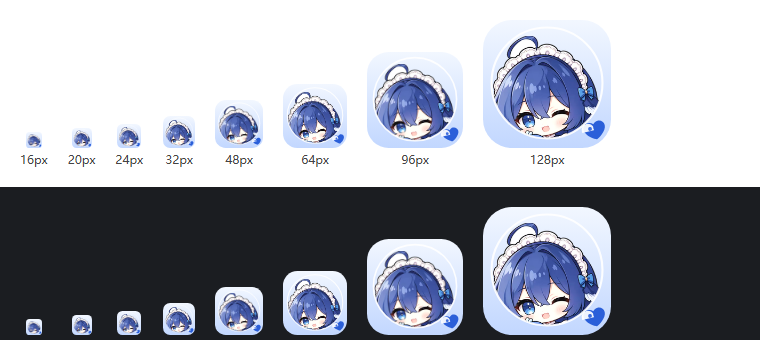
The plugin-manager icon at the sizes DSH actually draws it.
Each state ships as one SVG that embeds the character raster plus its own vector effects.
The artwork is generated from the source illustration by the scripts in artwork/, so the
whole set can be regenerated after the illustration changes:
python artwork/tools/make-assets.py      # writes assets/*.svg and assets/icon.svg
python artwork/tools/review-states.py    # writes artwork/build/states-with-effects.png
Install
Direct download: dsh-plugin-whale-maid-1.0.0.tgz from the v1.0.0 release, then enter its absolute path in DSH's plugin installation interface:
<wherever you saved it>\dsh-plugin-whale-maid-1.0.0.tgz
Verify the download before installing:
size      747460 bytes
sha256    8a9a71681a14af84a0444fc58655996f9da66e727d85f996defc62a3b55a24f7
Install straight from this repository
Enter this in the same interface; DSH fetches and installs the package for you:
github:yangyiqun747/dsh-plugin-whale-maid
Build the package yourself
npm pack # writes dsh-plugin-whale-maid-1.0.0.tgz
The package carries prebuilt lib/ output, so installing it runs no build step and downloads
nothing. After an update that changes Host or client modules, wait for running tasks to
finish, fully quit DSH, and reopen it — closing a window may not quit the application.
The plugin never edits your profile by itself. It inserts exactly one row (entry id
whale-maid) through its cordis.patch.yml.
Usage
- Click the companion to say hello; drag her to reposition.
- Right-click to change session scope, size, animation, and nap timing.
- Use the restore button to bring back a hidden companion.
- Global scope covers ordinary main sessions on the currently connected Host—not multiple devices or Hosts.
- Waiting for user input has higher display priority. Brief completion notices are not queued for later replay.
Development
Use Node.js 22 or newer. The build needs esbuild and zod@4.4.3 as development
dependencies (declare them locally, for example with pnpm install); nothing is installed
or downloaded at plugin install time.
node tools/bridge-build.mjs   # regenerate lib/remote.js + lib/index.js
node tools/build.mjs          # regenerate lib/client.js + offline preview
node --test "tests/*.test.mjs"
tools/check-glyphs.mjs reports any bubble phrase that the embedded font subset cannot
draw; the shipped Chinese dictionary is kept inside that subset so the bubble font never
falls back mid-sentence.
The build validates every state SVG: no scripting, no remote reference, <image> only with
an inline PNG payload, and a size ceiling. Open preview/index.html directly in a browser
for an offline preview that never connects to DSH or a model.
Privacy and runtime boundaries
- Does not modify DSH itself, send model messages, add model inference calls, or act on approvals for you.
- Uses DSH's existing authenticated connection. No additional listening port, telemetry, or runtime font/CDN requests.
- The completion bridge projects only session identity and turn-boundary metadata—not chat content.
- Preferences stay in client-local storage.
Licensing
- Code: MIT, inherited from the upstream project. The upstream repository, its build tooling, its state machine and its wording are the work of the upstream authors.
- Character artwork: supplied by this package's owner. See the notice and character asset notes; it is not covered by the MIT code license.
- Bubble fonts: unchanged upstream subsets, see font licenses.
This is a personal project, not an official DeepSeek product. It does not represent
DeepSeek's official views or endorsement, and it is not affiliated with the upstream
dsh-plugin-whale-pet project beyond the MIT-licensed code it builds on.
No comments yet. Be the first to write one.