READMESource: main@cdd61da1
dsh-mcp-mgr
English | 中文
0.2.0 Update: Has been verified to be compatible with dsh@0.1.5
npx @deepseek-ai/dsh@0.1.5-rc.2 plugin --profile web add dsh-mcp-mgr@0.2.0
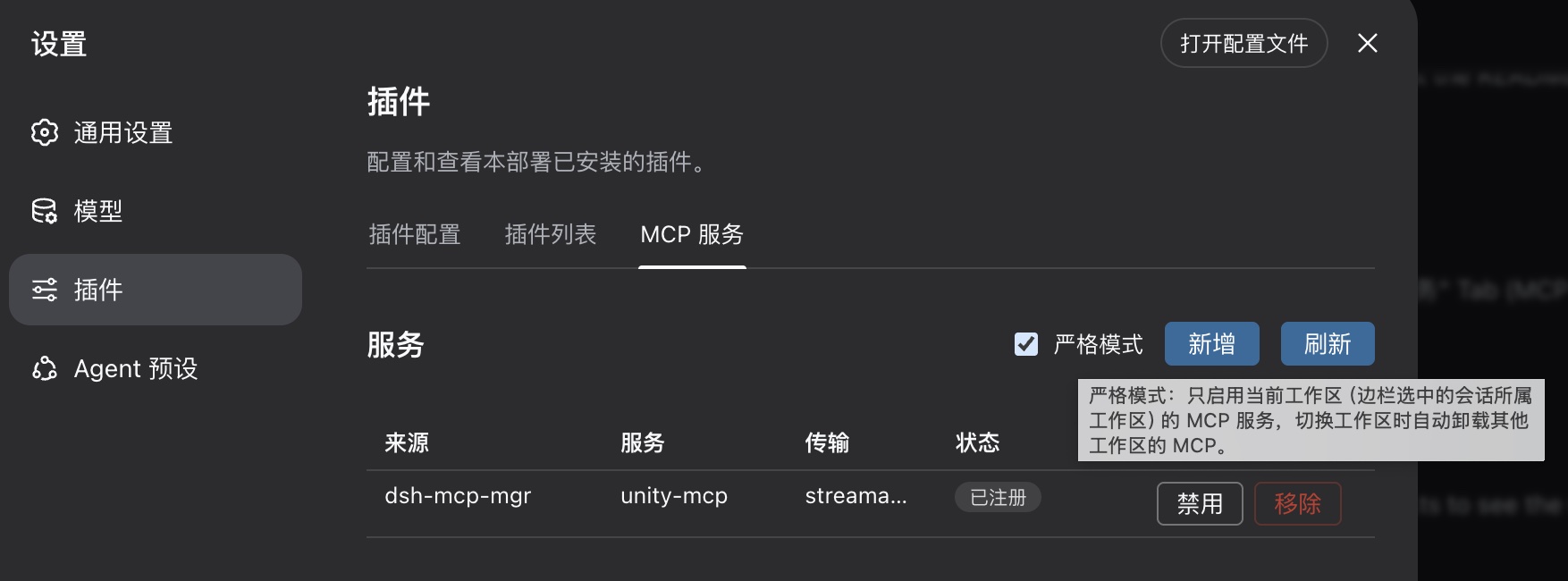
A workspace-level MCP manager for DeepSeek Harness: it reads MCP servers from each workspace's .dsh/dshmm/mcp.json, registers their tools dynamically, and provides a management tab in the Web settings UI.
Choose your workflow
| User | Entry point | Source checkouts required |
|---|---|---|
| Regular user | npm package + npx @deepseek-ai/dsh |
Neither deepseek-harness nor this repository |
| Source developer | deepseek-harness source + this repository source | See Source Developer Guide |
Regular users: npm package
Install and start
npx @deepseek-ai/dsh plugin --profile web add dsh-mcp-mgr@latest
npx @deepseek-ai/dsh web
Run the install command again to update:
npx @deepseek-ai/dsh plugin --profile web add dsh-mcp-mgr@latest
Uninstall:
npx @deepseek-ai/dsh plugin --profile web remove dsh-mcp-mgr
Workspace configuration
Create .dsh/dshmm/mcp.json at the workspace root:
{
  "mcpServers": {
    "my-http-server": {
      "type": "http",
      "url": "http://127.0.0.1:8090/mcp"
    },
    "my-stdio-server": {
      "type": "stdio",
      "command": "npx",
      "args": ["-y", "<mcp-server-package>"]
    }
  }
}
Rules:
- A missing
typeis treated as Streamable HTTP;${VAR}environment expansion is supported. - A stdio server without
cwduses the workspace root. serverNameis globally unique; duplicates are shown as conflicts.- Set
"enabled": falseto disable an entry without removing it; absent means enabled.
Behavior and limits
- Workspace tools use the
mcp__<serverName>__<tool>naming convention. - Settings strict mode is used to mount only the selected workspace's servers.
Source developers
When modifying both deepseek-harness and this plugin from source, see the Source Developer Guide. Both repositories may be anywhere; they do not need to be siblings or use fixed paths.
Design notes live in Doc/requirements.md.
No comments yet. Be the first to write one.