READMESource: main@26cb3b96
dsh-gitui 🌿
A visual Git graph and repository control plugin for DeepSeek Harness (Desktop & Web).
Directly embedded into DeepSeek Harness's right sidebar, featuring a VSCode Git Graph-style smooth continuous Bézier subway graph, interactive branch operations, commit inspections, file diff viewer, and staging controls.
📸 Previews
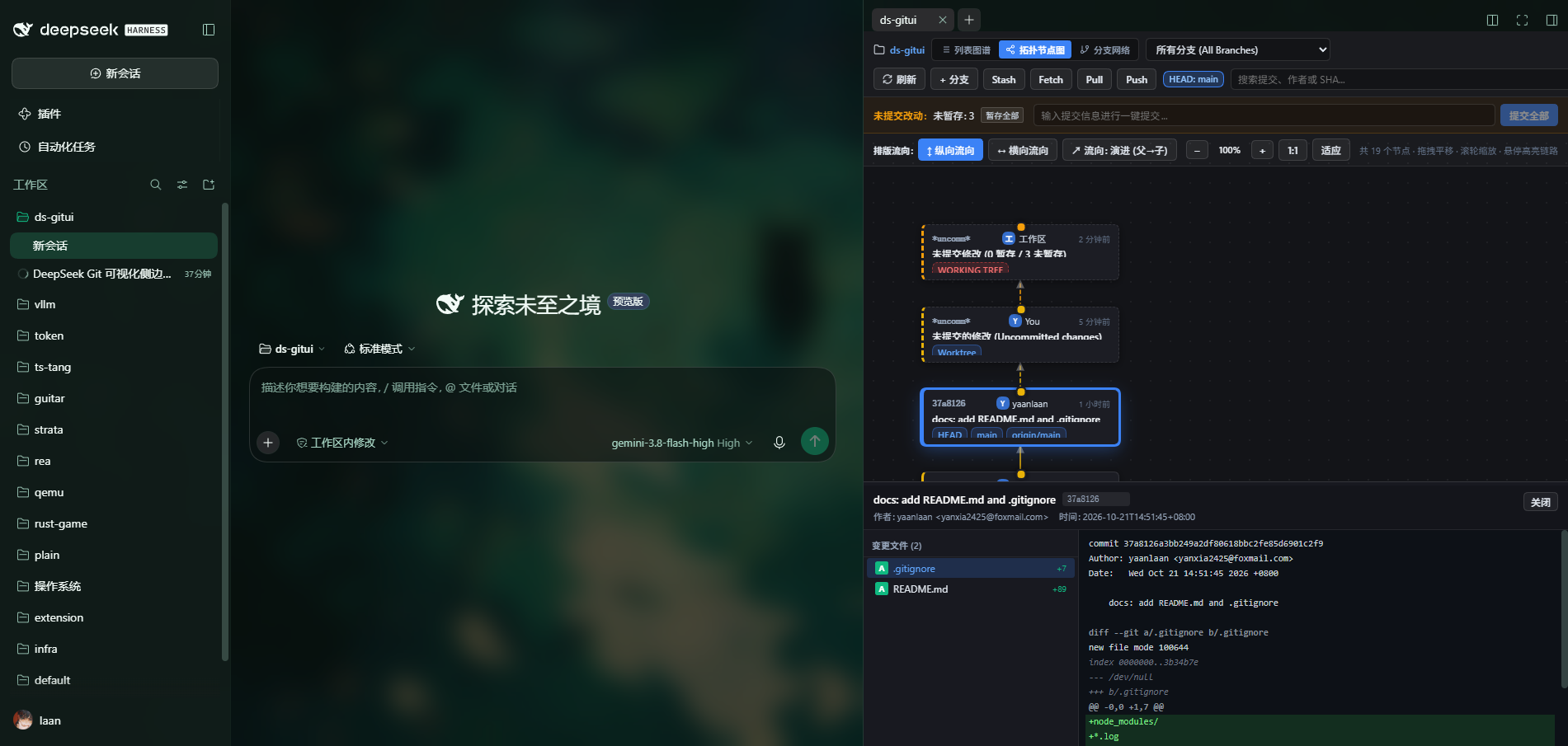
1. DAG 拓扑节点图 (2D 自由缩放/平移拓扑关系图)
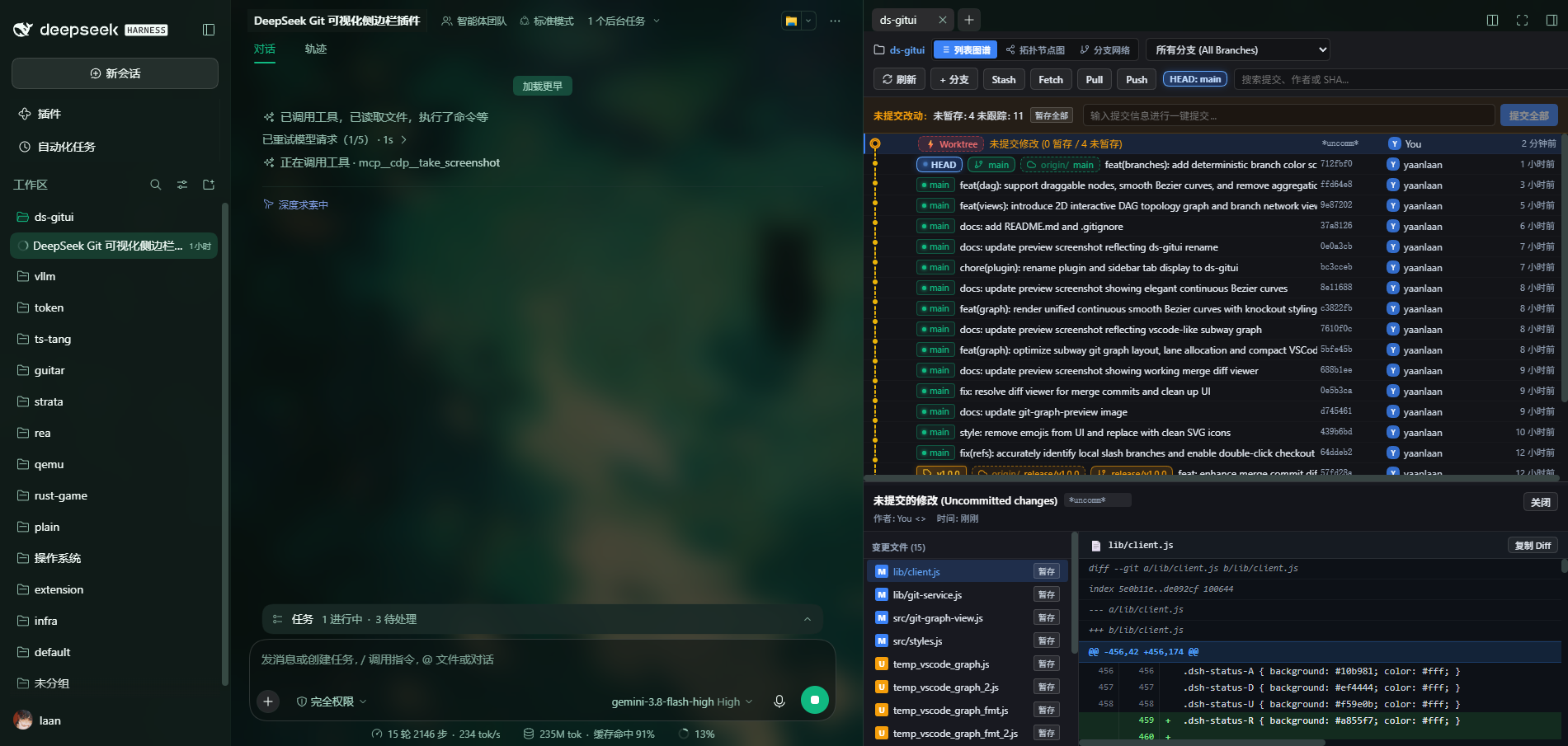
2. 地铁折线图 (VSCode Git Graph 风格平滑贝塞尔曲线)
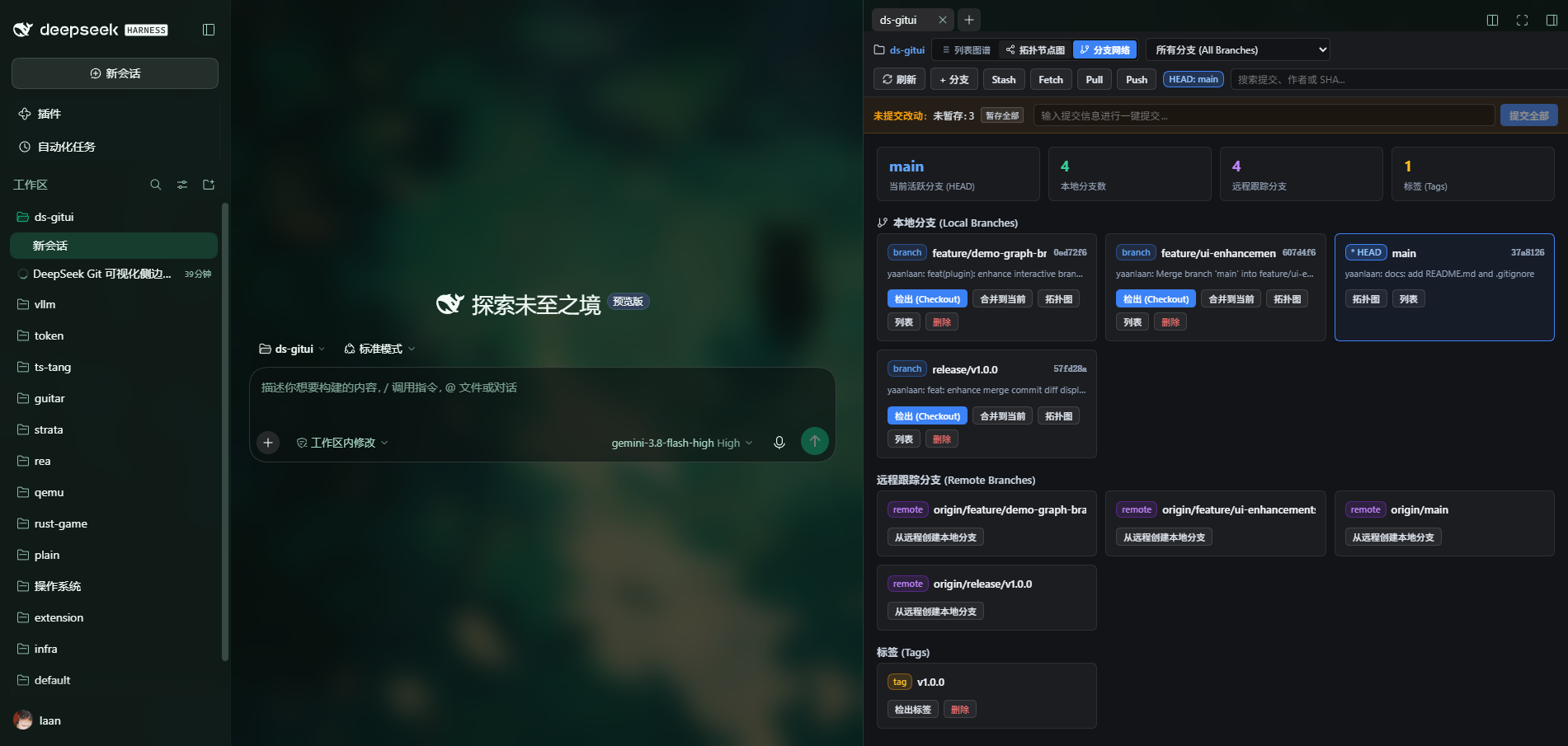
3. 分支网络概览 (分支派生状态与一键管理)
✨ Features
- 三重视图可视化切换 (3 Visual View Modes):
- 🚇 列表图谱 (Subway Table Graph): 类似 VSCode Git Graph 的全局平滑三次贝塞尔曲线连续轨道、分支分流与合流,高对比度剔除外描边与详细提交表格。
- 🕸️ DAG 拓扑节点图 (DAG Topology Graph): 自由 2D 画布,将 Git 提交以真实有向无环图节点呈现,支持:
- 自由平移与缩放:支持鼠标滚轮缩放、拖拽平移、一键适应视口与 1:1 重置;
- 纵向/横向排版流向切换:支持时间由上至下流动(纵向)与由左至右流动(横向);
- 拓扑箭头指示:演进流向(父→子)与溯源流向(子→父)自由切换;
- 血缘链路悬停高亮:鼠标悬停任意提交节点时自动高亮其父节点与子节点全路径;
- 节点卡片与抽屉详情:点击节点卡片直接展开文件变更统计与语法高亮 Diff 抽屉。
- 🌿 分支拓扑网络 (Branch Network): 分支聚合视图,直观查看所有本地/远程分支最新提交、检出、合并到当前、跳转对应图谱与删除。
- 无缝集成 DeepSeek Harness 右侧边栏:
- 注册为 DeepSeek Harness 原生侧边栏 Tab(
dsh-gitui)与引导卡片; - 自动绑定当前活跃会话的工作区(
cwd),支持工作区快速切换; - 支持右侧边栏折叠、全屏放大与多标签分栏。
- 注册为 DeepSeek Harness 原生侧边栏 Tab(
- 全功能交互式 Git 仓储操作:
- 右键上下文菜单:检出、基于提交建分支、创建标签、Cherry-pick、Revert、Reset、复制 SHA 等;
- 快速工具栏:分支过滤、一键刷新、新建分支、Stash 暂存与弹出、Fetch、Pull、Push;
- 快捷键盘支持:新建分支/标签/Stash 对话框支持按 Enter 快速提交。
- 工作区变更与快速暂存/提交:
- 实时检测未暂存与已暂存文件改动;
- 一键暂存全部(Stage All)、取消暂存全部;
- 侧边栏内直接输入 Commit Message 进行一键提交。
- 高性能 & 安全沙箱隔离:
- 安全子进程调用与临时文件重定向管道,彻底避免沙箱环境下的 EPERM 错误。
🚀 Installation
- Clone or link
dsh-gituiinto your DeepSeek Harness profile directory (e.g.~/.dsh/profiles/desktop):
cd ~/.dsh/profiles/desktop/node_modules
# On Windows PowerShell:
New-Item -ItemType Junction -Target "C:\Users\<user>\Documents\deepseek\extension\dsh-gitui" -Path "dsh-gitui"
- Add
dsh-gituito~/.dsh/profiles/desktop/package.json:
{
  "dependencies": {
    "dsh-gitui": "link:../../../../Documents/deepseek/extension/dsh-gitui"
  },
  "dsh": {
    "bundles": [
      "dsh-gitui"
    ]
  }
}
- Build the client bundle (if developing from source):
pnpm run build
# or node build.mjs
- Launch or reload DeepSeek Harness. In any session, click dsh-gitui in the right sidebar or from the "开始" (Guide) tab to start exploring your Git history visually!
🛠️ Development
build.mjs: Compiles client-side React components into standard DSH Cordis client bundle (lib/client.js).src/git-graph-view.js: Frontend UI, branch layout solver, and Bézier topology generator.src/styles.js: Scoped styles matching DSH dark theme tokens.lib/git-service.js: Host-side Git operations and parser service.lib/index.js: Host plugin entry exposing/api/git-graph/*endpoints.
📄 License
MIT © yaanlaan
No comments yet. Be the first to write one.