READMESource: main@94e75169
dsh-bridge-preview
为 DeepSeek Harness 的 dsh-tool-vision「图片桥」提供对话内联预览的插件。
解决的问题
纯文本模型(如 deepseek-v4-flash)下,粘贴的图片会被 tool-vision 桥接成一段文本提示:
[User sent an image (image.png), exported to: C:\...\dsh-vision-bridge\image_sha256:xxx.png. Inspect it with the inspect_image tool to see its content.]
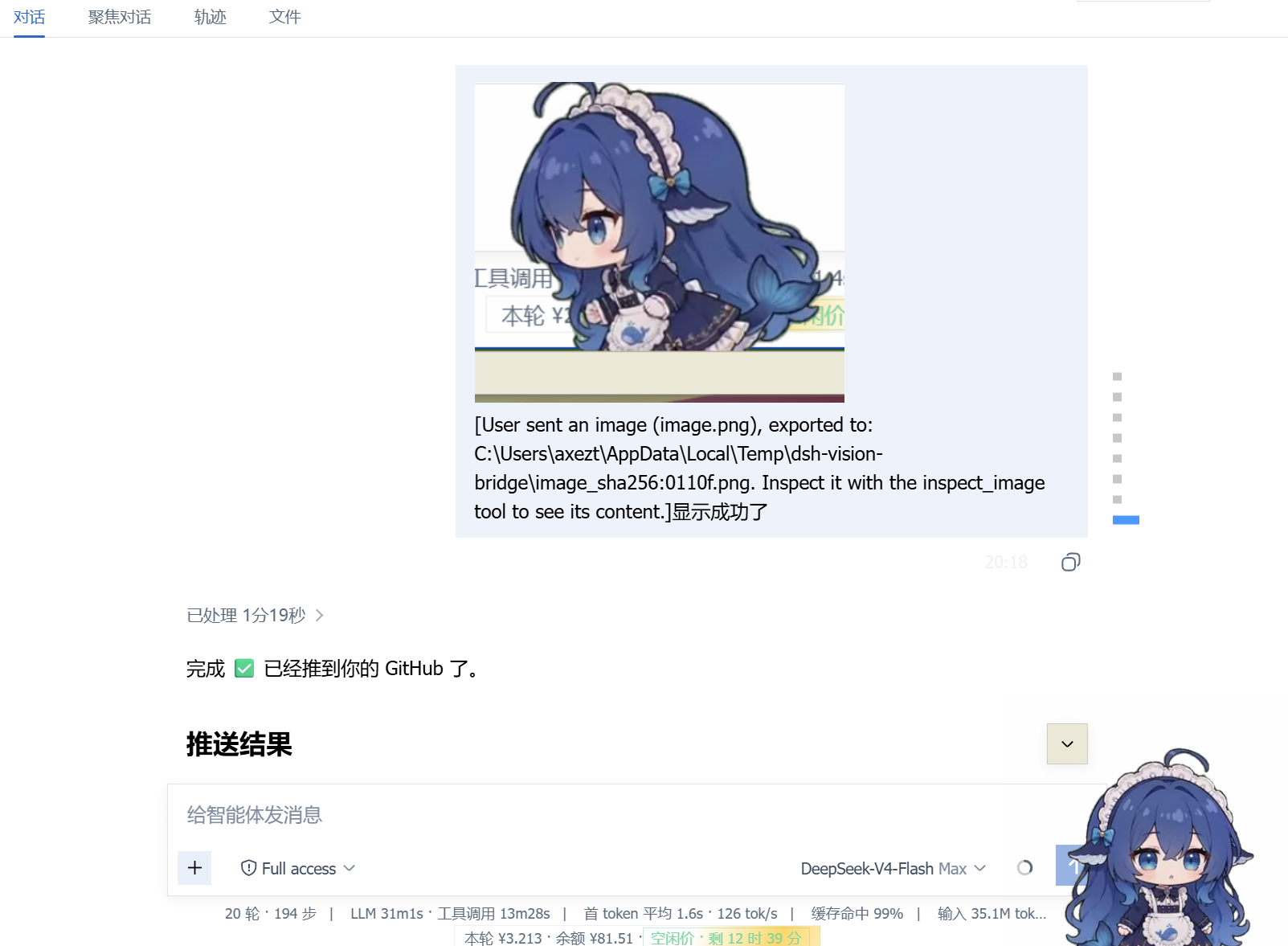
对话里只显示文字、看不到图片。本插件在展示层把这段提示中的图片路径渲染成内联缩略图——模型看到的提示文本、inspect_image 调用、日志内容完全不变。
截图
特性
- 用户气泡内直接显示图片预览(缩略图,点击可看大图)
- 旧消息自动补预览、新消息即时预览(观察器 + 2s 兜底扫描)
- 纯加法:不修改持久化消息、不碰插槽系统、不影响模型请求
- 加载失败静默降级(自动移除,不破坏对话)
安装
dsh plugin --profile web-desktop add github:xing666173/dsh-bridge-preview
重启 dsh(或硬刷新页面)后生效。需要已安装并启用 dsh-tool-vision 的图片桥(bridgeTextOnly: true,默认)。
工作原理
- 服务端(
index.js):注册同源回环路由/plugins/dsh-bridge-preview/image,只读桥接导出目录(<os.tmpdir>/dsh-vision-bridge)内的图片;限制本机 Host、图片扩展名、20MB 上限、防目录穿越。 - 浏览器端(
client.js):扫描用户消息中的exported to: <path>提示,提取路径,在文本块上方插入<img>。
注意:Windows 上 tool-vision 导出的文件名含冒号(
image_sha256:xxx.png),实际是 NTFS 备用数据流(ADS),Node 可直接读取,无需特殊处理。
兼容性
- 桥接提示格式:
exported to: <path>段在 tool-vision 0.3.7 / 0.3.10 中保持一致 - 若上游更改提示文本格式,需同步更新
client.js中的HINT_RE
开发与测试
node --check index.js
node --check client.js
node test-route.mjs   # 路由逻辑端到端测试(真实文件)
License
MIT © 2026 xing666173
No comments yet. Be the first to write one.