🗂️ Solution Explorer for DSH
VS Code-style file explorer plus full source control for the DeepSeek Harness (DSH) Web GUI right sidebar.




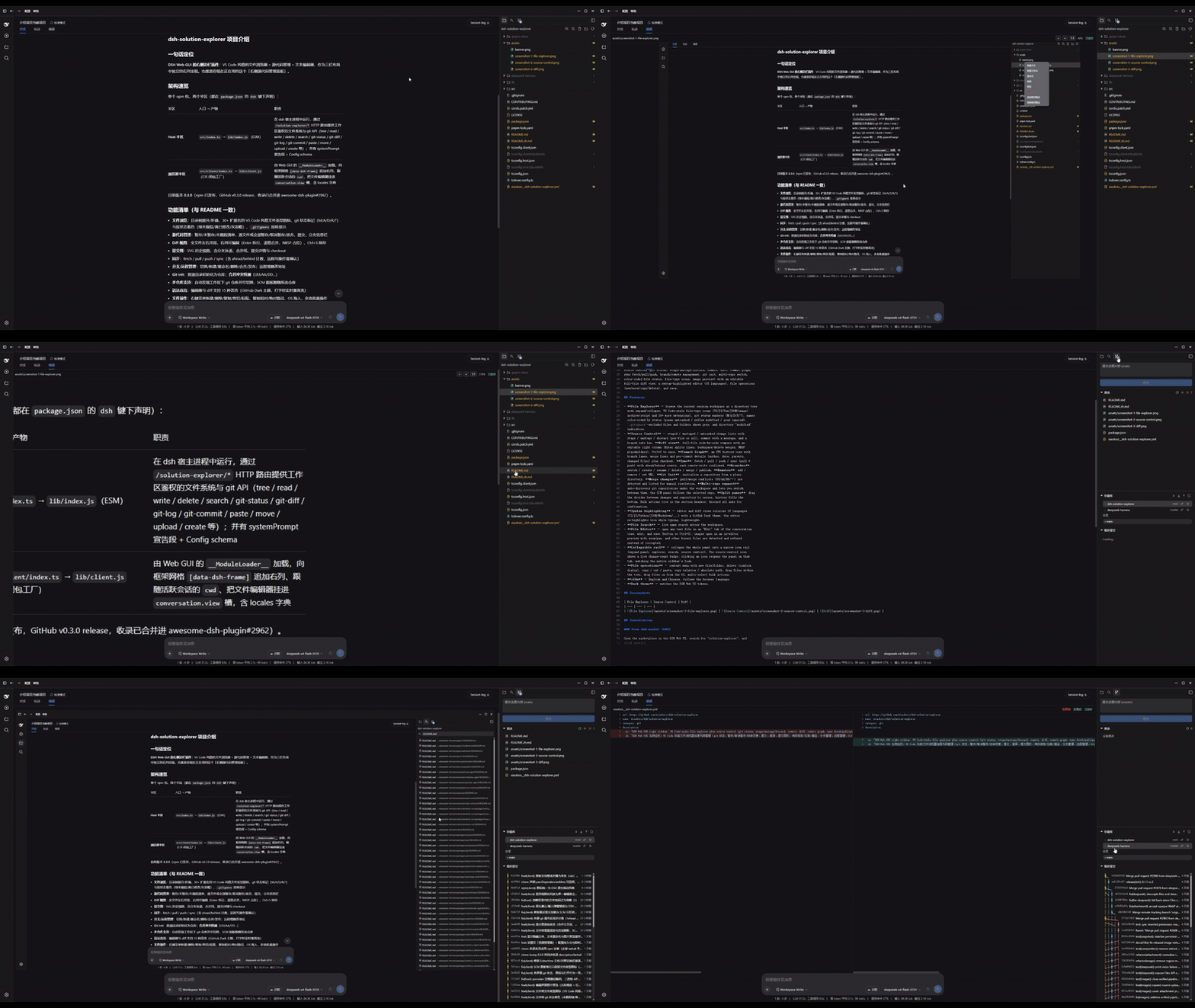
Features
- File Explorer — browse the current session workspace as a directory tree
with expand/collapse, VS Code-style file-type icons (TS/JS/Vue/JSON/image/
archive/script and 30+ more extensions), git status markers (M/A/D/R/?), names
color-coded by status (green untracked / yellow modified / grey ignored),
.gitignore-excluded files and folders shown grey, and directory "modified" indicators. - Source Control — staged / unstaged / untracked change lists with stage / unstage / discard (per-file or all), commit with a message, and a branch info bar. AI commit message: pick a host-configured model in Settings and tap the ✨-icon beside the commit box to generate a Conventional Commits draft from the staged diff (optionally guided by the repo's AGENTS.md). Diff view: full-file side-by-side compare with an editable right column (Enter splits lines, backspace/delete merges, NBSP placeholders), a middle gutter to stage (⤒) or revert (↩) individual hunks, Ctrl+S to save. Commit Graph: an SVG history view with branch lanes and merge lines; click a commit to expand its changed files (with file-type icons and status letters M/A/D/R) below the row, hover for a tooltip with the full message, stats, and a GitHub link; plus checkout. Sync: fetch / pull / push / sync (pull + push) with ahead/behind counts, each remote-write confirmed. Branches: switch / create / rename / delete / merge / publish. Remotes: add / remove / set URL. Git Init: initialize a repository from a plain directory. Merge changes: pull/merge conflicts (UU/AA/DD/…) are detected and listed for manual resolution. Multi-repo support: auto-discovers git repositories under the workspace and lets you switch between them; the SCM panel follows the selected repo. Split panes: drag the divider between changes and repository to resize, history fills the bottom. Bulk actions live in the section headers; discard all asks for confirmation.
- Syntax highlighting — editor and diff views colorize 15 languages (TS/JS/Python/JSON/Markdown/...) with a GitHub Dark theme; the editor re-highlights live while typing, lightweight.
- File Search — live name search across the workspace.
- File Editor — open any text file in an "Edit" tab of the conversation view, edit, and save (button or Ctrl+S); images open in an in-editor preview with zoom/pan, and other binary files are detected and refused instead of corrupted.
- Collapsible rail — collapse the whole panel into a narrow icon rail (expand panel, explorer, search, source control, terminal). The source-control icon shows a live change-count badge; clicking an icon reopens the panel on that tab, matching the native sidebar's look.
- Multi-tab terminal — a bottom terminal panel opened from the rail (native ConPTY, PowerShell/cmd by default); multiple tabs, drag to resize, and auto cleanup of processes when a tab closes or the connection drops.
- File operations — context menu with new file/folder, delete (confirm dialog), copy / cut / paste, copy relative / absolute path; drag files within the tree, drag files in from the OS, multi-select bulk actions.
- i18n — English and Chinese, follows the browser language.
- Dark theme — matches the DSH Web UI tokens.
Screenshots
| File Explorer | Source Control | Diff |
|---|---|---|
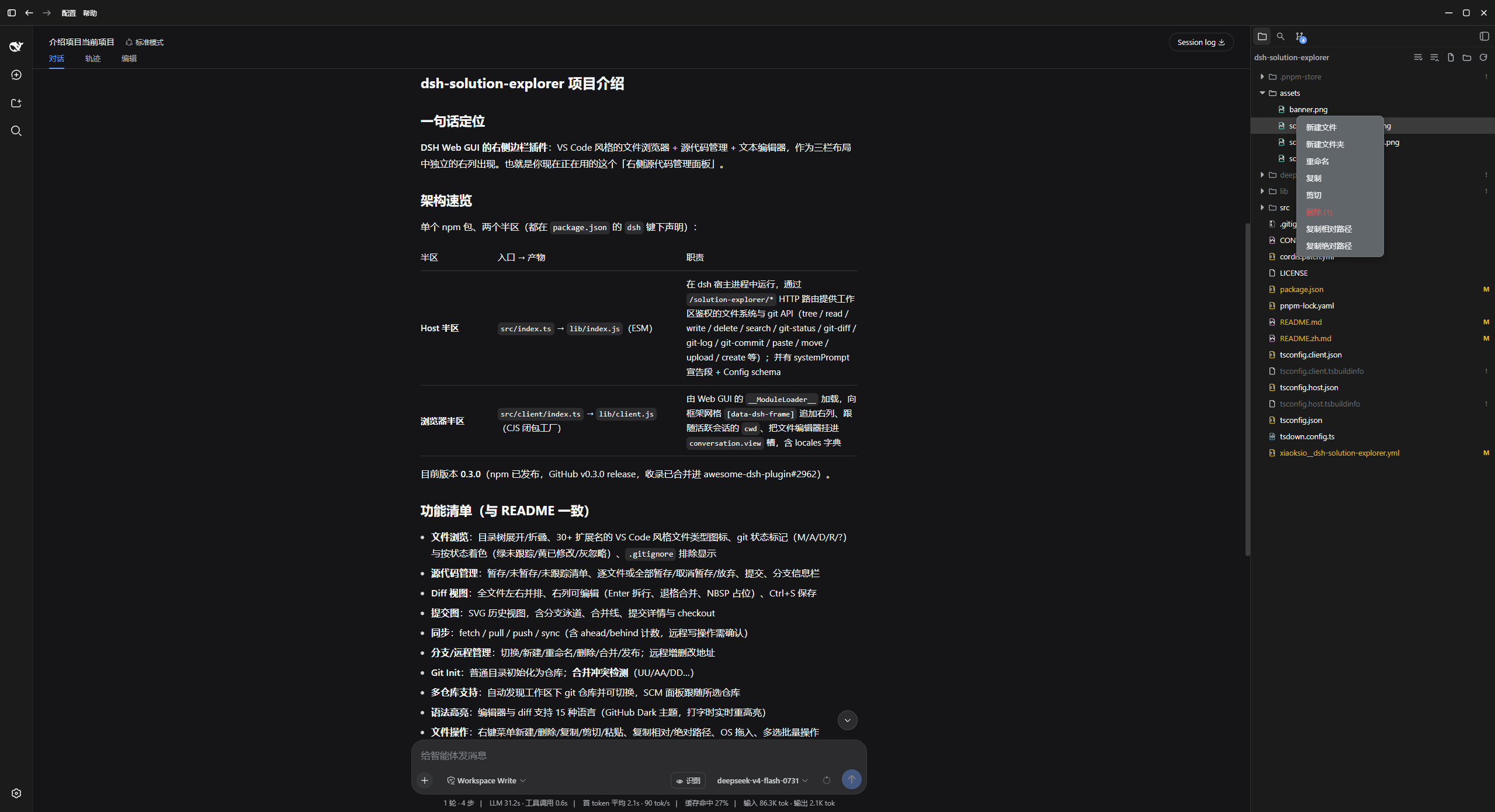 |
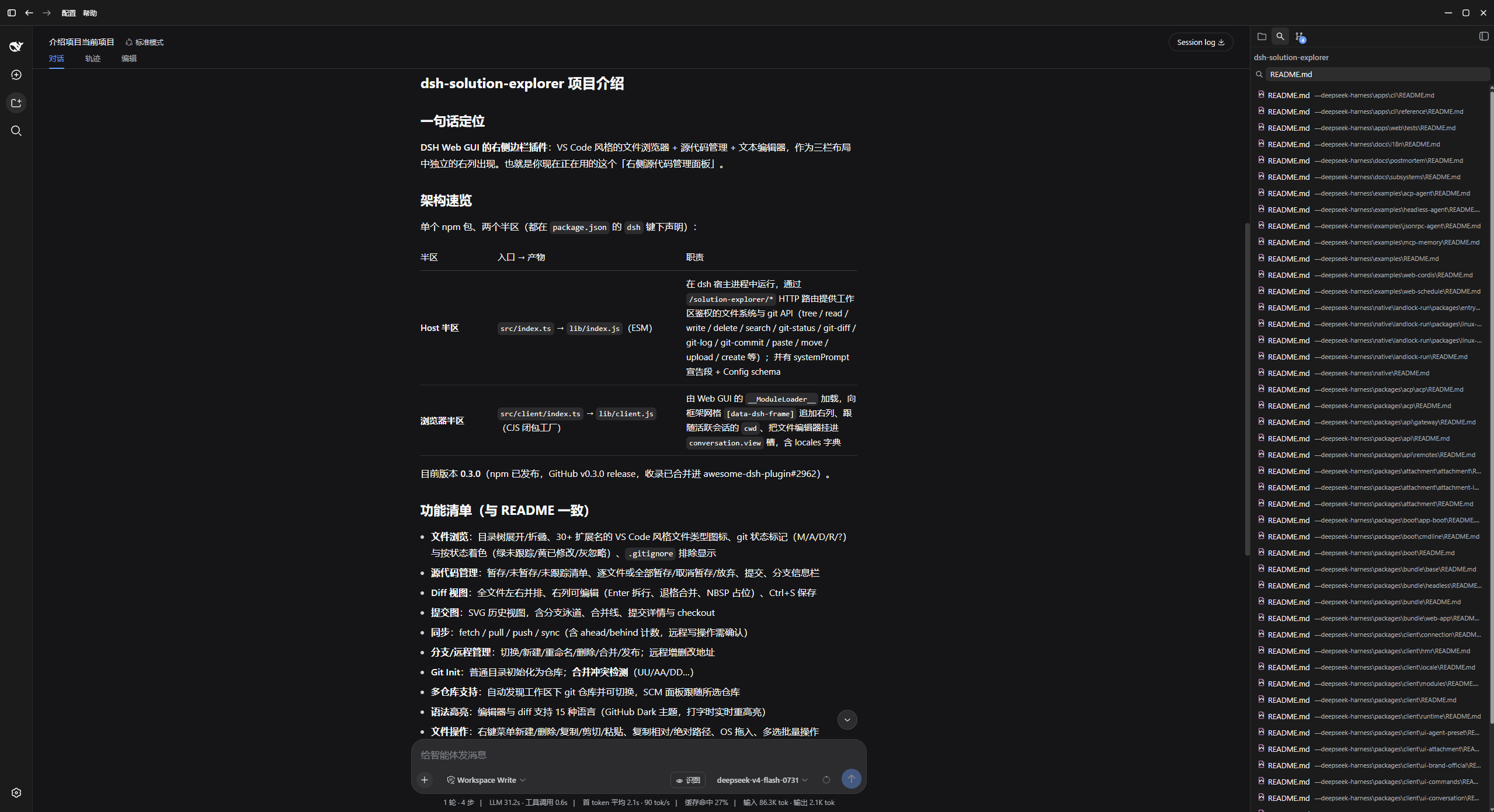 |
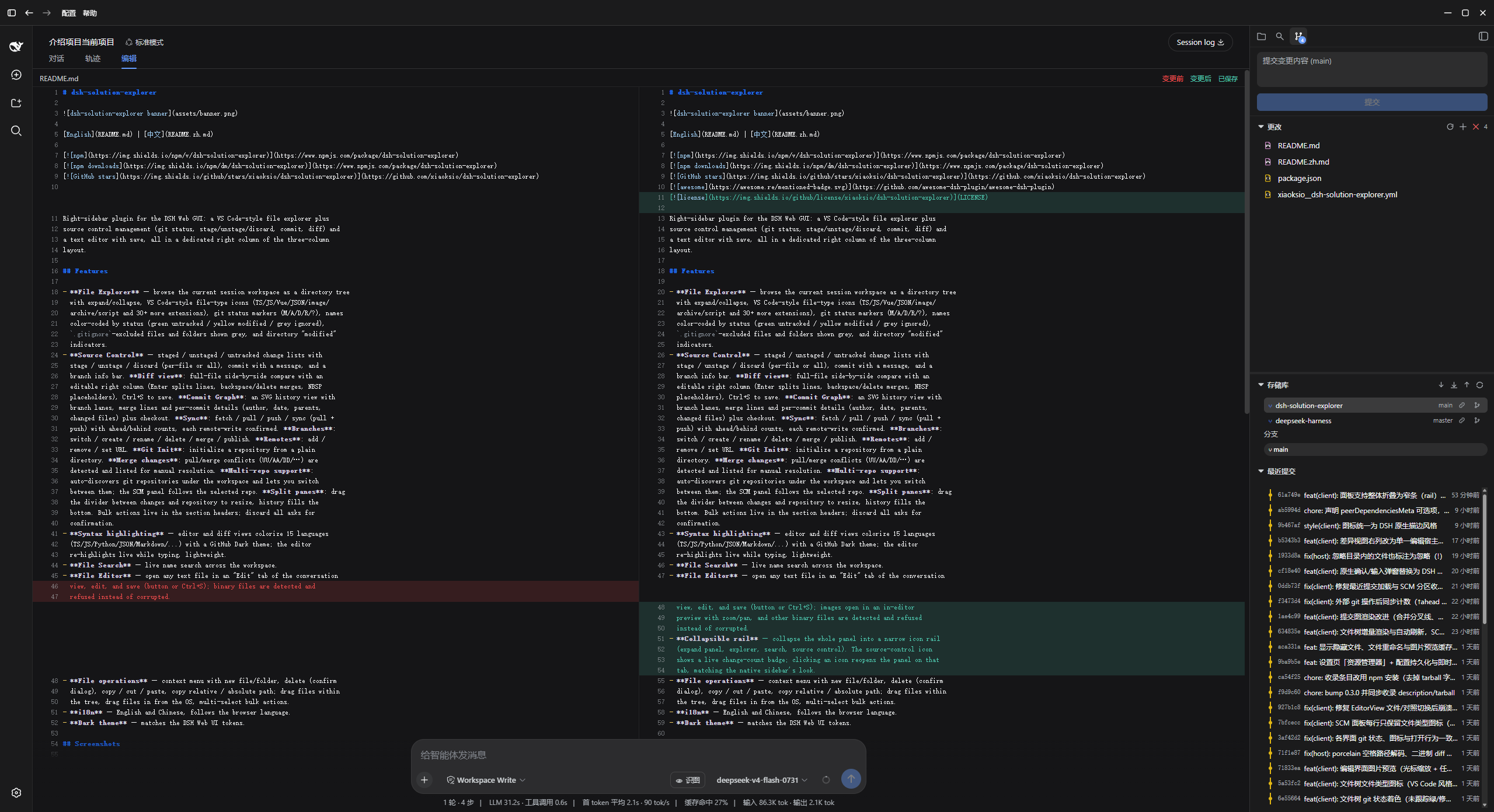 |
Installation
[!WARNING] This is a third-party community plugin. Installing it runs its code on your machine with your own permissions. It can read, modify, and delete files and run git operations (including destructive ones such as discard and delete) inside your session workspace. Review the source before use and back up important work first. You are responsible for what this plugin does with your repositories.
From dsh-market (GUI)
Open the marketplace in the DSH Web UI, search for "solution-explorer", and click install.
From npm
dsh plugin --profile web add dsh-solution-explorer
From a local checkout
dsh plugin --profile web add /path/to/dsh-solution-explorer
After installing, reload the Web UI. The explorer panel appears as its own right column once a session with a workspace is active.
Configuration
The plugin accepts an optional config in the bundle row
(cordis.patch.yml):
| Field | Type | Default | Description |
|---|---|---|---|
defaultWidth |
number |
280 |
Panel width in px, clamped to 264–560. |
autoOpen |
boolean |
true |
Auto-open the panel when a session activates. |
filterPatterns |
string[] |
[] |
Name patterns to hide from the file tree. |
showHidden |
boolean |
false |
Show dot-prefixed (hidden) files in the tree. |
Development
pnpm install
pnpm build    # tsc declarations + tsdown bundles (lib/index.js, lib/client.js)
pnpm watch    # rebuild on change
See CONTRIBUTING.md for the submission guide.
pnpm install also runs the prepare script, so a git-based install
(dsh plugin add github:xiaoksio/dsh-solution-explorer) builds lib/ on
the target machine without manual steps.
How it works
The plugin is a single npm package with two halves, both declared in
package.json under the dsh key:
- Host half (
src/index.ts, exports.→lib/index.js): runs in the dsh host process and serves the workspace-gated filesystem and git API over HTTP routes under/solution-explorer/*(tree,read,write,delete,search,git-repos,git-status,git-diff,git-log,git-stage,git-unstage,git-discard,git-commit,paste,move,upload,create). All routes resolve paths strictly inside the session workspace root. It also announces itself in the system prompt so the agent knows what the panel can do. - Browser half (
src/client/index.ts, exports./client→lib/client.js): loaded by the Web GUI's__ModuleLoader__as a closure-factory bundle. It appends the explorer column to the frame grid ([data-dsh-frame]), follows the active session'scwd, and mounts the file editor into theconversation.viewslot.
See CONTRIBUTING.md for development conventions and how to submit the plugin to awesome-dsh-plugin.
License
MIT
No comments yet. Be the first to write one.