dsh-yuanbao-search
中文说明 · English
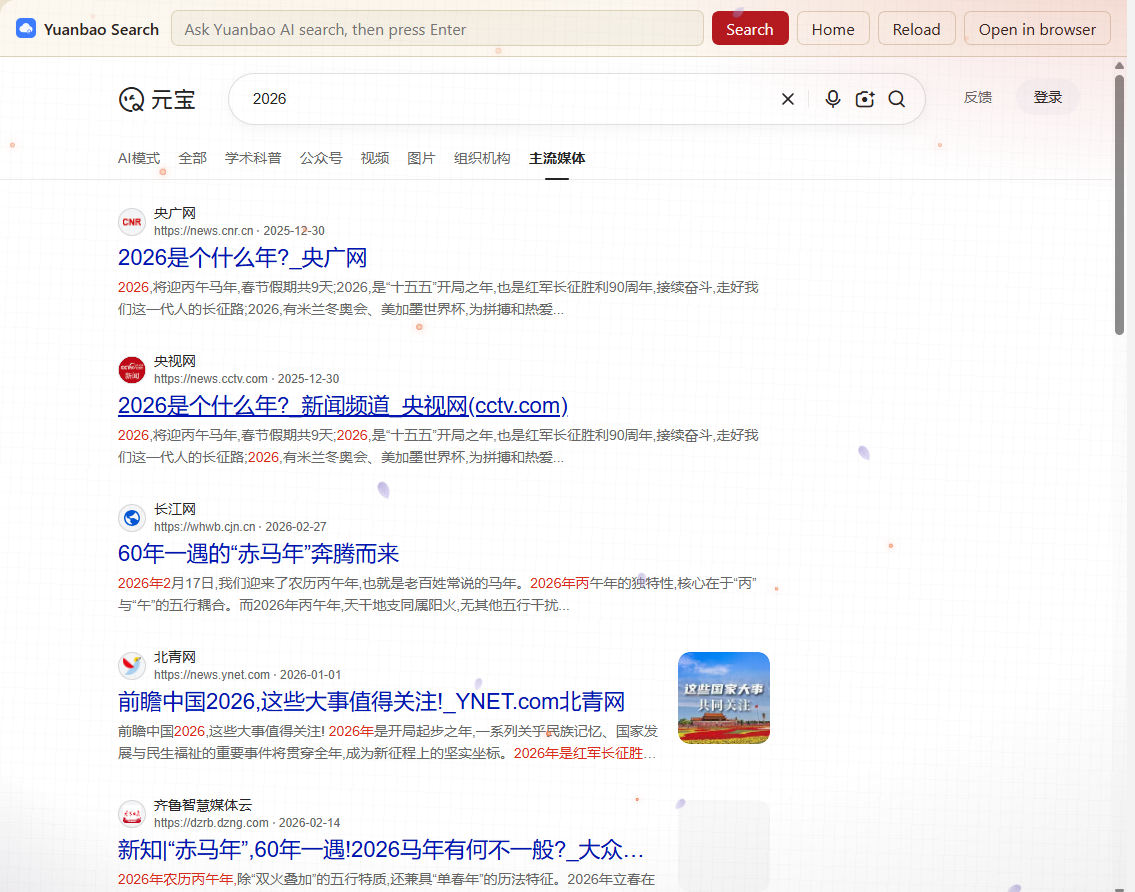
Use Tencent Yuanbao Search (so.qq.com) as a main panel inside the DeepSeek Harness Web UI — sitting next to panels like Task board and Plugins. Search results render inside the panel; nothing is handed off to your system browser.
Install
The plugin is a Harness bundle: a Host half plus a Web client module.
# 1. clone next to your Harness workspace
git clone https://github.com/xbbkok/dsh-yuanbao-search.git

# 2. install it into the active profile
#    (Plugin Manager → Add plugin → the cloned directory, or:)
dsh plugin --profile <your-profile> add /absolute/path/to/dsh-yuanbao-search
Then enable Yuanbao Search in Plugins and reload the window once.
Bundle installation is performed by the plugin manager, which links the directory and adds the bundle row. Do not hand-edit the profile's
package.jsonorcordis.patch.yml.
Use
Click Yuanbao Search in the sidebar panel list, between Context Insights and More. The main panel switches to Yuanbao Search.
| Control | Behaviour |
|---|---|
| Search box + Search | Opens /iaimode/search?query=<term> and renders the answer in the panel |
| Home | Back to the AI-mode home page |
| Reload | Reloads the embedded page |
| Open in browser | Opens the current address in your system browser |
Sign-in, history and conversations happen on the Yuanbao site itself. The plugin never reads, stores or forwards your Yuanbao account information.
Why the panel opens in AI mode
Yuanbao's plain home search hands the query to https://www.sogou.com/web?query=….
Sogou refuses to be framed, so the Harness shell opens that navigation in the
system browser — the classic "clicking search throws me out of the app" symptom.
The AI mode page (https://so.qq.com/iaimode) answers entirely on
so.qq.com, at a URL shape that can be loaded straight into the panel. The panel
therefore defaults to AI mode, and the toolbar drives the same URL.
Languages
Panel copy is registered in the Client locale service under the
yuanbao-search namespace with zh and en dictionaries, so labels follow the
Harness interface language. Plugin-card metadata comes from locale/*.json.
Configuration
The Host half is intentionally empty — it registers no service, route or tool, so
the bundle cannot fail activation through a name collision. The panel carries its
own defaults (https://so.qq.com/iaimode).
Known limitations
- Web (Sogou) search is unavailable inside the panel. sogou.com forbids framing, so that path cannot render in-app; use Open in browser when you need it.
- If a Yuanbao page interaction calls
window.open, the shell still resolves it in the system browser. AI mode does not trigger this; forcing a sandbox would break in-site sign-in, so it is left alone. - The panel depends on so.qq.com's
/iaimoderoute and on the site permitting framing. If Tencent changes either, the panel needs a matching update.
Development
Plain JavaScript, no build step.
index.js            Host half: deliberately empty apply()
client.js           Web half: the panel and the sidebar entry
cordis.patch.yml    Bundle patch that inserts the plugin row
locale/{en,zh}.json Plugin-card metadata
icon.svg            Plugin icon
docs/screenshot.png README image
Two details matter when hacking on this:
- A dynamic Client half receives a restricted Cordis context —
get,on,provide,effect. There is noctx.slots; usectx.get('slots'). - The sidebar entry's
idmust equal themainslot key, because the host dispatches the panel switch by that id.
No comments yet. Be the first to write one.