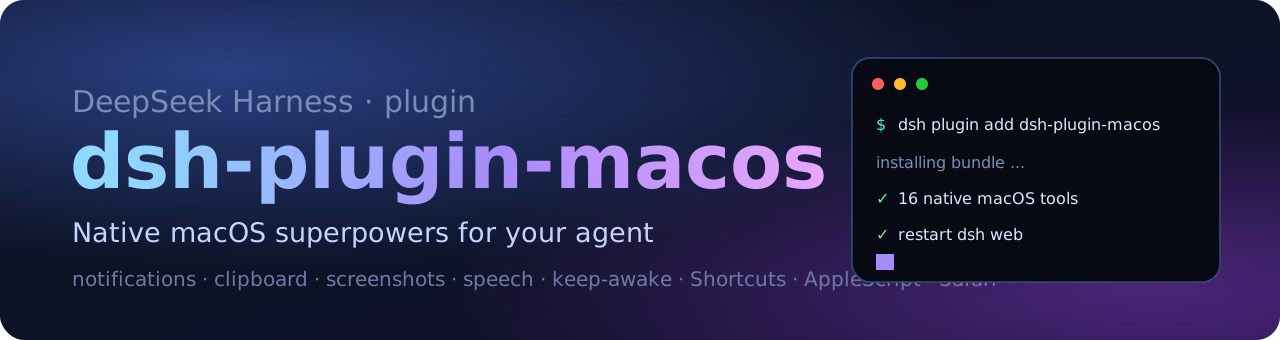
dsh-plugin-macos
Native macOS superpowers for your DeepSeek Harness agent.
21 local tools for notifications, clipboard, screenshots, speech, keep-awake, dark mode,
Spotlight, Shortcuts, AppleScript and Safari control.




English | 中文
Your agent can write code. This gives it hands on your Mac.
DeepSeek Harness (dsh) agents can already run bash, but every native macOS action still means
hand-writing AppleScript. dsh-plugin-macos packages the 21 chores you keep asking an agent to do into
typed, model-facing tools — notifications, clipboard, screenshots, speech, keep-awake, appearance,
Spotlight, Shortcuts, AppleScript and real Safari tabs. Everything runs locally through
child_process and osascript: no cloud service, no browser extension, no accessibility tree, no build step,
no npm dependencies.
Why this plugin
- Broad but boring, on purpose. It covers the long tail of daily Mac chores instead of one narrow trick.
- Safe by construction. Every command uses argv arrays — never a shell string — so page text, file names and model output cannot inject shell syntax. Destructive verbs are not exposed.
- Zero-dependency, plain ESM.
git clone, add the bundle, restart. No compile, no install scripts. - Bilingual. English and Chinese docs, plugin metadata and tool descriptions.
- Honest about permissions. Reads and writes are split into separate tools, and every macOS permission prompt is documented below.
Tools (21)
System
| Tool | What it does | Notes |
|---|---|---|
macos_info |
macOS version, chip, hostname, uptime, battery source, disk, memory | read-only |
macos_network |
hostname, primary interface, IPv4, current Wi-Fi SSID | read-only |
macos_processes |
top processes by CPU or memory | read-only |
macos_spotlight |
search files with Spotlight (mdfind) |
read-only |
macos_finder_path |
POSIX path of the front Finder window | read-only |
macos_frontmost_app |
name of the frontmost application | read-only |
macos_screenshot |
capture the screen (or a region) to a PNG, return its path | Screen Recording |
Everyday actions
| Tool | What it does | Notes |
|---|---|---|
macos_notify |
native notification banner with optional sound | Automation |
macos_say |
speak text with the system voice | |
macos_clipboard_read |
read the clipboard text | read-only |
macos_clipboard_write |
replace the clipboard text | |
macos_volume |
get or set output volume 0–100 | |
macos_dark_mode |
get or set dark mode | Automation: System Events |
macos_keep_awake |
keep the Mac and display awake (caffeinate), stop, or report status |
|
macos_shortcuts |
list the user's Shortcuts, or run one by name | |
macos_open |
open a URL, file, folder or application | |
macos_applescript |
run an AppleScript or JXA snippet and return stdout | powerful |
Safari
| Tool | What it does | Notes |
|---|---|---|
safari_tabs |
list every Safari window and tab, plus the active tab | Automation: Safari |
safari_open |
open a URL in a new tab or the current tab | |
safari_page_text |
read the visible text of the front page | |
safari_javascript |
evaluate JavaScript in the front tab and return the result | needs one Safari setting |
Safari tools drive your real, logged-in Safari — no extension, no cloud browser, no API key.
Install
Requirements: macOS 13 or newer, DeepSeek Harness 0.2.x, and the Node runtime bundled with dsh.
One line, directly from GitHub (recommended)
dsh plugin --profile web add github:wu04186767/dsh-plugin-macos
Use --profile desktop if you run the DeepSeek Harness desktop app, then restart the app
(or dsh --profile web) so the bundle loads.
From a checkout (for development)
git clone https://github.com/wu04186767/dsh-plugin-macos.git
dsh plugin --profile web add ./dsh-plugin-macos
Verify
dsh --profile web --dump-config | grep dsh-plugin-macos
You should see the plugin row in the composed profile, and the plugin appears under Settings → Plugins in the Web UI. Then ask your agent something like:
Use the macos_info tool and tell me how much disk space I have left.
Permissions
The first call to some tools triggers a one-time macOS consent prompt. Allow it for the application that hosts dsh (DeepSeek Harness, or your terminal if you launched dsh from one):
| Permission | Used by | Where to grant / revoke |
|---|---|---|
| Automation → Safari | safari_* tools |
System Settings → Privacy & Security → Automation |
| Automation → System Events | macos_dark_mode, macos_frontmost_app |
same |
| Automation → Finder | macos_finder_path |
same |
| Screen Recording | macos_screenshot |
System Settings → Privacy & Security → Screen Recording |
| Safari developer setting | safari_javascript |
Safari → Settings → Developer → Allow JavaScript from Apple Events |
Run node scripts/doctor.mjs from a checkout to exercise every permission-dependent tool once and see
exactly which permissions macOS currently allows.
The plugin makes no network requests and stores no telemetry.
Examples
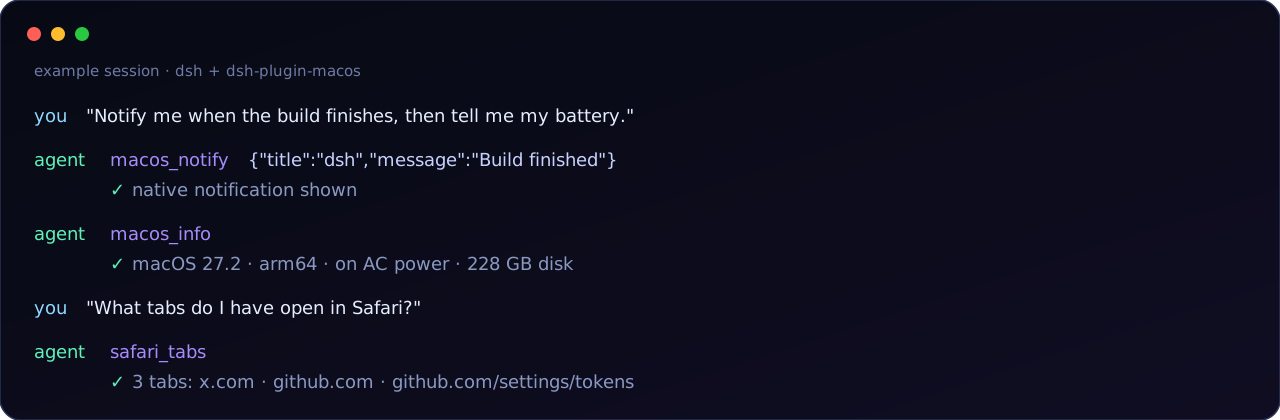
- "Notify me when the build finishes, then say done out loud."
- "Read the Safari tab I am looking at and summarize it."
- "Start keep-awake, run the 40-minute test suite, then stop it."
- "Take a screenshot and tell me what is visible." (requires a vision-capable model)
- "Search my Mac for Q3-report.pdf and show me the paths."
- "Switch me to dark mode and set the volume to 20."
- "Run my Shortcut called Start Focus."
Safety
These tools act on your Mac with the same authority as the dsh process that loads them — just like the
built-in bash tool. A few practical notes:
- Read the agent's tool call before approving anything you do not recognize.
macos_clipboard_readcan expose passwords or tokens you copied earlier.macos_applescriptcan automate almost any Mac app; treat it as arbitrary local automation.- The plugin does not add deletion, shutdown or privilege-escalation tools.
Compatibility
- DeepSeek Harness 0.2.x (plugin bundles are developer preview; APIs can change between releases).
- macOS 13+; developed and tested on macOS 27.2 (Apple silicon).
- Plain ESM, no build step, no runtime dependencies.
- Verified by mounting the plugin in a real Cordis ToolRuntime with
@deepseek-ai/dsh-tools0.2.1-rc.5 and 0.2.2-rc.1: all 21 model-facing schemas register, and the tools execute and dispose correctly.
Development
git clone https://github.com/wu04186767/dsh-plugin-macos.git
cd dsh-plugin-macos
node test/smoke.mjs      # exercises the read-only tools against your Mac
node scripts/doctor.mjs  # permission health check: runs every permission-dependent tool once
index.js          tool definitions (name, description, JSON schema, execute)
lib/define.js     zero-dependency builder for dsh-ready tool definitions
lib/tools.js      the actual macOS work (argv arrays + osascript)
lib/exec.js       process / AppleScript helpers and permission messages
test/smoke.mjs    registration + live read-only checks
scripts/doctor.mjs  permission health check
locale/           English and Chinese plugin metadata
cordis.patch.yml  bundle patch that inserts the plugin into a dsh profile
Issues and pull requests are welcome — especially reports for older macOS versions and new tool ideas.
License
MIT © 2026 wu04186767
Built with DeepSeek Harness, on a Mac, by an agent and a human.
No comments yet. Be the first to write one.