dsh-no-long-sit
A cat desktop pet for DeepSeek Harness. It lives in the corner of the Web GUI, can be dragged anywhere, and each state has its own looping animation. Its first job is to keep you from sitting too long — more pet capabilities are planned, the reminders are just the beginning.
What it does today
The pet
- Bottom-right cat with a looping animation per state:
idle(lying),rise(stretching up),drink(holding a cup),sleep(asleep). Animated WebP, played natively by the browser — no frame timer in the plugin. - Draggable: grab it and drop it anywhere; the position is kept in
localStorage, so it survives a page refresh and a DSH restart. Dragging never opens the menu by accident (a 4 px movement threshold separates a drag from a click). - Pet opacity is configurable (
petOpacity, default0.75). - Missing or half-delivered art degrades to a built-in cat SVG instead of a blank spot.
The reminder (first feature)
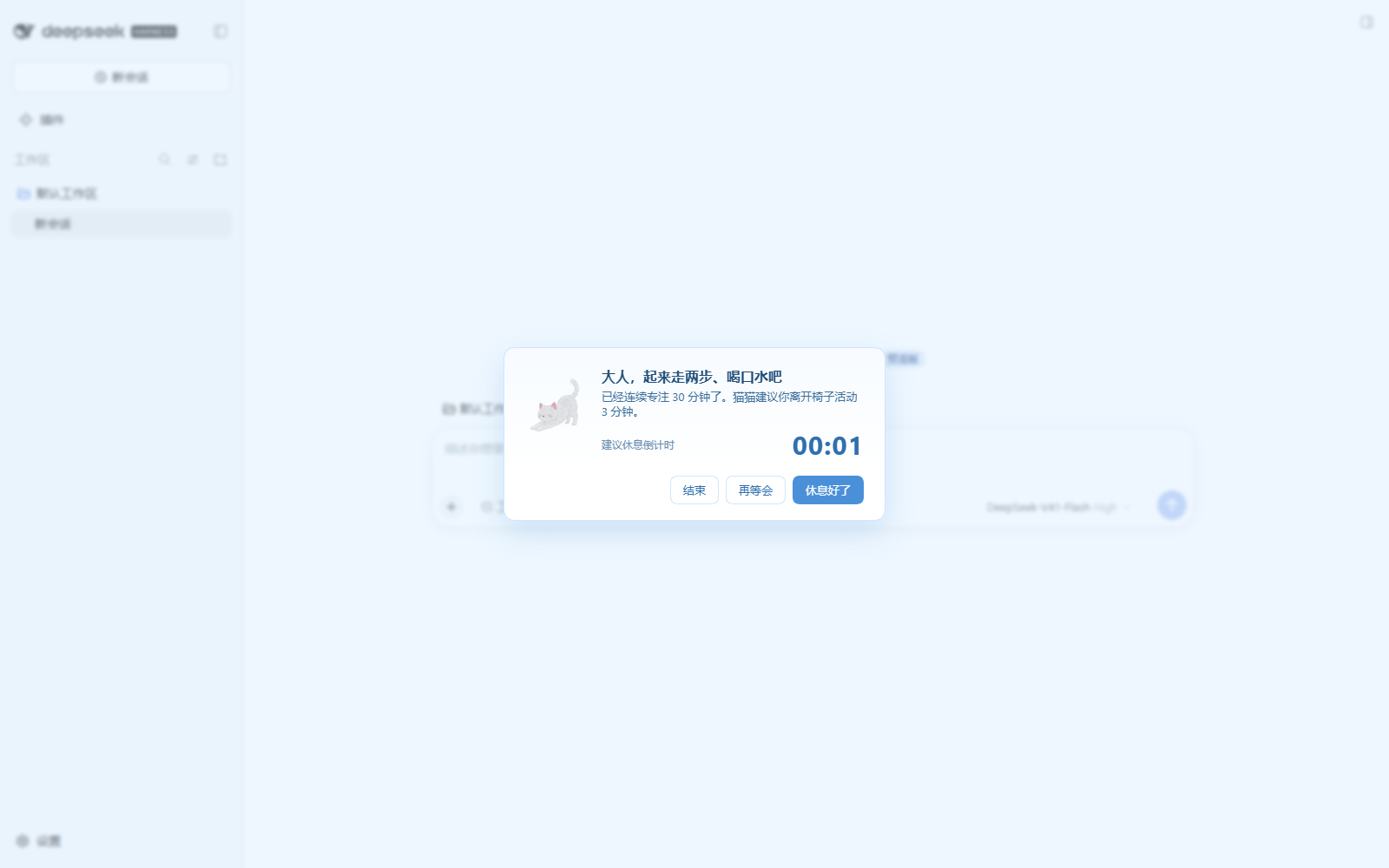
- When a focus cycle ends: a centered overlay popup plus a triple chime (synthesized with Web Audio, no audio asset needed; there is a "preview" button in settings).
- Three buttons: 【休息好了】starts the next round · 【再等会】shows cases · 【结束】ends the session.
- When the break countdown finishes it chimes again and asks you to come back; if nobody answers
within
awaitReturnTimeoutMinutes(default 10) the next round starts on its own. - The case window shows exactly one sedentary case and one dehydration case per visit, rotating through a built-in library of 17 entries that each carry a real source URL and date.
- The session report gives worked time, completed rounds, successful interruptions, snoozes, suggested drinks and a good/mid/bad grade.
Install
dsh plugin --profile <profile> add dsh-no-long-sit
# restart DSH afterwards: bundle layers are composed at boot
Or from the repository:
dsh plugin --profile <profile> add https://github.com/wangzhanchao883/dsh-no-long-sit
Settings
Settings → Plugins → 猫猫桌宠 · 久坐提醒: address/nickname, focus cycle (30–90 min), break cycle (3–15 min), snooze interval and cap, chime on/off and volume, pet opacity, "come back" timeout, grade thresholds, case refresh, floating pet on/off, and a debug-only time scale. Changes take effect within ~2 seconds.
Two safety valves sit in that card: Restore defaults (two-step confirm — clears every user override in one atomic write and falls back to the schema defaults) and, whenever the debug time scale is below 1, a warning banner with a one-click "back to normal speed" button.
How it works
- Host half (
index.mjs+lib/) owns the authoritative timer and the ledger (<DSH_HOME>/data/dsh-no-long-sit/state.json, atomic writes), the case library, and five read-only routes under/dsh-no-long-sit/. Every route checks for cross-origin calls itself and asset paths go through a whitelist + sanitizer. - Browser half (
client.js) is a classic script (no build step): it registers intoshell.overlay, renders the pet and the three windows, polls the host, and renders the settings card throughctx.configForms. - Timer state is authoritative in the host, so a refresh never loses a cycle; settings are re-read
through
settings.describe()on every entry point, because a settings write does not re-apply a plugin.
Requirements
- DSH
0.1.7–0.2.xwith the Web GUI (webprofile, or the desktop app) - Node.js
^22or>=24
Notes
- The pet only appears while a DSH page is open; when every page is closed there is nothing to pop up on.
- A chime requires one user interaction with the page first (browser autoplay policy) — the plugin unlocks audio on your first click or keypress.
- Case refresh uses the host's web search + host LLM and keeps only entries whose URL came back from the search; if it fails, the old library is kept and the reason is shown in settings.
License
MIT
No comments yet. Be the first to write one.