RabiRoute
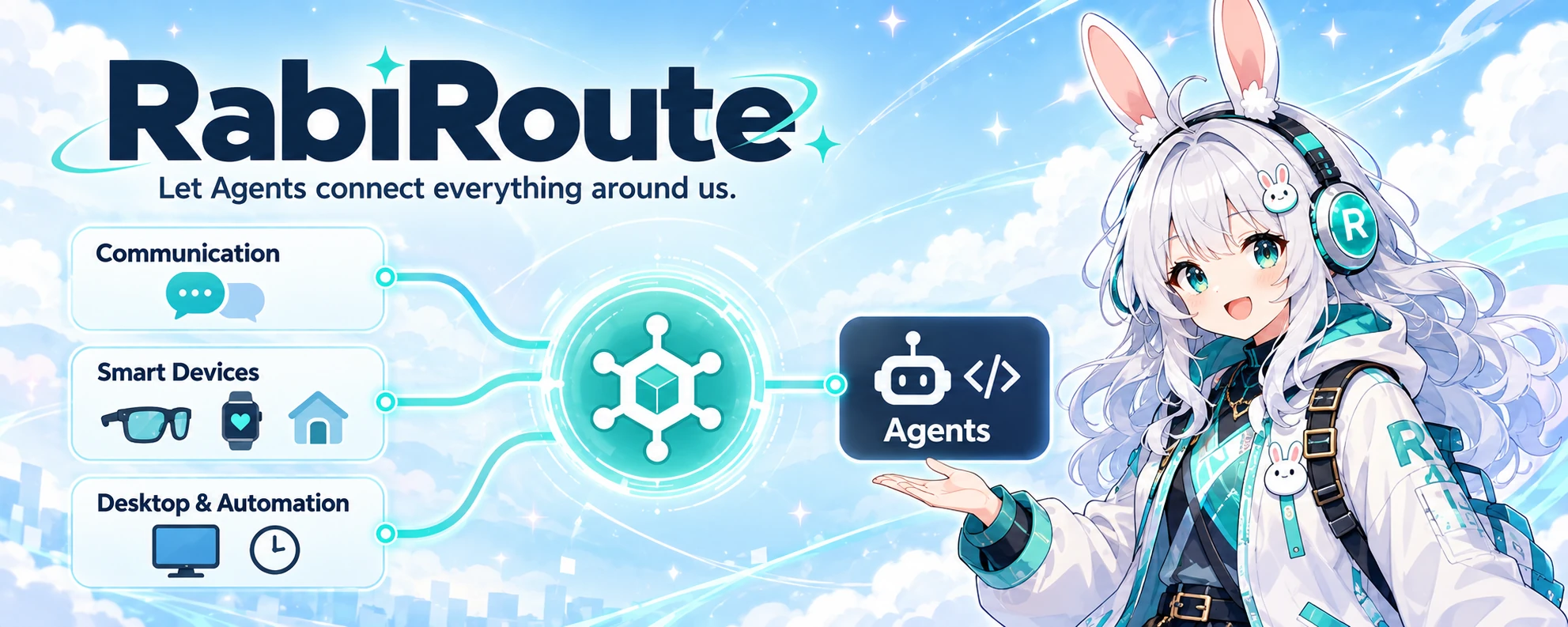
Let Agents connect everything around us.
Connect communication platforms, smart devices, and desktop workflows to the right Agent.





RabiRoute is an agent-neutral message gateway and policy router. It connects communication platforms and smart devices, supports desktop actions and scheduled triggers, and uses a message Route to deliver each input to a selected Agent or program.
The Agent answers, writes code, calls tools, and performs the task. RabiRoute decides where the message came from, who receives it, which recent messages travel with it, whether an external reply is allowed, and where results and receipts are stored.
Connections · Quick start · Current capabilities · How it works · Documentation
Connections
| Category | What connects | What you can do |
|---|---|---|
| Communication | QQ, personal Weixin, WeCom, Feishu | Send group and direct messages to a selected Agent and return replies to the source conversation. |
| Smart devices | RabiLink phones and glasses, smartwatches / bands, Xiaomi Home / Home Assistant | Send voice, health, and device events to an Agent; receive speech or perform supported device actions. |
| Desktop & automation | Selected text, screenshots, role panel, schedules, webhooks | Start tasks from a computer or external program, with message-based or scheduled triggers. |
Maturity varies by integration: the QQ core path is verified; personal Weixin is a prototype; WeCom, Feishu, and smart devices require acceptance with their accounts, hardware, and networks. See current capabilities.
What you can build
- Use Agents across communication and devices. Routes select the Agent, project, and task for each input while keeping its source and reply destination.
- Run scheduled Agent work. Role rules can trigger an Agent by interval, time window, daily time, or one-time schedule, or run a configured local script.
- Operate remote computers. One controller owns memory, skills and workflows; online clients expose terminals, files, windows and screenshots even when their Agent backend is stopped. See remote computer clients for experimental scope.
- Carry continuous context. Each role owns its message history and references to plans, memories, and skills; every Route can limit the recent messages included in a delivery.
- Configure each role's plan workflow. Plan status keys, labels, descriptions, colors, order, views, approval behavior, and delayed archival come from that role's configuration; Agents can evolve the catalog without a code release.
- Control external sends. Agents reply to QQ, RabiLink, and other channels through one sending API. Targets, quoted messages, sender identity, and receipts are validated and recorded.
- Send Windows text and images. RabiRoute Desktop supports selected-text actions, system screenshots, annotations, copy, pinning, and delivery to an active persona.
- Connect speech and mobile devices. RabiSpeech, RabiLink phone and glasses clients, wearable inputs, and the remote Relay are implemented as experimental integrations.
Quick start
Windows installer
Download RabiRoute-<version>-windows-x64-setup.exe from GitHub Releases. The package includes RabiRoute Host, the Desktop surface, the local Manager, RibiWebGUI, Node.js, and production dependencies. On Windows, Host is the only application-lifecycle owner: it creates one application generation and keeps Manager and Desktop in that same generation.
Use Setup for installation and upgrades; extract the portable ZIP only into a new empty directory. Windows packages are unsigned: verify SHA256SUMS.txt before installation. See Windows installation and upgrades for validation, data retention, and recovery.
Run from source
For a full Windows source build, double-click Start-RabiRoute-FromSource.bat. It builds and starts Host, Manager, WebGUI, and the tray while retaining installed data. Requires an existing RabiRoute installation, Node.js/npm, and the .NET 9 SDK; see source startup.
For Linux, use the new minimal Host with Node.js 22.13+, npm, and util-linux flock:
git clone https://github.com/vb2250158/RabiRoute.git
cd RabiRoute
bash Start-RabiRoute-FromSource.sh
npm run status:linux -- --json
The script runs npm ci and the full build, then starts Host in the background. Host owns Manager and prints its current loopback WebGUI URL; no fixed localhost port is part of the product contract. Use npm run start:linux after an existing build and npm run stop:linux to request shutdown. See Linux Host for foreground/read-only modes, logs, and lifecycle boundaries. It provides a browser interface; Windows tray, screenshots, and global hotkeys are not part of this Linux path. Real Relay, device, and endurance acceptance remains pending.
For backend-only development on other supported environments, see source startup. An ordinary first start creates local device identity and sanitized sample configuration from examples/data/ when runtime data is absent. RabiLink remains unconfigured until you explicitly save a verified Relay address and application token.
Complete the first Route
- Create or select a persona, open Message adapters, choose Add message Route, then add Scheduled trigger in the message endpoint card.
- Choose Codex Agent, then bind a project directory and an existing Codex/ChatGPT Desktop task.
- Save the Route and use Channel check → Delivery test on the same page.
- Confirm that the delivery succeeds and the same Desktop task receives a RabiRoute message.
The delivery test sends a real message. Configure a scheduling rule separately before testing timed or manual rule execution. See Complete the first Route for the full procedure and failure checks.
Current capabilities
The repository version is 0.4.1. The table lists behavior backed by current code, configuration surfaces, and tests. Features that require accounts, external services, or physical devices still need acceptance in their target environment.
Communication
| Platform | Status | What it provides |
|---|---|---|
| QQ (NapCat / OneBot) | Verified | Bind one NapCat per Route; quick, password, or QR login and security confirmation inside the card; group and direct messages, saved media evidence, and OneBot HTTP replies. |
| Personal Weixin | Experimental prototype | Receive text through iLink and reply to the source conversation with text or controlled local files. Incoming media is recorded only. Long-running sessions and real-account stability remain unverified. |
| WeCom | Experimental | Receive group messages and send replies through a persistent bot connection; requires integration with real bot credentials. |
| Feishu | Local implementation accepted; real credentials pending | Receive app event callbacks, isolate context by chat, and reply with text; requires app credentials and event subscriptions. |
Smart devices
| Devices and services | Status | What it provides |
|---|---|---|
| Phones and glasses (RabiLink) | Experimental | Voice input and replies; Relay connectivity, speaker playback, and networks require separate acceptance. |
| Smartwatches / bands | Experimental; selected Xiaomi device paths verified | Collect heart rate, sleep, and other observations, query timelines, and trigger Agents using thresholds and cooldowns. Available metrics depend on the capture source. |
| Home devices (Xiaomi Home / Home Assistant) | Experimental | Discover imported entities and their current buttons, settings, and device actions; verify action receipts. Browse and test them in the device list. |
| Speech services (RabiSpeech) | Experimental | Provide transcription (ASR) and speech synthesis (TTS) for voice interactions; validate each model and device environment separately. |
Home Assistant lets Agents query all imported entities and invoke their current buttons, settings, and structured Xiaomi device commands. Actions reuse connection authentication and retain receipts; see the device API.
Xiaomi Setup also offers experimental cloud map files through Mi Home QR login. See the map connection guide; version-2 decoding is available, while live localization and coordinate navigation require separate acceptance.
Agents, desktop, and task management
Role configuration and plans/memory select roles independently of Routes, including unbound roles. Route configuration owns message endpoints, Agent bindings and explicit role references. Archived roles can be restored or permanently deleted from Settings after reference and running-work checks. See role-centric configuration.
| Area | Status | What it provides |
|---|---|---|
| Routing core | Verified | Receive messages, persist events, match rules, build Agent context, deliver to a handler, and record replies. |
| Schedules and role automation | Verified | Trigger an Agent from messages or time rules; run configured persona-local scripts. |
| Codex Desktop | Verified | A full task ID selects the existing task, and each delivery supplies its workspace; report success only after the target rollout records the deliveryId. Deleted or archived bindings can be replaced under controlled rules. |
| RibiWebGUI | Verified | Manage Routes, roles, message inputs, Agents, plans, memories, logs, diagnostics, themes, and desktop settings. |
| Role plan workflow | Verified | Use persona-configured status keys and presentation metadata as the single source for Manager, WebGUI, and Desktop; add, update, replace, or retire states through guarded APIs while preserving plan history. |
| Plans, memories, and message processing | Verified | Page through plans and memories, submit plan feedback, assign message-processing work, and preserve state and receipts. |
| Windows desktop | Core path implemented | Host owns one application generation containing Manager and the tray/task-window surface; use selected-text actions, screenshots, and annotations. Some system interactions still need Windows device acceptance. |
| Linux Host | Experimental | Minimal source Host: after build it owns Manager, prints the current loopback WebGUI URL, and supports status, open, restart, and quit. No Windows/Qt tray, screenshots, or global hotkeys; real Relay and endurance acceptance remain pending. |
| DSH | Experimental | Bind an explicit API address, workspace, and session as the primary or an auxiliary handler. |
| Grok Bot | Experimental | Use native HTTP to deliver to an existing cloud-owned session. Select a real session in Route settings; source identity, stable delivery IDs and QQ/Codex replies follow the Grok Bot adapter contract. Real round-trip acceptance remains separate. |
| WorkBuddy | Experimental | Deliver a message into a WorkBuddy task the user already owns, using that task's own model, tools and approvals. Delivery needs a one-time local gateway credential; without it, delivery fails closed. Discovery, binding, and lifecycle hooks are implemented; the desktop exposes no pairing handoff yet and cold start is unverified. |
| Media workspace | Experimental | Save media canvas projects, combine image/video/audio/text cards, and optionally use local H3; model setup and GPU inference require separate acceptance. |
| LAN Rabi Agent | Experimental | Connect existing Codex/DSH tasks on another computer through an onboarding prompt; authenticated nodes can use public APIs and skills, subject to user-configured disabled features. Real two-machine and legacy-node migration acceptance remains pending. |
See Current capabilities and maturity for complete status, limits, and sources of truth.
Recent changes
0.3.25: mobile calls and shared home-device controls
Mobile Agent calls reuse recording, transcription and playback with fixed computer/Route targets and late-reply isolation. Home-device APIs share discovery and original action receipts. Authenticated connections use provided services without duplicate permission switches. See mobile calls, home devices and connection access; physical acceptance remains separate.
0.3.24: connect a PC with one prompt
In the public RabiLink console, select an application and copy its onboarding prompt to a private Agent task on the target computer. An application-bound, single-use code valid for thirty minutes lets the Agent verify the download, preserve its independent identity, save private settings and connect through its original Host. The computer keeps its own long-term credential. See PC onboarding for setup, recovery and verification.
0.3.23: one connection, default service access
Authenticated devices in the same RabiLink application can use services provided by the PC, including speech, roles, resources, management and knowledge reads/writes. Settings remove duplicate permission switches, MCP secrets and allowlists. Identity, application isolation and service readiness remain checked separately. See connections and knowledge.
0.3.21: separate PC identities
RabiLink configuration adds Reset instance ID to repair identities copied between PCs. Host backs up and resets the instance ID and connection key while preserving saved data, then restarts the application. A local ownership marker rejects future copies to another PC. See instance identity for legacy configurations, recovery and connection limits.
0.3.19 experimental implementation: remote role references
Local Routes can select a role owned by another PC and read its text, message rules and context budgets while keeping their existing message inputs and handling Agent. Version 0.3.19 adds this experimental implementation: both PCs reuse authentication for the same RabiLink application, automatically exchange and pin device public keys, then use LAN, P2P or Relay to access a restricted role service without per-service manual grants. Since 0.3.22, authenticated devices in the same application can use provided services by default; source PCs need the new capability and pinned keys remain checked. See remote role references for operation, failure behavior and the pending two-PC acceptance.
0.3.5: Remote Agent authorization, focused approvals and mobile recording
- Remote Agents use individual node credentials for APIs, public skills and file uploads. Existing nodes must follow the migration guide.
- Plans add a focused pending-feedback view, persist submitted approvals for later editing, and return to analysis only after confirmed delivery.
- Android 0.3.38-dev adds unified timeline playback, sound-event splitting, light/dark themes and saved computers. Physical multi-computer and all-day endurance acceptance remain pending.
0.3.4: WorkBuddy delivery and hooks, cold-role completion callbacks
- The WorkBuddy Agent endpoint can now deliver: a message goes through the bound task's own session-process local gateway with
source.conversation.idpinned to the full session ID, so it enters that task's conversation area as a genuine user turn and same-id redelivery creates no new task. The gateway credential is read from a locally ignored file and delivery fails closed without it. WorkBuddy also supports lifecycle hooks on par with Codex and DSH. - Capability declarations narrow to what each adapter has actually verified: WorkBuddy declares message processing and hooks, not plan assistants, memory consolidation or receipt recovery.
- A role that has never written a plan is now a legitimate cold state instead of aborting completion callbacks for every role. See the version history.
For earlier releases and migration notes, see the version changelog.
How it works
flowchart LR
    A[Communication: QQ · Weixin · WeCom · Feishu] --> R[RabiRoute: Routes and context]
    B[Smart devices: phones · glasses · wearables · home] --> R
    C[Desktop and automation: text · screenshots · schedules · webhooks] --> R
    R --> D[Selected Agent or program]
    D --> E[Reply or act under sending rules]
    E --> F[Source conversation or device · delivery receipt]
Each Route stores its message input, role, handler, workspace, and sending rules separately. Message adapters do not build Agent instructions, and Agents do not receive channel credentials or direct ownership of routing state.
Manager loads 31 built-in plugin instances in the default Profile through one Plugin Kernel. Built-in and out-of-tree packages share schema/profile v2, the same SDK, dependency graph, permission checks, generation switching, execution-mode boundary, and Web module lifecycle. See Plugin packages and hot replacement.
Agent and safety boundaries
- Real Codex messages travel only through Desktop IPC to the selected Codex/ChatGPT Desktop task owner.
- The target Desktop task owns its model, tools, sandbox, and approvals. RabiRoute does not perform its reasoning.
- The project-pinned
codex app-servermay create or name an empty task, but it does not execute Route messages. - Delivery fails with recorded evidence when Desktop is unavailable, the task cannot load, the execution workspace fails validation, or the owner is ambiguous.
- Platform accounts, login state, and credentials remain owned by their platforms.
- Local
data/, logs, recordings, transcripts, tokens, cookies, and private paths stay out of the public repository.
RabiRoute does not currently provide a general Action Queue, a unified approval center, or a side-effect-free Route preview. Production closure for phones, glasses, wearables, and multi-computer Agents remains experimental.
Configuration and data
data/route/<configName>/adapterConfig.json
data/roles/<RoleId>/persona.md
data/roles/<RoleId>/personaConfig.json
adapterConfig.jsonstores message inputs, handlers, workspaces, Route rules, and role bindings.persona.mdstores role guidance and handler-facing work requirements.personaConfig.jsonstores role automation, avatar data, speech keywords, and recent-message limits.data/roles/<RoleId>/conversation/stores that role's message history.examples/data/contains sanitized, copyable samples.
Buildable clients live under apps/, shared SDKs under packages/, and reusable Agent guides under skills/.
Documentation
First use
- Complete the first Route: complete a real Codex Desktop delivery.
- RibiWebGUI user guide: use the interface, roles, Routes, Agents, and troubleshooting tools.
- Interface and runtime status: determine whether Manager, a Route, and message inputs are healthy.
- Operations, logs, and troubleshooting: locate a failure by its visible symptom.
Installation and integrations
- Configuration: review local files, directories, and main settings.
- LAN Rabi Agent: connect Codex/DSH tasks on another computer and check connection status and available capabilities.
- Remote role references: 0.3.19 experimental implementation for using another PC's role in a local Route.
- RabiSpeech: configure local or remote TTS and ASR.
- Client applications: build Android, Rokid AIUI, browser bridge, and Rabi Agent clients.
Communication and smart devices
- Communication platform status: compare the available scope of QQ, Weixin, WeCom, and Feishu.
- Browse devices and test actions: check home devices, their state, and available actions.
- Mobile voice calls: start an Agent call from a phone and check capture, transcription, and playback.
- Mi Home cloud maps: connect experimental map files and check localization and navigation limits.
Development and maintenance
- API reference and discovery: search running operations in the documentation page, inspect requests and responses, and download OpenAPI.
- Current capabilities and maturity: check whether a feature is verified.
- Documentation index: browse current, experimental, design, and historical material.
- Architecture: understand product boundaries and data flow.
- Project function map: locate feature ownership, APIs, and code entry points.
- Home device Agent API: implement device discovery, speaker bindings, and action receipt queries.
- Version changelog: review changes and migration requirements.
Development
npm run manager          # run Manager from TypeScript
npm run webgui:dev       # run the Vue/Vuetify frontend
npm run test:webgui      # run frontend tests
npm run test             # run backend and contract tests
npm run build            # build Manager, independent plugin packages, and WebGUI
npm run check:config     # validate public and runtime JSON text
Before publishing changes, remove real account identifiers, chat content, tokens, cookies, local usernames, private paths, and runtime data/.
License
RabiRoute is licensed under the MIT License.
No comments yet. Be the first to write one.