AB-BA Secret Chat · dsh-abba-secret-chat
A one-off, two-person password chat that docks in the DeepSeek Harness right sidebar. A and B each set a password and tell each other; both must match to pair. It is end-to-end encrypted — messages and images are encrypted in your browsers, so the server (and anyone sniffing the network) sees only ciphertext, and only someone who knows both passwords can read them. Nothing is stored or logged, and everything disappears when DSH exits.
English | 中文
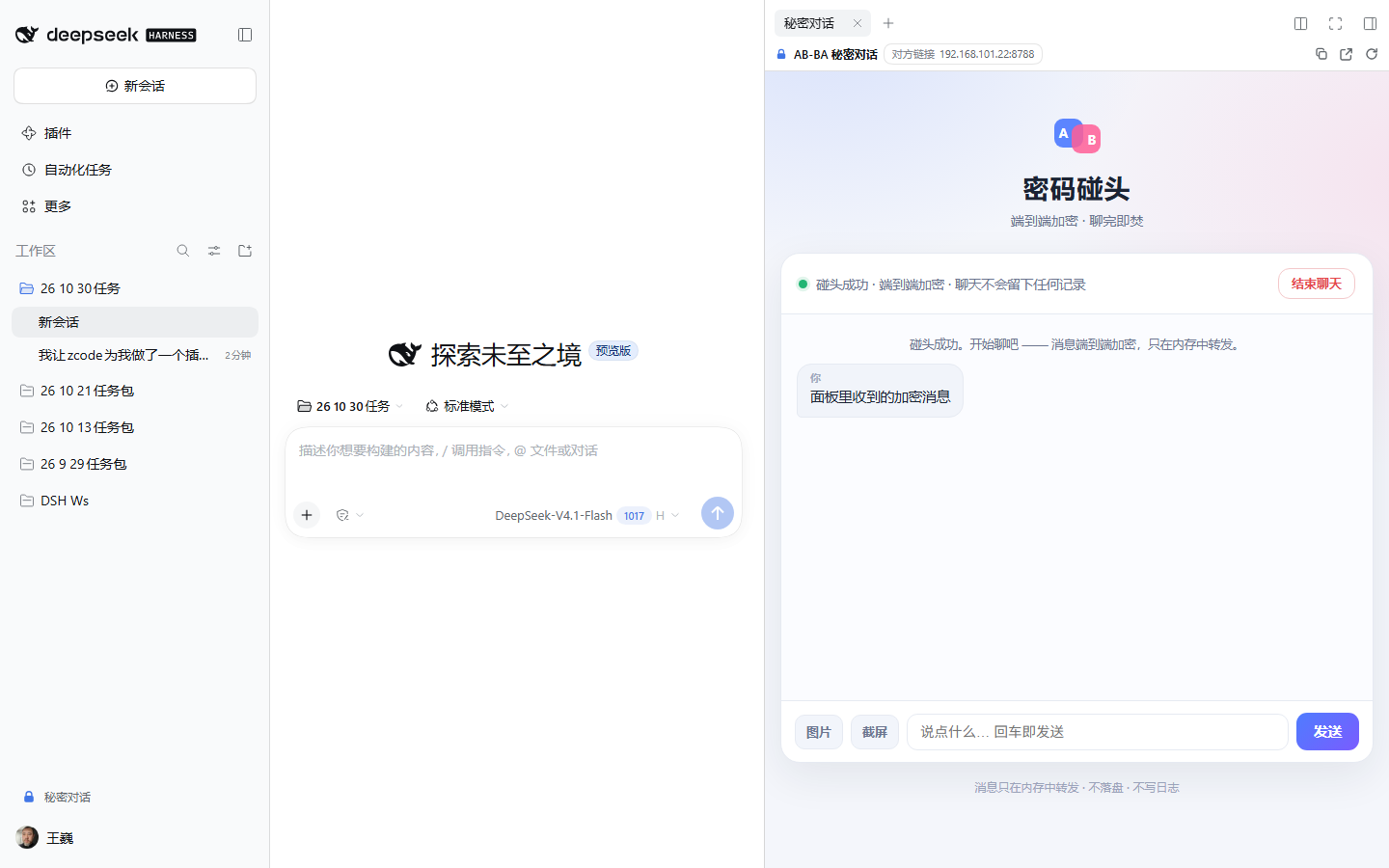
A “Secret chat” entry appears at the bottom of the left sidebar; the chat opens in the right sidebar next to your main conversation, which keeps working untouched.
What it solves
Sometimes you want to say a few private things to someone nearby (a colleague, family member, a friend) without creating accounts, leaving chat history behind, or mixing it into your AI session. Two people each know a password, one click opens a room that only exists while both are in it — and burns after use.
Features
- Sidebar chat — a 🔒 Secret chat button at the bottom of the left sidebar (icon-only when narrow) opens a “Secret chat” tab in the right sidebar; the chat page is embedded in that tab. It can also be opened from the right sidebar’s “+” page. Your main conversation is unaffected.
- End-to-end encryption — both passwords stay in the browser and only drive key derivation (SHA-256 → PBKDF2-HMAC-SHA256 → AES-256-CBC with HMAC-SHA256 integrity). The server receives a pairing hash and ciphertext only: no passwords, no readable content. Packet capture on the same Wi-Fi sees ciphertext too.
- Two-password pairing — the A field takes A’s password and the B field takes B’s password; only when both are correct do two people meet. Swapping the fields still works (the pairing key is order-independent).
- Two people per combination — a third person using the same pair is rejected. If either side leaves, refreshes, or disconnects, the room is destroyed and both sides are cleared immediately.
- Images and screenshots — pick, paste, or drag an image, or click Screenshot to capture what is currently visible on screen. Both are compressed, encrypted, and sent; the peer can open them full-size. Screen capture inside the DSH right sidebar needs the host to allow it; when denied the page tells you to use “Open in browser”. (Browsers only expose screen capture on a secure origin, so a LAN guest on plain
http://192.168.x.xgets a hint instead.) - “Me / You” labels — no names are shown anywhere; each bubble is labelled 「我」 (me) or 「你」 (you) from your own point of view.
- Full cleanup on end — keys are dropped, messages and images are removed, the live connection is closed; the server destroys the room and its queues at the same time. The page uses no cookies, localStorage, sessionStorage, or IndexedDB.
- Works on your LAN — a tiny zero-dependency HTTP service on
8787(falls back+1…+9, then OS-assigned) lets the other person join from a browser on the same Wi-Fi with nothing installed. - Zero runtime dependencies, no build step — no npm runtime dependencies, no
postinstall. crypto-js is vendored in-tree under MIT (seeTHIRD_PARTY_NOTICES.md). MIT. - Tied to DSH’s lifecycle — the chat service lives inside the DSH process and closes when DSH exits or the plugin unloads. No resident background process.
Install
Requires DeepSeek Harness >= 0.2.1-rc.3 (engines.dsh; earlier hosts lack the right sidebar and the sidebarRight API). The current version is fully tested on 0.2.1-rc.5.
A. From the market (once listed)
DSH → left sidebar Plugins → Market → search dsh-abba-secret-chat → Install.
B. From a local directory (desktop)
DSH desktop → left sidebar Plugins → Install → local directory → point at this package → Install, then fully quit and reopen DSH.
C. Command line (plain dsh web or a custom profile)
dsh plugin --profile web add dsh-abba-secret-chat
# or install from source:
dsh plugin --profile web add github:v93013520/dsh-abba-secret-chat
The desktop profile is owned by the desktop app’s plugin manager — install through the in-app Plugins page instead of editing
profiles/desktopby hand.
Restart DSH after installing or updating so the new plugin loads.
Three-step usage
- Agree on passwords — A and B each pick a password (4–128 chars) and tell each other out of band. Those two passwords are the only secret: they pair the room and unlock decryption.
- Both join — A clicks Secret chat in the left sidebar, fills A’s password in the A field and B’s password in the B field, clicks Start, and waits. B opens the peer link shown in the panel toolbar (
http://192.168.x.x:8787) in a browser on the same Wi-Fi and joins with the same two passwords (swapped is fine) — the two are paired automatically. - Chat and end — Enter or Send delivers in real time; Image picks/pastes/drops a picture, Screenshot captures the current screen. Either side clicking End chat (or closing/refreshing the page) destroys the room and clears both sides. A waiting initiator is cancelled after 10 minutes.
Want to try alone? Open
http://127.0.0.1:8787in two browser tabs on this machine — one as A, one as B.
Screens
| Two-password start page | Right-sidebar panel (entry, peer link, image/screenshot) |
|---|---|
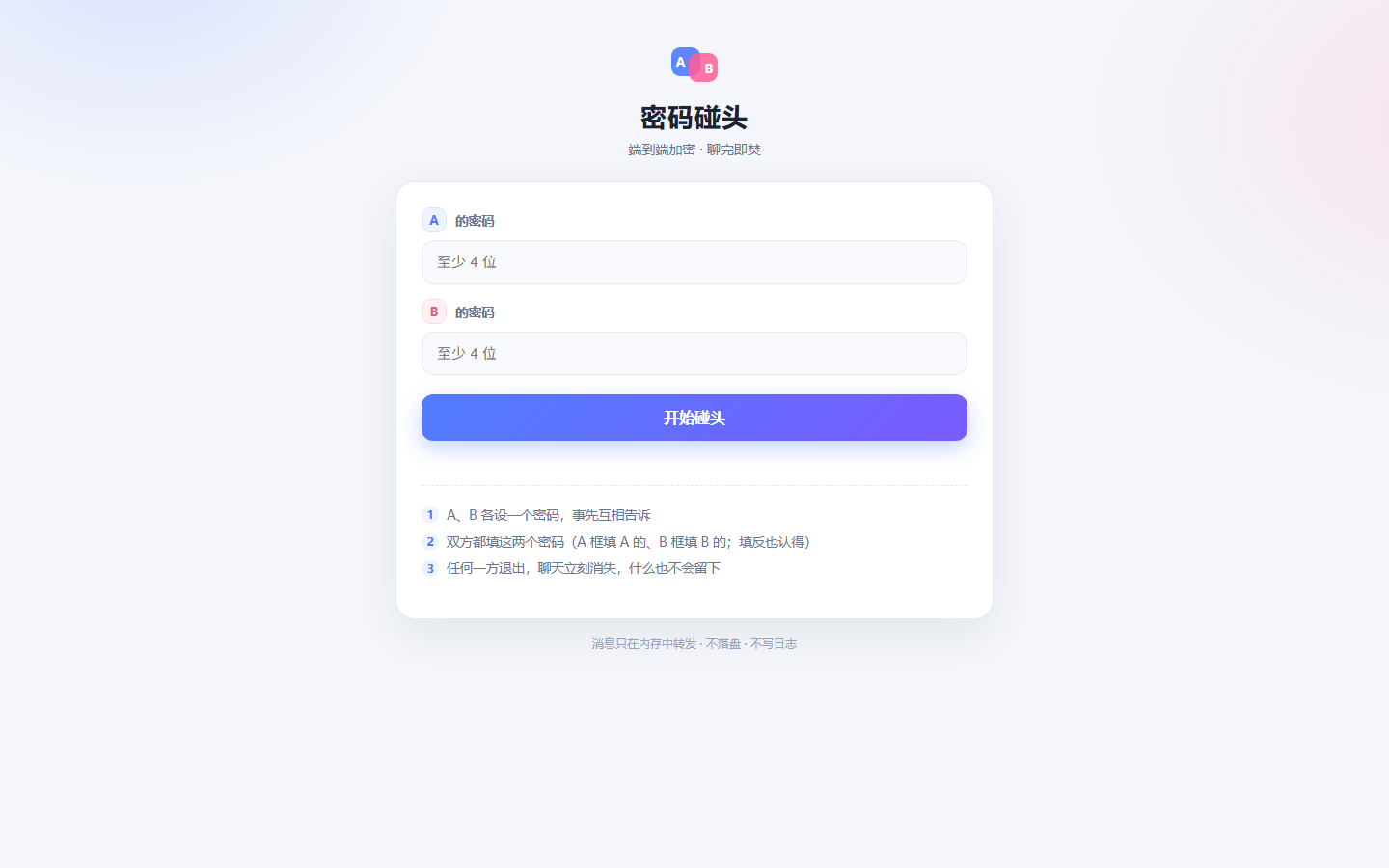 |
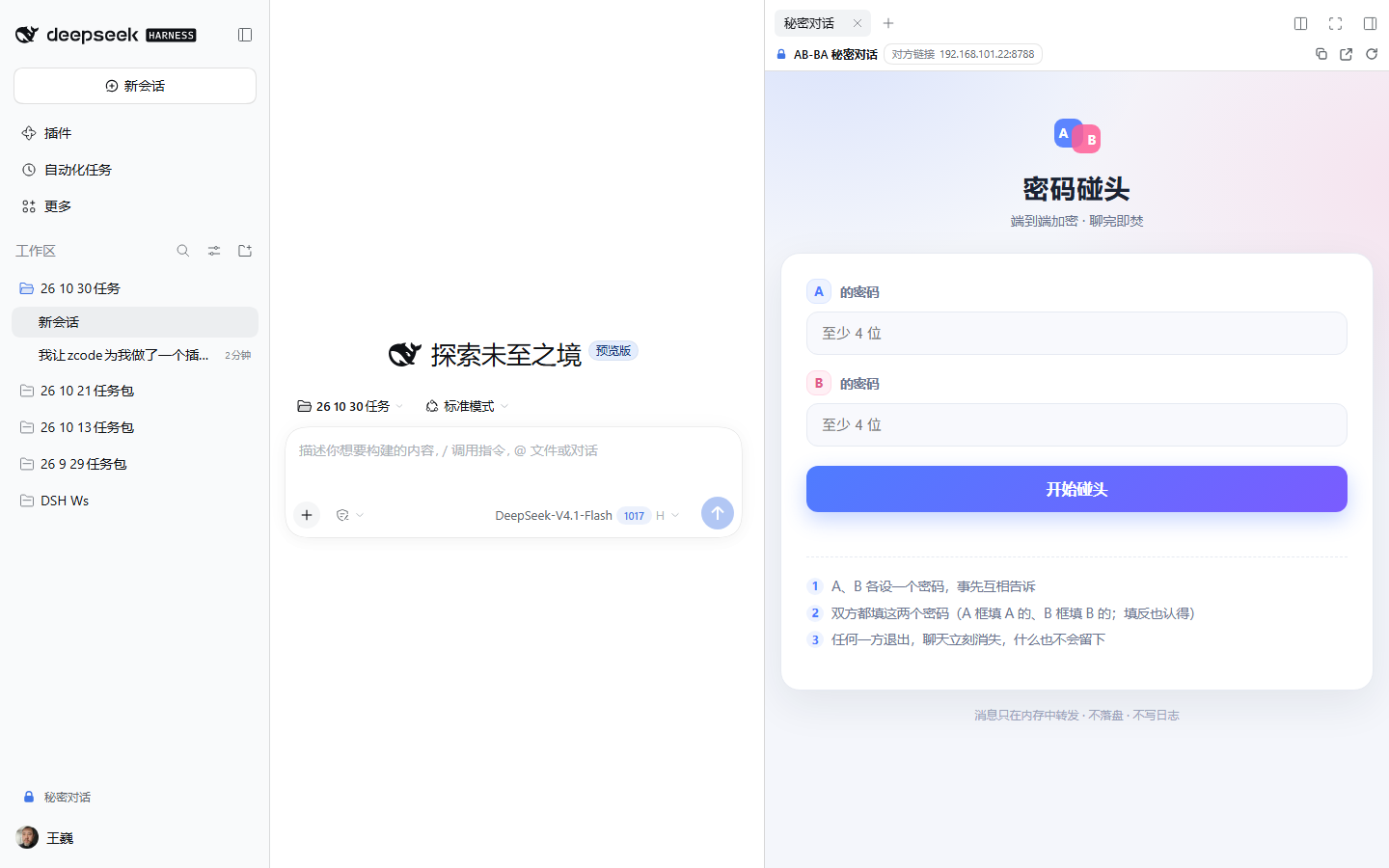 |
Commands
Type these in the DSH composer:
| Command | Effect |
|---|---|
/abba |
Show status, local URL, LAN URL, and how to open the panel |
/abba status |
Same as above |
/abba stop |
Stop the chat service (the panel stops working) |
/abba 9000 |
Restart on port 9000 (with the same port fallback) |
Configuration (optional)
There is no settings UI; to change the port or restrict access to this machine, override the row’s config in your profile’s cordis.patch.yml (a patch replaces the row’s whole config):
- id: abba-secret-chat
  name: dsh-abba-secret-chat
  config:
    port: 9000        # default 8787; falls back +1..+9 when busy
    host: 127.0.0.1   # default 0.0.0.0 (LAN reachable); set this for local-only
Privacy and security
- End-to-end encryption — the two passwords only drive local derivation:
hA/hB = SHA256(password), sorted and hashed again into the pairing key sent to the server; the encryption key (PBKDF2(hA|hB)) and MAC key are derived separately and never sent. Messages use AES-256-CBC with a random IV plus HMAC-SHA256, verified before decryption. The server and network sniffers see only ciphertext and a pairing hash; reading content requires both passwords. - Memory only — rooms, members, and ciphertext live in process memory; nothing is written to a database or file, and message content is never logged.
- No browser storage — the page uses no cookies,
localStorage,sessionStorage, or IndexedDB. - Plain HTTP (content still encrypted) — the page itself is served over plain HTTP on the LAN (default
0.0.0.0:8787), but messages and images are application-layer encrypted, so captures show ciphertext. Use it on a trusted network; anyone who knows both passwords can join. - Isolated from your DSH session — the chat page is a separate web page; its content never enters DSH session history or the model. The plugin registers no model-facing tools.
- Lifecycle — the service starts and stops with the DSH process; no resident background process or system service.
Compatibility
| Host | Notes |
|---|---|
DSH Desktop >= 0.2.1-rc.5 |
Fully tested (right-sidebar tab, entry, encrypted chat in the panel, images, /abba) |
DSH 0.2.1-rc.3–rc.4 |
Satisfies engines.dsh; UI and service are host-version agnostic, but prefer the current release |
dsh web (same version) |
Same right sidebar and entry |
| Older hosts (no right sidebar) | engines.dsh not satisfied; the entry degrades to opening the chat page in a browser tab |
Development and tests
# Crypto layer: vectors, round-trip, tampering/wrong password, interop with Node crypto, perf (431 checks)
node test/crypto-unit.mjs

# Server protocol v2: pairKey pairing/swapped/third-person/bad payload/cleanup/port release
node test/host-e2e-v2.mjs

# Host plugin contract (/abba/info shape, port fallback, port release on stop, command surface, never throws)
node test/host-info.mjs

# Offline browser-half test (bundle protocol, slot registrations, rendering, fallbacks)
node test/client-harness.mjs

# Page static checks (no plaintext requests, no browser storage, me/you labels, image/screenshot/cleanup logic)
node test/ui-static.mjs

# Real-browser acceptance (headless Edge + CDP): encrypted two-person flow, images, no plaintext on the wire,
# encrypted chat inside the DSH panel, screenshots
node test/browser-e2e.mjs --dsh "http://127.0.0.1:3095/?token=<token>" --out docs/screenshots
Layout:
lib/index.js            host plugin entry (server lifecycle, /abba/info route, /abba command)
lib/server.js           chat service (zero deps; pairKey pairing, ciphertext relay, full cleanup)
lib/lan.js              LAN address enumeration
assets/index.html       chat page (encryption, images, screenshot, me/you labels, end cleanup)
assets/abba-crypto.js   crypto wrapper (derive keys / encrypt / verify-then-decrypt)
assets/crypto-js.min.js vendored crypto-js 4.2.0 (MIT, see THIRD_PARTY_NOTICES.md)
client/client.js        browser half: right-sidebar tab + entry button + no-session overlay (hand-written bundle, no build)
cordis.patch.yml        the plugin row (single dual-face package)
License
MIT © wangwei
No comments yet. Be the first to write one.