dsh-cust-search



English | 中文
Custom Web Search plugin for DeepSeek Harness (DSH) WebUI. Searches through configured engines in order, automatically trying the next engine if one fails or times out.
UI Preview
1. Configuration View
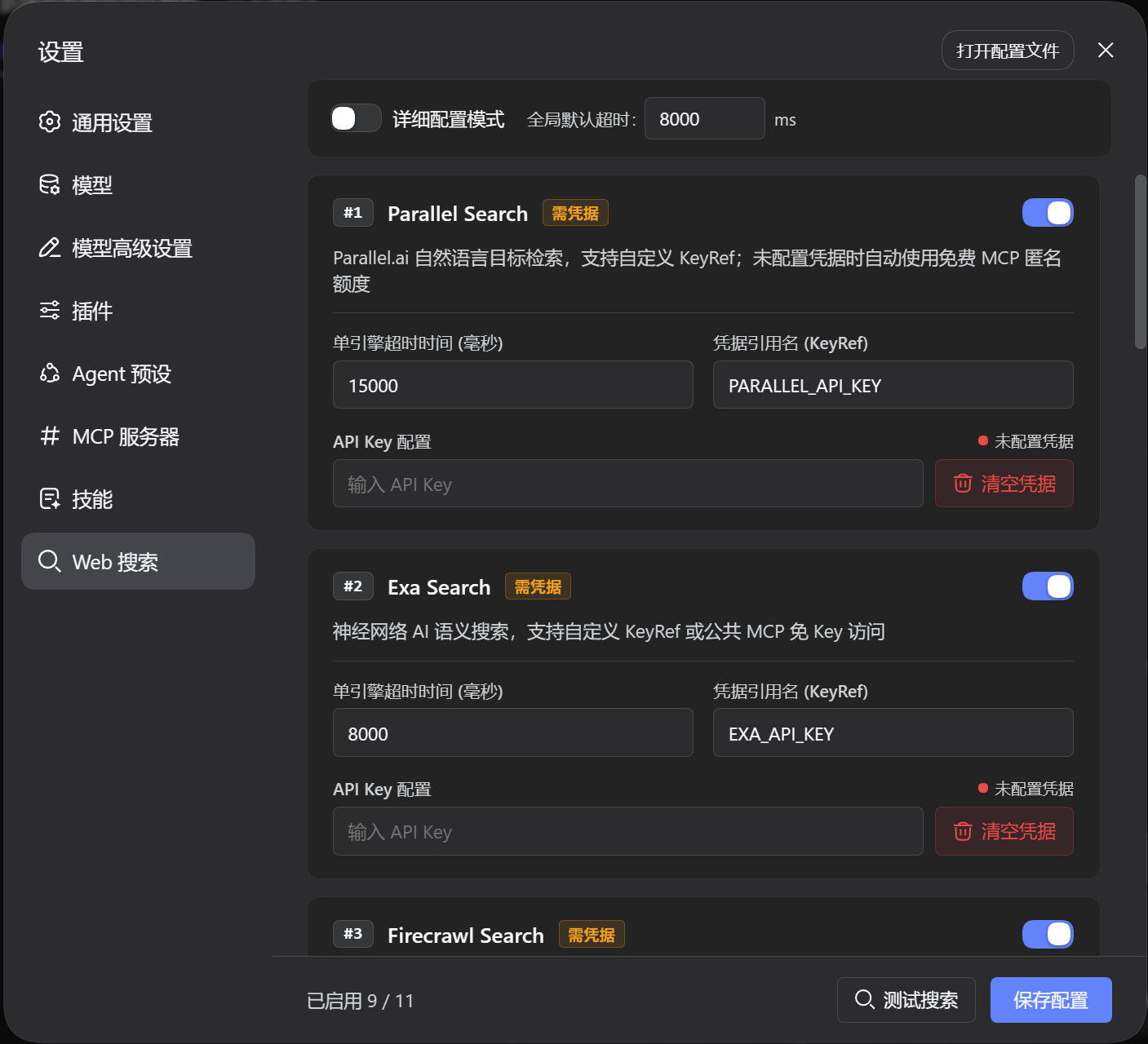
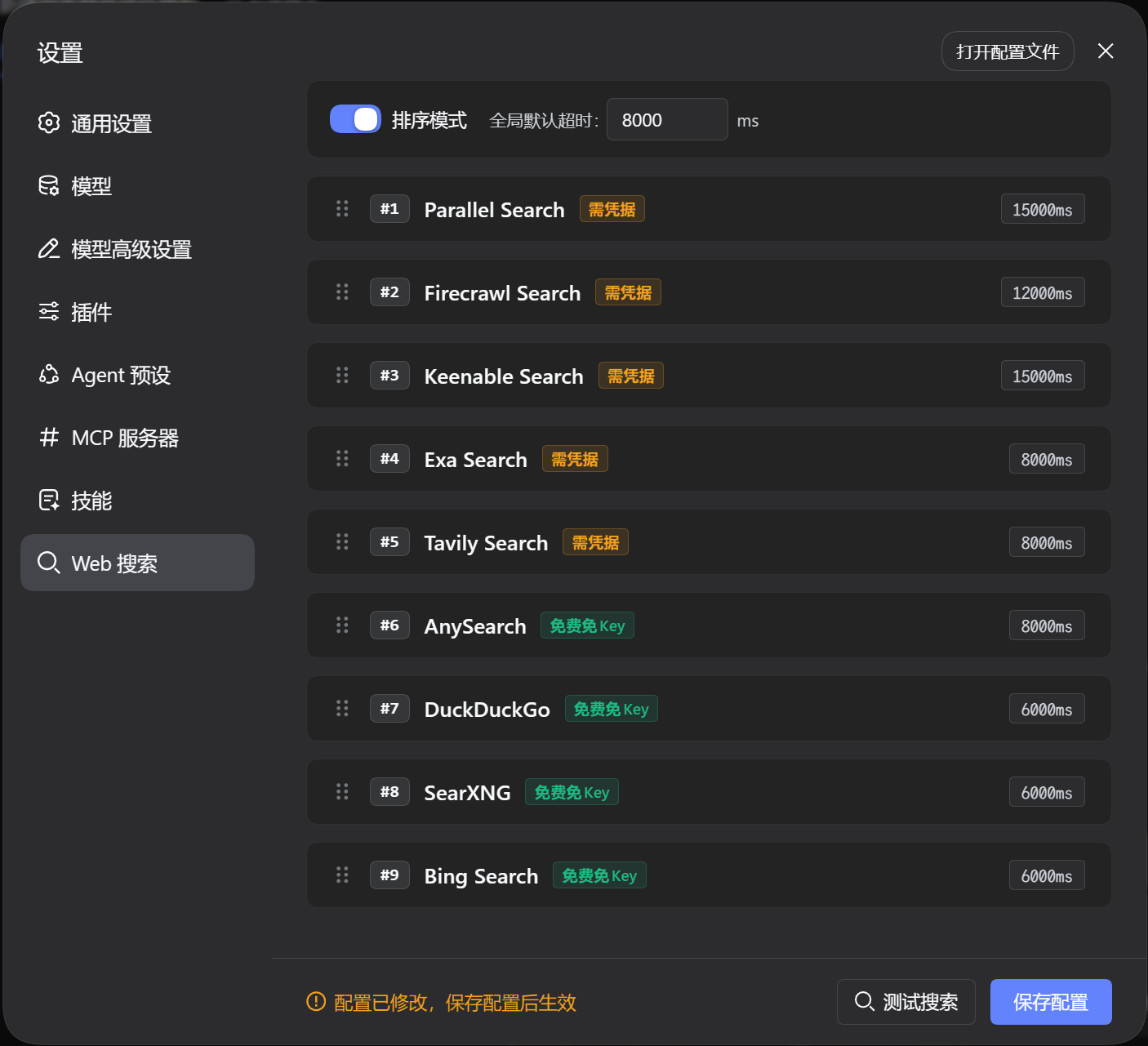
2. Sorting Mode
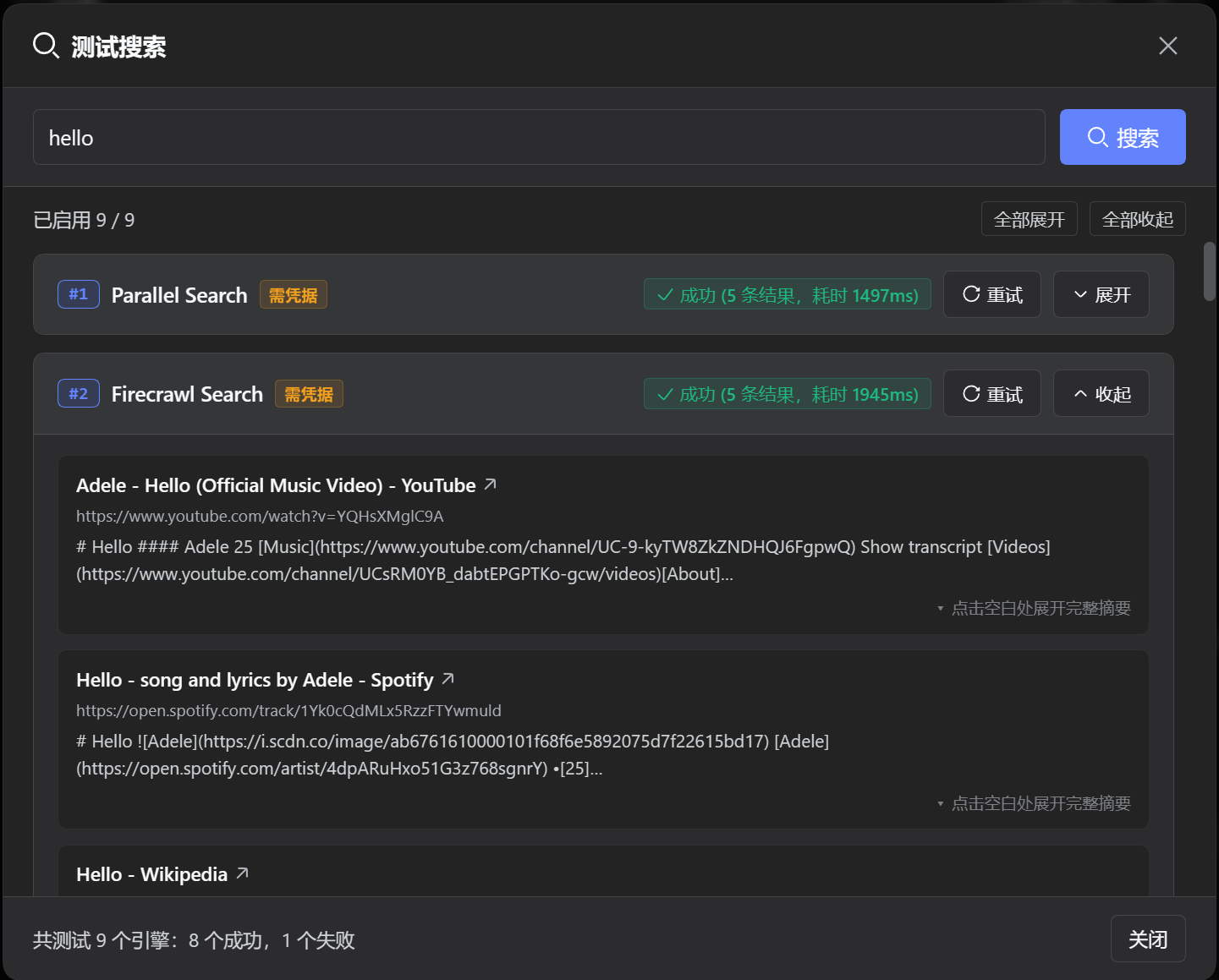
3. Search Testing
Core Features
- Sequential Search: Searches engines one by one in your configured order. If an engine encounters a network error, invalid key, or timeout, it automatically moves to the next enabled engine until it gets results.
- 11 Search Engines Supported: Built-in support for official DeepSeek bridge, free search engines (Bing, DuckDuckGo, SearXNG), and AI search engines (Tavily, Exa, Firecrawl, Parallel, Perplexity, etc.).
Supported Search Engines
| Engine | ID | Type | Credential | Description |
|---|---|---|---|---|
| DeepSeek Official | deepseek |
Bridge |
Official plugin settings | Bridge to the official providers: deepseek-search-api (direct Search API) preferred, deepseek-official (Messages web_search) as fallback |
| Bing | bing |
Free |
None | Region/locale-driven web search |
| DuckDuckGo | ddg |
Free |
None | HTML primary channel with Lite fallback |
| SearXNG | searxng |
Free |
None | Rotates public instances or custom endpoints |
| Tavily | tavily |
Keyed |
TAVILY_API_KEY |
High-quality API when keyed, shared channel when keyless |
| AnySearch | anysearch |
Free |
None | Keyless structured AI search |
| Exa | exa |
Keyed |
EXA_API_KEY |
Neural search; REST when keyed, public MCP when keyless |
| Keenable | keenable |
Keyed |
KEENABLE_API_KEY |
Real-time search; REST when keyed, free MCP when keyless |
| Firecrawl | firecrawl |
Keyed |
FIRECRAWL_API_KEY |
Deep scraping; anonymous quota when keyless |
| Parallel | parallel |
Keyed |
PARALLEL_API_KEY |
AI search; anonymous Streamable HTTP MCP when keyless |
| Perplexity | perplexity |
Keyed |
PERPLEXITY_API_KEY |
Sonar generative search with source citations |
The
deepseekbridge reuses the official DeepSeek providers. DSH 0.2.1-rc.2 ships two:deepseek-search-api(one direct Search API request, no model turn, takes a result count) anddeepseek-official(a Messages turn with the nativeweb_searchserver tool). The bridge prefers the direct API and falls back to Messages search, skipping a registered provider only while another one reports itself usable — with neither configured it still picks one, so the missing-key error names the key instead of claiming nothing is registered.@deepseek-ai/dsh-webexposes no public "provider by id" accessor, so the bridge reads the web runtime's provider registry directly (one adapter,src/server/engines/deepseek.ts) and degrades to "engine unavailable" if that internal shape changes.
DSH Version Compatibility
| Plugin Version | Compatible DSH Version | Notes |
|---|---|---|
| main (Current) | >= 0.2.1-rc.2 |
Bridges both official DeepSeek providers (deepseek-search-api preferred); typed ctx.slots, credentials.describe() for key status, and ctx.storage.domain for configuration; cordis.patch.yml pins web.searchProvider declaratively |
Quick Install (Recommended / One-Line)
Install directly from the GitHub dist branch (pre-built by CI, no local compilation needed):
dsh plugin --profile web add github:u9521/dsh-cust-search#dist
Then restart web (dsh web) and hard-refresh your browser (Cmd+Shift+R or Ctrl+F5). The configuration page lives on the plugin's own card: Plugins → Installed → @local/dsh-cust-search.
Upgrade
Pull the latest release using the dsh plugin update command:
dsh plugin --profile web update @local/dsh-cust-search
Then restart web and hard-refresh the browser.
Storage & Configuration
Configuration is stored in an isolated user directory without modifying system settings:
- Storage Path:
~/.dsh/storages/cust_search.json(actx.storage.domainunit:{ "unit": {...}, "global": {...}, "tables": {} }) - Schema Details: For complete schema specifications and field definitions, see Storage Schema Specification.
Local Development & Manual Build
Prerequisites
- pnpm:
npm install -g pnpm - Node.js:
^22.19 || >=24
1. Clone & Build
git clone https://github.com/u9521/dsh-cust-search.git ~/.dsh/plugins/dsh-cust-search
cd ~/.dsh/plugins/dsh-cust-search
pnpm install
pnpm run build
2. Local Install
dsh plugin --profile web add ~/.dsh/plugins/dsh-cust-search
Then restart web (dsh web) and hard-refresh the browser.
3. Local Upgrade
Upgrading local sources only requires pulling the latest commit and rebuilding:
cd ~/.dsh/plugins/dsh-cust-search
git pull
pnpm run build
Development Commands
| Command | Description |
|---|---|
pnpm run build |
Full build (tsc type check, then lib/ bundles; fails if the host artifact inlined a package the host already provides) |
pnpm run check |
Type check only (tsc --noEmit) |
pnpm run lint |
Full lint check (ESLint + TypeScript + Prettier) |
pnpm run lint:fix |
Automatically fix ESLint rules and format code |
pnpm run fmt |
Format source and config files with Prettier |
Uninstall
dsh plugin --profile web remove @local/dsh-cust-search
Restart web and hard-refresh the browser afterwards. If local sources are no longer needed:
rm -rf ~/.dsh/plugins/dsh-cust-search
License
MIT © 2026 u9521
No comments yet. Be the first to write one.