Tool Mode
Give your DSH agent real tools for the models on your machine.


Tool Mode turns local and on-device models into typed tools that an agent can
actually call. Instead of pretending a model is a chat endpoint, it registers
tools such as lang_detect, stt_transcribe, semantic_rank and
structured_extract, with explicit input/output schemas and an honest answer for
every model that cannot run on this machine.
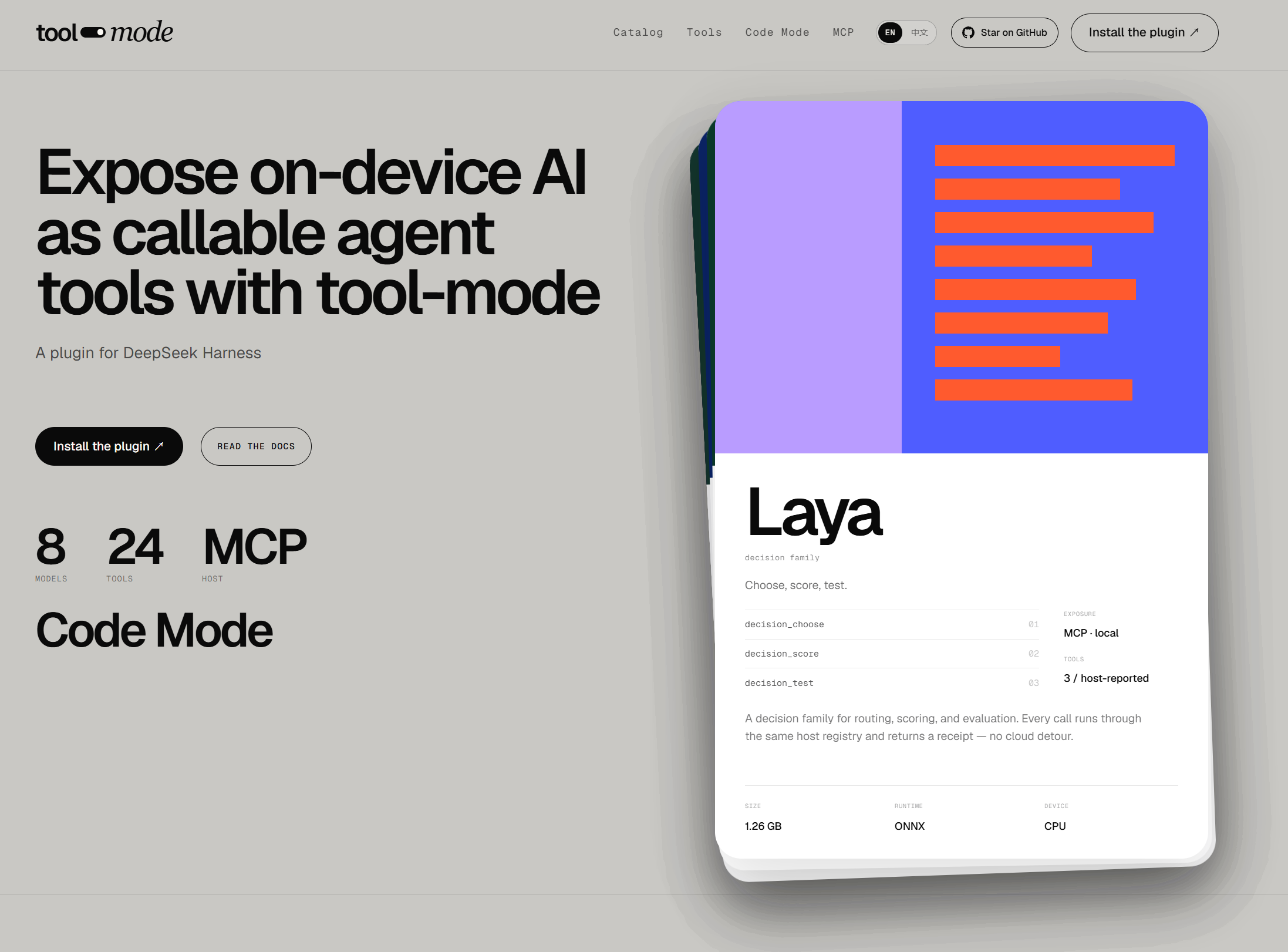
Tool Mode: expose on-device AI as callable agent tools.
New to Tool Mode? Start with the documentation → installation takes a few minutes.
Why Tool Mode
- Tools, not model names. The agent asks for
lang_detect; which model or route serves it is a deployment decision. Swapping the model does not change the tool schema. - Capability-aware. A model is registered only when it can run here, or is deliberately exposed as unavailable with the reason. No tool that fails on every call.
- Local-first. Models can run in-process, through the Desert Ant CLI, through a user-hosted bridge, or as an installed extension.
- Remote Jev when you want it. The optional Jev typed-question API adds remote decision tools; it is explicitly opt-in and is not a local checkpoint.
- One surface for agents and MCP. The same tools are available to DSH and to MCP clients over an authenticated loopback endpoint.
- Operable. Model toggles, extensions, custom tools, usage insights and security controls live in DSH settings.
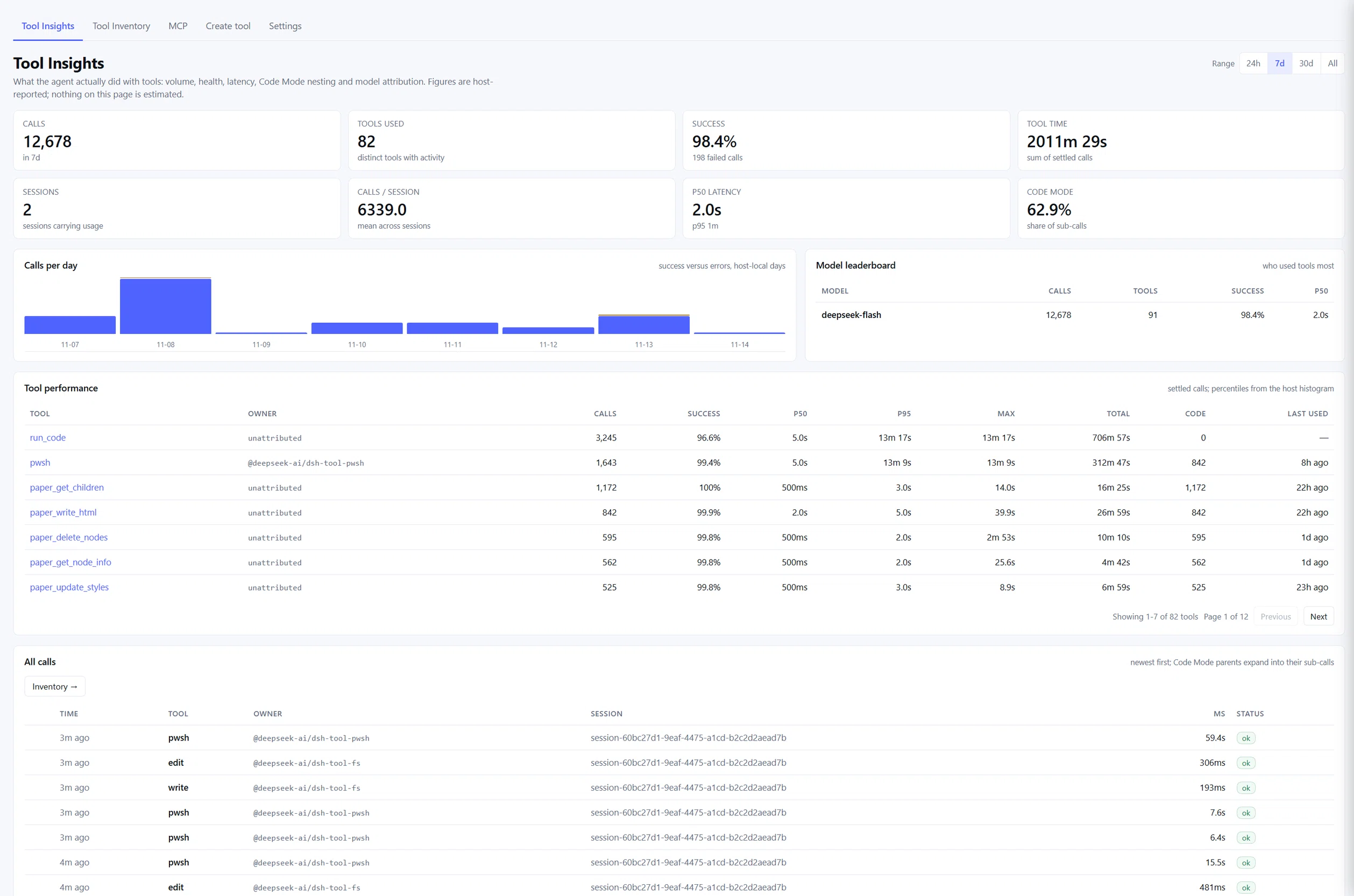
Tool Insights: usage, latency, success and model attribution for every tool.
Install
Tool Mode is a DSH bundle. Install it into a profile:
dsh plugin --profile web add @try-works/dsh-tool-mode
Restart DSH, then open Settings → Tool Mode. Enable a model — Tongue is the simplest first choice because its 2 MB model ships inside the npm package and needs no runtime download.
Ask the agent:
Detect the language of “Bonjour, comment allez-vous ?”
It calls lang_detect and returns the language with confidence and ranked
alternatives.
Full instructions, manual installs and upgrade notes are in Installation.
Models
Tool Mode ships with the 18-model Desert Ant catalog. The first-party extensions below add more models and tools; Tongue and Voz appear in both lists because they are catalog models with first-party implementations. Availability depends on the platform, installed runtimes, prepared assets and enabled extensions.
Desert Ant catalog
| Model | Task | Windows x64 |
|---|---|---|
| Align | Audio word alignment | Browser-only SDK |
| Clear | Speech enhancement | Browser-only SDK |
| Clips | Video clip selection | Browser-only SDK |
| Ear | Spoken-language identification | Browser-only SDK |
| Emo | Emoji suggestion | Browser-only SDK |
| Eye | Image frame scoring | Closed beta |
| Face | Face matching | Closed beta |
| Gist | Topic tagging | Browser-only SDK |
| Moderator | NSFW detection | Browser-only SDK |
| Redact | PII redaction | Browser-only SDK |
| Schemer | Structured extraction | Closed beta |
| Shapes | Stroke shape recognition | Browser-only SDK |
| Title | Title generation | Apple only |
| Tongue | Language detection | Yes — pure JavaScript, weights bundled |
| Toxic | Toxicity detection | Closed beta |
| Uhm | Filler detection | Apple only |
| Voz | Speech-to-text | Yes — ONNX Runtime, ~367 MB weights on first use |
| Who | Speaker labeling | Closed beta |
Extension models
| Model | Tools | Notes |
|---|---|---|
| Laya decision family | decision_choose, decision_choose_local, decision_score, decision_score_typed, decision_test, decision_test_typed |
Local decision checkpoint |
| EmbeddingGemma 2 | multimodal_embed, semantic_similarity, semantic_rank, semantic_classify, semantic_deduplicate, dedupe_and_rank, media_find_moments |
Text, image and audio embeddings |
| MiniLM embed | text_embed |
384-dimensional compatibility space |
| MiniLM rerank | text_rerank |
Cross-encoder ranking |
| Cactus Needle 3 | structured_extract, extract_with_repair, validate_record, tools_plan |
Structured extraction and tool planning |
| Cactus Mirage | mirage_describe, mirage_detect, mirage_ocr, mirage_extract |
Vision: describe, detect, OCR, forms |
| Harness Vision | describe_image |
Image description through an authorized harness model |
| Harness Text Tools | text_title |
Title and summary generation |
| Declarative recipes | Recipe-defined tools | Harness-model-backed recipes |
Use tool_mode_list for the live answer in your process. The complete table,
per-model details and the reason for every unavailable model are in
Models.
Tools
The current tool surface is grouped below. Exact availability depends on
installed extensions, enabled models and the caller's grant; use
tool_mode_list for the live list and tool_mode_describe for schemas.
Language, audio and embeddings
| Tool | Backed by |
|---|---|
lang_detect |
Tongue |
stt_transcribe |
Voz |
text_embed |
MiniLM embed |
text_rerank |
MiniLM rerank |
multimodal_embed |
EmbeddingGemma 2 |
semantic_similarity |
EmbeddingGemma 2 |
semantic_rank |
EmbeddingGemma 2 |
semantic_classify |
EmbeddingGemma 2 |
semantic_deduplicate |
EmbeddingGemma 2 |
dedupe_and_rank |
EmbeddingGemma 2 |
media_find_moments |
EmbeddingGemma 2 |
Vision and structured work
| Tool | Backed by |
|---|---|
describe_image |
Harness Vision |
mirage_describe |
Cactus Mirage |
mirage_detect |
Cactus Mirage |
mirage_ocr |
Cactus Mirage |
mirage_extract |
Cactus Mirage |
structured_extract |
Cactus Needle 3 |
extract_with_repair |
Cactus Needle 3 |
validate_record |
Cactus Needle 3 |
tools_plan |
Cactus Needle 3 |
text_title |
Harness Text Tools |
Decisions
| Tool | Backed by |
|---|---|
decision_choose |
Laya |
decision_choose_local |
Laya |
decision_score |
Laya |
decision_score_typed |
Laya |
decision_test |
Laya |
decision_test_typed |
Laya |
decision_combine |
Host |
decision_evaluate |
Host |
decision_route |
Host |
decision_choose_jev |
Remote Jev API (opt-in) |
decision_judgments_jev |
Remote Jev API (opt-in) |
Discovery, management and Code Mode
| Tool | Purpose |
|---|---|
tool_mode_list |
Live tool catalogue, readiness and catalog revision |
tool_mode_describe |
Schemas, semantics, limits and unsupported cases |
model_tools |
Host-local model and extension management view |
tool_mode_run |
Bounded multi-tool program; only when Code Mode is released |
Full descriptions and schemas: Tool reference.
Remote Jev (optional)
Tool Mode also supports Jev, TypeSafe's remote System One typed-question API. Jev is not a local model and has no local weights: enabling it adds a deliberate network route for decision tasks.
- id: model-tools
  config:
    jev:
      enabled: true
      model: jev-1.14
      # apiKey: ...                 # direct operator config
      # credentialRef: jev/api-key  # DSH credentials service (default)
      # apiKeyEnv: TYPESAFE_API_KEY # environment fallback
When enabled, it registers:
decision_choose_jev— choose one of 2–16 options through Jev.decision_judgments_jev— batch independent yes/no judgments through Jev.
The API key is resolved in this order: jev.apiKey, the DSH credential reference
(default jev/api-key), then apiKeyEnv (default TYPESAFE_API_KEY). A missing
key produces a named JEV_API_KEY_NOT_CONFIGURED diagnostic; there is no fake
answer and no silent local fallback. Set baseURL only if you use a compatible
endpoint other than the default.
Jev is opt-in and network-bound. Leave it disabled for a no-network deployment. See Configuration: Jev.
Use it from an MCP client
Enable the endpoint in your profile:
- id: model-tools
  config:
    mcpV3:
      enabled: true
      host: 127.0.0.1
      port: 3765
      path: /mcp
Provide the bearer token through DSH_TOOL_MODE_MCP_TOKEN or a tokenFile, then
connect Claude Desktop, Cursor or another MCP client. The endpoint serves MCP
2026-07-28 over loopback HTTP, with per-client grants and tool-level export
policy.
See Connect an MCP client. For wire behavior, see the MCP protocol reference.
What is in this repository
| Folder | Runtime | Status |
|---|---|---|
dsh-tool-mode |
DeepSeek Harness (DSH) | Available — plugin, contracts, extension SDK, extensions, tests |
opencode-tool-mode |
OpenCode | Planned |
pi-tool-mode |
Pi | Planned |
The DSH implementation is a monorepo. The published plugin is
@try-works/dsh-tool-mode;
the repository also contains the model-free contracts, the public extension SDK,
first-party model extensions, and verification tooling.
Documentation
| Read this | If you want to… |
|---|---|
| Documentation home | Start at the beginning |
| Installation | Add the plugin to a profile |
| First tool | Make a first successful call |
| Using tools in DSH | Day-to-day use with an agent |
| Extensions | Add model tools beyond the catalog |
| Custom tools | Create HTTP, prompt or composite tools |
| Security | Understand tokens, grants and approvals |
| Troubleshooting | Diagnose a missing tool or MCP problem |
| Tool reference | See every tool and its backing model |
| Configuration | Change profile behavior |
Requirements
- Node.js 24+
- DSH 0.2.1-rc.2+
- A supported platform for the model you want to run
The plugin starts cleanly without model runtimes; it reports what is missing rather than failing at call time.
Development
The DSH monorepo lives in dsh-tool-mode. Build, test and
verification commands run from there:
cd dsh-tool-mode
npm ci
npm run link:dsh -- --checkout /path/to/deepseek-harness
npm run build
npm test
npm run verify
link:dsh is required for local development because the DSH peer packages are
supplied by a DSH checkout rather than installed by npm.
Useful references:
- Package README
- Extension authoring and contracts
- Internal specifications and evidence — engineering material, not user documentation
License
Apache License 2.0. See LICENSE.
Model weights and SDKs keep their own vendor licenses; Tool Mode does not redistribute model weights. See the model pages for the applicable terms.
No comments yet. Be the first to write one.