dsh-file-mention

Traditional Chinese: README.zh.md
Secure, session-scoped @ file/folder mentions and drag-and-drop file intake
for the DeepSeek Harness (DSH)
Web composer.
The plugin inserts lightweight path references. It does not attach or inject
file content: immediately before an agent step, the Host validates each path
and adds a path-only <workspace-reference> marker. The agent then decides
whether and how to inspect the target with its own tools.
Features
- Files and folders — bare
@opens a workspace list; continue typing to filter by basename or path. - Git-aware index — tracked files plus untracked non-ignored files; deleted tracked paths are removed. Non-Git workspaces use a bounded filesystem walk.
- Controllable index — nested
.aiincluderules can add required ignored files with last-match-wins semantics; dirty/mtime metadata, monotonicindexVersion, and workspace invalidation keep changed files current. - Fast typing — one per-session index request,
warm()prefetch, single-flight loading, 30-second stale-while-revalidate, local ranking, and optional recent-path prioritization. - Unambiguous references — picks retain the full relative path. Paths with
spaces use
@"quoted path"syntax. - Validated markers —
agent/pre-stepchecks workspace confinement, symlink-resolved location, existence, and file/directory kind without reading content. - Keyboard completion — arrows + Enter or Tab through the input-trigger controller.
- Managed drag-and-drop — streaming temp files, atomic no-clobber finalize, per-file/session/global quotas, retention cleanup, progress, and cancellation.
- Paste-to-upload — pasting non-image files routes them through the same managed pipeline instead of failing in the built-in image intake; pure rail-image pastes still reach the image rail.
- Caret-preserving insertion — uploaded
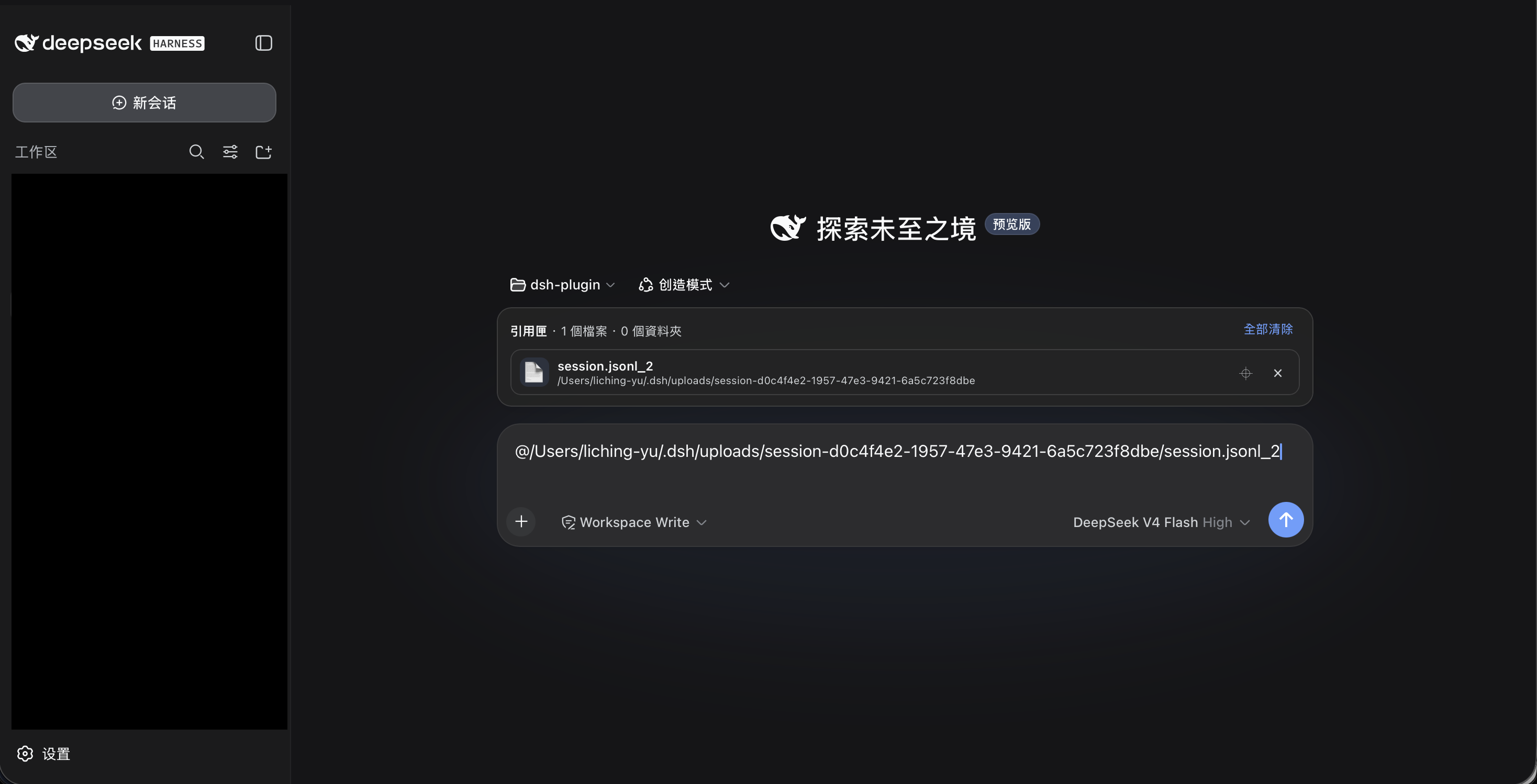
@paths insert at the caret recorded before the upload through the frozenslash/input-insert-textcontract (draftRev CAS with caret remap), falling back to append. - Reference tray — compact file/folder cards below the composer support copy, reveal, single removal, and batch clear without altering surrounding text.
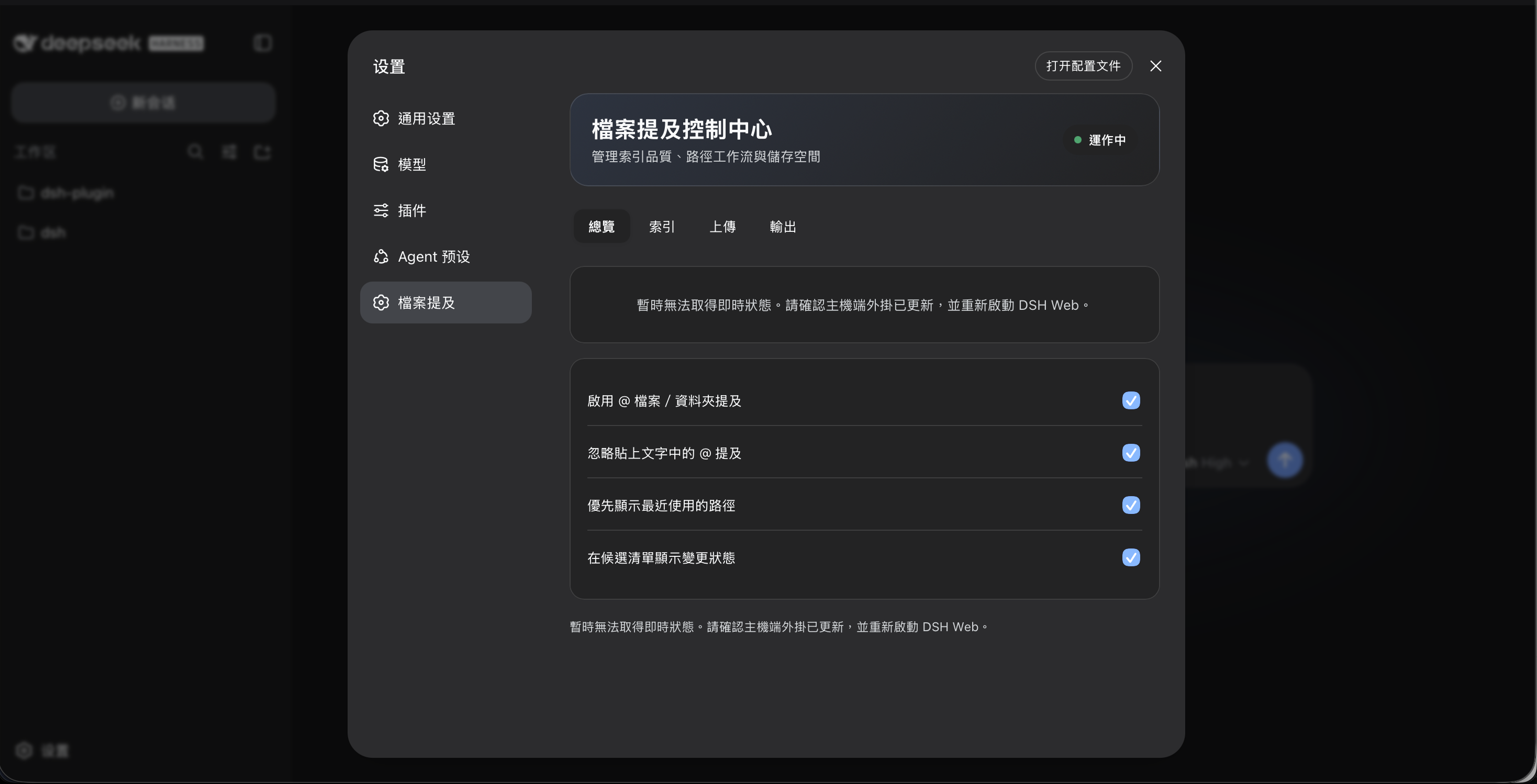
- Control Center — Overview, Index, Uploads, and Output tabs expose live index diagnostics, storage meters, ignore presets, index rebuild, and expired-upload cleanup instead of a flat settings form.
- Candidate context — optional changed-file status labels and browser-local recent-path history improve repeated navigation without sending history to the Host.
- Official UI slots — the tray, Control Center, and optional Host-validated assistant output path companion use supported DSH integration points.
- Zero build — hand-written Host ESM and lazy-CJS browser bundle; React is supplied by the DSH Client runtime.
Screenshots
Browse workspace files and folders
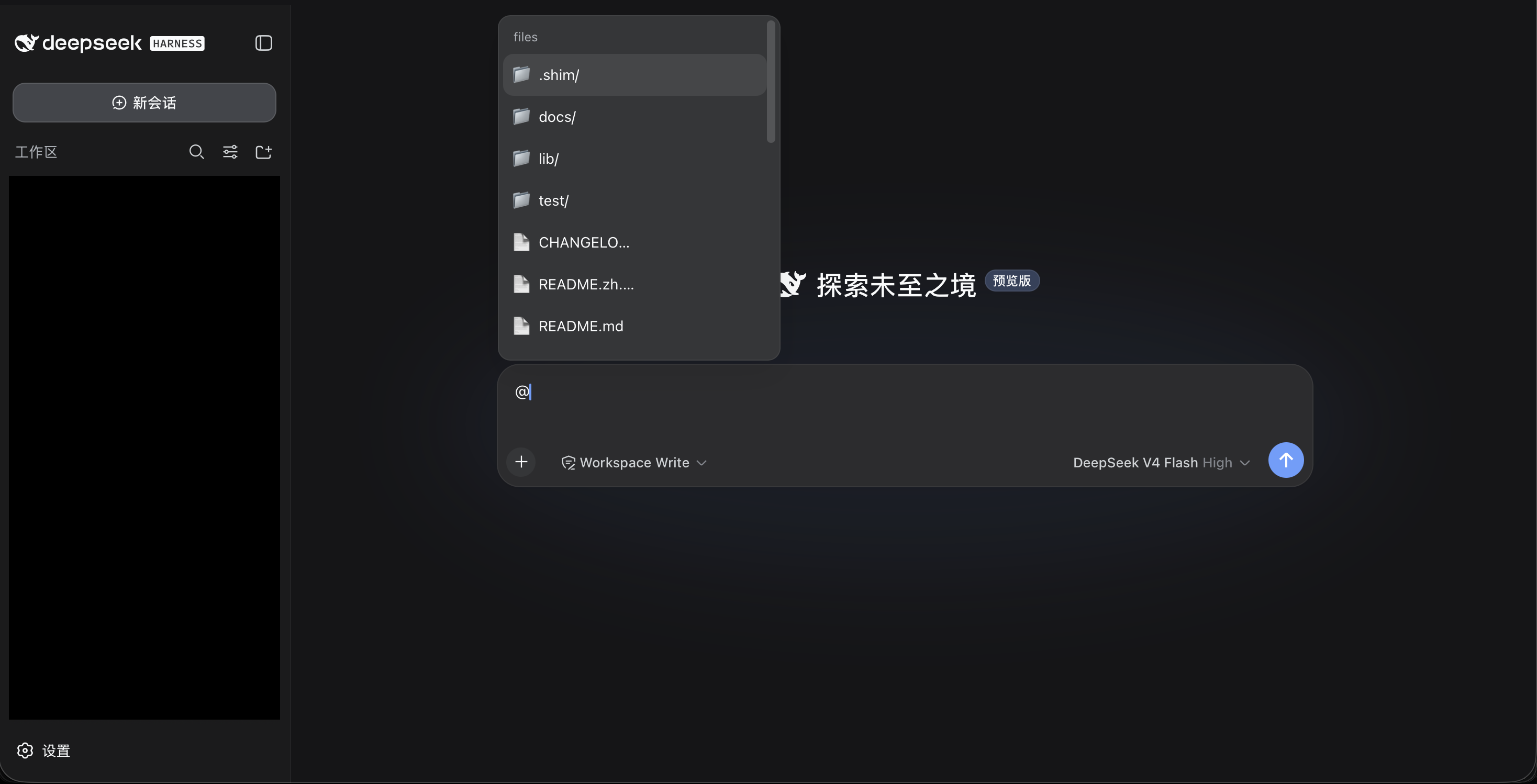
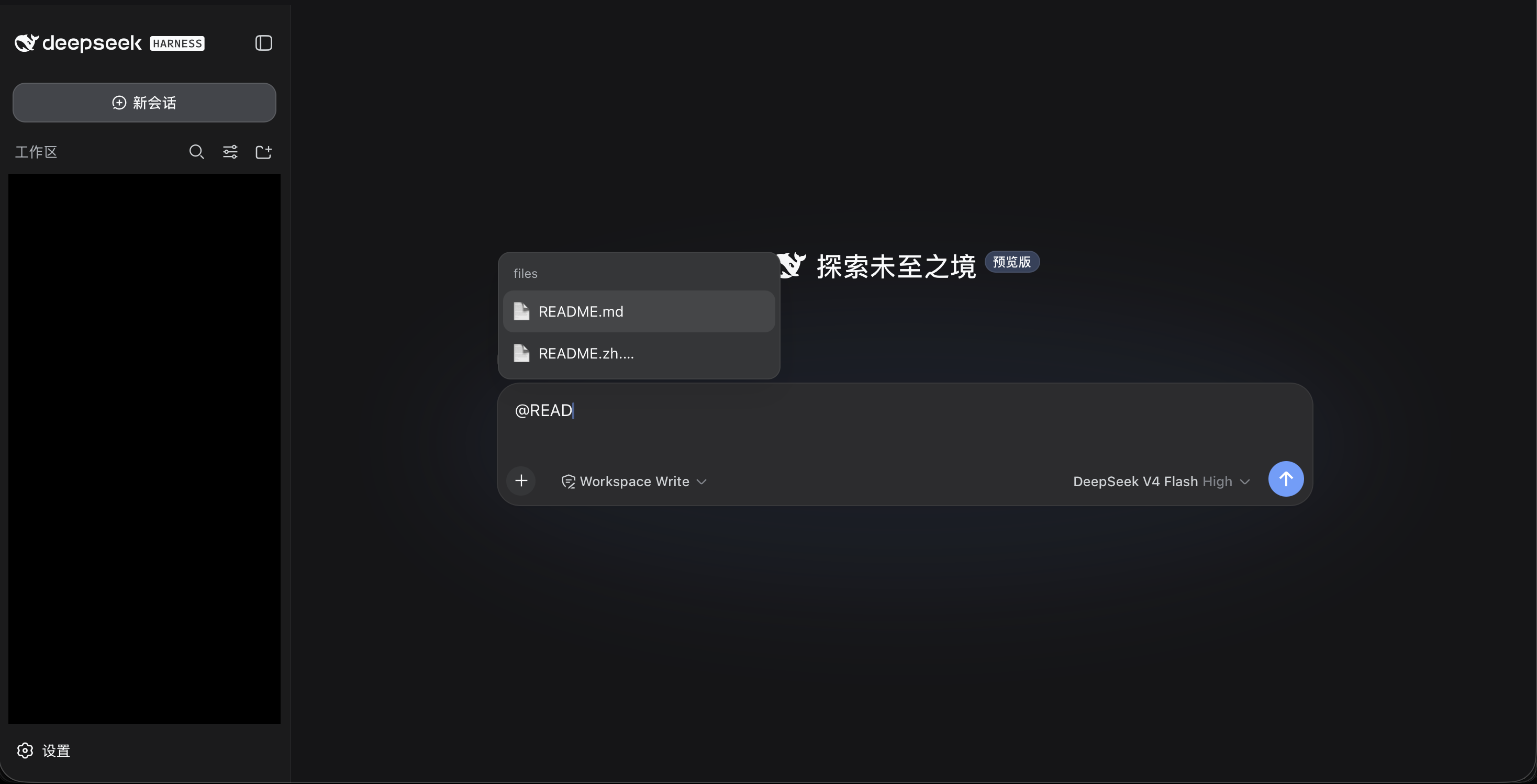
Filter and select a file
Configure file mentions
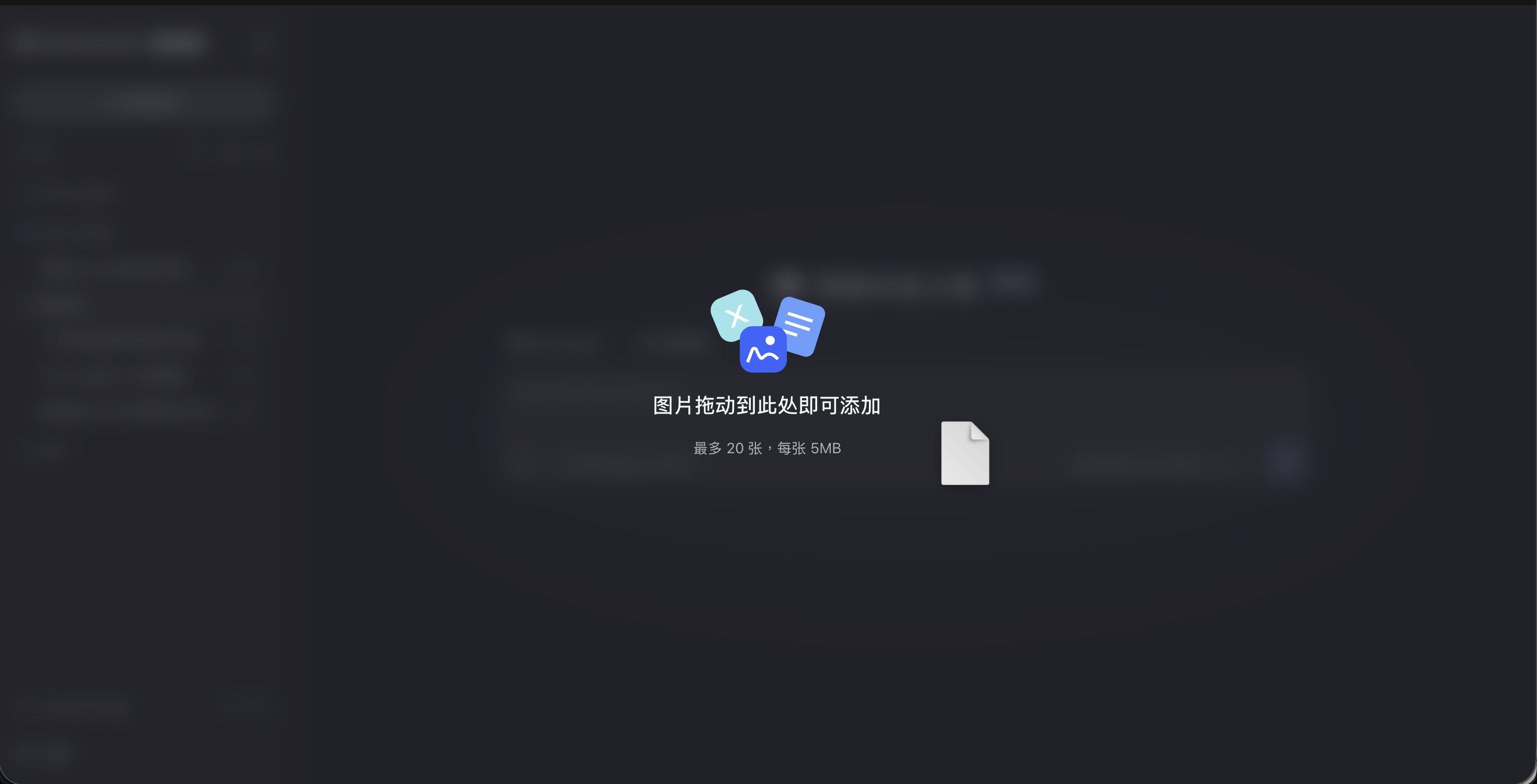
Drag a local file into the composer
Use a managed upload from the Reference Tray
Installation
Requires a compatible DSH Web profile with the client input-trigger, runtime, and locale services.
dsh plugin --profile web add github:tipoLi5890/dsh-file-mention
For local development:
dsh plugin --profile web add link:/absolute/path/to/dsh-file-mention
dsh --profile web --dump-config
Restart DSH Web after install/update.
Usage
| Action | Result |
|---|---|
@ |
Opens a shallow, ranked workspace file/folder list |
@readme |
Finds basename matches such as README.md |
@src/ma |
Searches the full relative path |
Pick src/main.js |
Inserts @src/main.js |
Pick docs/file with spaces.md |
Inserts @"docs/file with spaces.md" |
Pick docs/ |
Inserts @docs/ |
| Arrow keys + Tab | Accepts the highlighted files candidate |
| Drop a non-image file | Copies it to managed uploads and inserts its path at the caret |
| Paste a non-image file | Uploads it the same way and inserts its path at the caret |
Outside-root browsing through @/, @~/, or @../ is intentionally not part
of the picker. The Host index root always comes from the addressed session.
How it works
Host
POST /api/file-mention/index accepts { "sessionId": "..." }. The Host
derives cwd from session state, builds/caches a Git or fallback index, and
returns relative file/folder paths only.
POST /api/file-mention/upload?sessionId=&name= streams one raw body to a temp
file, checks configured per-file/session/global quotas, atomically finalizes it
under <DSH_HOME>/uploads/<sessionId>/, and returns its managed absolute path.
POST /api/file-mention/settings owns durable plugin settings.
POST /api/file-mention/status returns path-free index/storage aggregates for
the Control Center. POST /api/file-mention/maintenance rebuilds the addressed
session index or removes uploads past their configured retention period.
POST /api/file-mention/path-action validates and reveals only current-workspace
or managed-upload paths via structured execFile argument arrays.
At agent/pre-step, direct user mentions are revalidated. Relative paths must
remain inside session.cwd; absolute paths are marked only when they resolve
inside the managed upload root. The resulting marker looks like:
<workspace-reference path="src/main.js" kind="file" />
Browser
The browser registers an @/files input source. It fetches the complete
bounded index once per session, ranks locally on every keystroke, optionally
uses browser-local recent-path counts as a tie-breaker, and returns a plain-text
insertion outcome. Connection reset clears all index state.
Capture-phase drag handlers claim drags containing non-image files. XHR exposes
progress/cancel while the official conversation.input.dock draft action appends
the returned references; no textarea DOM mutation fallback is used.
Limits
| Limit | Value |
|---|---|
| Index entries | 20,000 |
| Non-Git traversal depth | 32 |
| Client menu rows | 40 |
| Host/Client index freshness | 30 seconds |
| Dropped file | 50 MiB each |
.aiinclude files |
50 |
| JSON request body | 256 KiB |
| Session upload quota | 250 MiB (configurable) |
| Global upload quota | 2 GiB (configurable) |
| Upload retention | 7 days (configurable) |
Git repositories honor .gitignore. The non-Git fallback skips hidden entries,
symlinks, VCS metadata, dependencies, caches, and common build outputs.
Development
npm run check
No dependency installation or build step is required. See:
- Architecture
- Security model
- Host API and settings reference
- Development and release workflow
- Changelog
License
MIT © 2026 dsh-file-mention contributors
No comments yet. Be the first to write one.