Liquid Glass — DSH Apple Liquid Glass
An Apple-style liquid-glass material for the DeepSeek Harness web client, applied to the composer, the clickable controls in the left sidebar, the model picker, and the send button. Intensity is adjustable from 0 to 100% live. At 0% the client is visually identical to the native renderer. The page background is deliberately left untouched.
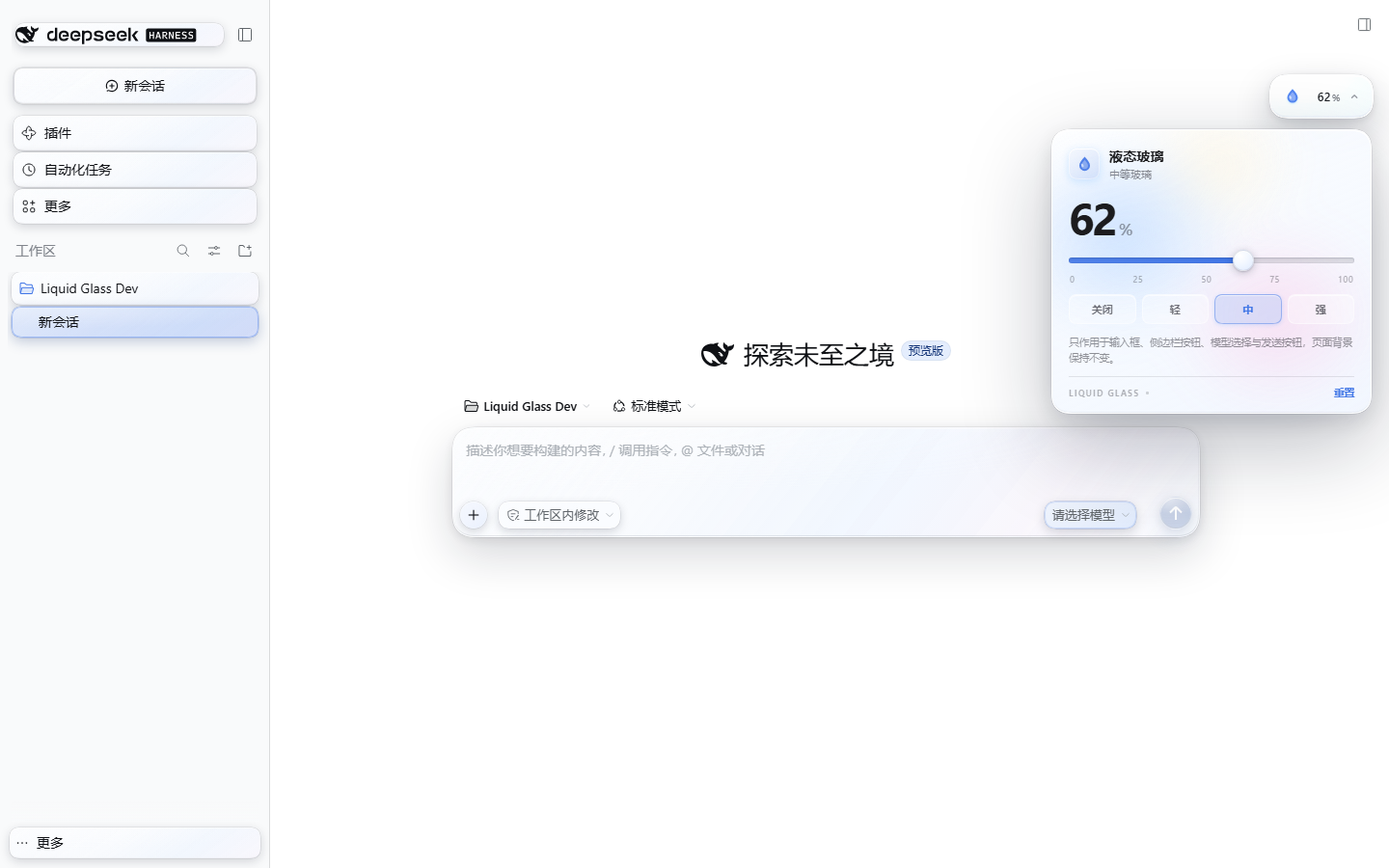
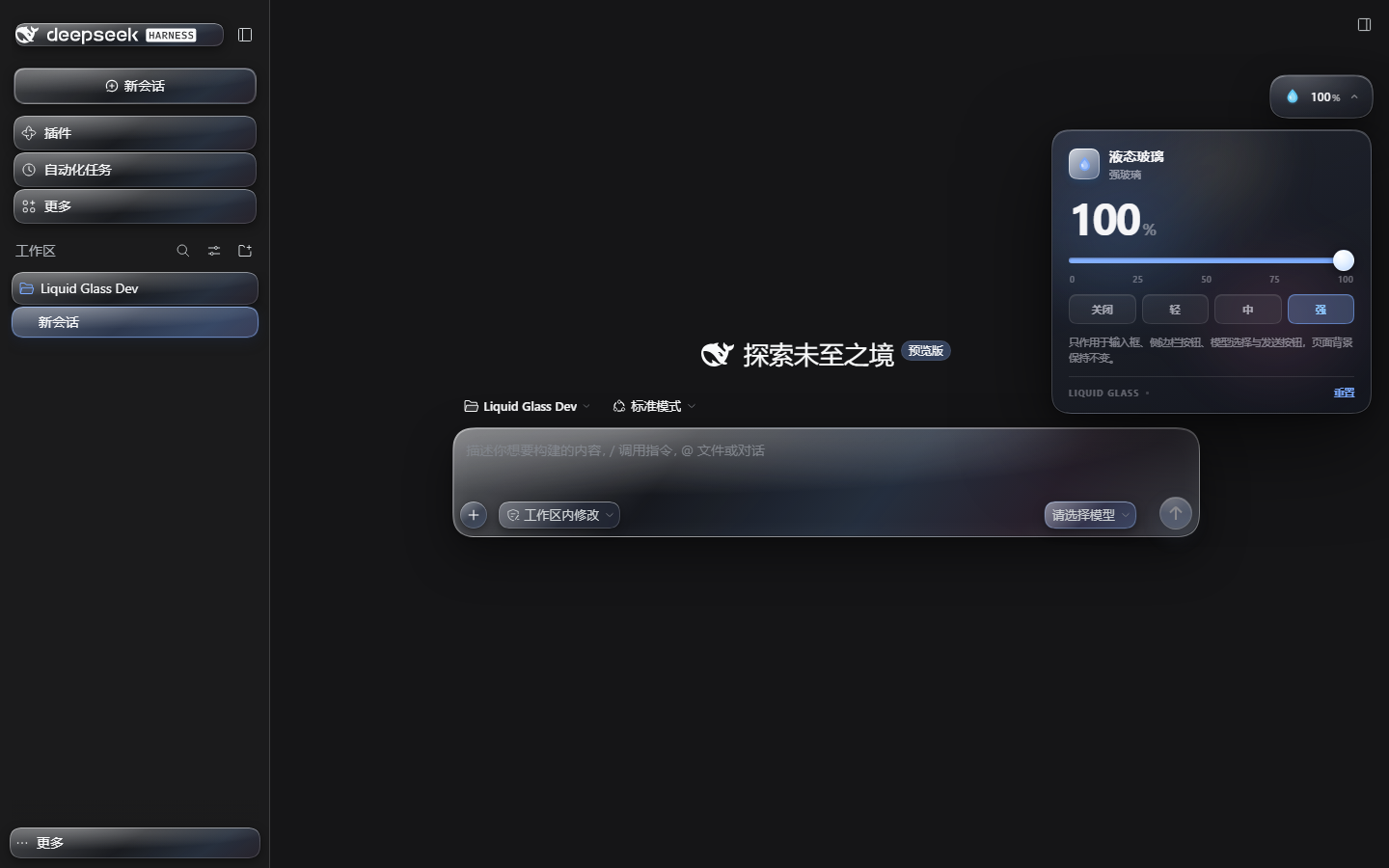
Captured in a real DSH 0.2.1-rc.5 web profile.
Install
Repository: https://github.com/tianyuec11-design/dsh-apple-liquid-glass
From GitHub (recommended)
DSH Desktop
Open Plugins in the sidebar.
Click Add plugin / + and choose Install a third-party plugin.
Paste the repository URL:
https://github.com/tianyuec11-design/dsh-apple-liquid-glassInstall, then Enable it. Refresh the page (or restart if the host asks).
A droplet button appears at the top right; open it to adjust the intensity.
dsh web
dsh plugin --profile web add 'github:tianyuec11-design/dsh-apple-liquid-glass'
Restart dsh web afterwards. dsh plugin needs pnpm on PATH; the Desktop app ships its own package manager.
GitHub Release tarball
When a release is published, the pinned package is also available as:
https://github.com/tianyuec11-design/dsh-apple-liquid-glass/releases/download/v0.1.0/dsh-apple-liquid-glass-0.1.0.tgz
dshmarket's Themes tab only lists themes in its catalog. A GitHub-installed theme appears under Installed plugins; it is still a complete bundle theme and can be enabled or disabled normally.
From a local folder (development)
Plugins → Add plugin / + → Install a third-party plugin.
Paste the absolute path to this folder:
C:\Users\CTY\Desktop\learning project\deepseekharnesslearning\dsh-apple-liquid-glassInstall → Enable → refresh.
Local dsh web install:
dsh plugin --profile web add "C:\Users\CTY\Desktop\learning project\deepseekharnesslearning\dsh-apple-liquid-glass"
From a self-built tarball
node scripts/build.mjs
npm pack
Then install dsh-apple-liquid-glass-0.1.0.tgz through the plugin manager.
Use
- The top-right droplet shows the current percentage. Click it to open the panel.
- Drag the slider, or use the mouse wheel over it (
Shift= 5% per step). - Presets: Off / Light / Mid / Strong = 0 / 35 / 65 / 100.
- Reset returns to the default 62%.
Escor an outside click closes the panel and returns focus to the button.- The choice persists per browser in
localStorage(keydsh-apple-liquid-glass.settings.v1). - 0% removes every surface override; only the controller remains.
Material scope
| Area | Elements |
|---|---|
| Composer | Input card, + add button, access-mode pill |
| Left sidebar | Brand/new-session, panel nav rows, workspace rows, session rows, settings/account row; small icon buttons on hover/focus |
| Model picker | The model trigger inside the composer |
| Send | Send/stop button |
The page background, message bubbles, header, and the model dropdown menu itself are out of scope for this first version.
How it works
- Pure CSS material plus a small DOM controller. The browser half has no React or third-party dependency.
- The composer's
backdrop-filterlives on a::beforepseudo-element so the card never becomes the backdrop root of its fixed-position popups;isolation: isolatekeeps the stacking local. - Sidebar styling targets clickable elements, never the whole column, so the background stays native.
- Pointer movement updates
--dslg-mx/--dslg-myfor a moving specular highlight. Press feedback uses the individualscaleproperty so the host's owntransformsurvives. - At 0% the controller removes
body[data-dslg-glass="on"]and every--dslg-*variable; all surface selectors stop matching. prefers-reduced-motionandprefers-reduced-transparencyare respected.- Light/dark follows the host through
body[data-ds-dark-theme].
Files
dsh-apple-liquid-glass/
├─ package.json
├─ cordis.patch.yml          # bundle registration
├─ lib/
│  ├─ index.js               # host half: intentional no-op
│  └─ client.js              # built browser bundle
├─ src/
│  ├─ client.js              # controller source
│  └─ style.css              # material source
├─ scripts/build.mjs         # wraps src into the DSH ModuleLoader bundle
├─ preview/harness.html      # static development preview
├─ docs/                     # README screenshots
└─ assets/icon.svg
Development
node scripts/build.mjs
start .\preview\harness.html
The preview accepts ?theme=light|dark&level=0..100&panel=1&hover=1&lang=en. It uses a mock host DOM; validate in DSH for real.
After installing from a local folder, DSH HMR may reload the bundle automatically. If not, refresh the page or restart the host. The Desktop plugin manager installs a copy, so reinstall after source changes, or use a link install during development.
Compatibility
- DSH >= 0.2.1-0.
- Verified on DSH 0.2.1-rc.5 (web profile, light/dark, 0%/62%/100%).
- Desktop uses the same web client; the controller accounts for
--dsh-windows-titlebar-height, but a real desktop pass is still recommended. - Chromium/Electron only; Safari/Firefox are not tested.
Known limitations
- The model dropdown menu, message bubbles, and header are not themed yet.
- Small sidebar icon buttons get the material on hover/focus only, to avoid a wall of blur.
- No SVG edge refraction yet; the current material is blur + saturation + translucent tint + specular highlight + bevel + shadow.
- The controller is fixed at the top right; another top-right overlay plugin could overlap it.
- No wallpaper and no page-background changes.
Uninstall
Desktop: Plugins page → this plugin → Remove; restart if prompted.
Web:
dsh plugin --profile web remove dsh-apple-liquid-glass
License
MIT. See LICENSE.
"Liquid Glass" describes the visual material. This project is not affiliated with or endorsed by Apple Inc.
No comments yet. Be the first to write one.