DSH Desktop — Windows desktop shell for DeepSeek Harness
⚠️ Community project, not an official product. DSH Desktop is maintained by the community, is not affiliated with or endorsed by DeepSeek AI, and is not a DeepSeek official product. It is simply a Windows desktop shell around DeepSeek Harness (
dsh, MIT-licensed).
An Electron window around the existing DeepSeek Harness Web GUI (dsh web),
plus a system tray, single-instance lock, crash restart, and a
self-contained runtime. Feature-identical to the Web UI, shares its data
(common %USERPROFILE%\.dsh), and needs no Node.js installed on the
target machine.
Screenshots
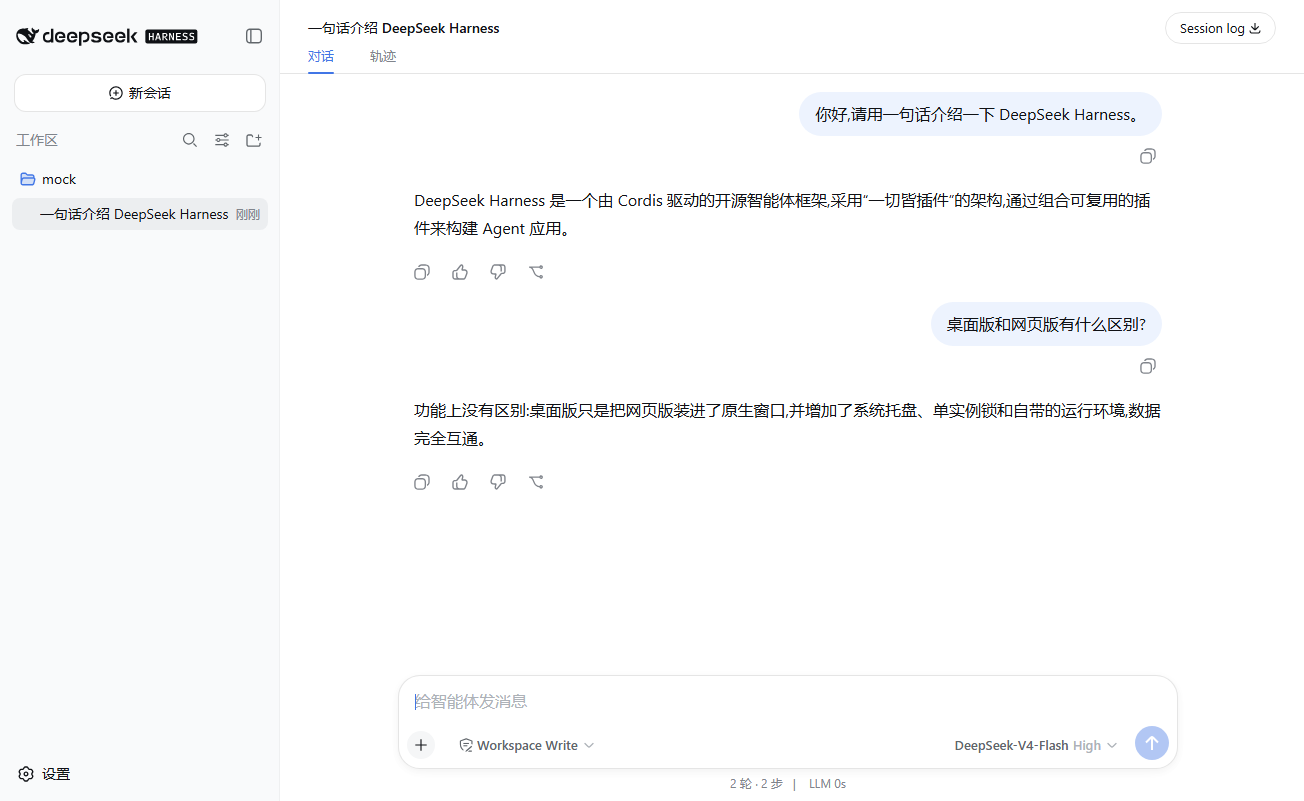
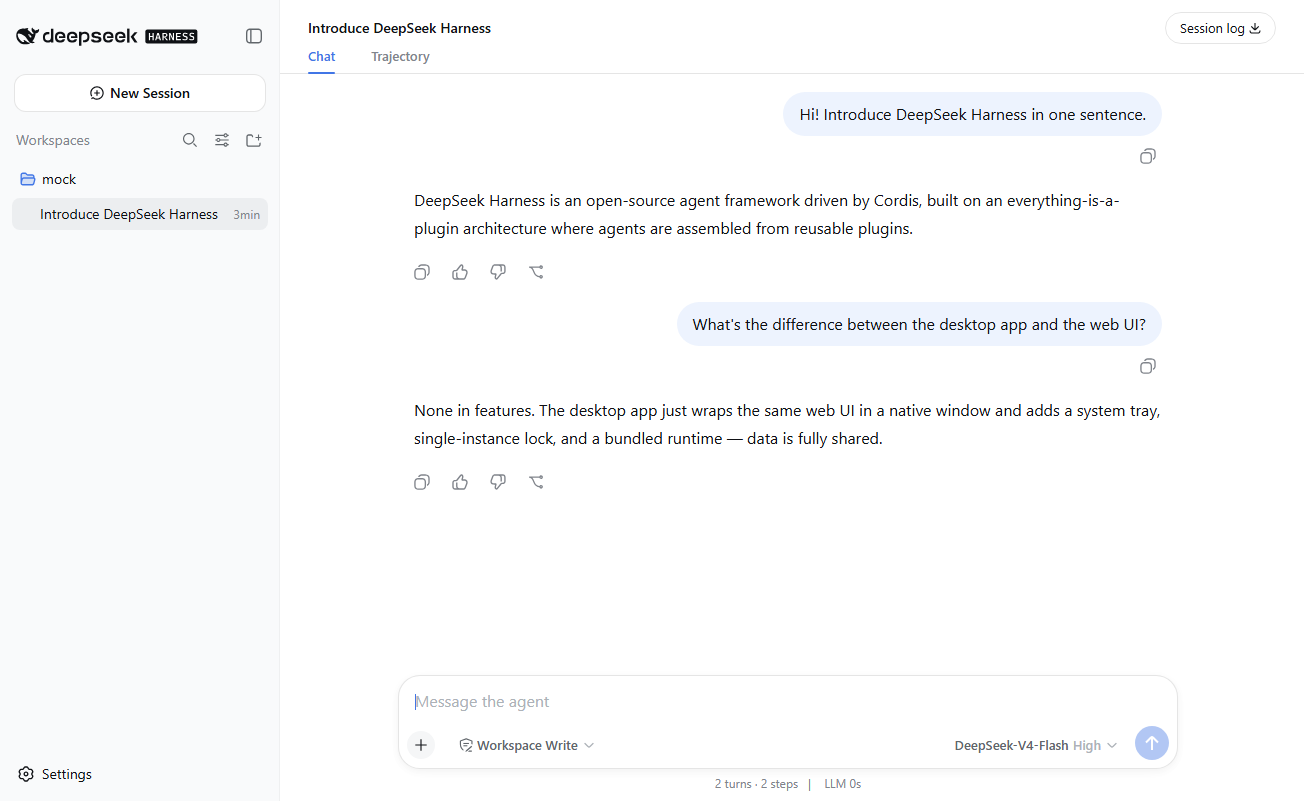
Light theme, showing a mock conversation (no real data):
Chinese UI:
English UI:
Features
- Reuses the Web UI: the window loads
http://127.0.0.1:3080directly; no UI is rewritten. - Host lifecycle:
- On start it probes the port: if a
dshis already running it attaches (never manages or kills it on exit); - otherwise it launches its own host from the bundled runtime, with crash restart (3-attempt backoff);
- if the port is taken while
forceOwnHostis on, it retries with--port 0and follows the URL the host prints. - Readiness = the host's stdout
dsh web: http://...line (the web app's official supervisor signal).
- On start it probes the port: if a
- ✕ minimizes to tray: background tasks keep running; only the tray menu's "Quit" really exits.
- Single-instance lock: a second launch focuses the existing window.
- Self-contained: portable Node + the published
@deepseek-ai/dshnpm package live inresources/host/runtime/. - Dev mode: set
devMode.checkoutDirto a source checkout to run the host from its build output.
Download
Windows only for now — there are no macOS or Linux builds yet.
Download the latest Windows zip or browse all Releases.
Unzip and double-click DSH Desktop.exe.
Windows SmartScreen may warn about an "unknown publisher" (binaries are not signed yet) — choose "More info → Run anyway".
Configuration
Configuration keys and the host-source priority are documented in docs/configuration.md.
Development
Build, smoke-test, screenshot, and packaging instructions: docs/development.md.
License & attribution
- Project code: MIT (see LICENSE).
- App icon: the OpenMoji whale U+1F40B,
CC BY-SA 4.0, © OpenMoji contributors; source at
assets/icons-src/, derivatives stay under the same license. - Bundled DeepSeek Harness and Node.js runtime: see THIRD_PARTY_NOTICES.md.
Layout
src/main.js       main process: single instance, boot flow, smoke/screenshot hooks
src/config.js     config loading/validation
src/host.js       HostManager: probe/attach, spawn, readiness parse, crash restart, stop
src/window.js     main window: load retries, error page, navigation pinning, ✕→tray
src/tray.js       tray icon and menu
src/log.js        logging
assets/icons-src/ icon sources (OpenMoji whale SVG)
build/icon.png    application icon (OpenMoji derivative)
docs/             configuration & development docs, README screenshots
scripts/bundle-host.mjs  portable Node download + npm install of the dsh CLI
scripts/seed-mock.mjs    mock conversation seeding for README screenshots
resources/host/   bundled runtime (runtime/ is generated, git-ignored)
No comments yet. Be the first to write one.