READMESource: master@cbb13bf1
dsh-provider-hub
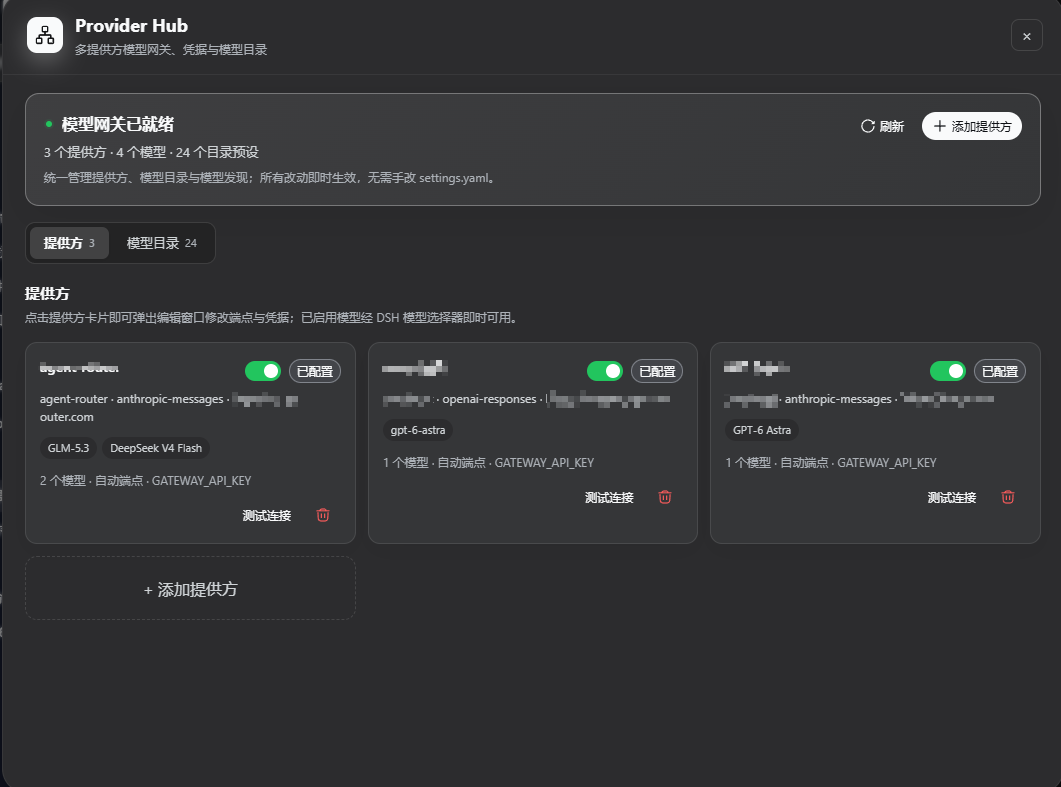
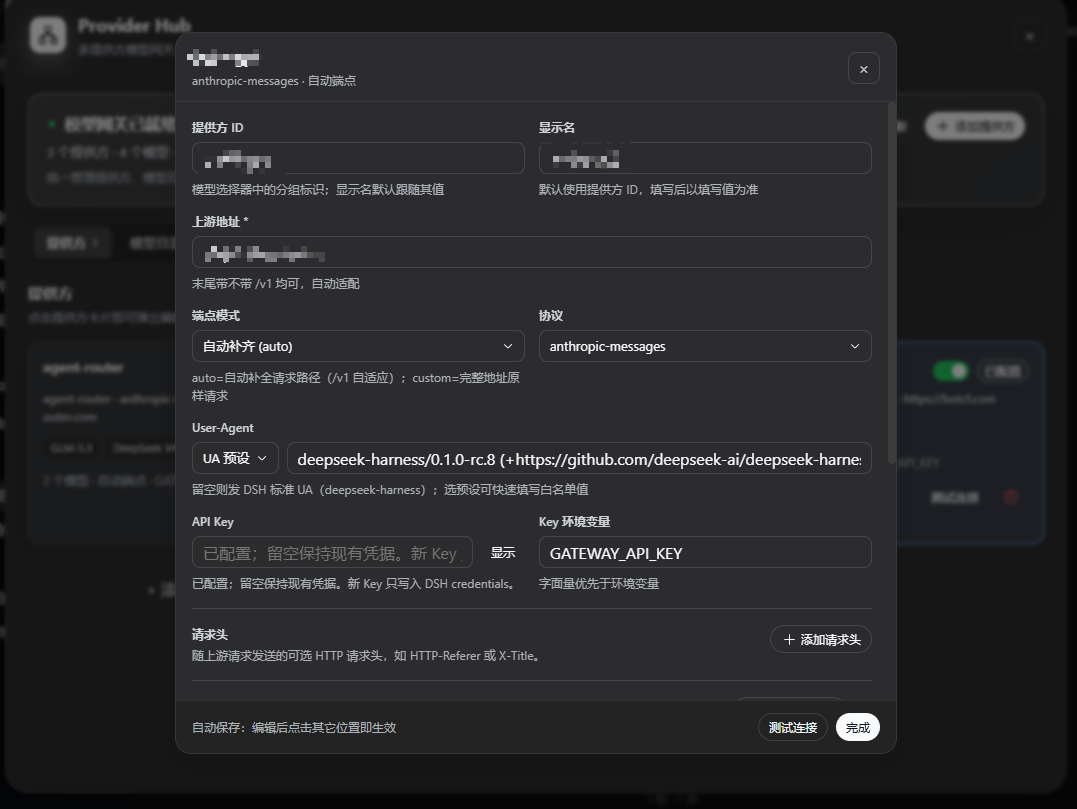
DSH LLM provider 中枢插件:通过 DSH 左侧栏的 Provider Hub 面板(卡片式控制台)配置任意多个网关——每个网关是一个 OpenAI / Anthropic 兼容端点,可独立设置协议、User-Agent、API Key 与模型目录。启用内置的主流模型目录(GLM / Claude / GPT / Qwen / DeepSeek / Kimi / Gemini)后,模型直接出现在 DSH 的模型选择器里,无需手写 settings.yaml 的 llm-pi-ai.providers。
针对按 User-Agent 白名单校验客户端的网关:插件发出的请求携带每个网关完全自定义的 UA(绕开 DSH 强制的归因头),多网关可同时接入多个 UA 白名单网关。
安装
从 GitHub 安装(仓库须带 dsh-plugin topic):
dsh plugin --profile web add github:tappat225/dsh-provider-hub
--profile web换成你实际使用的 profile(桌面版为desktop)- 需要 pnpm 环境:
npm install -g pnpm - 安装后重启 DSH,左侧栏设置按钮上方会出现 Provider Hub 入口
卸载
dsh plugin --profile web remove @tappat225/dsh-provider-hub
卸载后重启 DSH 即可。面板中的网关配置保存在 llm-provider-hub settings 命名空间,重装插件后仍会保留。
No comments yet. Be the first to write one.