dsh-clawbot


English | 中文
Turn your WeChat into an AI agent command center. Scan a QR code, chat with DeepSeek Harness directly from WeChat — no extra apps, no servers, no bridges.
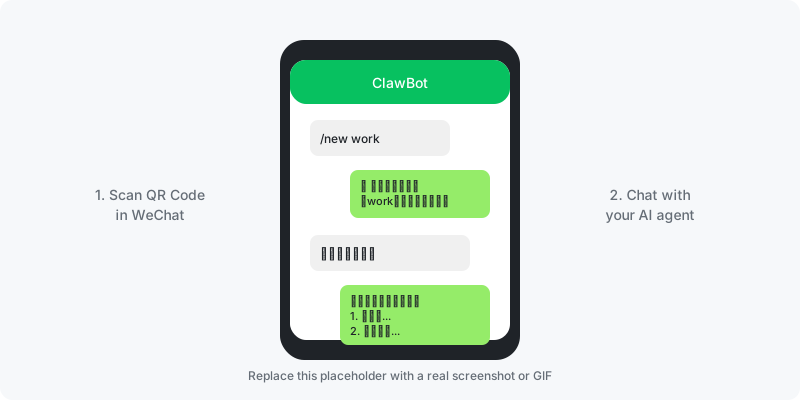
What is dsh-clawbot?
dsh-clawbot is a WeChat channel plugin for DeepSeek Harness (dsh). It connects your personal WeChat to a running dsh agent via Tencent's official ClawBot (iLink) protocol.
The problem it solves: You want to talk to your AI agent from your phone, but you don't want to deploy a public web UI, open ports, or install another app. With dsh-clawbot, you just scan a QR code in WeChat and start chatting — your agent runs locally, replies come back through WeChat.
Why not the original dsh-weixin?
This is a community-enhanced fork of caoyilearnai/dsh-weixin v0.2.1 with production-grade improvements:
| Pain Point | Original | dsh-clawbot |
|---|---|---|
| One message blocks everything | ❌ Single-threaded | ✅ Per-user queues, parallel turns |
| One user = one session | ❌ 1:1 mapping | ✅ Multiple named sessions per user |
| Switch models | ❌ Global only | ✅ Per-session model, live switch |
| Manage sessions | ❌ Delete state files | ✅ /new /list /use /del commands |
| Image handling | ⚠️ Poisons history | ✅ Vision-aware injection |
Quick Start (5 minutes)
Prerequisites
- DeepSeek Harness installed (
dshcommand available) - WeChat ≥ 8.0.70 (iOS) with ClawBot enabled: Settings → Plugins → ClawBot
1. Install the plugin
dsh plugin --profile web add github:tangwenhao616-netizen/dsh-clawbot
2. Start dsh web
dsh web --port 3080
3. Scan the QR code
Open http://127.0.0.1:3080/weixin → click "扫码登录" → scan with WeChat.
4. Chat
Send any message to the bot in WeChat. Each WeChat user gets an independent Harness session.
You: /new work
Bot: ✨ 已新建并切换到「work」,直接发消息开始对话吧

You: 帮我写一份周报
Bot: [AI reply...]
Features
- Multi-session: One WeChat user can own multiple independent sessions. Switch with
/2or#work 帮我写周报 - Slash commands:
/new/list/use/model/rename/del/tag/help— no web UI needed - Per-session model: Each session remembers its own
provider/model. Change with/model 3, live on next turn - Concurrency-safe: Per-user inbound queues, per-message collectors — no cross-talk, no blocking
- Rich media: Text, voice (auto-transcribed by Tencent), images (vision-model aware injection)
- Typing indicator: Shows "正在输入…" while the agent thinks
- Active push:
ctx.weixin.push()+/weixin/sendHTTP endpoint +push_weixintool for proactive messages - Secure by default: Credentials stored with
0600permissions, atomic writes, rate-limit backoff
Documentation
Configuration
Override defaults in your profile's cordis.patch.yml:
- insert:
    - id: weixin
      name: dsh-clawbot
      config:
        replyMode: last       # full | last
        maxChunk: 1200
        sendIntervalMs: 2000
| Key | Default | Description |
|---|---|---|
cwd |
stateDir/workspace |
Working directory for new sessions |
stateDir |
$DSH_HOME/dsh-weixin |
Credentials / session map / cursor directory |
replyMode |
full |
full = whole turn text / last = final message only |
replyTimeoutMs |
900000 |
Single-turn reply timeout (ms) |
maxChunk |
1500 |
Max characters per WeChat message (auto-split) |
sendIntervalMs |
2000 |
Min interval between sends (iLink rate limit) |
Slash Commands
| Command | Description |
|---|---|
/new [name] |
Create a new session and switch to it |
/list |
List all your sessions |
/2 |
Quick switch to session #2 |
#name content |
Talk to a specific session directly |
/model |
List available models |
/model <n> |
Switch current session to model #n |
/rename <name> |
Rename current session |
/del <n> |
Delete session #n |
/tag on|off |
Toggle session tag in replies |
/help |
Show help |
Chinese keywords also work: 列表 帮助 模型 换模型
Active Push
Cordis service (other plugins):
export const inject = ['weixin']
export function apply(ctx) {
  ctx.weixin.push('user@im.wechat', 'hello')
  ctx.weixin.sendAll('broadcast')
  ctx.weixin.status()
  ctx.weixin.sessions()
}
HTTP route (scripts / schedulers):
curl -X POST http://127.0.0.1:3080/weixin/send \
  -H 'content-type: application/json' \
  -d '{"to":"user@im.wechat","text":"hello"}'
# Broadcast: {"to":"all", "text":"..."}
Agent tool: push_weixin is registered automatically for scheduled tasks / alerts.
State Directory
stateDir/
├── credentials.json    # bot_token / baseurl / ilink_bot_id / ilink_user_id / loggedInAt
├── session-map.json    # WeChat user → multi-session mapping (auto-migrated)
└── updates-buf.json    # getupdates long-poll cursor
Security Notes
⚠️ The
/weixinpanel has no authentication. Only rundsh webon trusted networks.
- Bind to
127.0.0.1or use a reverse proxy with auth if exposing remotely - Credentials are stored with
0600permissions and atomic writes - Image injection is vision-model aware: if the current model doesn't support images, the image is skipped to avoid polluting history
Message Type Support
| Type | Status |
|---|---|
| Text | ✅ Full support |
| Voice | ✅ Tencent server-side ASR → text injection |
| Image | ✅ CDN download → AES decrypt → attachment (vision-model aware) |
| File / Video / Others | ❌ Not supported (friendly fallback) |
Contributing
We welcome contributions! Please see CONTRIBUTING.md for guidelines.
- Report bugs via GitHub Issues
- Submit PRs against the
mainbranch - Run tests before submitting:
pnpm test
License
MIT © dsh-clawbot contributors
中文
把你的微信变成 AI 代理指挥中心。 扫码即用,在微信里直接和 DeepSeek Harness 对话——无需额外 App、无需公网服务器、无需桥接进程。
dsh-clawbot 是 DeepSeek Harness 的微信通道插件,基于腾讯官方 ClawBot(iLink)协议,把个人微信接入本地运行的 dsh 代理。
与原版 dsh-weixin 的区别
这是 caoyilearnai/dsh-weixin v0.2.1 的社区增强版,解决生产环境痛点:
| 痛点 | 原版 | dsh-clawbot |
|---|---|---|
| 一条消息阻塞全部 | ❌ 单线程 | ✅ 按用户排队,多会话并行 |
| 一个用户一个会话 | ❌ 1:1 映射 | ✅ 多命名会话 |
| 切换模型 | ❌ 只能全局 | ✅ 每会话独立模型,在线切换 |
| 管理会话 | ❌ 删状态文件 | ✅ /new /list /use /del 命令 |
| 图片处理 | ⚠️ 污染会话历史 | ✅ 视觉模型感知注入 |
快速开始(5 分钟)
前提:
- 已安装 DeepSeek Harness(
dsh命令可用) - 微信 iOS ≥ 8.0.70,已开通 ClawBot:设置 → 插件 → ClawBot
1. 安装插件
dsh plugin --profile web add github:tangwenhao616-netizen/dsh-clawbot
2. 启动 dsh web
dsh web --port 3080
3. 扫码登录
打开 http://127.0.0.1:3080/weixin → 点「扫码登录」→ 微信扫码。
4. 开始对话
微信里给机器人发消息即可。每个微信用户自动对应独立会话。
你:/new 工作
机器人:✨ 已新建并切换到「工作」,直接发消息开始对话吧

你:帮我写一份周报
机器人:[AI 回复...]
功能特性
- 多会话:一个微信用户可拥有多个独立会话,
/2或#工作 帮我写周报快速切换 - 斜杠命令:
/new/list/use/model/rename/del/tag/help,无需打开网页 - 每会话模型:每个会话记忆自己的
provider/model,/model 3切换,下一条生效 - 并发安全:按用户入站排队,按消息 ID 收集回复,多用户多会话互不干扰
- 富媒体:文字、语音(腾讯服务端转写)、图片(视觉模型感知注入)
- 打字指示:AI 思考时显示「正在输入…」
- 主动推送:
ctx.weixin.push()+/weixin/sendHTTP 路由 +push_weixin工具 - 安全默认:凭据
0600权限存储,原子写入,限流指数退避
贡献
欢迎贡献!请阅读 CONTRIBUTING.md。
- 通过 GitHub Issues 报告 bug
- PR 请提交到
main分支 - 提交前请运行测试:
pnpm test
License
MIT © dsh-clawbot contributors
No comments yet. Be the first to write one.