dsh-share-kit
Hand a DeepSeek Harness answer to someone else — with its formatting intact.


English | 中文
The problem
An answer in DSH is a rendered document: headings, nested lists, pipe tables, syntax-highlighted code with its language label, blockquotes, KaTeX. The moment you move it out — into Word, mail, Feishu, DingTalk, a GitHub issue, a wiki — that structure is gone. Copy-paste gives you plain text; Markdown-aware targets still lose the code fence language and the formulas.
dsh-share-kit puts one button on the answer's action row and gives the answer back in the format the target understands.
What you get
| Action | Output | Goes into |
|---|---|---|
| Copy Markdown | structure-restored Markdown: heading levels, nested lists, pipe tables, fenced code with language, $…$ / $$…$$, links, images |
note apps, GitHub issues, any Markdown editor |
| Copy rich text | HTML with every element's computed style inlined | Word, Outlook, Feishu, DingTalk, Notion — pastes in looking like it did |
| Copy plain text | body text without markup | chat apps that eat formatting |
Download .md |
dsh-share-<timestamp>.md |
archival, git |
Download .html |
self-contained page: stylesheets + theme variables + KaTeX fonts inlined | double-click to read, or print to PDF |
| Whole conversation → Markdown / HTML | every turn, sectioned by role | handing a whole discussion to someone |
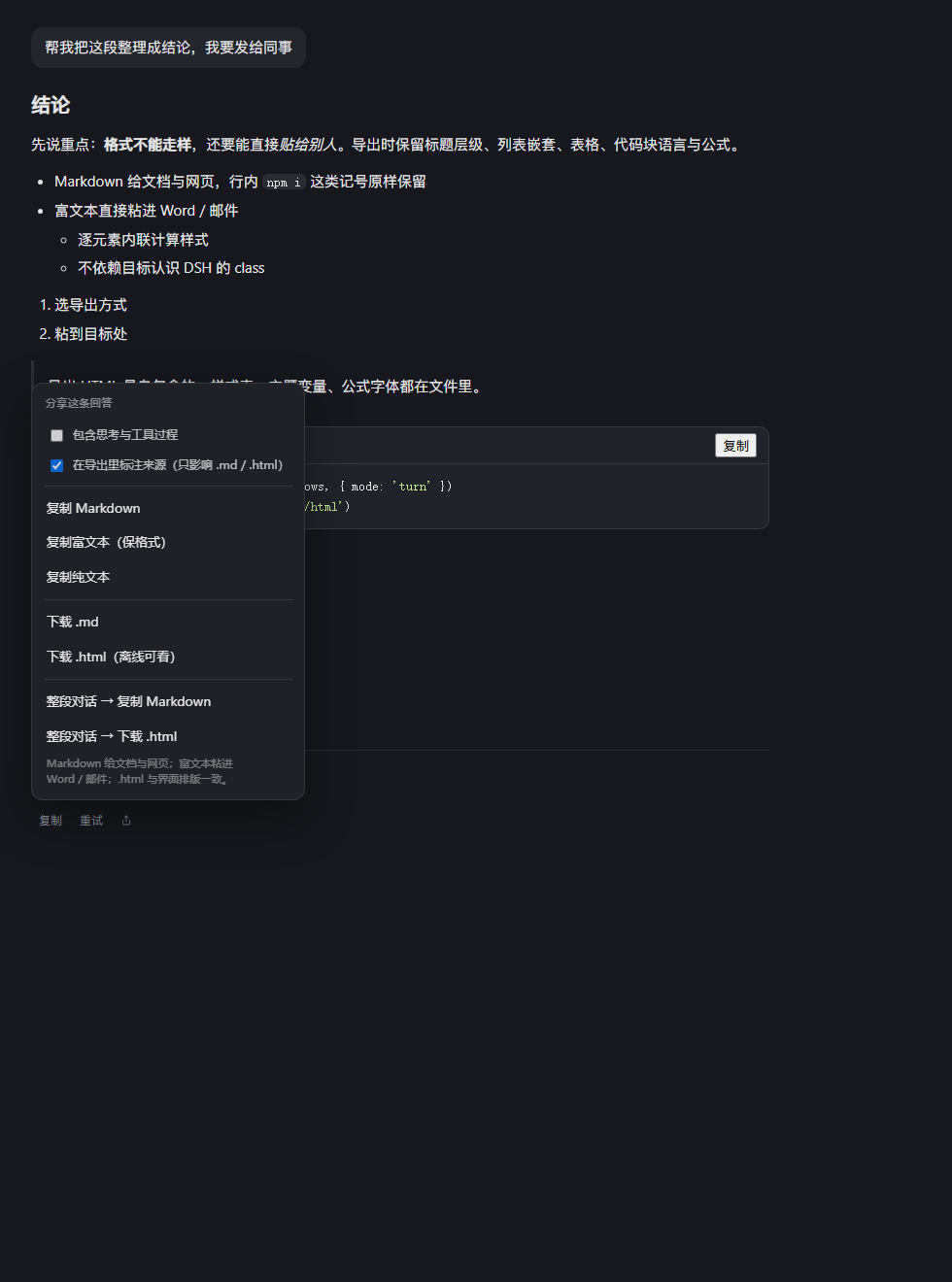
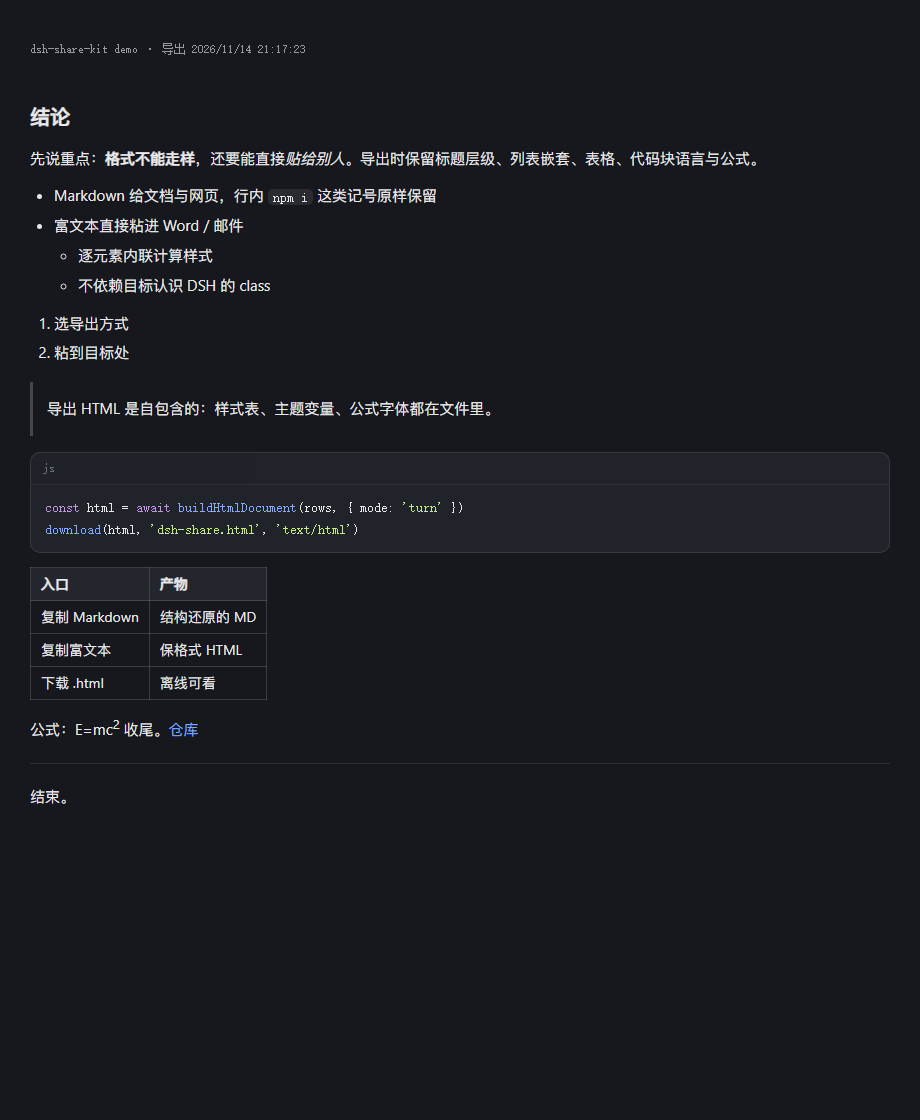
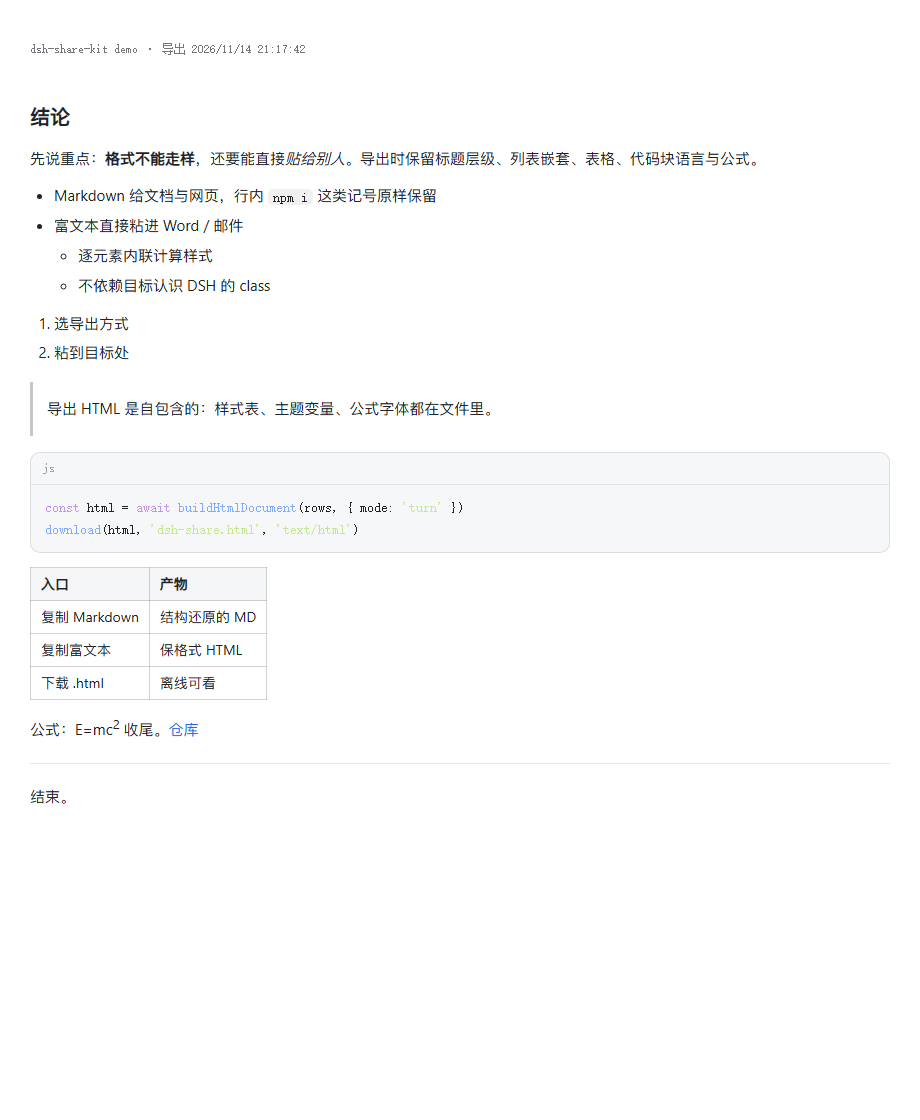
The two right-hand images are the actual exported .html files opened on their own — no DSH, no network.
There is a switch in the panel to include folded process blocks (thinking, tool calls). Off by default: what you send is the answer, not the scaffolding around it.
Install
# Web client (official dsh)
dsh plugin --profile web add github:sys65/dsh-share-kit

# Desktop client — the profile is named `desktop`
dsh plugin --profile desktop add github:sys65/dsh-share-kit
Restart DSH after installing: a plugin's bundle patch is read at startup.
Once the awesome-dsh-plugin catalog lists this repository it is also searchable from dsh-market → Discover and installable in one click.
How formatting survives
HTML export. It collects every readable stylesheet in the page (document.styleSheets → cssRules, cross-origin sheets skipped with a comment), resolves the theme's --* custom properties on :root/body to literal values, and copies the <html>/<body> classes. KaTeX font files are fetched and inlined as data: URLs, because a formula rendered with fallback glyphs is not the formula. Non-KaTeX brand fonts are dropped instead of inlined — they add weight and add nothing to the meaning.
Rich text. For every element of a clone it reads getComputedStyle and writes a whitelist of properties (colour, font, spacing, borders, alignment, display) as an inline style. The paste target does not need to know any of DSH's class names.
Markdown. Reconstructed from the DOM, because DSH does not keep the original Markdown string in the document — the copy button's source is the React store, not the DOM. Code fence language comes from the code block's banner label; formulas come from MathML's annotation[encoding="application/x-tex"], which is the original TeX. This is structure restoration, not a byte-for-byte copy of the source file: blank lines and trailing-space line breaks are normalised. When those two matter, use the HTML export.
Boundaries
- Pasting rich text into Word drops
display:flexand similar modern layout — it degrades to block flow. Text, hierarchy and colours survive. - Interactive bits of an answer (a tool-call card you can expand) export as their content, not as something clickable.
- The Markdown path normalises runs of blank lines and trailing double-space line breaks. Everything else round-trips.
- The button inherits the native action row's reveal behaviour (hover, on themes that hide actions until hover).
Troubleshooting
Open the console (Ctrl+Shift+I) and run:
__DSH_SHARE_KIT__.diagnose()
// { tails, tailsWithActions, flowRows, assistantRows, injected, sample, version }
| Symptom | Reading |
|---|---|
tails > 0, injected === 0 |
the action-row DOM changed; check sample[].hasActions |
injected > 0, no visible button |
it inherits the row's hover reveal — move the mouse to the end of the answer |
tails === 0 |
this client build does not use [data-turn-tail]; report the data-chat-flow-kind values you see |
__DSH_SHARE_KIT__.sampleMarkdown() returns the Markdown for the last answer, which is also how you check a specific table or formula without leaving the app.
Permissions
The host half declares no services, opens no routes, reads no files and makes no network requests — it exists so the profile has a loader entry to mount. All the work happens in the page, in the client half, against the DOM you already have on screen. Nothing is uploaded anywhere; the exports are files on your disk and clipboard content.
Development
lib/index.js        host half — declares itself, logs once, does nothing else
lib/client.js       the whole feature: button injection, DOM→Markdown, HTML/rich-text export
cordis.patch.yml    bundle patch row
test/verify.mjs     browser-free contract check (npm run verify)
test/demo.html      offline fixture that also renders the demo screenshots
test/demo.html fakes the chat row structure DSH uses ([data-chat-flow-kind], [data-turn-tail], [data-clock="end"]) and loads the real lib/client.js through a stub module loader, so button injection, Markdown reconstruction and both export paths can be exercised without a running harness:
# prints a JSON report of the fixture run
chrome --headless=new --dump-dom "file:///…/test/demo.html"

# renders the exported HTML on its own
chrome --headless=new --screenshot=out.png "file:///…/test/demo.html?preview=1"

# opens the share panel over the fixture content
chrome --headless=new --screenshot=panel.png "file:///…/test/demo.html?panel=1"
The plugin is plain JavaScript with no build step, which is also why it installs straight from git.
License
MIT © sys65
If this saved you a round of re-typing tables and code blocks into Word, a ⭐ on the repo is the most useful way to say so — it is how the next person finds it.
No comments yet. Be the first to write one.