dsh-ms-office


English · 中文
Read and write the Word, Excel and PowerPoint documents you have open from a DeepSeek Harness (DSH) session. The add-in edits the open document in place, so changes appear immediately and you can keep editing alongside it.
Install
dsh plugin --profile web add @nanoai-dev/dsh-ms-office
Replace --profile web with the profile you normally run.
Or install from the GitHub repository:
dsh plugin --profile web add github:svkoh/dsh-ms-office
First use
- Open a Word, Excel or PowerPoint document in Microsoft Office desktop.
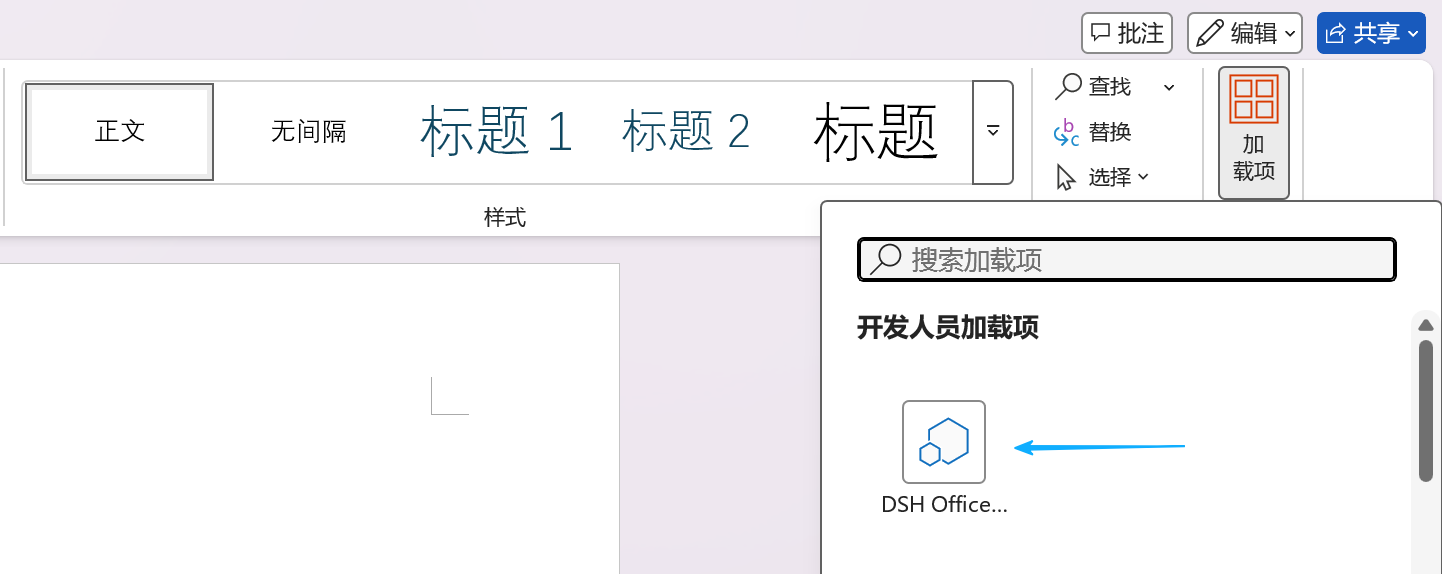
- Open the add-in task pane and keep it open. If it does not appear, close and reopen the document.
- Wait for "Connected — waiting for DSH commands".
- In the dsh chat box, type "read the whole of the Word document I have open".
| Open the add-in task pane | Pane ready |
|---|---|
 |
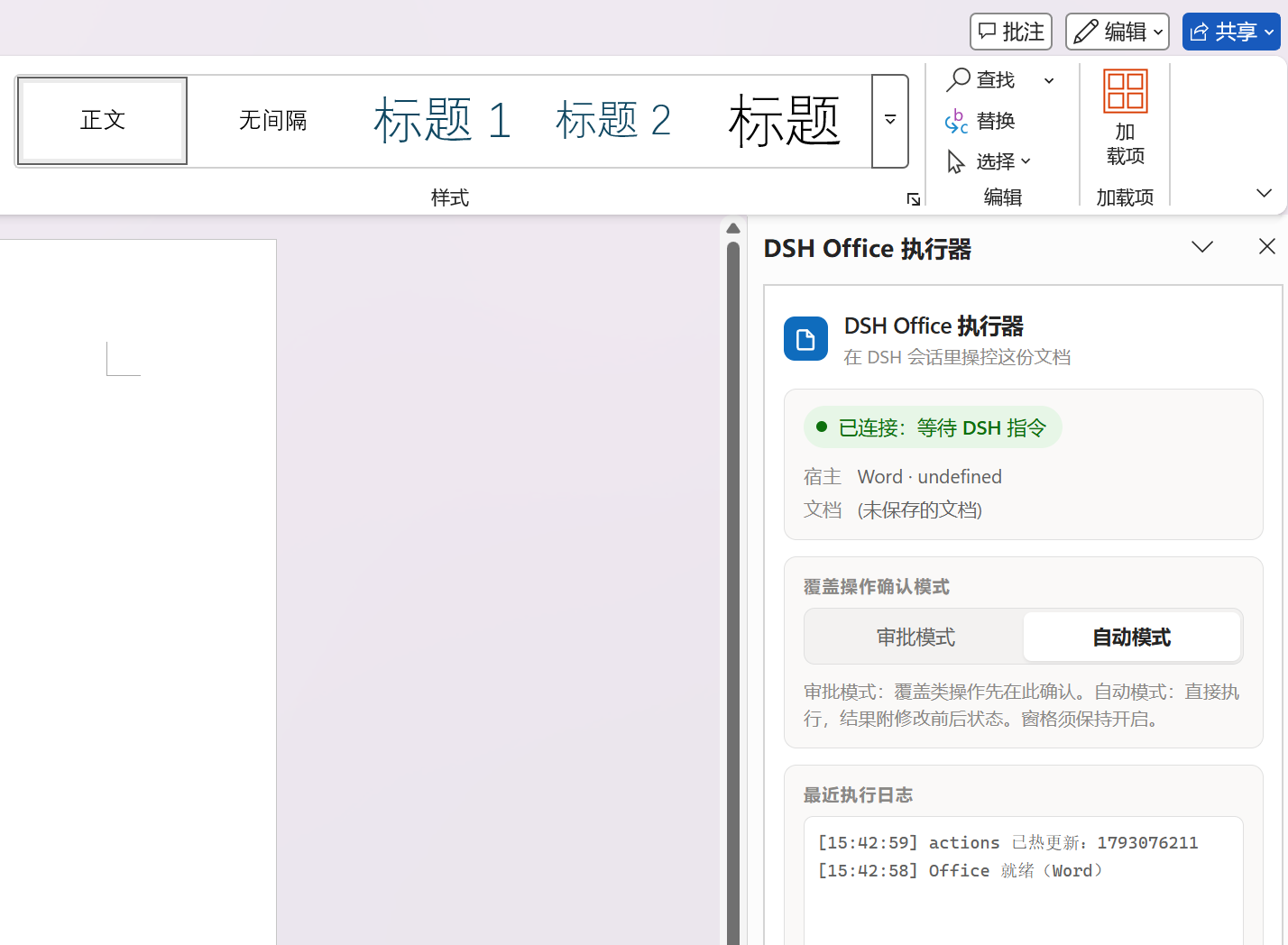 |
The pane can be shrunk or moved to a corner. It cannot be closed.
Features
92 actions across Word, Excel and PowerPoint cover content, formatting, structure, tables, charts, formulas and comments. The full list is in docs/CAPABILITIES.en.md.
Troubleshooting
In the dsh chat box, type:
Check whether the dsh-ms-office plugin is working properly and fix it
Documentation
| Document | Contents |
|---|---|
| docs/CAPABILITIES.en.md | Full action list and capability boundaries |
| docs/AGENT.en.md | HTTP endpoints, error codes, approval protocol |
| docs/DEVELOPMENT.en.md | Architecture, file map, packaging, npm publishing |
| docs/style-gallery.en.md | Style atlas previews |
| docs/FEATURE-ROADMAP.en.md | Planned work |
Compatibility
Windows only. Other platforms are not supported.
License
MIT. The license and provenance of the third-party component (pako) are in THIRD_PARTY_NOTICES.md.
This project is a fork of https://github.com/Mikuzjc/dsh-office-for-mso.
No comments yet. Be the first to write one.