dsh-pinpu · Spectrum Rail
Takes over the transcript's own turn rail — the marks down the right edge of the conversation — and makes them dance to whatever the machine is playing, while replacing DSH's built-in "newest turn is highlighted" state with Codex's behaviour: nothing highlighted by default, highlight only under the pointer, click-to-jump unchanged.
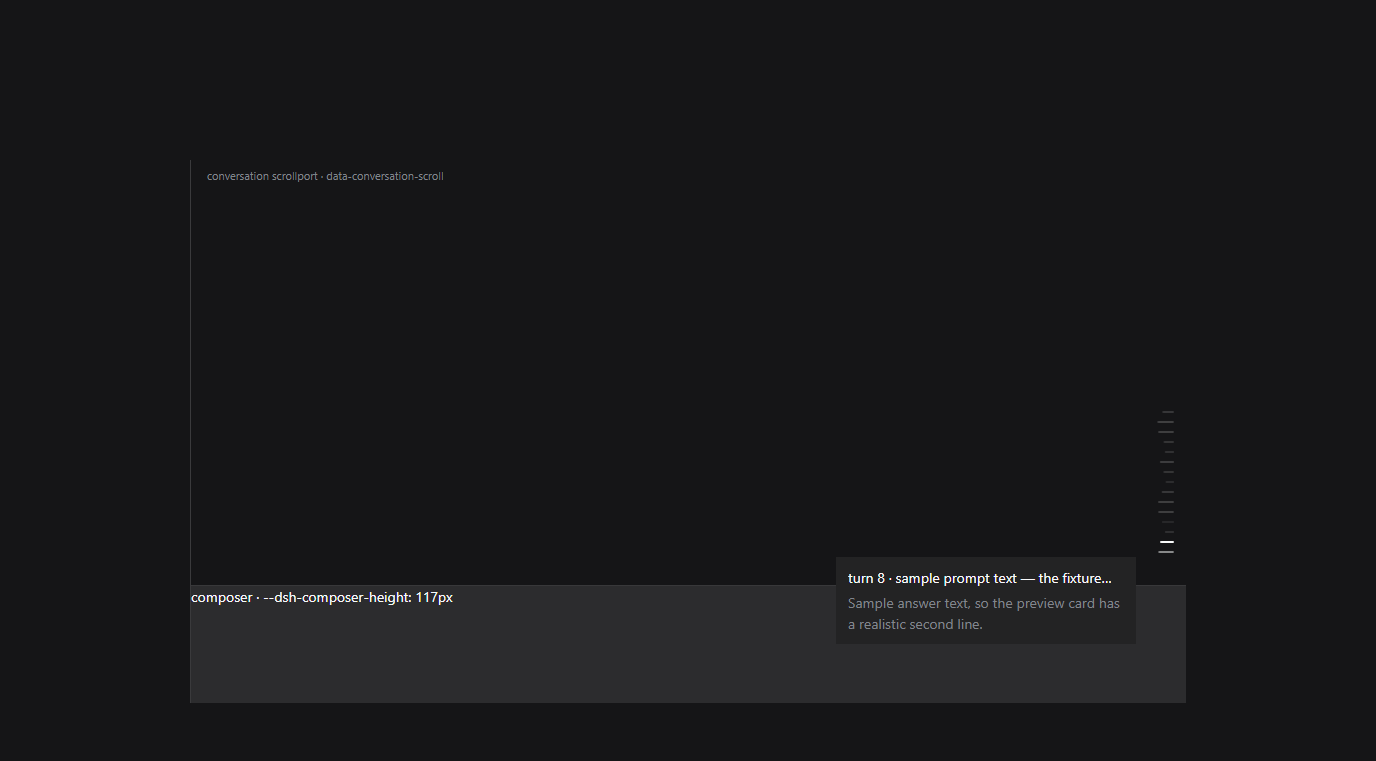
That is not an illustration. tools/verify/rail-preview.mjs builds a real Chromium
page from the shipped rail's own stylesheet and class names, extracted from the
installed dsh-client-ui-chat bundle, then loads the real lib/client.js and
drives it (only /api/dsh-pinpu/spectrum is stubbed). The differences in mark length
are the spectrum: low frequencies at the foot of the rail, next to the newest turn.
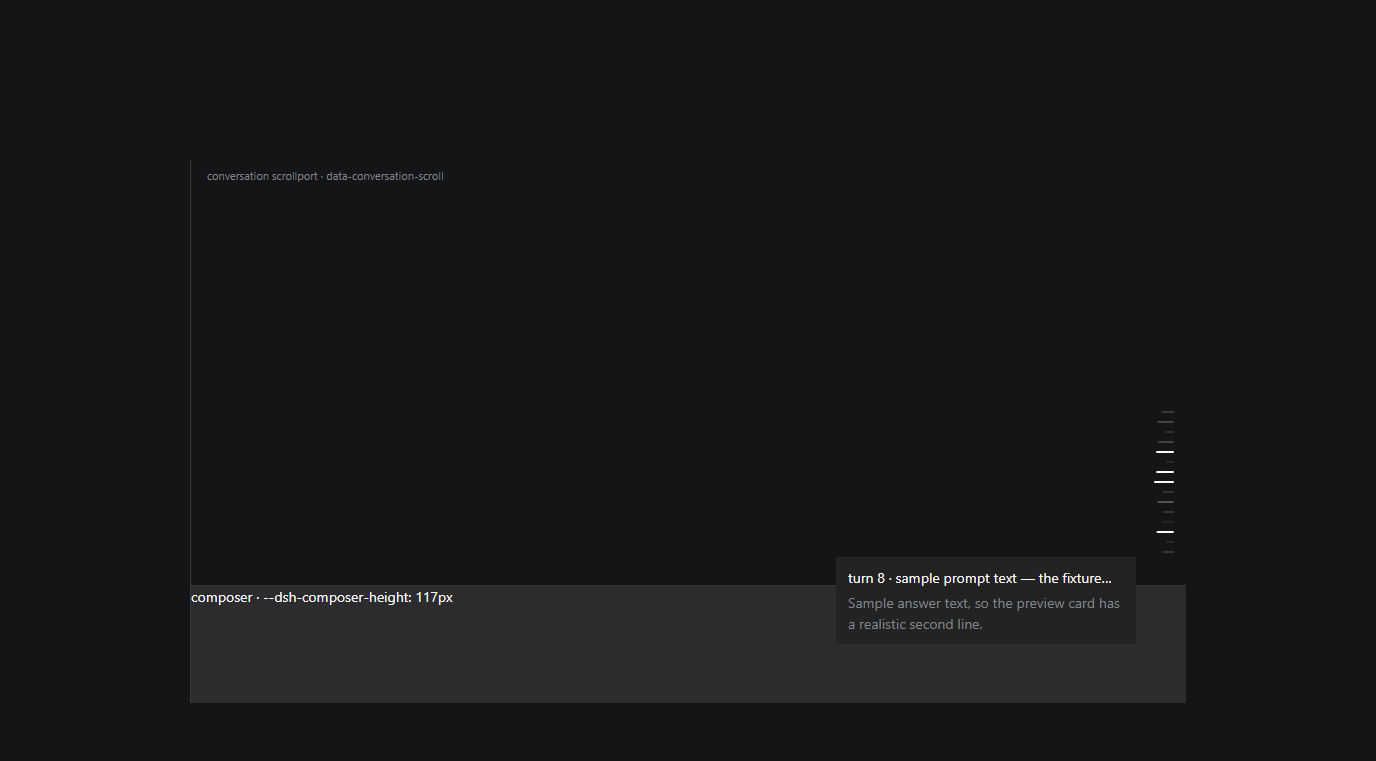
Hovering brightens exactly one mark (the third screenshot from the same run):
Install
- From this repository: add the GitHub repository
sqslm/dsh-pinpufrom DSH's plugin page, the same way any other GitHub plugin is installed, or - Locally packaged:
node tools/install-profile.mjs(pnpm pack, then write the package into the profile'sdsh.profile.bundles;--uninstallundoes it,--dry-runprints the plan). - Restart DSH once after the first install: the host half (capture, routes) is loaded at process start, the browser half with the page.
- No dependencies to install: the native capture module ships with the plugin (see THIRD-PARTY.md), but it needs a CPython 3.12 interpreter — DSH bundles one and the plugin looks for it on its own.
- Windows only for now (WASAPI loopback). On Linux this needs a different source
(
getUserMediamonitor or PulseAudio.monitor), which is not implemented.
What it changes
The rail's states are CSS-module classes (mark, markActive, markPreview,
markBusy, markUnloaded → build-hashed xpvNua_* names). The plugin reads no
class name:
- Discovery by geometry — inside
[data-conversation-scroll], find a group of sibling buttons with one size, one shared right edge and a constant vertical step (≈10px). That group is the rail. - Tagging — the container gets
data-pinpu-rail, each markdata-pinpu-tick="i"counting from the bottom mark (0) upwards. - Overriding with one
!importantstylesheet —- every mark becomes the same dim colour and the same length, which removes the built-in highlight without knowing which class expresses it;
:hoverbrightens the mark under the pointer to full length — and only that;- while audio plays, each mark's length is its band's level
(
transform: scaleX(var(--pinpu-scale))), bands laid out logarithmically from 45 Hz to 16 kHz; - a mark the app is animating (
markBusy, detected from the::beforeanimation) is left alone so its pulse survives.
Click-to-jump is untouched: only the ::before pseudo-element is restyled, the hit
area is still the app's own button, and its click listener still fires (measured in
the preview: clicks delivered to the app handler: ["7"]).
Measured in one preview run:
| State | Last mark (the built-in highlight) | Hovered mark | An un-hovered mark |
|---|---|---|---|
| before | rgb(249,250,251), scaleX(1) |
— | dim |
| after, playing | rgba(255,255,255,.2), scaleX(0.87) |
rgb(249,250,251), scaleX(1) |
dim, scaleX(0.49) |
Audio: the system output itself (NetEase Cloud Music and friends)
any player → default output device → WASAPI loopback → spectrum → the rail
- It captures the loopback of the default output device — literally what you hear. No virtual cable, and no player-specific support.
- To pin one device (headphones plugged in, but capture the onboard card), pick it in the settings card's device list; empty means "follow the default output".
- Capture happens in the host half: it runs
vendor/loopback.pywith the Python the harness ships, and that helper uses the vendored PyAudioWPatch (≈290 KB, the PortAudio build with loopback support) to open a[Loopback]input and stream mono float32 PCM on stdout. The host does the FFT and band mapping; the browser half only draws. - Therefore: no microphone permission, no user gesture, and not one line of capture code in the renderer.
Why not getUserMedia: it can only open capture endpoints. Measured on this machine,
the registry has 立体声混音 (Realtek USB Audio) but disabled (DeviceState=0x10000001
where every endpoint Chromium lists is 0x1), so navigator.mediaDevices never shows
it; more importantly Stereo Mix mirrors one render device, and this machine listens
on that headset — so even enabled it would not carry what you hear. Loopback of
the default output is the only thing that works.
Settings (Settings → 频谱律动)
The host owns the signal, the browser owns the presentation. Everything is
.volatile(), so edits apply live (mounting the bundle still needs one restart).
| Field | Default | Side | Meaning |
|---|---|---|---|
enabled |
true |
host | master switch; off spawns no capture process at all |
device |
'' |
host | empty follows the default output, else a [Loopback] device |
fftSize |
1024 |
host | FFT window, ≈21 ms at 48 kHz |
smoothing |
0.78 |
host | frame-to-frame smoothing |
gain |
1 |
host | gain after the level curve |
autoGain |
true |
host | normalise per band against the loudest band |
gate |
0.04 |
host | at or below this is silence |
minHz / maxHz |
45 / 16000 |
host | spectrum range |
disableActiveHighlight |
true |
browser | remove the built-in newest-turn highlight |
hoverHighlight |
true |
browser | highlight only under the pointer |
restoreOnSilence |
true |
browser | stop moving once the audio has been quiet for a while |
minScale / maxScale |
0.4 / 1 |
browser | shortest / longest mark, as a fraction of 20px (0.4 is the app's own "unloaded" length) |
invert |
false |
browser | put the low band at the top instead |
colorMode |
theme |
browser | theme keeps the rail's colour; spectrum hues by band; custom uses one colour |
customColor |
#4d93f8 |
browser | the custom colour |
glow |
true |
browser | let each mark's brightness follow its own level |
hotScale |
0.85 |
browser | length threshold highlight: light a mark whose length reaches this fraction of full (0 = off) |
spark |
1.5 |
browser | random highlight: expected highlights per second, each lighting one random mark for 160–420 ms (0 = off; silence never sparks) |
demo |
false |
browser | drive the marks with a synthetic waveform while nothing is captured |
The two highlight modes
Both light up marks that are already there — nothing is drawn, added or moved. A highlighted mark takes the same bright colour a hovered mark gets, at full strength, while keeping the length the spectrum gave it.
- Length threshold (
hotScale): the comparison is made on the visible length — the very value written into--pinpu-scale— rather than on the level, so one parameter is only ever interpreted once. The default0.85lights a band that is nearly full length;1.05is equivalent to off (the spectrum cannot reach it), as is0. - Random (
spark): a rate, not a probability, because a per-frame chance is meaningless to tune. Each highlight picks one mark that is neither busy nor already lit and lights it for 160–420 ms; it releases by itself on a later poll, with no extra timer to leak. Silence never sparks, so ordinary listening gets an occasional accent rather than a strobe. - A mark that is still generating (
markBusy) is left entirely alone, and a pointer on the rail still outranks both.
Measured in a real browser (tools/verify/rail-preview.mjs, 28 sampled frames):
samples with a highlighted mark: 23 of 28 (threshold 20, random 3)
a highlighted mark, computed: {"reason":"spark","background":"rgb(249, 250, 251)","opacity":"1","transform":"matrix(0.693…)","scale":"0.723"}
Bright colour, full strength, and the mark's own length (0.723) untouched.
Why auto-gain
Measured with the preview harness: without normalisation, 24 bands span only
0.51..0.76, which draws as six distinct lengths out of 37 — a flat wall. With it, the
same signal spans 0.18..1.0 and eleven lengths. The same harness showed Chromium's
default -100..-30 dB analyser window pegs normally-mastered material, so the ceiling
is raised to -25 dB.
Verification status
| Means | Covers | Result |
|---|---|---|
node --test test/*.mjs (55) |
manifest/patch contract, three-way default agreement, real schemastery validation, route auth and payloads, capture start/stop, FFT checked band-by-band against a naive DFT, band/resample/level contracts, the geometry rules that identify the rail, and the engine's whole take-over (discover → tag → poll → write lengths → hand back on silence → park on error → clean up when disabled) |
all green |
node tools/verify/host-smoke.mjs |
the real host chain: apply() → capture process → loopback PCM → FFT → route payload |
status: live, device Speakers (Realtek Audio) [Loopback], peak 0.95, 11 distinct lengths, non-loopback Host rejected with 403 |
node tools/verify/rail-preview.mjs |
real browser + the shipped rail CSS/classes + the real lib/client.js: built-in highlight gone, hover highlight, click still reaching the app's handler, lengths following the spectrum |
VERDICT: the shipped rail was taken over and dances |
| the plugin page and settings card inside the running app | not verified — a restart would kill the session that performed the work | needs one restart; see below |
Checklist after a restart:
- the Plugins page lists dsh-pinpu / 频谱律动, enabled;
- Settings → 频谱律动 reads the configuration and its status line shows
采集中plus the device name (i.e. the host capture is up); - play something (NetEase Cloud Music is fine): the rail's marks start changing length
and the newest turn is no longer permanently lit; hover a mark and only that one
brightens; clicking still jumps to that turn. If the status says the Python runtime
is missing, or
错误, the card names the reason.
Install / update / uninstall
cd path\to\dsh-pinpu
node --test test/*.mjs                 # run the tests first
node tools/verify/host-smoke.mjs       # optional: prove system audio is captured
node tools/install-profile.mjs         # pack, back up, edit the profile, pnpm install --offline
# then restart Harness once: a bundle row is applied at boot
- Why a tarball, not
link:— alink:dependency resolves to its real path outside the profile, so the host half'simport z from '@deepseek-ai/schemastery'would be resolved against the source directory instead of the profile'snode_modules, where the core packages live.dsh-purgedocuments the same trap. An installed tarball (includingvendor/) resolves exactly like the harness's own packages. - Repack after every source change and bump the version: pnpm may consider an identical version already up to date and keep the stale copy.
- Uninstall:
node tools/install-profile.mjs --uninstall, then restart — or restore the.bak-pinpu-*backups ofpackage.json/pnpm-lock.yaml.
Known limitations
- The take-over depends on the rail's geometry (a column of equally sized, right-aligned, evenly stepped buttons). If DSH changes that layout the plugin will simply not recognise the rail — it will not damage the page, and the settings card reports zero marks.
- It captures the loopback of the device you selected; following the default output is automatic, pinning a device is not.
- The number of bands is the number of turns (one per mark);
minScale/maxScaleonly change the length range. - A mark the app is animating (the busy pulse) does not dance; it keeps its own pulse.
- Loopback capture needs a PortAudio build with loopback support (the Windows wheel of
pyaudiowpatchships in the package); other platforms need their own.
License
MIT.
No comments yet. Be the first to write one.