DSH Pro Max
A desktop launcher for DeepSeek Harness — one-click local web UI and Tailscale-secured remote access.






✨ Highlights
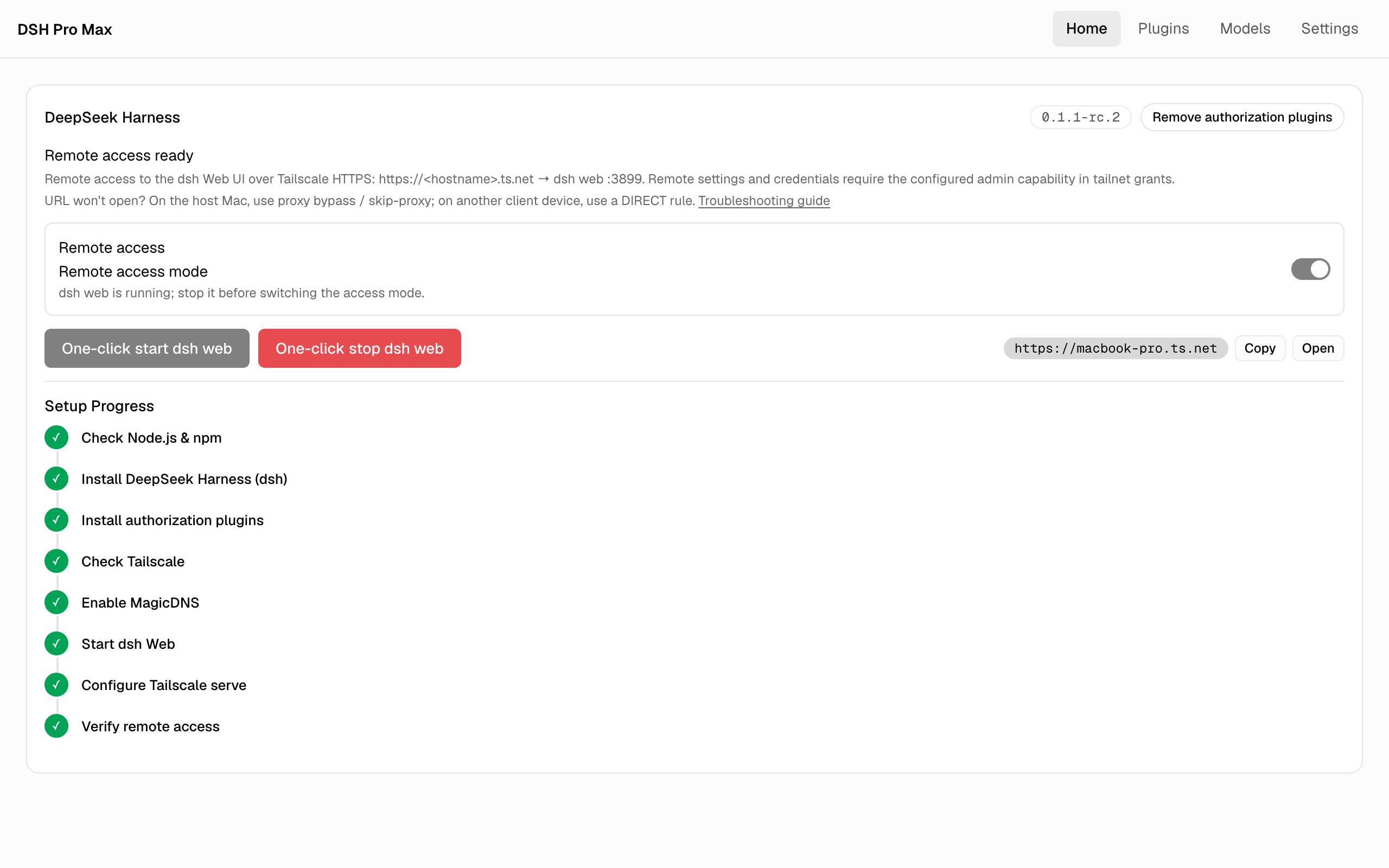
- 🌐 DeepSeek Harness Remote Access — one-click Tailscale HTTPS access to the dsh Web UI through bundled identity-authorization plugins, shown as an 8-step progress timeline with compatibility repair and boot auto-start
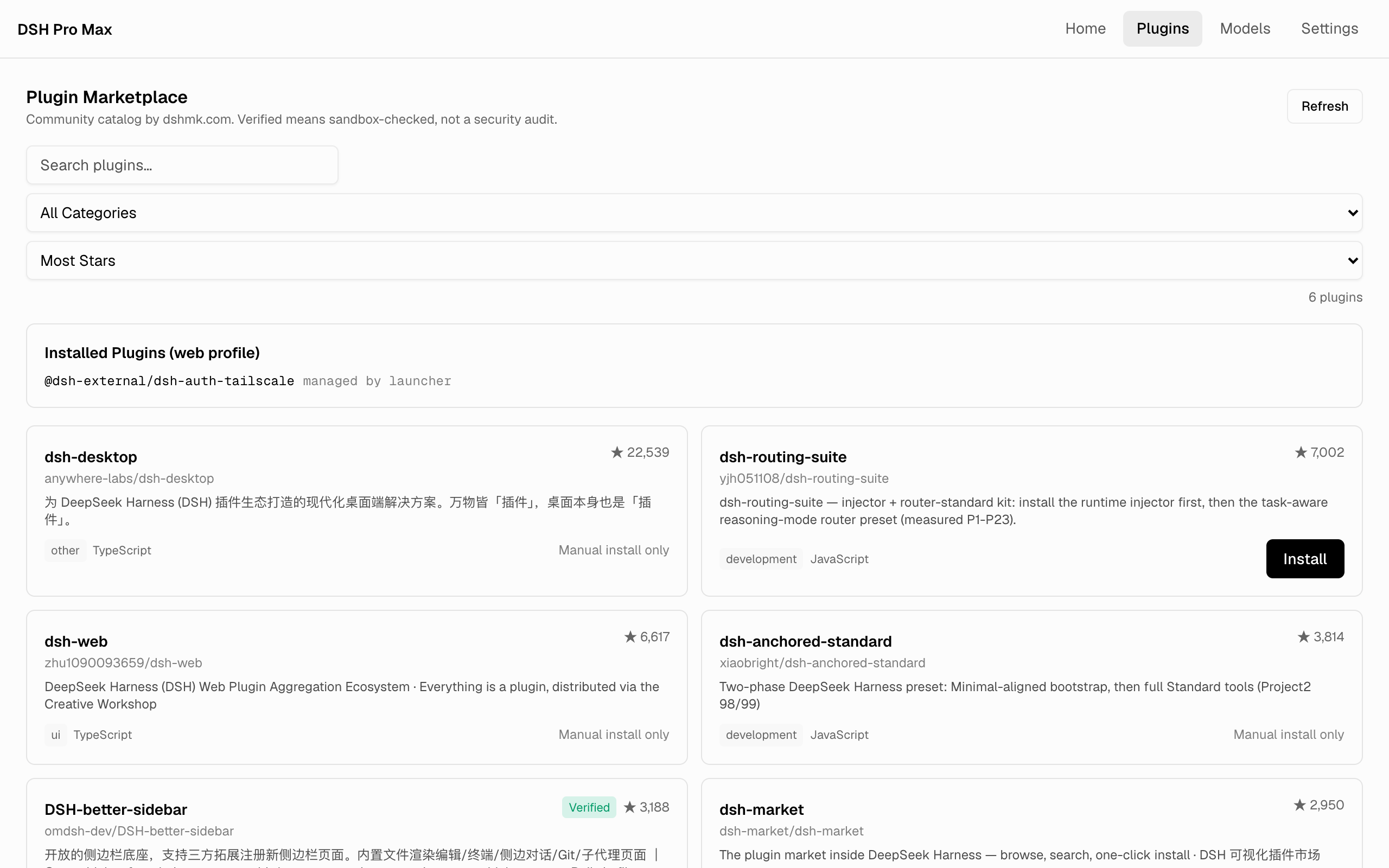
- 🛍 Plugin Marketplace — browse the awesome-dsh-plugin.com curated catalog (2700+ plugins) and one-click install/remove web profile plugins
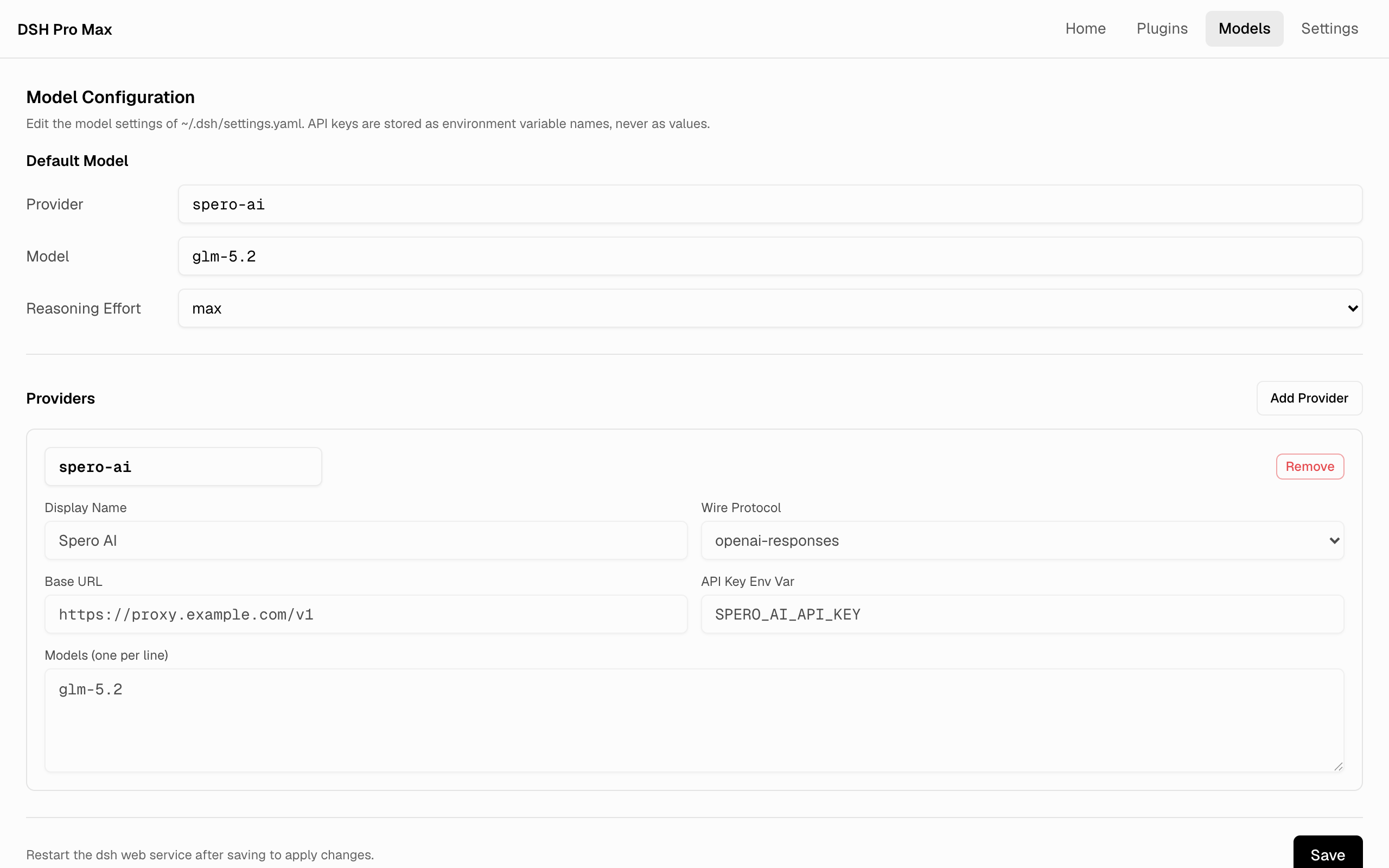
- 🧠 Model Configuration — edit dsh's default model and custom LLM provider routes (OpenAI-compatible / Anthropic protocol) in-app; keys are stored as environment variable names only
- 🔌 Bundled Auth Plugins — two pinned plugins (dsh-client-connection-authz + dsh-auth-tailscale) ship inside the installer and are installed into the dsh web profile automatically
- 🔐 Capability-Based Authorization — configure your own admin/use capability domains and extra allowed Tailscale logins; without capabilities, remote privileged APIs stay 403
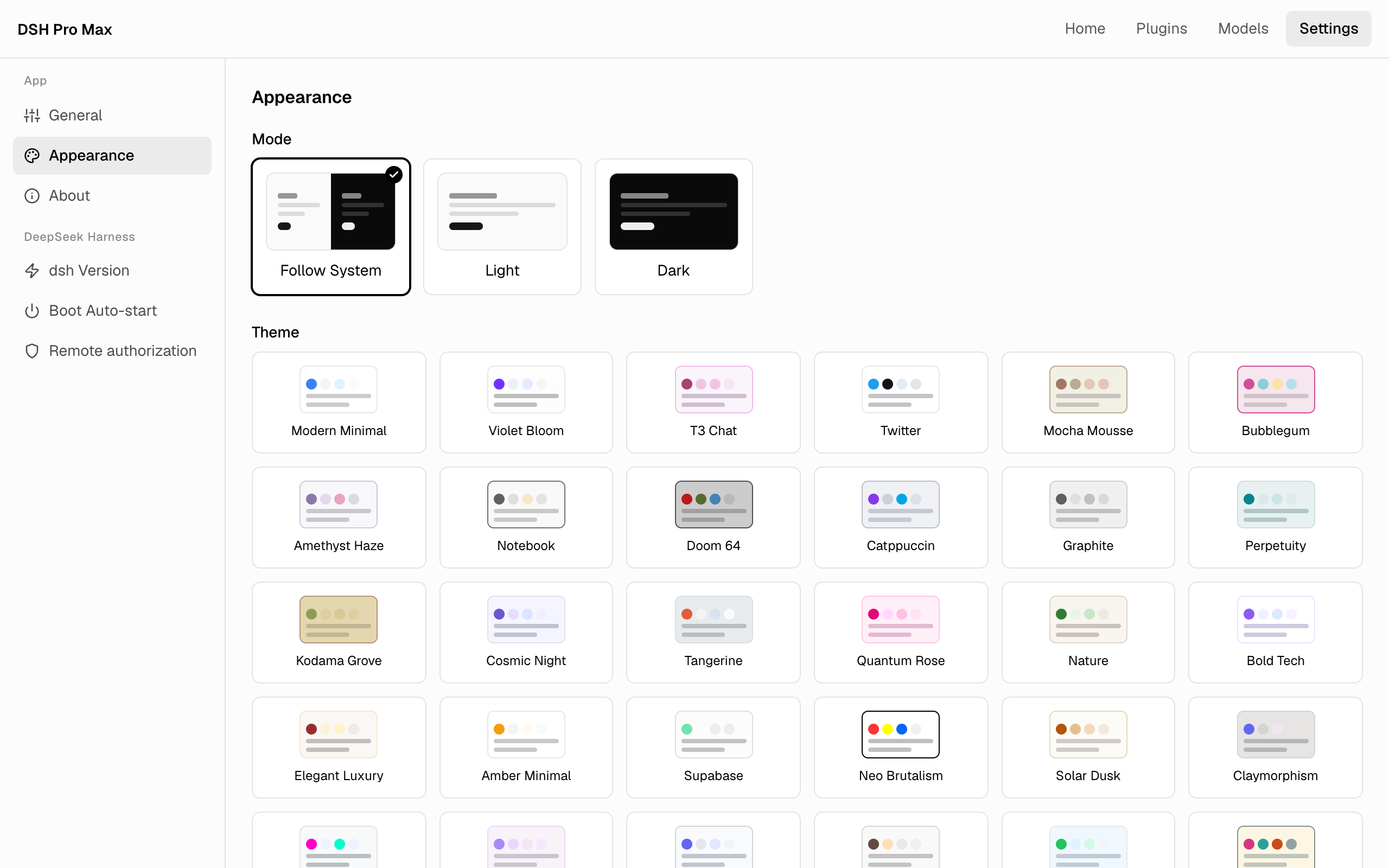
- 🎨 Themes — 42 tweakcn theme families with native light / dark / system modes; UI fonts self-hosted in-app, fully offline
- 🌍 i18n — English and Simplified Chinese UI, following the system by default
- 🔄 Self-Update — built-in Tauri Updater: check, download, restart, done
- ⌨️ Keyboard —
Cmd/Ctrl + ,opens Settings
📸 Screenshots
| One-click Tailscale remote access | Plugin Marketplace |
|---|---|
 |
 |
| Model Configuration | Themes & Appearance |
 |
 |
📦 Install
Download the latest installer for your platform from Releases (macOS .dmg, Windows -setup.exe, Linux .AppImage / .deb).
Prerequisites for the dsh features: Node.js 18+; for remote access additionally Tailscale with MagicDNS and HTTPS Certificates enabled (guided step by step in-app; see docs/dsh-remote-access-setup.md).
🚀 Quick Start: Remote Access
Prerequisites: Node.js 18+ on the host machine, and Tailscale 1.92+ logged in with MagicDNS and HTTPS Certificates enabled.
On the Home tab, switch on Remote access.
Click One-click start dsh web — the 8-step timeline installs the pinned dsh with both authorization plugins, starts dsh Web, configures
tailscale serve, and verifies the remote endpoint automatically.In the Tailscale admin console (Access controls), allow your remote identity to reach the host node on port 443 (app capabilities never open ports):
{
  "grants": [
    { "src": ["alice@example.com"], "dst": ["autogroup:member"], "ip": ["tcp:443"] }
  ]
}
From any device logged in to the same tailnet, open
https://<hostname>.ts.net— the URL is shown on the Home tab once the timeline finishes.
Your host machine's current user is always allowed. Extra Tailscale accounts and remote admin capabilities (settings / credentials) are opt-in under Settings → DeepSeek Harness → Remote authorization.
→ Scenarios, capability setup and troubleshooting: docs/dsh-remote-access-setup.md
🛠 Development
git clone --recurse-submodules https://github.com/sperictao/dsh-pro-max.git
cd dsh-pro-max
pnpm install
pnpm tauri dev
Domain terminology and semantic boundaries live in CONTEXT.md; design decisions in docs/adr/.
Quality gates: pnpm test (theme + component tests), pnpm run check:i18n, and pnpm test:e2e (browser smoke over a mocked Tauri IPC — requires Chrome).
📖 Origin
The DSH module was extracted from Codex Pro Max (formerly dashi-taskboard-launcher) at v1.10.0 into this standalone app.
License
MIT
No comments yet. Be the first to write one.