dsh-mobile-ui
github.com/shattradingle/dsh-mobile-ui — a DSH bundle, MIT.
A phone layout for the DeepSeek Harness web GUI.
DSH's web UI is a three-column desktop layout. On a phone the left rail eats width, opening the sidebar squeezes the conversation to a sliver, the right panel can open completely off-screen, the on-screen keyboard covers the composer, and the editor's 14px font triggers mobile zoom. This package is a single DSH client plugin that fixes all of that without touching the app, the server, or your sessions.
| Phone layout | Drawer navigation | Settings sheet |
|---|---|---|
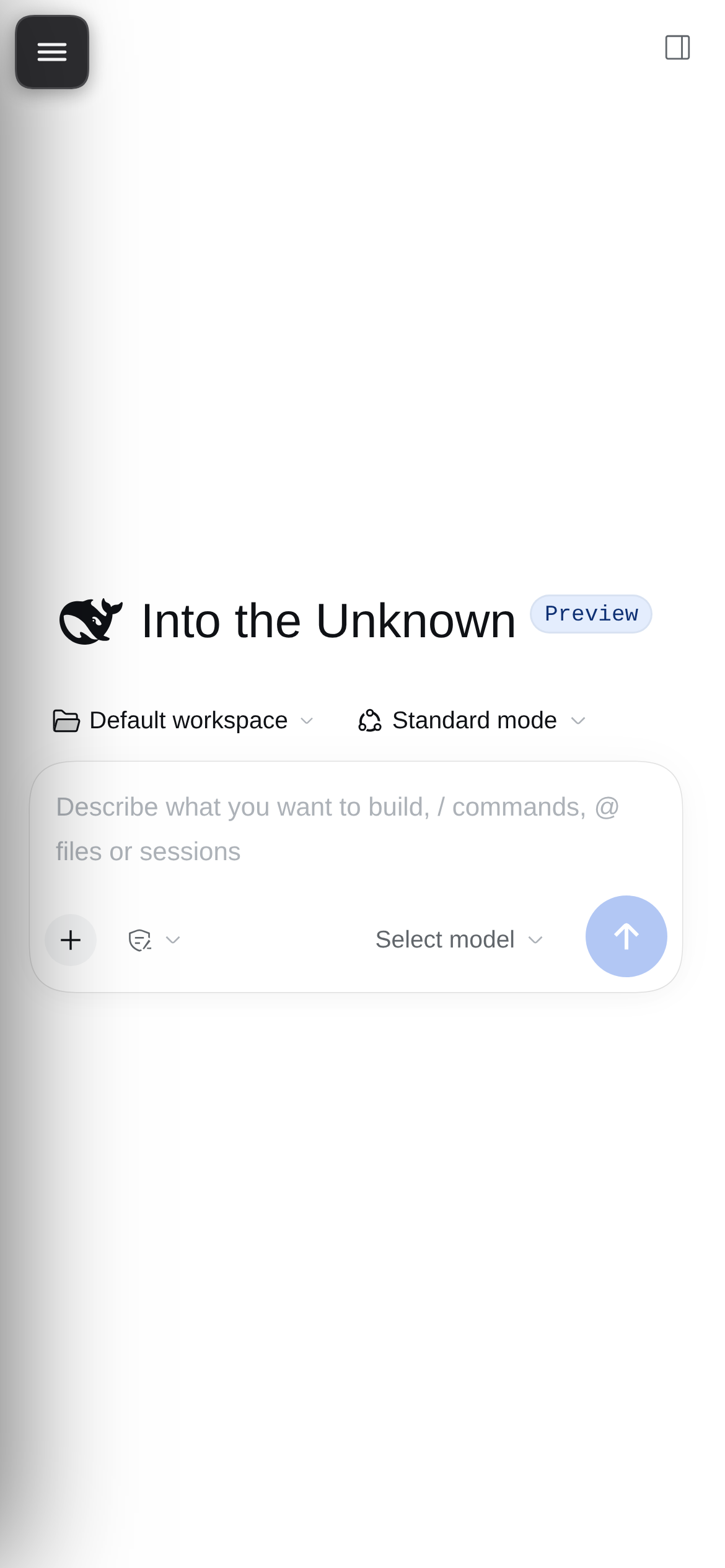 |
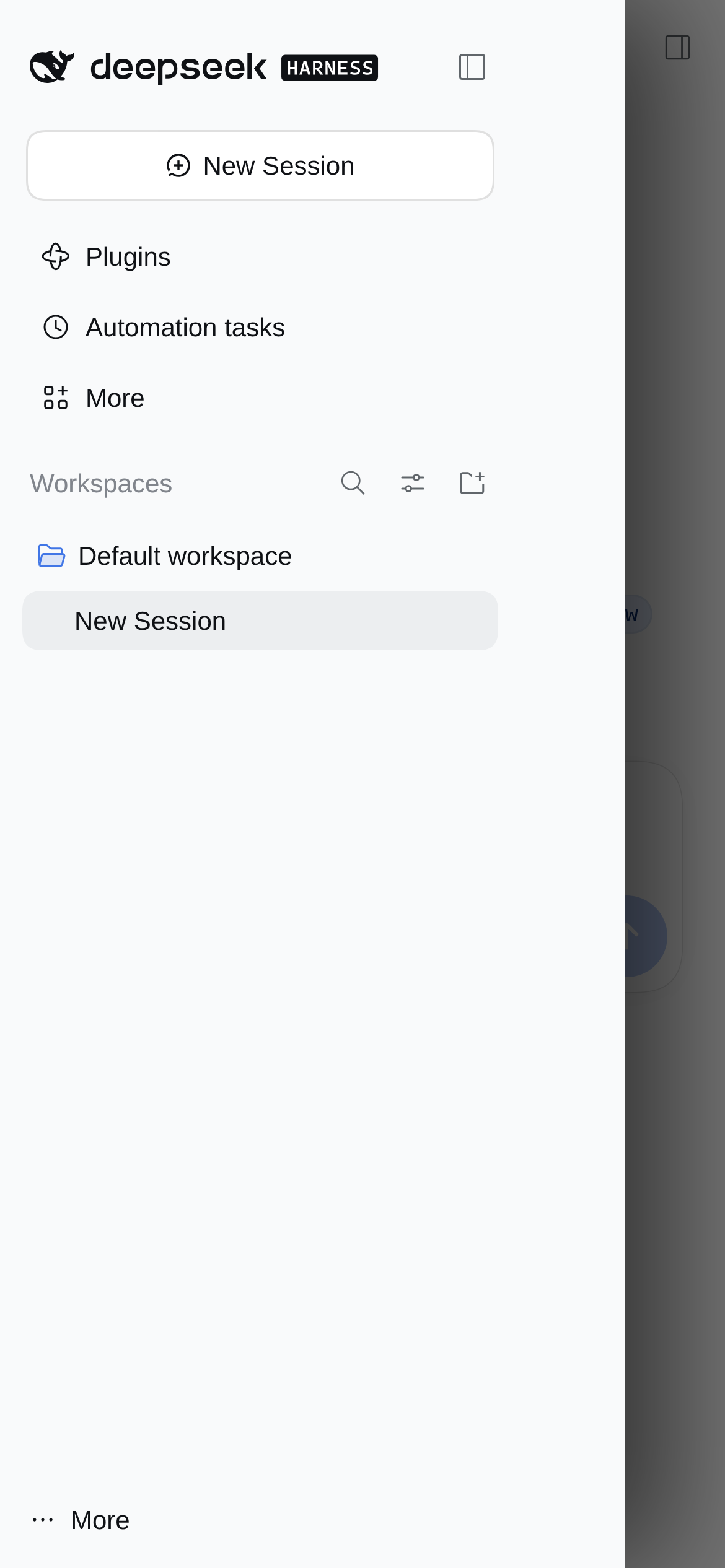 |
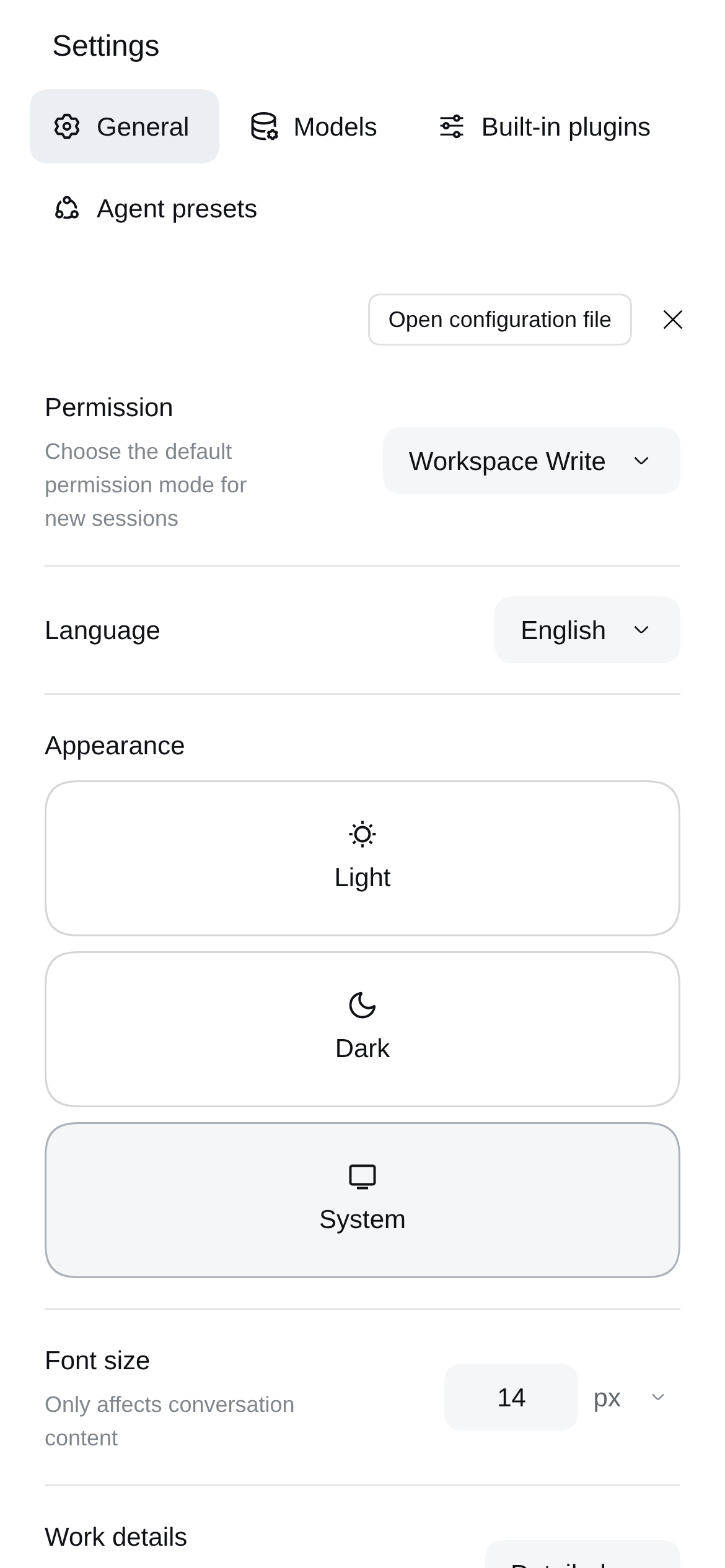 |
What changes (below 900px)
| Desktop behaviour on a phone | With this plugin |
|---|---|
| 56px rail + a 280px sidebar that squeezes the chat to ~110px | rail leaves the grid; sidebar becomes an off-canvas drawer over a full-width conversation |
right panel opens at x=viewport, width 0 — invisible |
right panel becomes a full-screen sheet |
| no navigation without the rail | 40px menu button, edge-swipe right to open, swipe left / tap the scrim to close |
| picking a session leaves the drawer covering it | drawer closes itself when the conversation changes |
| keyboard covers the composer | layout follows visualViewport height, so the composer stays visible |
| Enter inserts a newline on mobile keyboards | capture-phase Enter clicks the real Send button; Shift+Enter stays a newline; IME composition is skipped |
| 14px editor, 34px send button, 28px icons | 16px editor, 44px send button, larger touch targets, safe-area insets |
| Settings is a 342px two-column squeeze | full-width settings sheet with wrapping tabs |
| pull-to-refresh and scroll chaining | overscroll-behavior contained on the page and the conversation scroller |
Wider windows (>= 900px) are untouched; the plugin is inert on the desktop.
Requirements
- DeepSeek Harness with the web app (
dsh web), version 0.2.1-rc.5 built/tested. - A profile that includes the web app. The default profile is
web. - Nothing else at runtime. No server code, no extra npm dependencies, no build step.
Install
A. With an AI agent (recommended)
Copy the prompt from INSTALL_AGENT.md into your coding agent. It defaults to this repository; replace the source line with a local checkout path if you are installing from disk. The prompt tells it to install the bundle, verify the boot graph, and run the phone check without sending any real messages.
B. DSH plugin CLI
# from GitHub
dsh plugin --profile web add github:shattradingle/dsh-mobile-ui
# or from a local checkout (pnpm accepts a path or file: spec)
dsh plugin --profile web add /path/to/dsh-mobile-ui
The plugin manager installs the package, adds it to your profile's
dsh.profile.bundles, and enables it. If your DSH host does not hot-reload new
bundles, restart dsh web.
C. Manual profile edit (older DSH builds)
In $DSH_HOME/profiles/web/package.json:
{
  "dependencies": {
    "dsh-mobile-ui": "link:/path/to/dsh-mobile-ui"
  },
  "dsh": {
    "profile": {
      "bundles": ["…", "dsh-mobile-ui"]
    }
  }
}
Then install the link and restart the host:
cd "$DSH_HOME/profiles/web" && pnpm install --offline
dsh web
The package's own cordis.patch.yml inserts the plugin entry; you do not edit
the profile patch by hand.
After installing
Open the web UI on the phone (or resize a desktop window below 900px). If the page was already open before the install, reload it once. Your existing sessions are untouched.
Verify it
test_phone.py drives a headless Chromium at 390x844 with an Android user agent
and checks the phone layout, drawer, swipe, right panel, keyboard resize, Enter
behaviour, settings sheet and desktop inertness. It aborts every
session/prompt request, so it cannot send a message or start a turn.
# the web UI URL may carry a launch token; keep it out of logs
python3 -m pip install playwright   # once
python3 test_phone.py                # reads ~/.dsh/web_url when DSH_WEB_URL is unset
DSH_WEB_URL=http://127.0.0.1:3080/?token=… python3 test_phone.py
On Linux, run it under a virtual display so no window appears:
xvfb-run -a python3 test_phone.py
Exit code 0 means all checks passed. Screenshots land in
/tmp/dsh-mobile-ui-out/ (override with DSH_MOBILE_OUT).
Two clean-install checks were run from fresh DSH_HOMEs:
dsh plugin --profile web add <local checkout>— dependency saved aslink:, bundle appended todsh.profile.bundles.dsh plugin --profile web add github:shattradingle/dsh-mobile-ui— dependency saved asgithub:…, bundle appended, package version 0.1.0 installed.
After a host restart both pages had window.__dshMobileUI.version = "0.1.0",
grid 0px 390px 0px, a 390px conversation column and the 40px menu button. The
screenshots above come from one of those clean profiles, so they contain no real
sessions.
How it works
index.jsis the host half: a no-op Cordis plugin.client.jsis the browser half, loaded through the normalwindow.__ModuleLoader__boot graph. It injects one<style>element and a small amount of DOM and listens to the app's own state (data-conversation-session,data-sidebar-right-open, the sidebar's collapsed class).- The phone layout is CSS over the app's computed grid plus fixed-position sheets; the JS only moves focus, tracks the keyboard viewport, handles swipes and Enter, and adds a backdrop.
cordis.patch.ymlinserts the plugin; the package declaresdsh.bundle.patchanddsh.client, so the plugin manager can add, disable and remove it like any other bundle.
Compatibility
Built and verified against DSH 0.2.1-rc.5. The app's DOM uses build-hashed
CSS-module class names; the plugin matches readable suffixes
(_sidebarCol, _centerCol, _rightbarCol, _frame, …) and the settings
dialog's VOzbGW_* tokens. A future DSH release may rename them.
The plugin checks for the expected layout shortly after mount and logs one warning if it cannot find it:
[dsh-mobile-ui] expected DSH layout not found (built against DSH 0.2.1-rc.5)…
Recent DSH versions, a supported profile layout (web app + plugin manager), and
test_phone.py passing are the compatibility test.
Known limits
- Real soft-keyboard Enter is the one path CI cannot replay. The handler
covers both a real Enter keydown and a
beforeinputline break; if your phone keyboard still inserts a newline, open an issue with the phone model and keyboard app. - No multiline gesture on touch. Shift+Enter is the newline and a phone keyboard has no Shift. Pasting a multiline block still works.
- Enter while a turn is running is not intercepted (the primary button is Stop, not Send), so it keeps the app's default behaviour.
- English UI strings. Menu and send lookups use the English aria-labels
(
Open right sidebar,Send message,Account menu); a non-English UI breaks those lookups, not the layout. - Screenshots show a clean profile; the plugin never reads or uploads session data.
License
MIT. See LICENSE.
No comments yet. Be the first to write one.