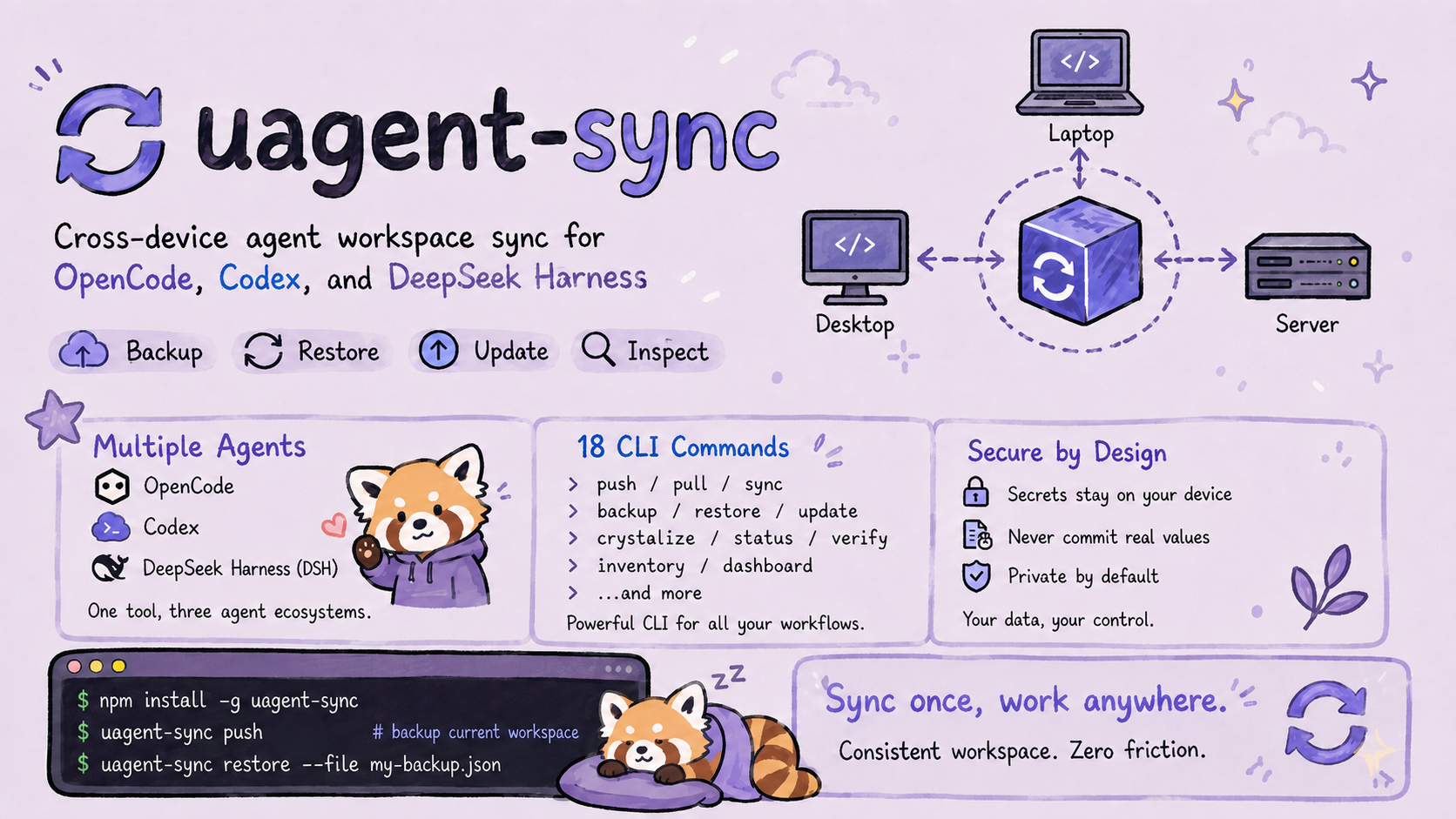



uagent-sync
One command to backup. One command to restore. Your entire dev environment, synced across machines.
Export your agent workspace — submodules, configs, skills, API keys — to a private GitHub repo.
On a new machine, pull it back and everything installs itself.
Why?
You have multiple machines. Each runs opencode and/or Codex with different plugins, MCP servers, skills, and submodules checked out at different commits. Keeping them in sync is a nightmare of git submodule update, npx skills add, and copy-pasting config files.
uagent-sync makes it a single command:
# On your main machine
opencode-sync push "Friday backup"

# On your new laptop
opencode-sync pull
That's it. Submodules reset to exact commits. MCP servers rebuilt. Skills reinstalled. Config merged. API keys templated. Everything just works.
Installation
uagent-sync ships one CLI and three agent entry points. Install the one you use:
DeepSeek Harness
# From npm (recommended — bundles the CLI as a dependency)
dsh plugin --profile <name> add uagent-sync-dsh

# Or from GitHub (monorepo sub-package, pure JS — no build authorization needed)
dsh plugin --profile <name> add "github:severin-ye/uagent-sync#master&path:packages/dsh"
OpenCode
npm install -g uagent-sync        # global CLI (commands: uagent-sync / opencode-sync)
# or run without installing:
npx uagent-sync <cmd>
Then add to your opencode config (config/opencode.json) and restart:
{ "plugin": ["file:///absolute/path/to/uagent-sync/dist/plugin.js"] }
Codex
codex plugin marketplace add severin-ye/uagent-sync
# Then open /plugins in the Codex CLI, install uagent-sync, and start a new session.
First backup
opencode-sync init          # detect your workspace
opencode-sync push "init"   # first backup
From source instead?
git clone https://github.com/severin-ye/uagent-sync && cd uagent-sync && npm install && npm run build, then usenode dist/cli.js <cmd>.New machine?
opencode-sync init --init-type sync --github-url <url>thenopencode-sync pull.
Codex Support
uagent-sync is also a Codex plugin (skills + hooks, no MCP): the same CLI and the same skills are shared across both agents.
Install (Codex CLI)
codex plugin marketplace add severin-ye/uagent-sync
# Then open /plugins in the Codex CLI, install uagent-sync, and start a new session.
Install (ChatGPT desktop app / Codex desktop app)
- Open Plugins → Personal → add the marketplace source
https://github.com/severin-ye/uagent-sync - Install uagent-sync and start a new session
What you get after installing
- 3 skills:
uagent-sync-backup(backup workflow),uagent-sync-restore(new-device restore),uagent-sync-update(ecosystem update) — loaded on demand, guiding the agent to use the CLI - SessionStart hook: injects CLI usage hints at session start (
PLUGIN_ROOTresolves the plugin root; on Windows it goes through a Git-bash wrapper) - CLI (the single execution channel):
node <plugin>/dist/cli.js <command>— 18 commands shared with the opencode plugin
How it works
uagent-sync/
├── .codex-plugin/plugin.json   # Codex plugin manifest (skills + hooks, mcpServers slot reserved)
├── hooks/                      # hooks-codex.json + run-hook.cmd + session-start
├── skills/                     # 3 SKILL.md files — shared by opencode and Codex
├── src/plugin.ts               # opencode plugin (config hook auto-registers the skills dir)
├── packages/dsh/               # DeepSeek Harness bundle (16 sync_* tools → CLI bridge)
└── src/cli.ts                  # 18-command CLI — the single execution channel for all three
DeepSeek Harness Support
uagent-sync ships as a DeepSeek Harness bundle (packages/dsh/): 16 sync_* tools bridged to the same CLI. 中文名:U同步 / 优同步。
Install
# From npm (recommended — uagent-sync-dsh depends on uagent-sync, so the CLI ships along)
dsh plugin --profile <name> add uagent-sync-dsh

# From GitHub (monorepo sub-package, pure JS — no build authorization needed):
dsh plugin --profile <name> add "github:severin-ye/uagent-sync#master&path:packages/dsh"

# Or from a local checkout (auto-discovers dist/cli.js):
dsh plugin --profile <name> add ./packages/dsh
The plugin locates the CLI in this order: cordis.yml config.cliPath → env OPENCODE_SYNC_UAGENT_SYNC_CLI → local-checkout relative path → npm dependency uagent-sync/dist/cli.js → workspace recursion (walk up to .gitmodules, then find uagent-sync/dist/cli.js). Details: packages/dsh/README.md.
DeepSeek Harness is currently Developer Preview; see the plugin docs for the current bundle/patch format.
Workspace Root Resolution
Every node dist/cli.js * command needs to know the workspace root (the directory containing .gitmodules). Resolution order:
- Env var
OPENCODE_SYNC_WORKSPACE_ROOT=<path>(explicit, highest priority) - Fixed cache
~/.config/opencode/sync-cache.json(reachable from any working directory) - Legacy cache auto-migration (
usync-dotfiles/state/sync-cache.json, written by v1.0.0) - Walk up from the opencode process working directory looking for
.gitmodules
Launching opencode from the desktop, home directory, or the OpenChamber default directory works fine — no need to start inside the workspace. If all four paths fail, the error message includes actionable guidance.
What It Syncs
| Category | What | How |
|---|---|---|
| Submodules | All repos, exact commit hash | git clone + git reset --hard |
| OpenCode Config | plugins, MCP servers, providers | Deep-merge, never overwrite |
| Skills | Installed skills from git sources | skills add <source> -g |
| API Keys | Names + descriptions (never values) | Template file at keys/API.md — the keys/ directory is gitignored in usync-dotfiles, so real values only ever exist locally |
| Dependencies | gh CLI, Ralph, Skills CLI | Auto-install via winget/brew/apt/npm |
| Windows Fixes | NTFS path issues | Auto-detects problematic filenames, applies git config core.protectNTFS |
| Install Log | Every install, its source, any pitfalls | state/install-log.json — provenance you can trust |
Multi-agent configuration console
Inspect Codex, OpenCode, and DeepSeek Harness configuration without changing it:
opencode-sync inventory --json
opencode-sync dashboard
The dashboard binds to 127.0.0.1 by default and prints the actual local URL. Phase 1 is read-only: it visualizes Skills, instructions, MCP declarations, hooks, plugins/tools, portability, and migration gaps. Secret values, sessions, memories, provider credentials, permissions, themes, shortcuts, UI state, and caches are excluded. DeepSeek MCP remains marked unverified until local evidence proves support.
🌐 Language (English / 中文)
Output defaults to English and can be switched to Chinese per run or persistently:
- CLI:
--lang zhflag, orUAGENT_SYNC_LANG=zhenvironment variable (system locale is the fallback, then English). - Dashboard: use the 中文 / EN toggle in the top bar — the choice is remembered in
localStorage(uagent-lang). - Generated documents (SYNC-GUIDE.md, know-how files) follow the active language.
opencode-sync api-keys detect            # English by default
opencode-sync api-keys detect --lang zh  # Chinese
UAGENT_SYNC_LANG=zh opencode-sync guide  # Chinese guide
CLI (18 commands)
Run any command as node dist/cli.js <command> (or opencode-sync <command> after npm link).
| Command | What it does |
|---|---|
init |
Detect workspace, guide first-time setup. Only asks once. |
push |
Export state → commit → push to GitHub. One command. |
pull |
Pull from GitHub → restore everything. One command. |
export |
Export full workspace state as JSON |
import |
Restore from JSON (with --dry-run preview) |
diff |
Compare current state vs saved state |
status |
Show every submodule: commit, branch, dirty? |
verify |
Health check: gh, git, config, ralph, skills, submodules |
setup |
Install everything: gh, submodules, config, ralph, skills CLI, skill packages |
create-repo |
Create a private GitHub repo (warns if public) |
api-keys |
Detect, template, or add API keys |
guide |
Generate guide/SYNC-GUIDE.md — the restore playbook |
log |
Read/write install provenance log |
crystallize |
Record install + regenerate docs + export state + commit in one shot |
update |
Update the agent ecosystem: plugins, skills, MCP tools, sync repo, config deps |
changelog |
Draft categorized changelog from the latest update report |
inventory |
Inspect Codex/OpenCode/DeepSeek Harness configuration (read-only, secrets excluded) |
dashboard |
Start a local read-only configuration dashboard (127.0.0.1 by default) |
The MCP-server form (v1.0.0) was removed — since v1.1.0 only the opencode plugin form and the standalone CLI exist. Tool/command names keep the
opencode_sync_*/node dist/cli.jsprefixes for compatibility.
Architecture
uagent-sync/                  # ← This repo (code only, never modified at runtime)
├── src/
│   ├── lib/                   # Modules, each <200 lines
│   │   ├── types.ts           #   All interfaces
│   │   ├── run.ts             #   Shell execution + safety (shellEscape, isPathSafe)
│   │   ├── cache.ts           #   Workspace root detection (fixed cache + env + migration)
│   │   ├── init-state.ts      #   Init lifecycle tracker
│   │   ├── log.ts             #   Install provenance log
│   │   ├── state.ts           #   Export/import/diff core logic
│   │   ├── workspace.ts       #   Verify/setup/submodule status
│   │   ├── github.ts          #   Private repo creation
│   │   ├── keys.ts            #   API key detection & templates
│   │   ├── skills.ts          #   Skill source map
│   │   ├── update.ts          #   updateExtensions — ecosystem update orchestration
│   │   ├── codebase-memory.ts #   codebase-memory-mcp release updater
│   │   └── guide.ts           #   SYNC-GUIDE.md generator
│   ├── sync.ts                # Barrel export
│   ├── plugin.ts              # opencode plugin (16 opencode_sync_* tools)
│   └── cli.ts                 # Standalone CLI (16 commands)
├── skills/                    # 3 shared skills (opencode + Codex)
├── hooks/                     # Codex SessionStart hook
├── .codex-plugin/             # Codex plugin manifest + marketplace
├── test/                      # node:test suites (run `npm test`)
├── .github/workflows/         # CI + Release automation
├── CHANGELOG.md               # Keep a Changelog
├── RELEASING.md               # Release playbook
└── dist/                      # Compiled output

usync-dotfiles/             # ← Runtime data (separate repo, synced via Git)
├── state/                     # Runtime state files
├── guide/                     # Auto-generated docs
├── keys/                      # API key templates
├── config/                    # OpenCode config templates
├── sessions/                  # Chat history (from session-recorder plugin)
└── scripts/                   # Bootstrap scripts
Code never touches data. The plugin lives in one directory. All generated files go to
usync-dotfiles/. Clean separation.
Development
git clone https://github.com/severin-ye/uagent-sync
cd uagent-sync
npm install
npm run typecheck    # tsc --noEmit
npm run build        # TypeScript → dist/
npm test             # full node:test suite
CI gate (GitHub Actions, Windows, Node 20/22): npm run build + npm test must pass before merge.
Release
See RELEASING.md. Flow: update CHANGELOG → npm run release:patch|minor|major (version + tag + push) → GitHub Actions builds, tests, and creates a Release with the tarball attached.
Security
- Command injection hardened:
shellEscape()wraps all user input before shell execution. Git commits use-Ffile input instead of-mstring interpolation. - Path traversal guarded:
isPathSafe()validates all file paths resolve within workspace root. - Zod schema enforced: Every input validated with
.min(),.max(),.strict()before touching the filesystem. - Secrets never exported: Only environment variable names are recorded. Values stay on your machine.
- Private repos by default:
create_repocreates--private. Warns if existing repo is public.
Contributing
PRs welcome. Test-first: new features ship with tests, bug fixes ship with a failing-then-passing regression test. Check evaluation.xml for the test suite design.
🤖 For AI Agents: See
AGENTS.md— a complete step-by-step guide that enables any AI agent to install, configure, and run full backup/sync workflows with zero additional prompts. Just point the agent at this repo.
License
MIT © 2026 uagent-sync contributors
简体中文 | English
No comments yet. Be the first to write one.