DeepSeek Harness Toolkit — dsh-minato
A no-terminal-needed installer, monitor, backup and repair toolbox for DeepSeek Harness (dsh). Windows and Linux. Runs locally. No telemetry, no accounts, no uploads.
⚠️ Unofficial. This project is not affiliated with, endorsed by, or connected to DeepSeek. It is a third-party helper that drives the
dshcommand line you already have.

Screenshots
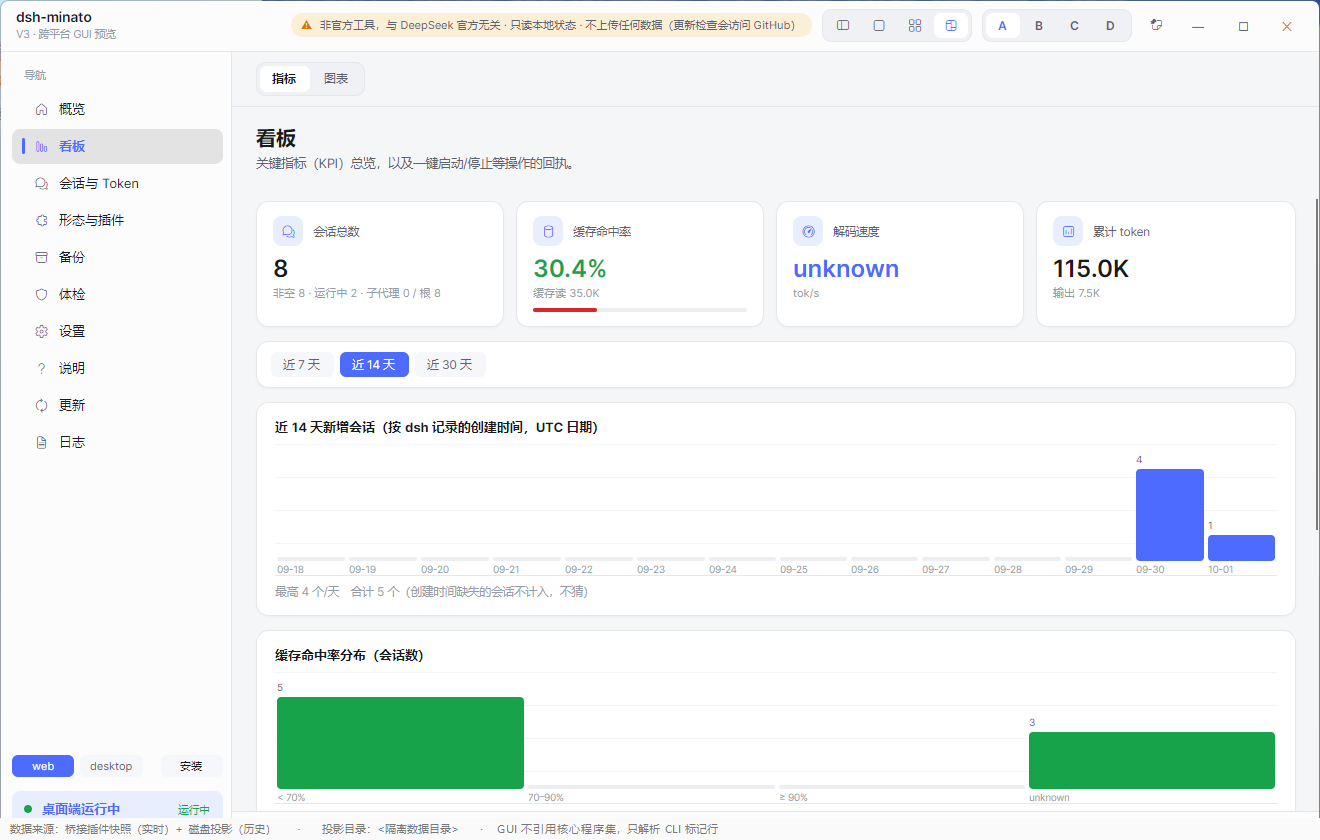
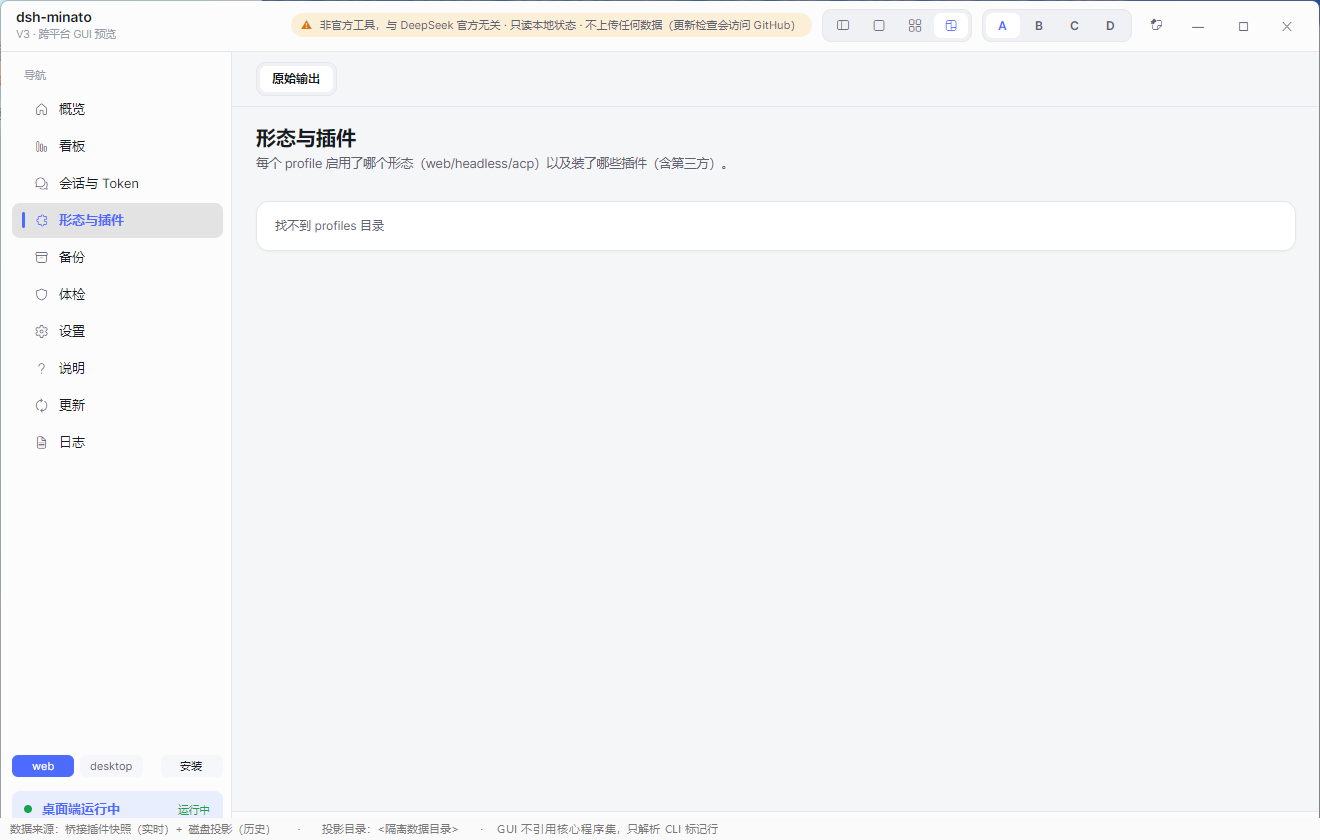
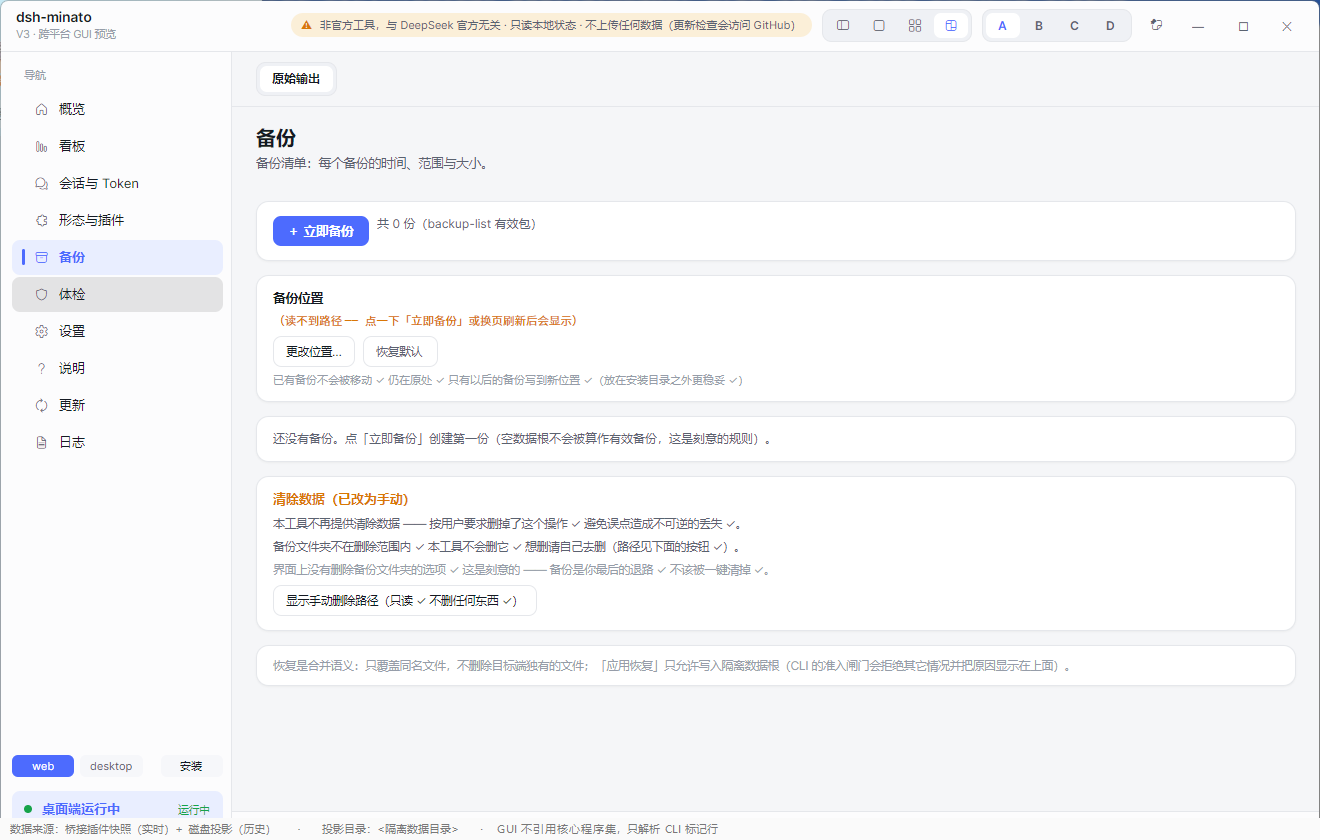
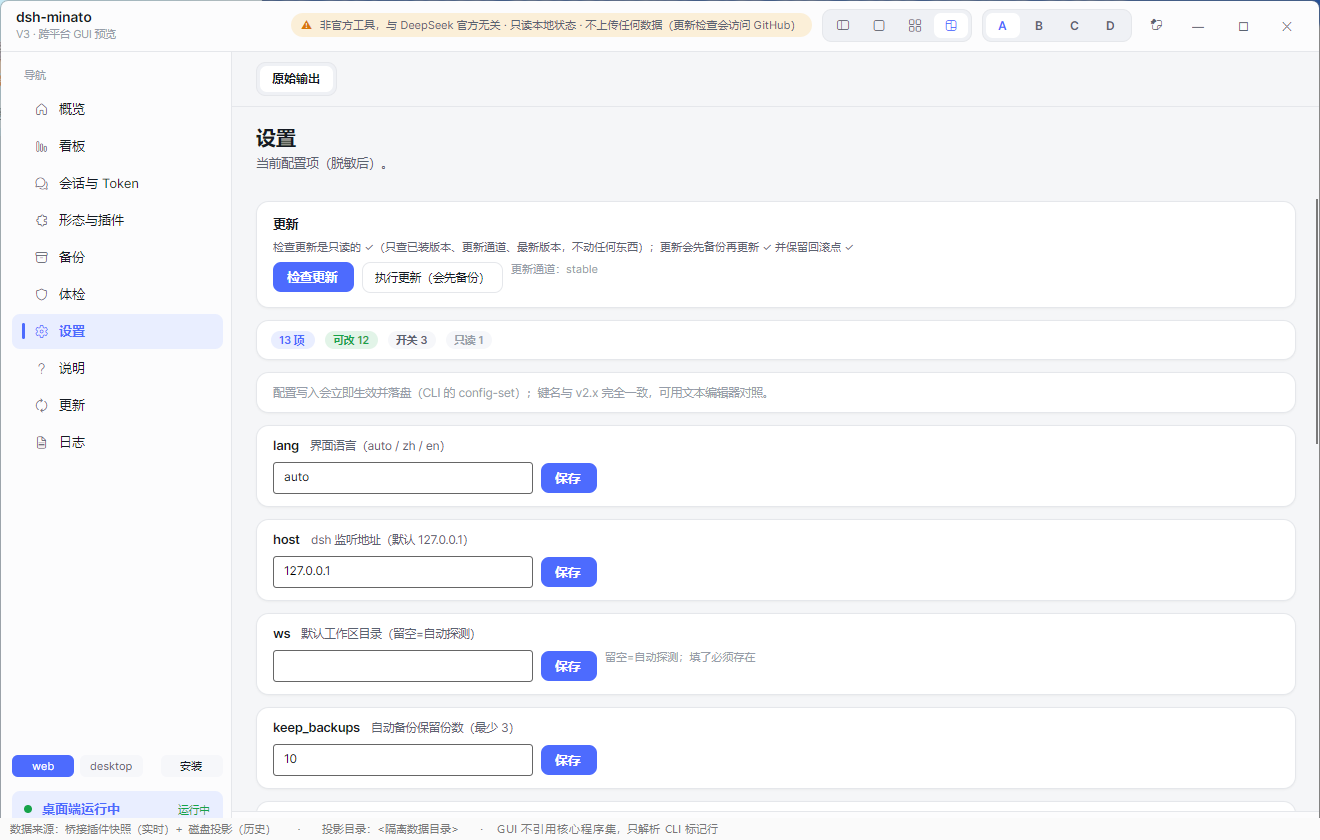
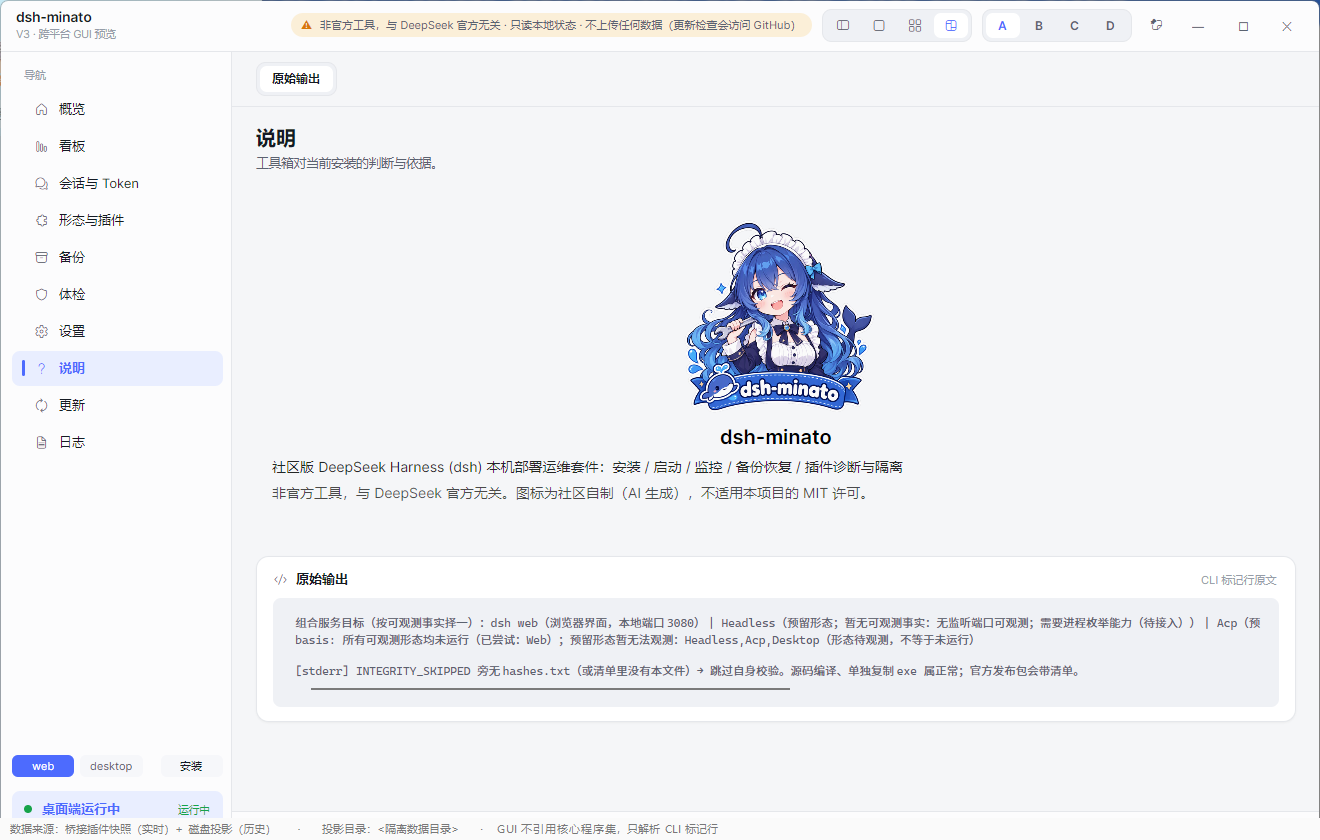
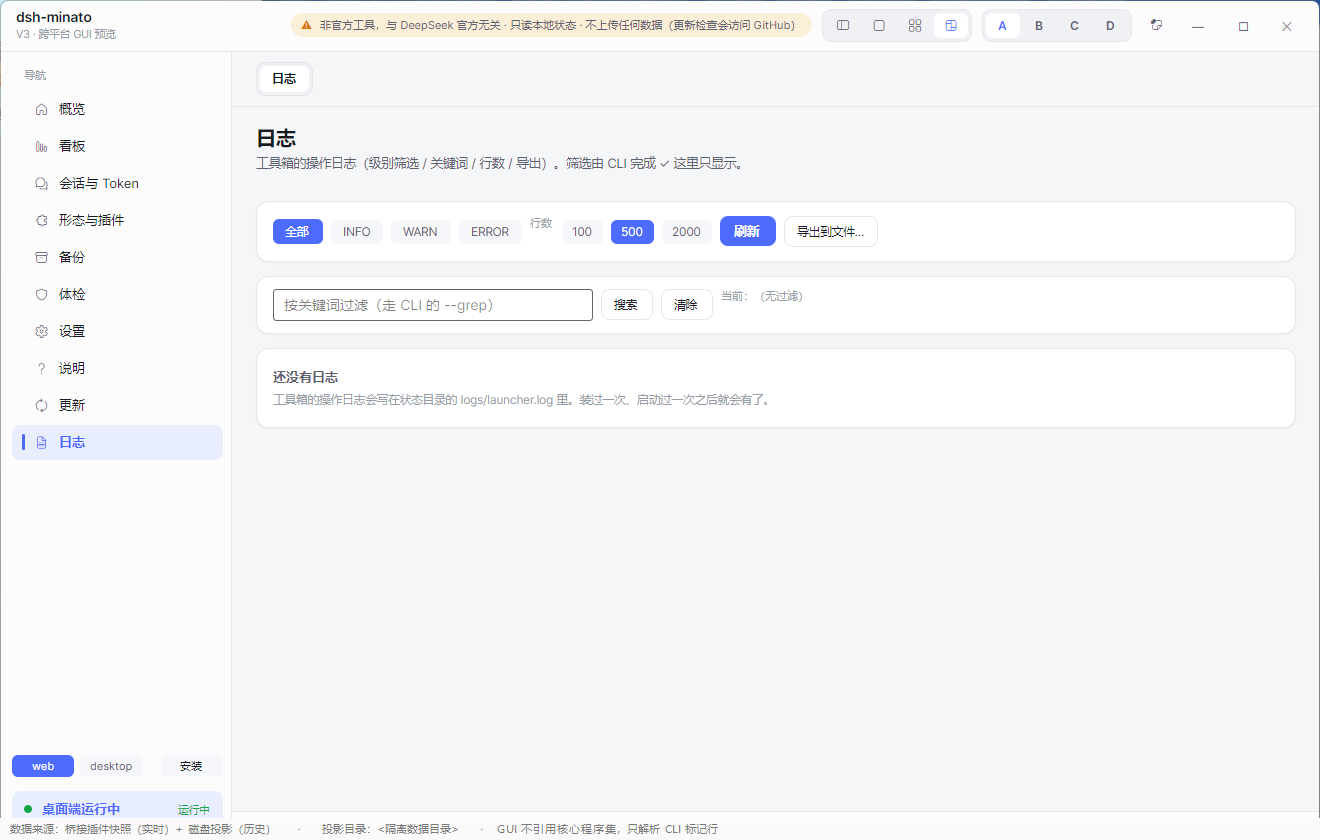
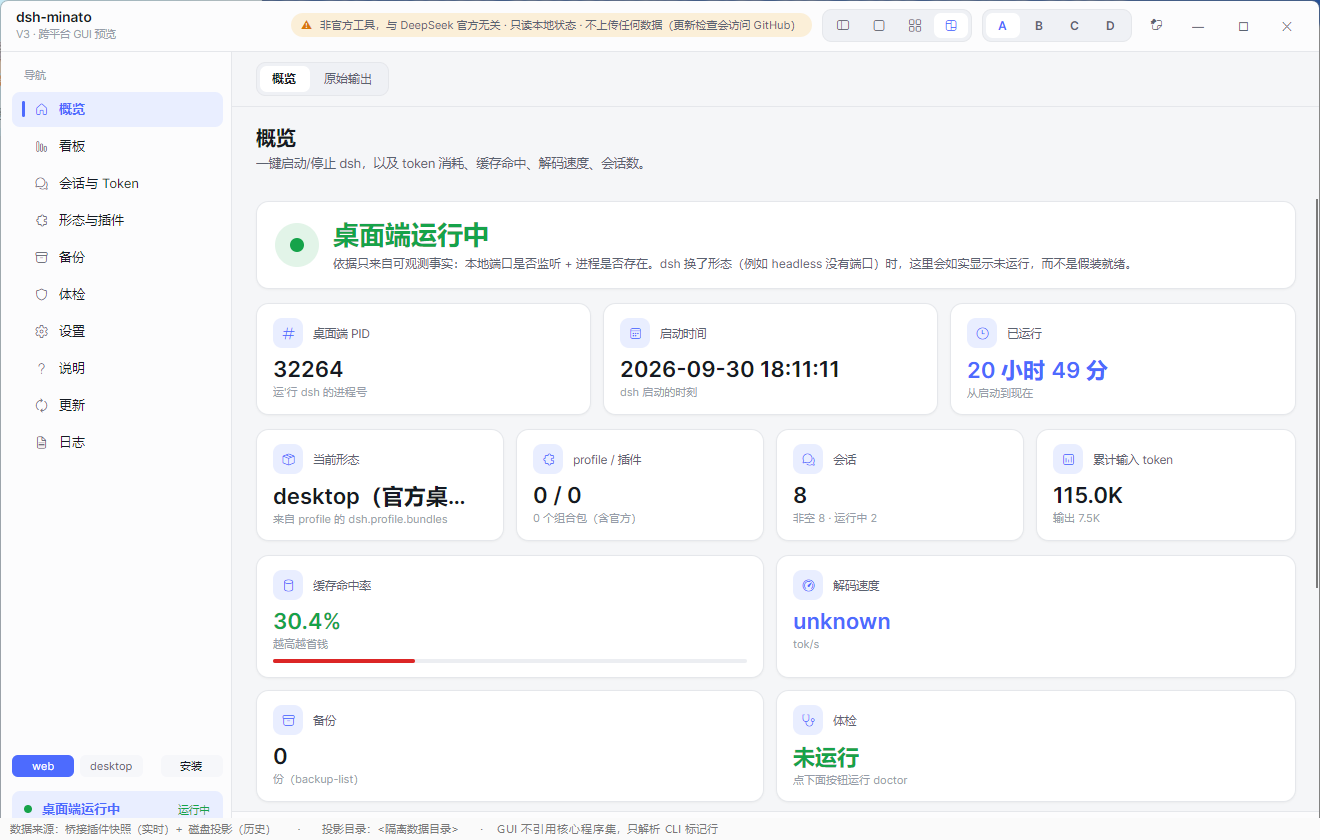
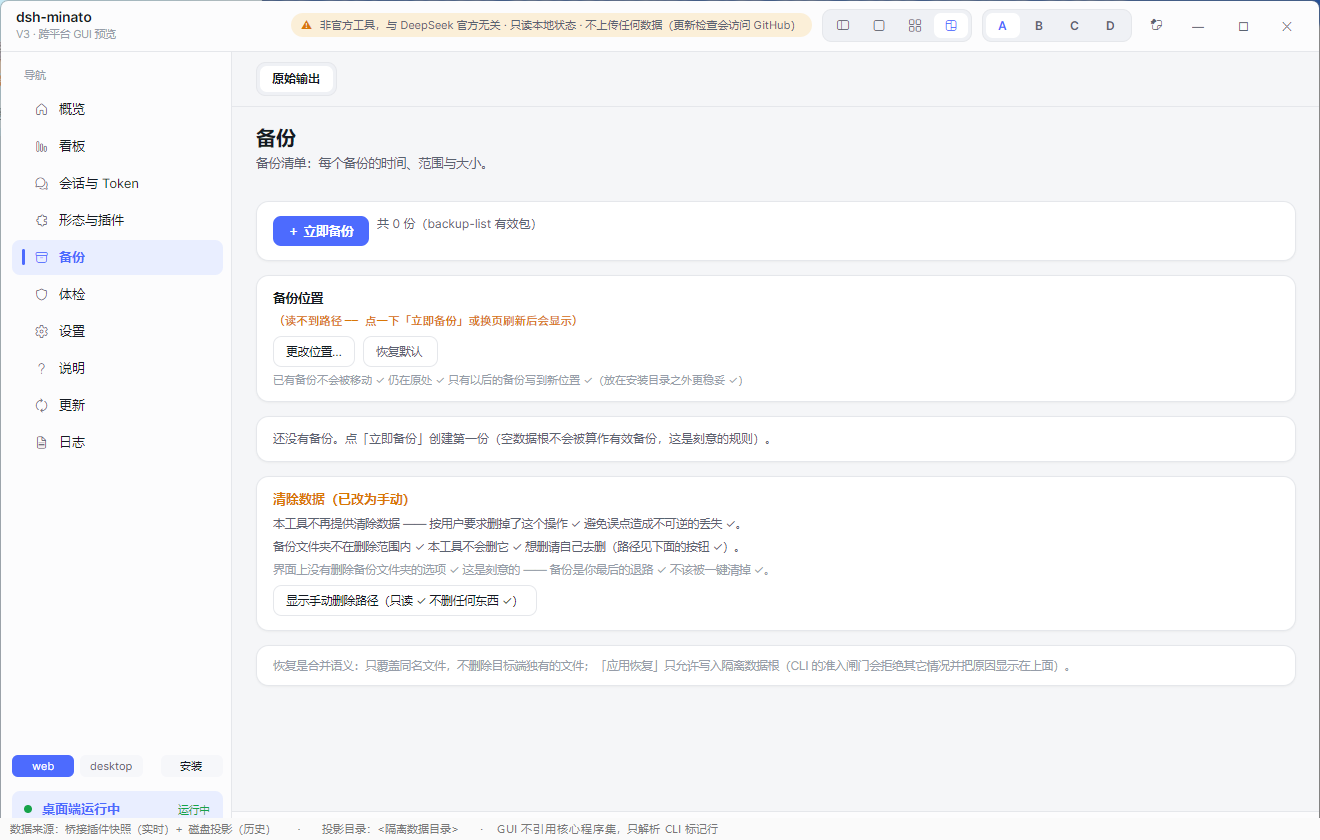
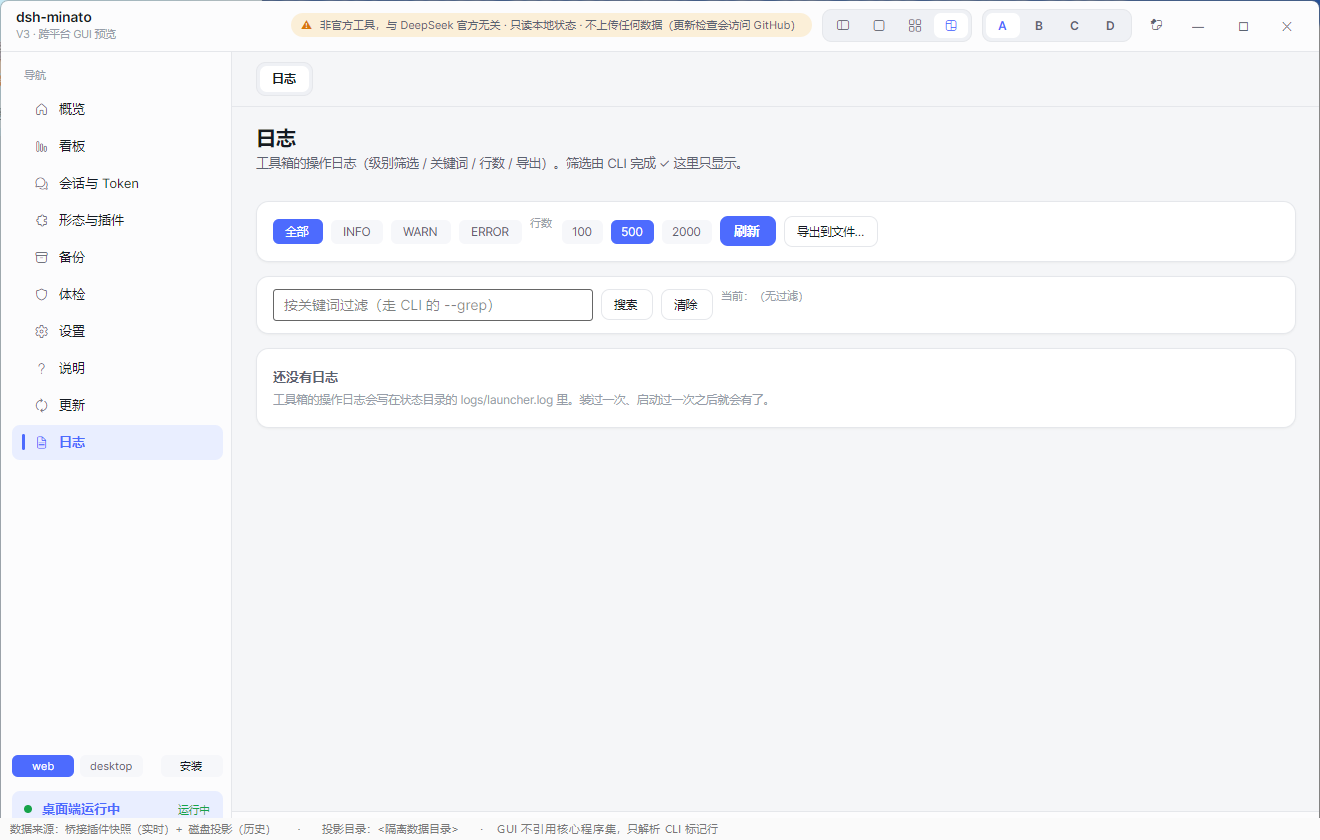
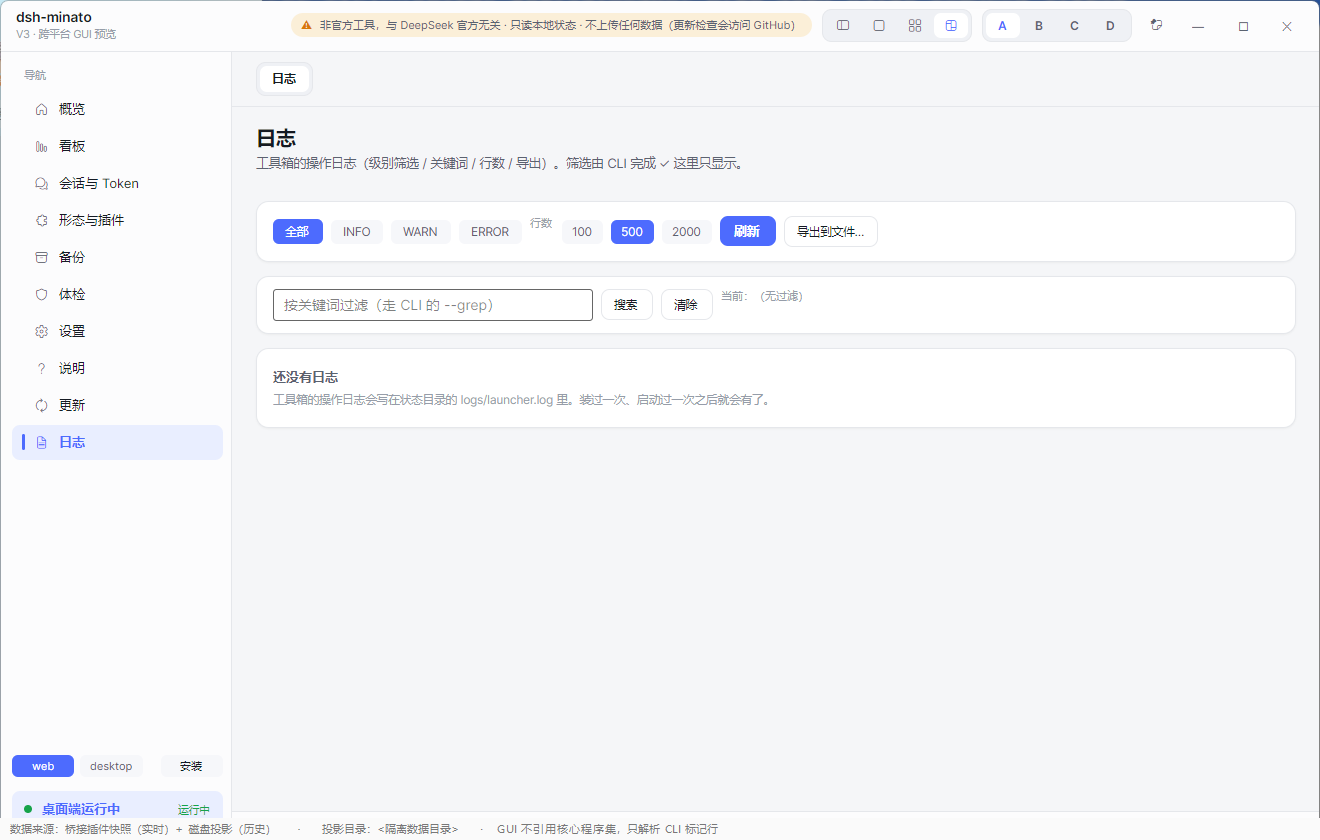
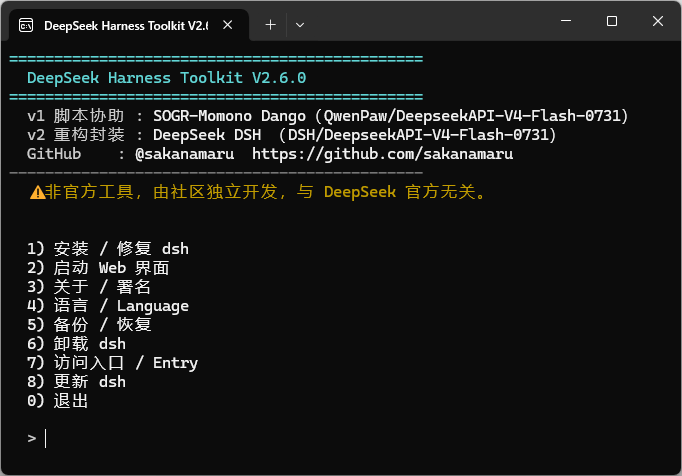
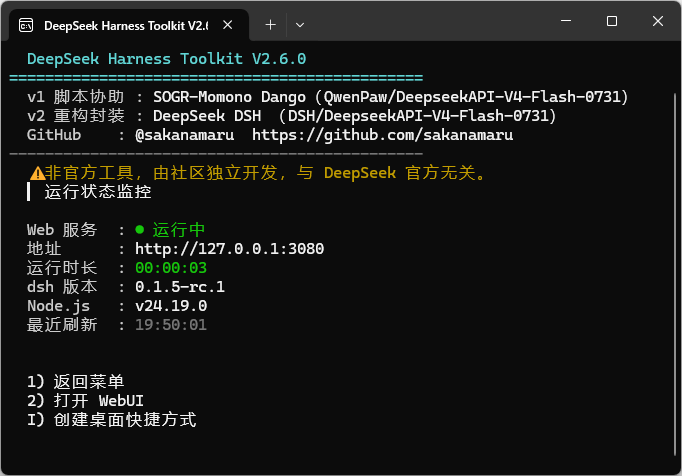
Everything below is the real interface, captured against a fixture data directory — no real session, path or figure appears in these images.
| Dashboard | Sessions & tokens | Backup |
|---|---|---|
 |
 |
 |
| Health check | Settings | Update centre |
|---|---|---|
 |
 |
 |
| Overview | Plugins | About | Logs |
|---|---|---|---|
 |
 |
 |
 |
| CLI menu | CLI status |
|---|---|
 |
 |
Why this exists
dsh is a command-line tool. Installing it, starting it, backing it up and working out why it will not boot are all
terminal jobs — and the Web UI itself has no entry point for any of them.
This toolkit puts those jobs behind a window you can double-click:
- No terminal needed — install, start, stop, update and uninstall from a GUI.
- A backup you can trust — packages carry a completion marker and a content hash, so a truncated one is refused instead of silently restored.
- A straight answer when something breaks — the health check names the failing piece and prints the one line that fixes it, instead of leaving you with a stack trace.
What it does
| Install dsh | Double-click. No terminal, no Node.js knowledge required. It installs the CLI, sets up the PATH and Start-menu entry, and keeps an uninstaller beside the install. |
| Start / stop / monitor | One button for the Web UI, with a live status line and the URL to open. |
| Back up and restore | Sessions, settings and credentials — packaged with a completion marker and a content hash so a truncated or tampered package is refused rather than restored. |
| Backup manager | See exactly what each package contains before you touch it. |
| Migrate to another PC | Export a package, import it on the new machine. |
| Update centre | One place for the web UI, the official desktop app, this tool, and installed plugins. |
| Health check | "What exactly is broken?" — it names the failing piece and prints the one line that fixes it. |
| Uninstall | Never deletes your data by default, and refuses to delete a directory that does not look like an install. |
Install
Windows
Download dsh-minato-<version>-win-x64-setup.exe from Releases and run it.
- The Windows binaries are not digitally signed, so SmartScreen may show an "unknown publisher" prompt the first
time. Verify the download against the published
.sha256(and the GPG-signedhashes.txt) before running it. - Prefer a portable copy? Use
dsh-minato-win-x64.zip, unzip, and rungui\dsht-gui.exe.
Linux
Download dsh-minato-linux-x64.tar.gz, then:
tar -xzf dsh-minato-linux-x64.tar.gz
cd dsh-minato-linux-x64
./install.sh            # installs for the current user; --prefix <dir> to choose the location
Uninstall with ./install.sh --uninstall (add --force only if you have moved the installation yourself).
Quick start
- Install (above) and open dsh-minato.
- The dashboard shows the current state. If
dshis missing, the health check says so and offers the fix. - Press Start and open the Web UI URL it prints.
- Before you change anything, press Backup.
The GUI
Ten pages, all reachable from the left rail:
| Page | What it is for |
|---|---|
| Overview | One screen: what is installed, what is running, what is out of date. |
| Dashboard | Key figures — sessions, cache-hit rate, tokens — and one-click start/stop. |
| Sessions & tokens | Per-session breakdown, parent/child grouping, sortable. |
| Plugins | Which plugins a profile has, which are disabled, and which would break a boot. |
| Backup | Create, inspect, verify, restore, export and delete packages. |
| Health check | The "what is broken" report, with the exact prescription. Run it when you want it — it does not run by itself. |
| Settings | Language, port, behaviour — without editing YAML. |
| About | Version, credits, and what this tool deliberately does not do. |
| Update centre | Update dsh, the desktop app, this tool or a plugin. |
| Logs | Filter, search and export the launcher log. |
Command line
The GUI drives the same CLI, which is also usable on its own:
dsh-minato status [--detail]      what is installed / running / listening
dsh-minato start | stop           start or stop the dsh Web UI
dsh-minato install | update       install or update dsh (and this tool)
dsh-minato uninstall              remove the tool (never touches your data)
dsh-minato sessions               per-session token and cache figures
dsh-minato backup [--to <dir>]    create a backup package
dsh-minato backup-list [--verify] list packages, and verify their contents
dsh-minato backup-dir [--set <d>] where backups are written
dsh-minato restore --path <pkg> [--apply] [--yes]
dsh-minato backup-export | backup-delete
dsh-minato doctor                 full health check, with prescriptions
dsh-minato profiles | profilecheck | profilepatch | bridge-install
dsh-minato bootdiag               why did dsh fail to start?
dsh-minato verify-install         check the files you downloaded
dsh-minato balance                DeepSeek account balance (needs a key in settings)
dsh-minato log | config-get | config-set | autostart | shortcut
dsh-minato version | about | selftest
Every command prints machine-readable markers (STATUS_OK, BACKUP_OK, RESTORE_FAIL, …) so scripts and the GUI can
parse results instead of guessing from prose.
Safety and privacy — what is actually true
This section states only what the code does. If a claim here is not backed by the code, it is a bug; please report it.
- Local only. The tool reads and writes your own machine. It contacts the network only in these commands:
check,update-info,update-center,doctor,install,update,verify-install --url, andbalance(only when you have setbalance_keyin settings; without it the command is fully offline). Everything else — status, sessions, backup, restore, logs — never opens a connection. - No telemetry, no accounts, no uploads.
- Your data is not deleted by uninstall. Uninstall removes the tool's own files. Data removal is a separate, explicit action.
- Backup integrity is checked, not assumed. A package carries a completion marker written last and a per-file hash; a package that was interrupted, or whose contents changed, is refused.
- Zero third-party runtime dependencies for the CLI, the installer, the launcher and the dsh plugin. The GUI is built on Avalonia (a UI framework), which is the one exception.
- Your API key, if you set one, is stored in plain text in your local config file and is only ever sent to the
DeepSeek API endpoint by the
balancecommand. Leave it empty and nothing is stored.
Known limits
- Size: the self-contained Windows package is roughly 50 MB (the .NET runtime is inside it, so no runtime install is needed).
- Not digitally signed: verify the published
.sha256and the GPG signature instead of relying on a certificate. - The bridge plugin needs pnpm (
npm i -g pnpm);dshwill not install it for you. - The
desktopprofile is managed by the official desktop app — plugins for it are added from that app's own dialog, not from the command line.
Optional bridge plugin
dsh keeps one fact only it knows: which sessions are alive inside its process. That is not written to disk, so
without the plugin that column reads unknown.
| Without the plugin | With the plugin | |
|---|---|---|
| Session list, tokens, cache-hit rate, speed | yes (read from the on-disk projection) | yes |
| "running" / "parked" marker | unknown |
live, in-process |
It is read-only: no model requests, no writes to dsh state, no conversation content, no network, and it never blocks dsh. Install it with:
dsh-minato bridge-install --profile web --yes
# or paste the repository URL into the desktop app's add-plugin dialog
Everything else in this toolkit works without it.
License and credits
- MIT License. The code is MIT; the icons are not — see
docs/ASSETS.md. - DeepSeek Harness (dsh)
- AI assistance, stated plainly: the v1 script was assisted by SOGR-Momono Dango (QwenPaw); the v2 rewrite and packaging by DeepSeek DSH; v3 and this document were written mostly by AI coding agents, with every change reviewed, decided and accepted by the maintainer. The logo is generative-AI output (tool: Kimi); prompts by the maintainer.
- This does not mean "AI wrote it, so it is untrustworthy" or "AI wrote it, so it is fine" — the basis for judgement should be whether you can check it yourself: every artefact ships with SHA-256, and the CLI, the installer and the launcher are all reviewable source.
- GitHub: @sakanamaru
No comments yet. Be the first to write one.