READMESource: main@b6740d72
dsh-oc-tui
A terminal interface for DeepSeek Harness. Chat with your agent, follow its work, and manage sessions without leaving your terminal.




English guide · 中文用户手册 · npm · Plugin marketplace
A clearer view of your agent
- Stay in the flow. Read streaming replies, reasoning, tool activity, Markdown, images, and Mermaid diagrams in one conversation.
- Pick up where you left off. Create, resume, and rewind durable sessions; inspect context usage and session statistics.
- Make it yours. Choose from five themes and 17 languages, manage models and MCP servers, and adjust thinking intensity in the app.
- Work with the harness. Approvals, interactive questions, commands, and tool execution remain part of DeepSeek Harness.
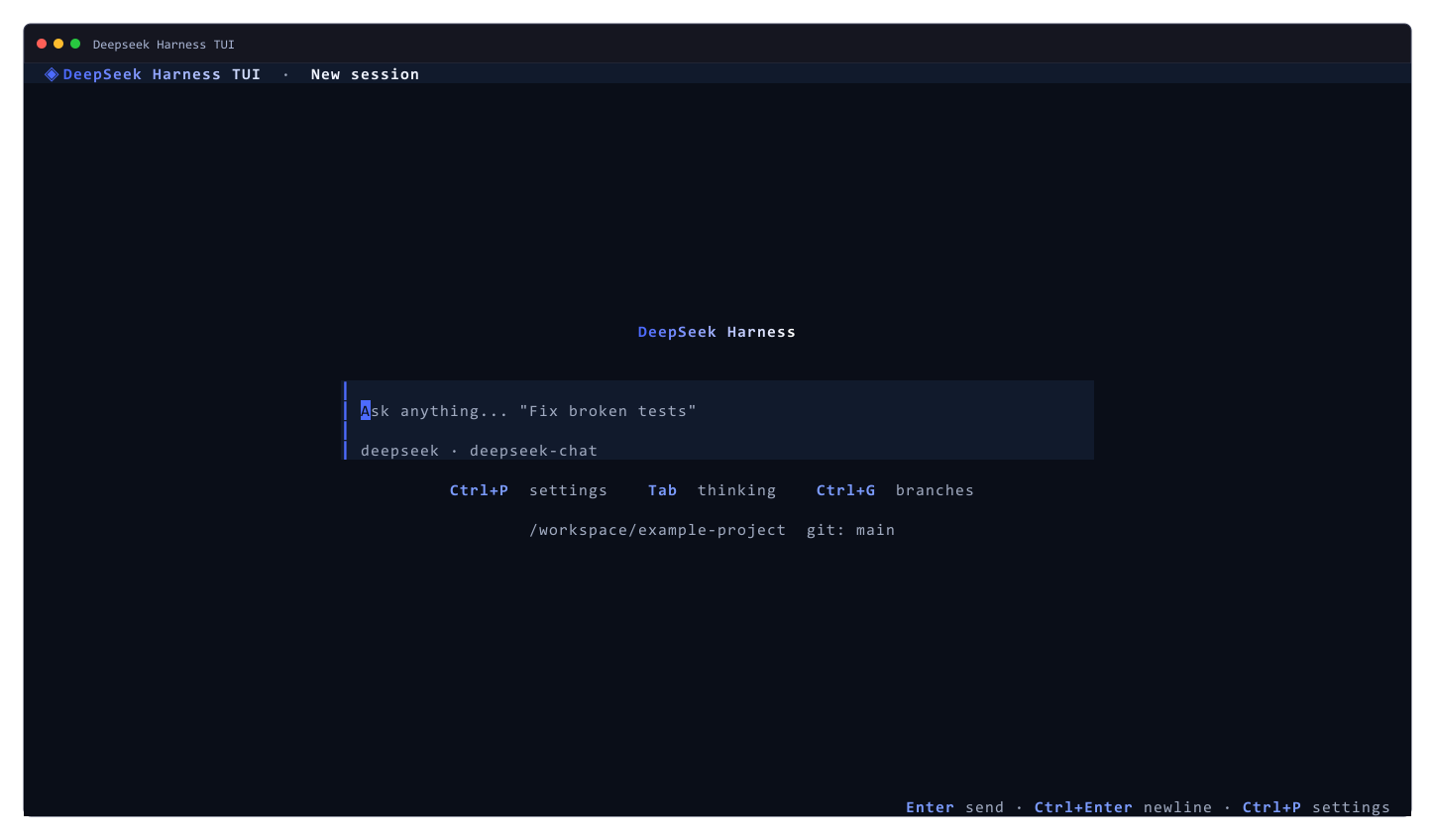
See it in action
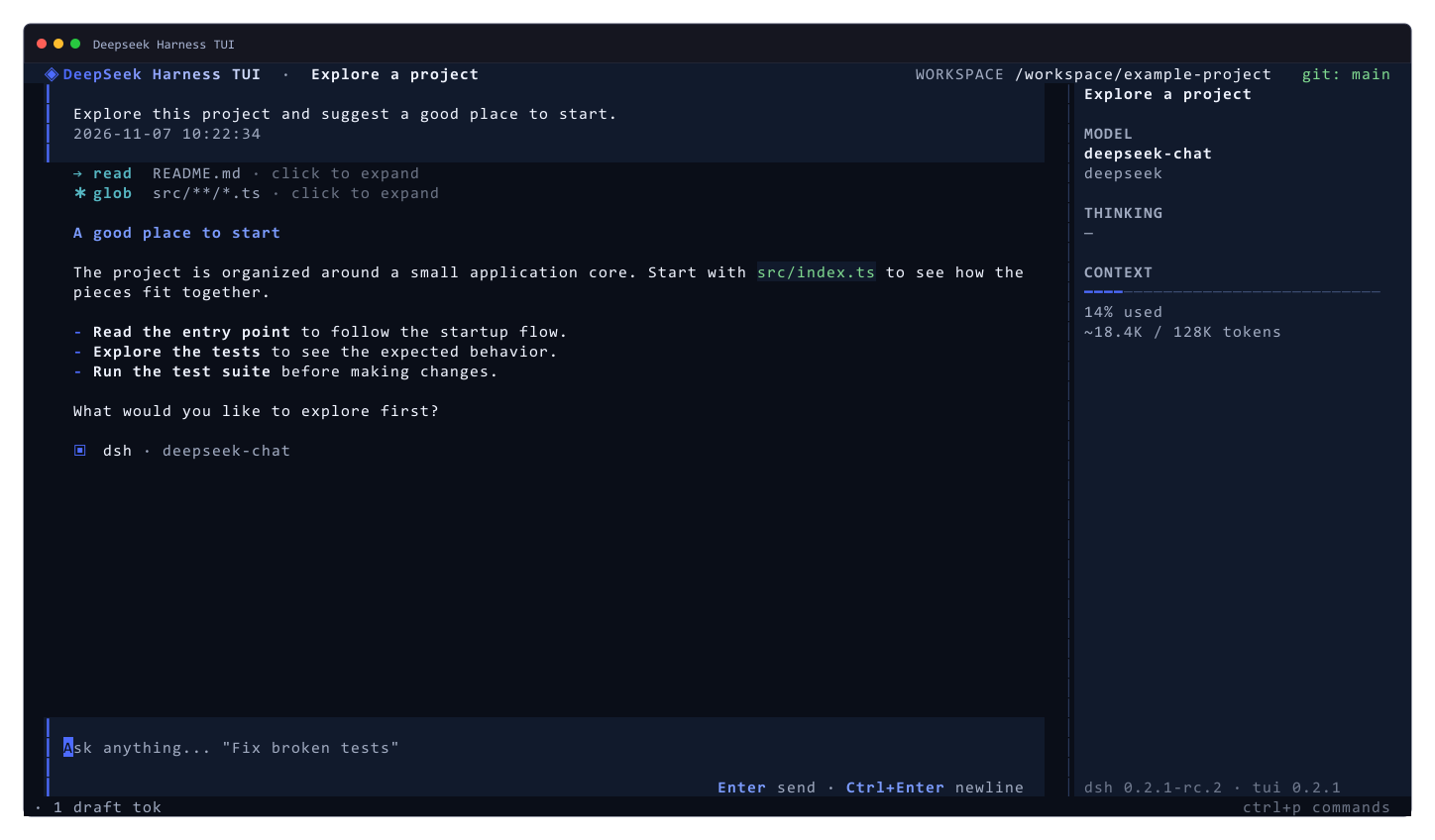
| Start a session | Configure your workspace |
|---|---|
 |
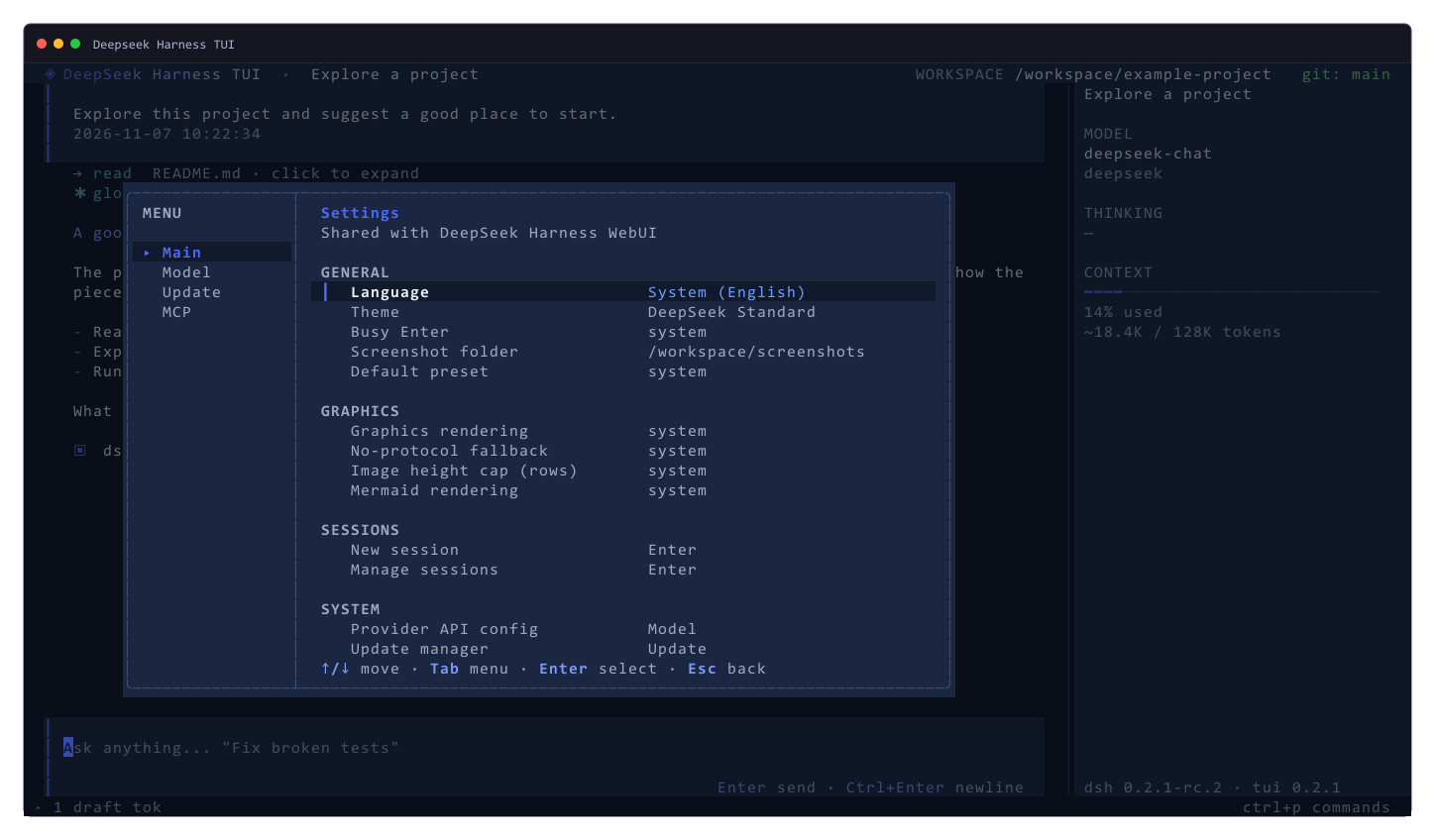 |
Captured with the TUI's built-in Ctrl+S screenshot feature using demonstration data.
Get started
You need Node.js ^22.19 or >=24, the dsh CLI, pnpm, an interactive terminal, and a configured model route. See the installation guide for compatibility and setup details.
dsh plugin --profile tui add -w dsh-oc-tui
dsh --profile tui
Type your first message to start a session. Use Ctrl+P for settings, Tab to change thinking intensity, and Ctrl+S to save a screenshot.
For installation options, shortcuts, settings, troubleshooting, and development, read the English guide or 中文用户手册.
No comments yet. Be the first to write one.