deepseek-rtl
Persian and Arabic right-to-left text for the DeepSeek Harness Web UI, with the bundled Vazirmatn font and a header panel.
It installs as an ordinary Harness plugin, so removing it restores the interface exactly.
Install
Requires Node.js 18.17+ and an initialized DeepSeek Harness profile (open the app once).
npx deepseek-rtl
Quit DeepSeek Harness and open it again. The plugin appears as Persian RTL in Settings, and its button sits beside More actions in an open session.
The installer runs pnpm add inside the profile directory and selects the package in dsh.profile.bundles — the same two steps the Harness Plugin Manager performs. Desktop ships pnpm, so no separate pnpm install is needed.
In the app instead: Plugins → Add plugin with deepseek-rtl.
Options
| Command | Description |
|---|---|
npx deepseek-rtl |
Install and enable the plugin in the profile |
npx deepseek-rtl --revert |
Remove it from the selection and from the profile |
npx deepseek-rtl --status |
Report the profile, dependency, and installed version |
npx deepseek-rtl --profile <name> |
Target another profile (default $DSH_PROFILE, else desktop) |
npx deepseek-rtl --home <dir> |
Use another DSH home (default $DSH_HOME, else ~/.dsh) |
npx deepseek-rtl --from <dir> |
Install a local checkout instead of the npm package |
Use
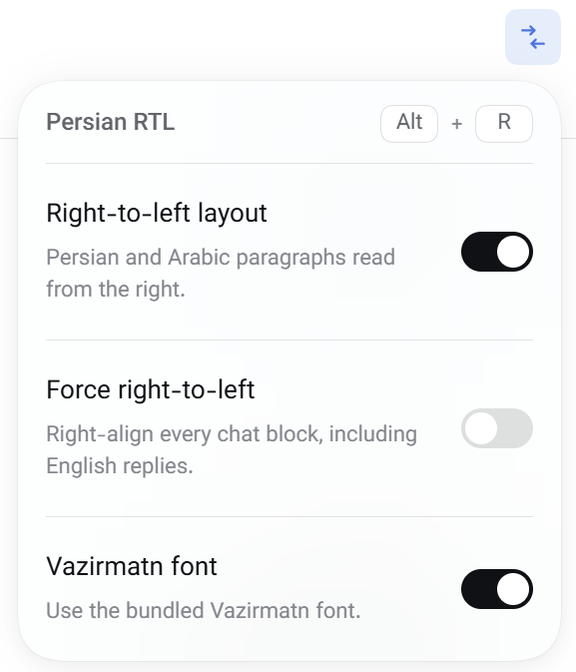
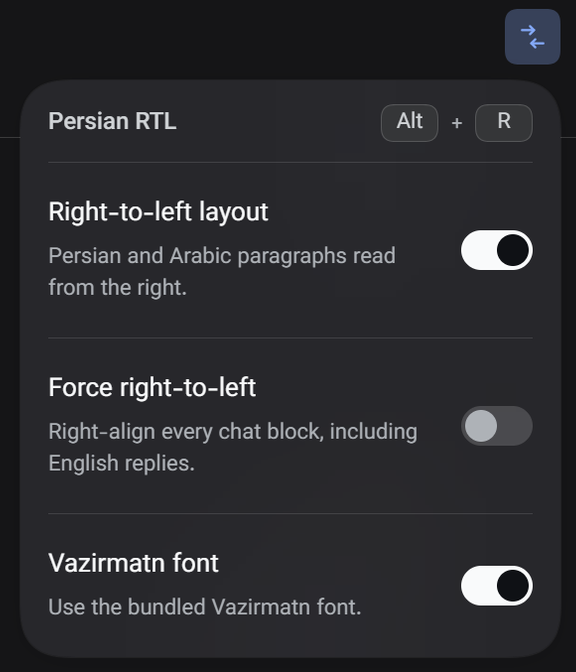
- Right-to-left layout (on): any chat block containing Persian or Arabic letters reads right-to-left, even when it opens with a Latin name; the composer follows what you type.
- Force right-to-left (off): right-aligns every chat block, including English-only replies.
- Vazirmatn font (on): puts the bundled variable font ahead of the interface text font.
The header button opens these three switches; click elsewhere or press Escape to dismiss. Alt + R toggles instantly from anywhere.
Code blocks, inline code, keyboard glyphs, and math stay left-to-right. Lists and blockquotes mirror their gutters in Persian text.
Preferences persist per browser origin in localStorage under dsh.persian-rtl.v1. Type size, line height, and your own font family stay in Settings → General.
How it works
client.jsinstalls two global stylesheets and aMutationObserverthat resolvesdiron chat blocks inside[data-chat-flow]and on editable surfaces. Every element it changes carriesdata-dsh-rtl-dirplus its previousdir, so disabling the plugin restores the DOM.- Direction rules live in CSS keyed off
html[data-dsh-rtl];pre,code,kbd,samp, and math are pinned todirection: ltrwithunicode-bidi: isolate. - The header button registers in
conversation.session.header.utilities; its panel is ashell.overlayentry positioned from the button's rect, so no header clip can cut it off. - The font is inlined as a
data:URL, so the package works offline.assets/Vazirmatn-Variable.woff2is the source face,assets/OFL.txtits license. - The Host half is an empty
apply(): every feature is browser-side.
Development
npm run build     # regenerate client.js with the font inlined
node bin/cli.mjs --from .   # install this checkout into your profile
Edit src/client.js, run the build, then restart DeepSeek Harness.
Limitations
- Styles the Web client only; native menus and dialogs outside the page are unaffected.
- The paragraph rule is "contains a right-to-left letter", so an English paragraph quoting one Persian word is right-aligned too.
Alt+Ris handled by the plugin, so it does not appear in Settings → Keyboard shortcuts.- The installer edits the profile manifest directly; quit DeepSeek Harness first.
License
MIT. Vazirmatn is distributed under the SIL Open Font License 1.1 (assets/OFL.txt).
No comments yet. Be the first to write one.