READMESource: main@1a4b7b71
dsh-quicktime-player
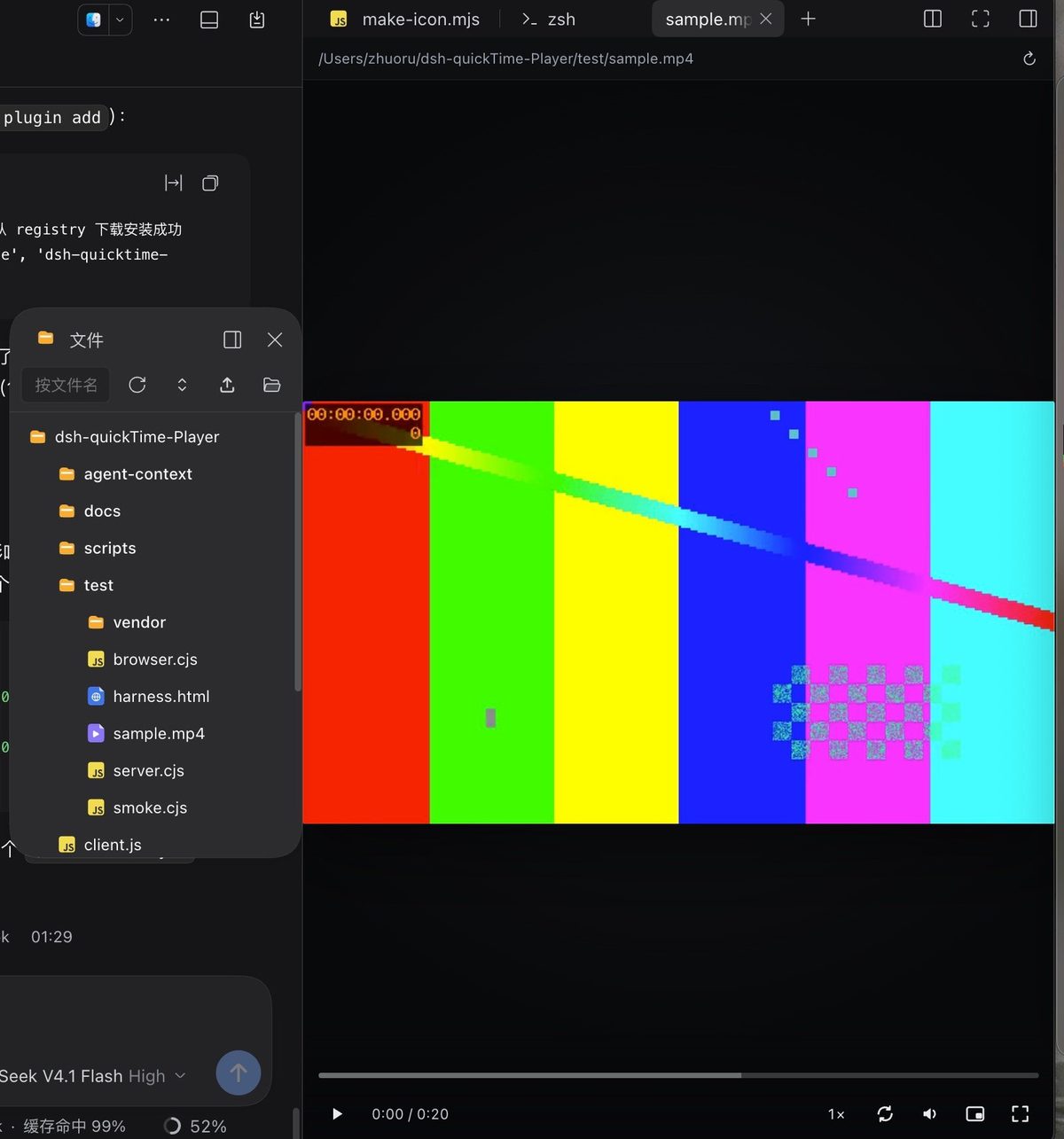
A sidebar video player for DeepSeek Harness — streaming playback with seek, wheel zoom and drag pan.
Features
- Plays from anywhere. Registers its own right-sidebar tab type, so any video opened through DSH — Files tab,
chat file reference, another sidebar plugin's tree,
sidebar_open— lands in this player. Nothing else needs to be installed, and no other plugin needs adapting. - Seekable. A Host route streams bytes with HTTP
Range(206), so the progress bar scrubs instead of snapping back. Bytes stay on disk — a multi-GB video is never read into memory. - Seek works on Desktop too. The Electron shell serves the page from
dsh-app://, where Chromium cannot seek a<video>response; the player therefore streams from a tokenized127.0.0.1port and falls back to the same-origin route when that port is unavailable. - Zoom and pan. Wheel zooms around the pointer (1× – 8×), drag pans while zoomed, double-click toggles fullscreen.
- Own controls. Play/pause, time ⇄ frame number, speed slider (0.2× – 5×, 0.2 steps), loop, vertical volume popup, mute, picture-in-picture, fullscreen. The chrome fades out while the mouse is idle.
- Frame stepping. ← / → step one frame; the frame rate is measured from delivered frames.
- Keyboard is never stolen. While focus is inside the pane — even on a slider — Space and the arrows stay with the player.
Install
dsh plugin --profile <profile> add dsh-quicktime-player
Reopen the window once so the client bundle is picked up.
Controls
| Input | Action |
|---|---|
| Space / K | play / pause |
| ← → | one frame back / forward |
| Shift + ← → | ±1 s |
| ↑ ↓ | volume |
| M | mute |
| F / Enter | fullscreen |
| 0 | reset zoom |
| + / − | zoom in / out |
| click the clock | switch between time and frame numbers |
Configuration
Optional, on the quicktime-player row:
| Key | Default | Meaning |
|---|---|---|
routePrefix |
/quicktime |
same-origin route prefix |
loopback |
true |
tokenized 127.0.0.1 media source (what makes Desktop seek work) |
maxBytes |
4 GiB |
larger files are refused with 413 |
extraRoots |
[] |
extra path roots allowed besides the session working directory |
How it works
- One tab type.
ctx.sidebarRightTabs.registerclaims video addresses with per-suffix globs (dsh-resource://file/**/*.mp4, …). The registry ranks tab types by band, then by pattern length, then by registration order — a longer, video-only glob outranks a sidebar plugin's genericdsh-resource://file/**, so videos route here and every other file keeps its usual viewer. - One Host route.
ctx.webServer.registerserves/quicktime/source,/quicktime/streamand the tokenized loopback port. Paths are confined to the session working directory. - No dependency on any other plugin: the core is the tab type plus that route.
.mkv, .avi, .wmv and .flv are accepted but Chromium cannot decode them; the player reports that instead of
pretending to play.
Troubleshooting
~/.dsh/quicktime-player.log— one JSON line per player event (source resolved, metadata, decode errors).GET /quicktime/_graph— dev probe for whether the client bundle is in the module graph.
License
MIT. The icon follows QuickTime Player's silhouette with our own colourway; it contains no Apple artwork.
No comments yet. Be the first to write one.