dsh-gba
Play Game Boy Advance inside DeepSeek Harness.
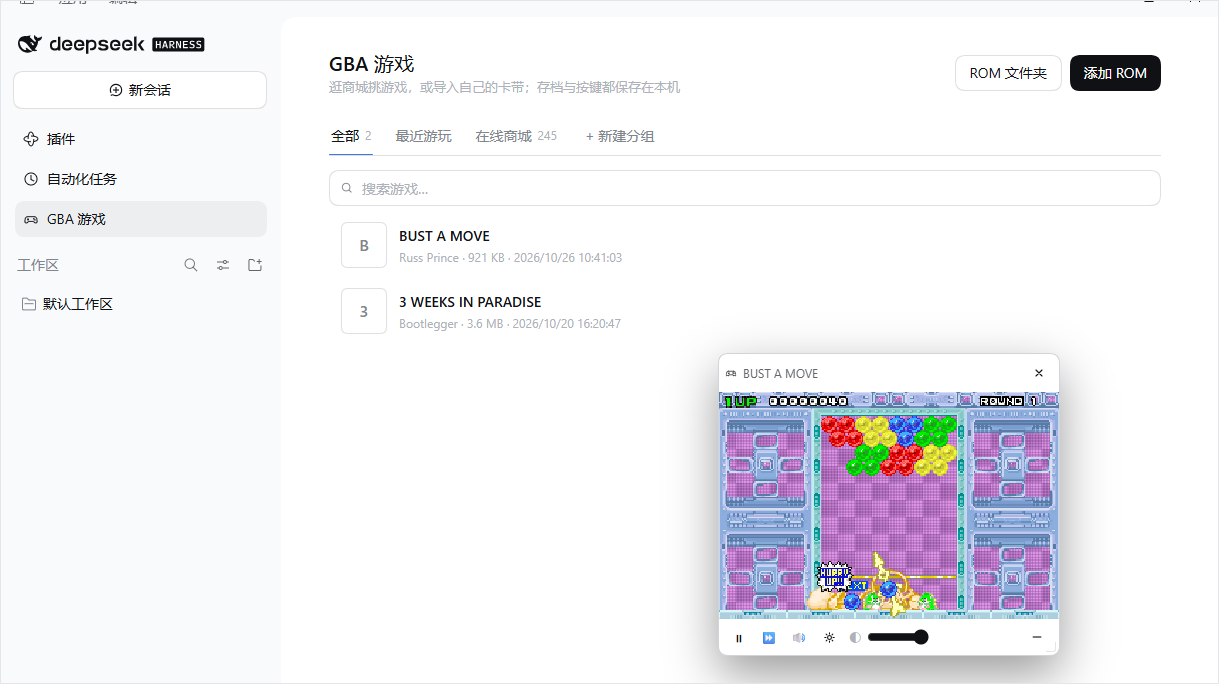
A Harness bundle that puts a GBA emulator in the main column — an online store of 245 free community games, your own cartridges, battery saves and save states — with the picture in a floating window that stays on screen while you keep working.
English · 简体中文
Why this exists
Retro emulators usually live in their own tab, which means leaving whatever you were doing.
This one lives inside the Harness: the panel is where you browse and configure, and the game
itself sits in a small always-available window above every column. Ctrl+Q hides it in one
keystroke, and Ctrl+Q brings it back with the game still running.
It also takes the boring parts seriously: saves live on the Host rather than in
localStorage, key bindings are rebindable and persist, and a cartridge keeps its save when
you switch browsers.
Features
- An online store of 245 games. The Store tab reads the Homebrew Hub community database: jam winners, full RPGs, puzzlers, tech demos — each with its cover, developer, date, genre and description. Download and play fetches the cartridge once, caches it, and starts it.
- Your own cartridges. Add a
.gbafile directly, or point the plugin at folders on the Host and import from the list. Cartridges are identified by CRC32 against the no-intro census, so a real dump shows its proper title and box art. - Groups. Make your own tabs ("RPG", "Co-op", whatever) and tag games into them.
- A floating player. Drag it by the screen or the title bar, resize from the corner, adjust its opacity; its chrome only appears while the pointer is over it.
- Rebindable controls.
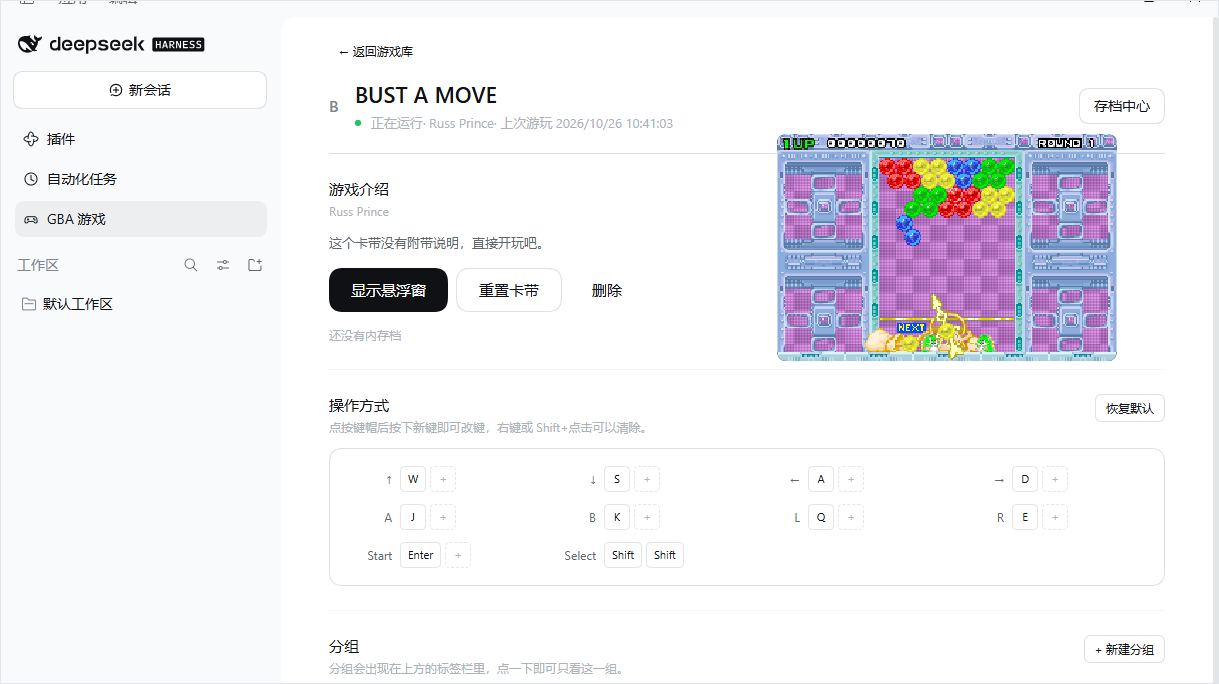
WASDto move andJ/Kto act by default; click a key cap and press the new key. Two keys per button, and the map follows you between browsers. - Saves that survive. Battery saves (
.sav), five save-state slots and a rolling auto-snapshot, all under$DSH_HOME, so a reload, a restart or another session sees them. - Looks like the Harness. Built from the theme's own tokens and the Dialog/Button primitives — no hard-coded colours, no separate design language.
| A game's page | The floating window |
|---|---|
 |
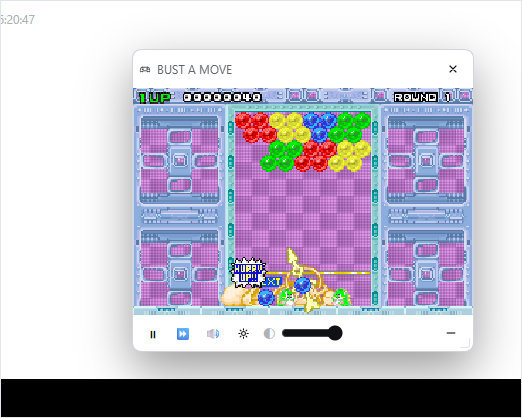 |
The game keeps running in a window above every column; its chrome only appears on hover.
Install
This is a persistent Harness bundle: it installs into a profile, survives restarts, and is available in every session of that profile.
From the plugin market
This bundle publishes its own market index. In the Harness:
Plugins → Plugins → More beside Experimental plugins, and switch on Custom plugin markets. A Discover tab appears.
Add this index source:
https://qq1171910065.github.io/dsh-gba/index.jsonFind GBA games and install it.
The index pins a commit, so what you install is exactly what was tested.
From a folder
Unpack the bundle somewhere permanent.
Plugins → Add, and give it that folder — or ask the assistant in a session:
Install this directory as a bundle:
D:\path\to\dsh-gbaA GBA games entry appears in the left sidebar beside Plugins and Scheduled tasks. Reload the page if it does not.
Requirements
| Item | Value |
|---|---|
| Harness | 0.2.x, any profile with the Web GUI |
| Disk | ~3 MB |
| Network | only for the store and box art, and only on first use |
| Build step | none — no npm install, no compiler |
Using it
- Open GBA games in the left sidebar.
- Switch to Store, pick a game, press Download and play.
- The game runs in the window at the bottom right. Hover it for the toolbar.
The All tab lists everything you own. Click a row for its page: the description, the big Play button, the control map and its groups.
Keyboard
| Key | GBA button |
|---|---|
W A S D |
D-pad |
K |
A |
J |
B |
U |
L |
I |
R |
Enter |
Start |
Shift |
Select |
Ctrl+Alt+G |
show / hide the floating window |
Ctrl+Q |
boss key: hide, then restore |
Click the screen first: the emulator only takes keys while the screen holds focus, so the composer keeps working normally. Everything except the last two is rebindable, from a game's page or from the window's gear panel.
Ctrl+Q cannot live in the Harness shortcut service — it reserves that chord — so the plugin
listens for it directly. Ctrl+Alt+G is registered there and can be changed in the Harness
shortcut settings.
Where your data lives
Everything durable is under $DSH_HOME/storages/dsh-gba/ (~/.dsh by default), never in the
package:
$DSH_HOME/storages/dsh-gba/
├── settings.json            volume, fast-forward, ROM folders, key bindings,
│                            groups, window opacity
├── covers/<slug>.png        box art cached from the public libretro mirror
├── store/                   store covers and downloaded cartridges, cached
├── games/                   drop folder used when no ROM folder is configured
└── roms/<id>/
    ├── rom.gba              the cartridge as imported
    ├── rom.json             name, title, CRC32, game code, source
    ├── save.sav             battery save (SRAM / Flash)
    └── states/
        ├── 0.ss … 4.ss      the five manual slots
        └── 9.ss             the rolling auto snapshot
Disabling the bundle leaves this directory alone, so re-enabling it brings your library and saves back. Delete it by hand to start over.
How it works
| Half | File | Responsibility |
|---|---|---|
| Host | index.js |
Serves the mGBA assets, the store index and box art; downloads store cartridges on demand; walks ROM folders; owns the /dsh-gba/api library, ROM, save, state and settings routes. |
| Client | client.js |
Registers the gba-games main panel, its sidebar entry, the shell.overlay floating window and the shortcuts; owns the single mGBA instance and its canvas. |
One emulator runs per browser tab and the floating window is its only screen, so there is
nothing to re-sync after a resize, a reload or a boss-key hide: the engine keeps one <canvas>
and moves it between holders by priority.
Every Host route passes the same Connection trust fence and browser cookie as the rest of the
Web GUI, so a cross-site page cannot read the library (403 for a foreign Origin, 401
without the session cookie). Store downloads only ever fetch the paths listed in store.json —
a caller cannot name an arbitrary URL — and only files inside a configured ROM folder can be
imported.
Why the core is pinned to mGBA 1.1.1
The 2.x builds of the WebAssembly port are multi-threaded and need SharedArrayBuffer, which a
browser only grants to a cross-origin-isolated page (COOP: same-origin + COEP: require-corp).
The Harness Web server does not send those headers and a plugin cannot add them to the index
response. 1.1.1 (mGBA 0.11 core) is the last single-threaded build and runs on an ordinary
origin, which is what makes an embedded window possible at all.
About ROMs
This bundle ships no ROM data. store.json is an index of where cartridges live upstream;
catalog.json is a no-intro metadata table used only to recognise a cartridge you already have.
A .gba reaches disk only when you install one.
Adding your own files is your responsibility: dumping a cartridge you own is legal in most jurisdictions, downloading one you do not own is not.
Development
node test-host.mjs # mounts the Host half on a stub Cordis context and asserts every route
The test covers the empty library, the assets, the store index, ROM import and CRC recognition, battery saves, save states, play time, settings (window state, opacity, key bindings, groups), a folder scan that ignores non-cartridges, import by scanned path, the path guard, the size guards, deletion, and the auth fence. It needs no network and leaves nothing behind.
The panel was checked in a React 18 harness as well: the tabs, the rows, the game page blocks, the control grid, the dialogs and the floating window are all exercised by DOM assertions.
Credits
- mGBA by endrift and contributors — MPL-2.0
- Homebrew Hub — the community game database behind the store
- libretro-database — the no-intro DAT the catalogue derives from
- thumbnails.libretro.com — box art
See THIRD_PARTY_NOTICES.md for the details.
License
MIT for this plugin's own code. The emulator core and the third-party data keep their own licenses.
No comments yet. Be the first to write one.