dsh-session-flags

Colored, user-named flags for DeepSeek Harness session lists.
Mark the sessions that matter, give each color a name of your own, and find them again from a searchable sidebar panel.
English | 中文






A flag is not a pin: pins reorder the list, flags label it. Use one color for “waiting on me”, another for “refactor in progress”, a third for “read tomorrow” — and rename the colors to match your own workflow.
Highlights
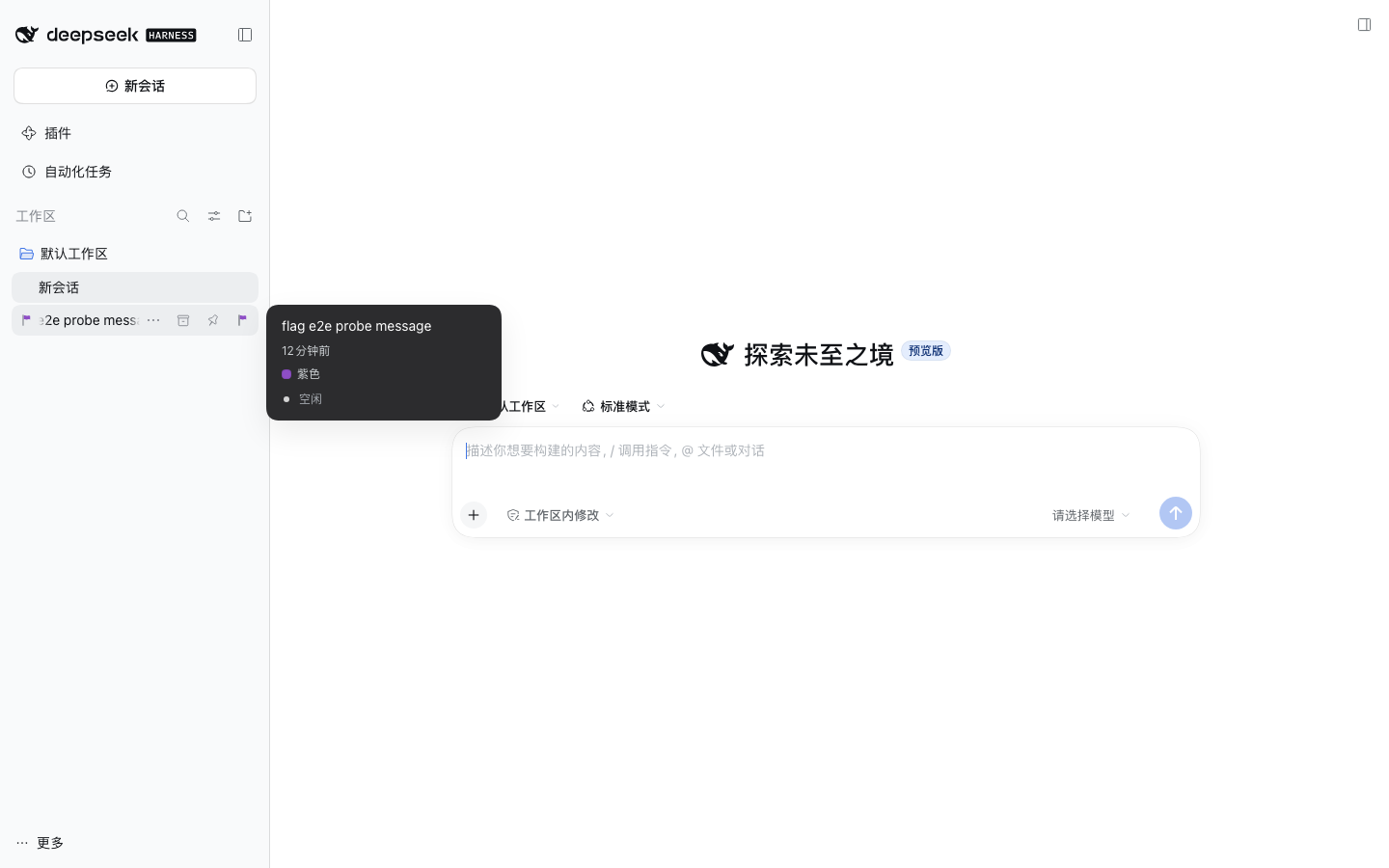
- A flag on every flagged session row. A small flag glyph sits in the session-row leading seat, right before the title, while the row is idle; the row's own status dot takes precedence when a session needs attention.
- One click on hover. The row's hover strip carries a flag button; its hollow state tells unflagged rows apart at a glance.
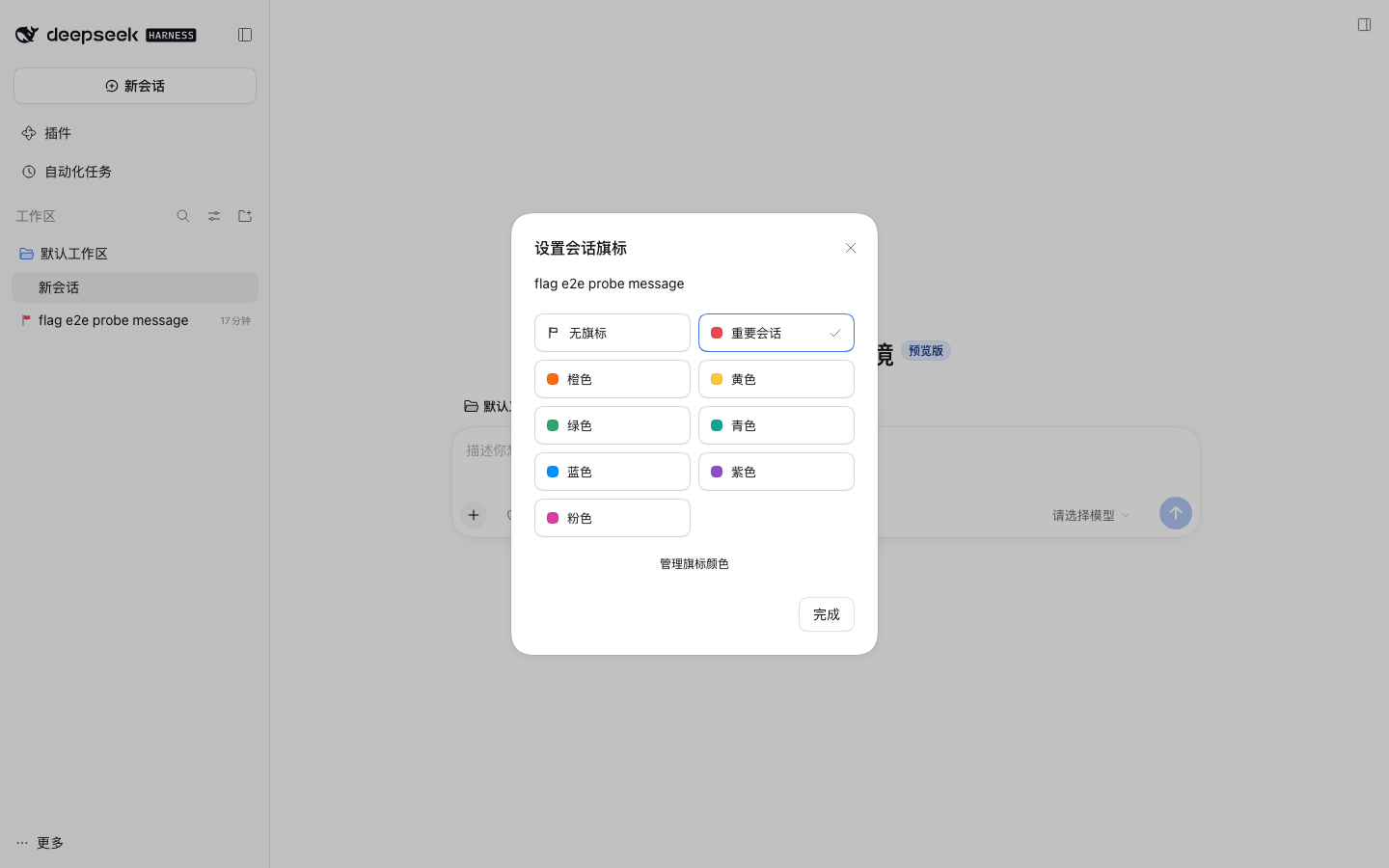
- A “Set flag” row in the session “…” menu. It sits between “Fork” and “Archive” and previews the current color.
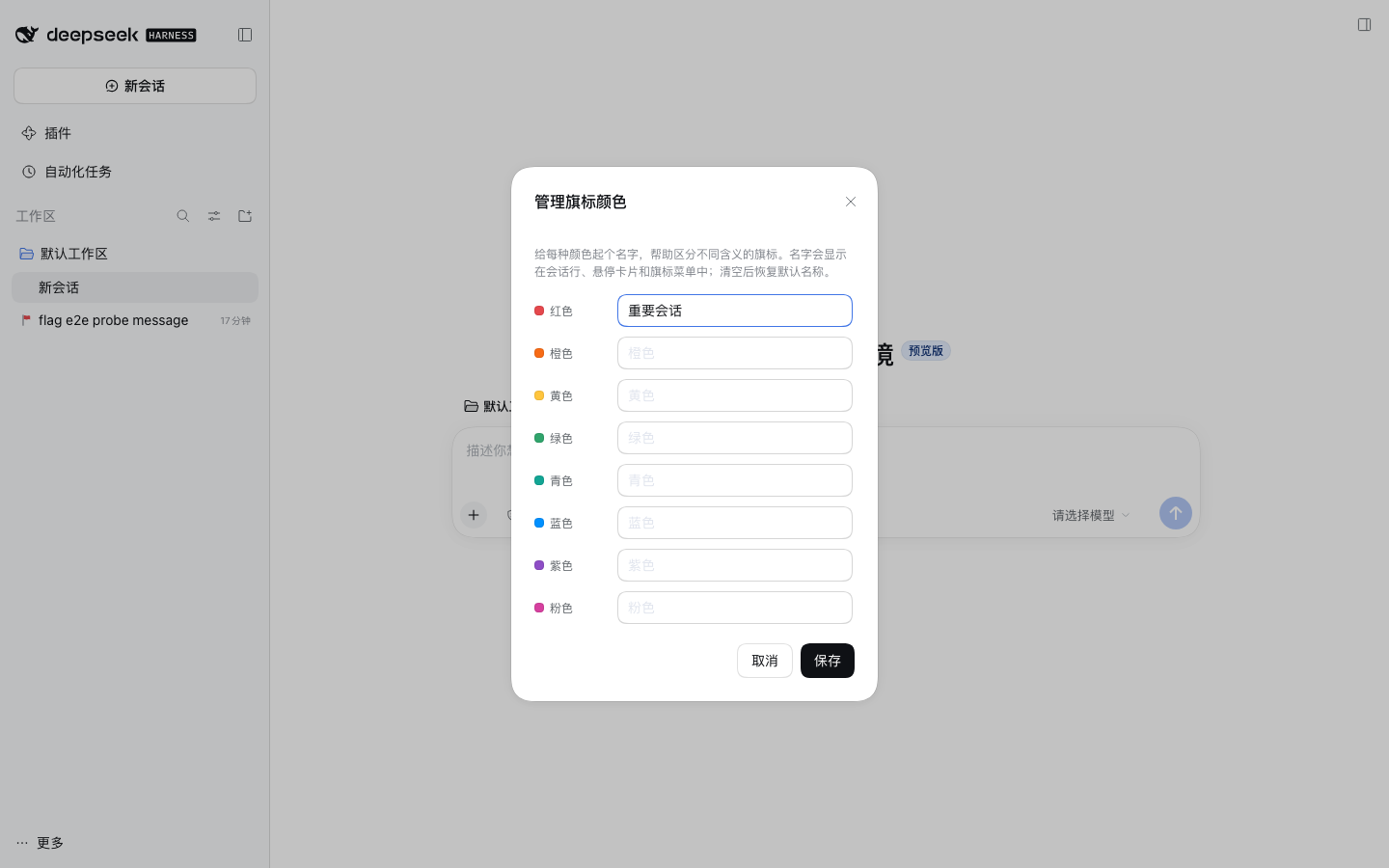
- Named colors. Each of the eight palette colors can be renamed. Names show up in the hover card, the picker, and the menu, so the color system can carry your own vocabulary.
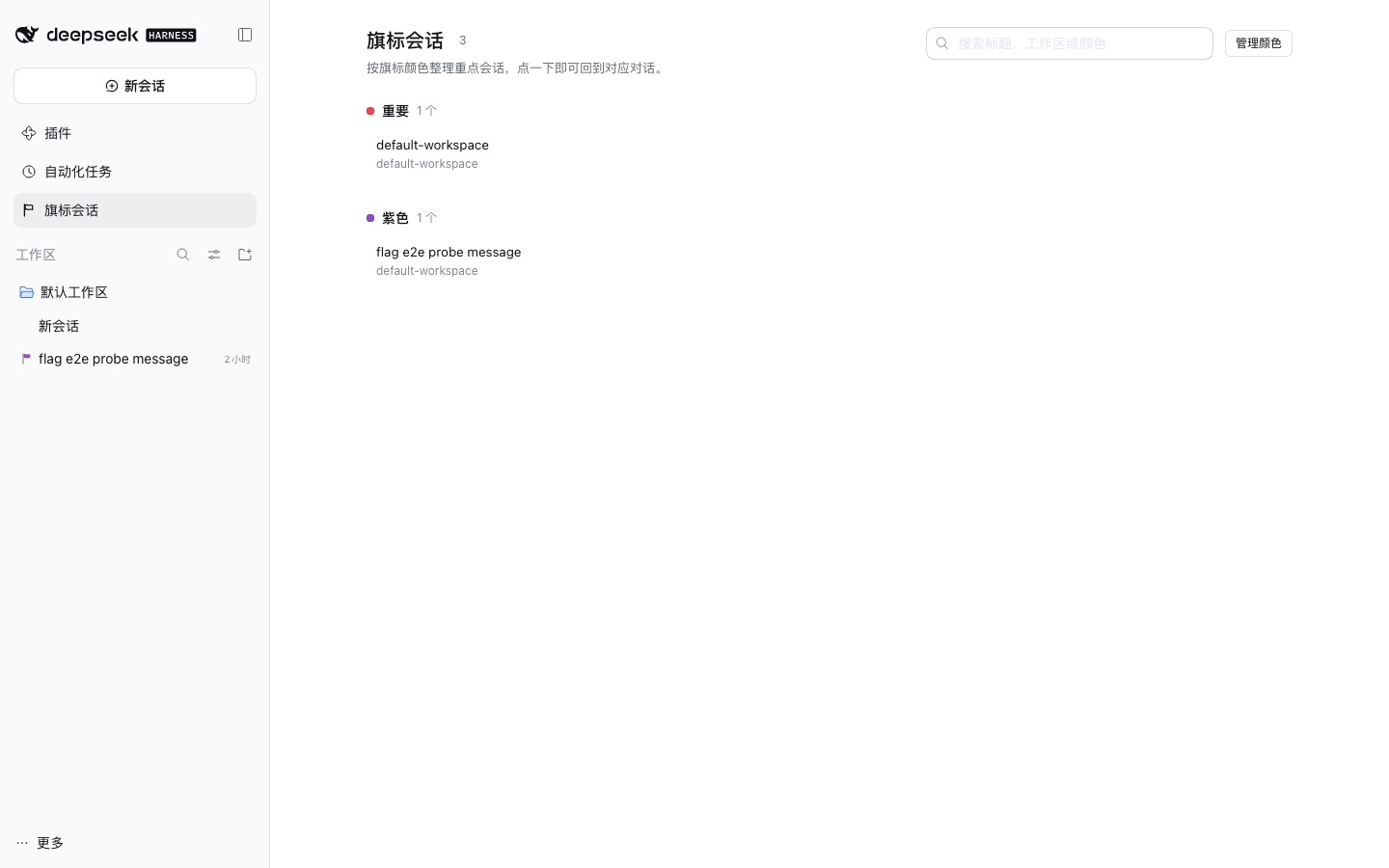
- A searchable “Flagged sessions” panel. A sidebar panel row opens a page that groups every flagged session by color, shows each color's name, and jumps straight back to the conversation. Search matches session titles, workspaces, and color names.
- Bilingual UI (English / Simplified Chinese) following the GUI language.
- Durable, local, private. Flags live in one JSON document under the DSH home, owned by the plugin's Host half. No network calls, no telemetry, no changes to the sessions themselves.
Screenshots
| Flagged row + named chip | Pick a color | Rename the colors |
|---|---|---|
 |
 |
 |
| “Flagged sessions” panel |
|---|
 |
Requirements
- DeepSeek Harness Desktop (or the Web GUI) 0.2.1-rc.2. The package declares
engines.dsh: ">=0.2.0-rc.2", and named installs are checked against that range before the package manager runs. - The plugin is a normal independent DSH plugin package (Host half + Client browser bundle); it installs into a profile, not into the application.
Install
From npm
Published as the unscoped npm package dsh-session-flags:
# The compatibility preflight runs first (`engines.dsh`), then the package
# manager adds it; reconciling the profile appends the new bundle, so the
# plugin is enabled without a second step.
dsh plugin --profile desktop add dsh-session-flags
In the GUI this is Plugins → Add plugin, typing dsh-session-flags. Either way, reload the profile afterwards — restart the Harness so the new Client bundle is registered. On the official DSH Desktop app prefer the app's own Settings → Plugins page: that profile belongs to the app's plugin manager, and the CLI cannot change it while the app is running.
From a local checkout
pnpm install
pnpm build          # lib/index.js (Host) + lib/client.js (Client bundle, CJS ModuleLoader)

dsh plugin --profile desktop add file:/absolute/path/to/dsh-session-flags
# or, for a clean isolated profile:
dsh plugin --profile flags-dev add file:/absolute/path/to/dsh-session-flags
Restart the Harness and open the Plugins page — the bundle and its dsh-session-flags row should be enabled. The profile patch layer (cordis.patch.yml) is applied automatically through the package's dsh.bundle.patch field.
From a tarball
pnpm build
pnpm pack            # dsh-session-flags-0.1.0.tgz (lib/ is included via "files")
dsh plugin --profile desktop add /absolute/path/dsh-session-flags-0.1.0.tgz
Marketplaces
Third-party listings are independent of npm. The community dsh-market reads the curated awesome-dsh-plugin registry; a listing is one pull request that adds data/plugins/<owner>__<repo>.yml, and the market app picks the entry up from that registry (usually within a day of the PR merging). The exact submission file and release checklist are in docs/releasing.md.
The official Harness ships no plugin market. Its optional custom plugin markets bundle (@deepseek-ai/dsh-experimental-plugin-market-bundle) adds a Discover tab where the user adds market index sources; the community catalog is published as a format-1 index at https://cdn.jsdelivr.net/npm/dsh-plugin-catalog/index.json. Turn it on from Plugins → More → Experimental plugins → Custom plugin markets, add that source, and search for dsh-session-flags. With the bundle on, the agent can browse the same indexes through the read-only plugin_market tool.
Usage
| Where | What it does |
|---|---|
| Session row, leading seat | Shows the flag color while the row is idle (status dots win while a session needs attention). |
| Session row, hover strip | Flag button → opens the Set session flag dialog. |
| Session “…” menu → Set flag | Same dialog, reachable without hovering. |
| Session hover card | Colored dot plus the color's current name. |
| Dialog → Manage flag colors | Rename each of the 8 colors; blank a name to fall back to the localized default. |
| Sidebar → Flagged sessions | Searchable page with every flagged session, grouped by color name. Search matches the session title, its workspace, or the color name. |
| Panel row hover → × | Clear that session's flag without opening the conversation. |
| Panel header → Manage colors | Same color-name manager, right where the list is. |
Choosing “No flag” clears the flag. Names and flags are saved as soon as you confirm; the dialog reports a failure instead of closing when the Host rejects a write.
How it works
src/
  shared/         palette + wire protocol shared by both halves
  host/           Cordis plugin: owns flags.json, registers exact Fetch routes
  client/         Cordis plugin: locale copy, styles, slot contributions, dialogs
  index.ts        re-exports the Host entry
  client/index.ts Client bundle entry (ModuleLoader factory)
Host half (name / inject / apply). It needs only ctx.connection and registers three exact Fetch routes below /api/dsh-session-flags (state, set-flag, color-names) with ctx.connection.fetch.register. Each response uses the Connection convention { ok: true, value } or { ok: false, error: { code, message } }. The document is persisted atomically (write temp file + rename) with serialized mutations, so concurrent UI actions cannot lose a write.
Client half. It registers a locale namespace, one <style data-plugin-css> element, and six slot contributions:
| Slot | Entry |
|---|---|
sidebar.session.row.leading |
FlagMark — colored glyph in the leading seat |
sidebar.session.row.hover |
FlagHoverTag — dot + name in the hover card |
sidebar.workspaces.session.row.action |
FlagRowAction — flag button in the hover strip |
sidebar.workspaces.session.menu.item |
FlagMenuItem — “Set flag” menu row |
shell.overlay |
FlagDialog — picker + color-name manager |
sidebar.panellist |
FlagPanelIcon — sidebar row for the flagged-session panel |
All six are registered through ctx.slots.inject, so they appear when the owning slot declares itself and are disposed with the plugin. State flows through two observable sources (FlagsStore, DialogStore) handed to the framework as hooks, which yields typed useFlags(selector) / useDialog(selector) hooks in every seat — no cross-slot imports.
The panel is a seventh contribution: a keyed entry in the layout's main slot under the panel id dsh-session-flags. The sidebar row and the page share that id (a panellist list id addresses the matching main panel). The page reads the Session and Workspace Controller snapshots through the framework's standard selector hooks, projects them plus the flag document with buildFlagPanel (pure, unit-tested), and navigates by delegating to the Workspace UI service (uiWorkspace.openSession). That service is injected through ctx.inject, so profiles without the workspace UI still keep every row-level flag feature.
Why the Host owns storage. The Desktop host boots dsh with --port 0, so the GUI gets a different loopback origin on every launch; a browser localStorage document would be per-launch. A JSON file under the DSH home is stable across launches, windows, and Web/TUI clients.
Styles are plain CSS injected as <style data-plugin="dsh-session-flags" data-plugin-css="dsh-session-flags/flag.css">, with all chrome reading --dsw-* theme tokens (the same mechanism official client packages use) instead of adding a CSS runtime dependency. Flag colors are the one exception: they are user data and are painted from the persisted hex.
Develop
pnpm install
pnpm typecheck     # tsc --noEmit (strict, noUncheckedIndexedAccess)
pnpm test          # vitest: palette, Host store, Client store, dialog store, panel projection, SSR seats
pnpm build         # tsdown: lib/index.js (ESM, Host) + lib/client.js (CJS ModuleLoader)
pnpm dev           # tsdown --watch
The Client bundle is a CommonJS ModuleLoader factory (window.__ModuleLoader__.load({ id, factory })) with react, react/jsx-runtime, and @deepseek-ai/* left external for the running Harness to resolve — the same shape official client packages and other third-party plugins use. dsh.client.inject lists the client services/packages the bundle expects loaded first.
Compatibility target: official packages are pinned at 0.2.1-rc.2 as dev dependencies for types; the only runtime peer is @deepseek-ai/cordis ~4.0.5 (optional, supplied by the host loader). engines.dsh declares the supported host range (>=0.2.0-rc.2), which is also what named installs are preflight-checked against. The plugin degrades quietly (no marks, no dialog) when a slot or service is missing rather than patching the host or the application.
Data location
$DSH_HOME/session-flags/flags.json ($DSH_HOME defaults to ~/.dsh). The Host resolves the directory through the Harness dshHomePath service. Document shape:
{
  "version": 1,
  "flags": { "<session-id>": "red" },
  "colorNames": { "red": "重点项目" }
}
Unknown fields and invalid ids are dropped on load, so a partially corrupted file never blocks the feature.
Releasing
Publishing, GitHub/catalog listing, and market discovery steps live in docs/releasing.md.
License
MIT © 2026 qingfengzxr
No comments yet. Be the first to write one.