dsh-mermaid-plus




Mermaid diagrams for DeepSeek Harness — rendered on demand by default, so a transcript full of diagrams costs nothing until you ask for one.
Screenshots
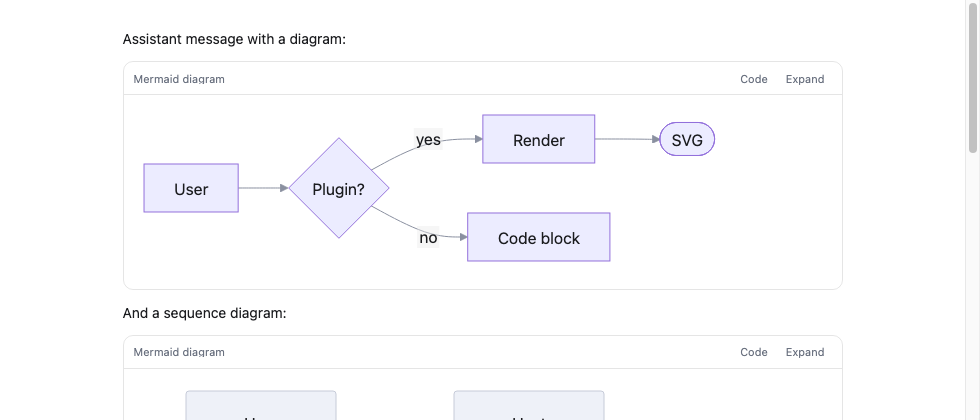
A rendered diagram in its card. The header switches to the source, copies it, or opens the diagram fullscreen:
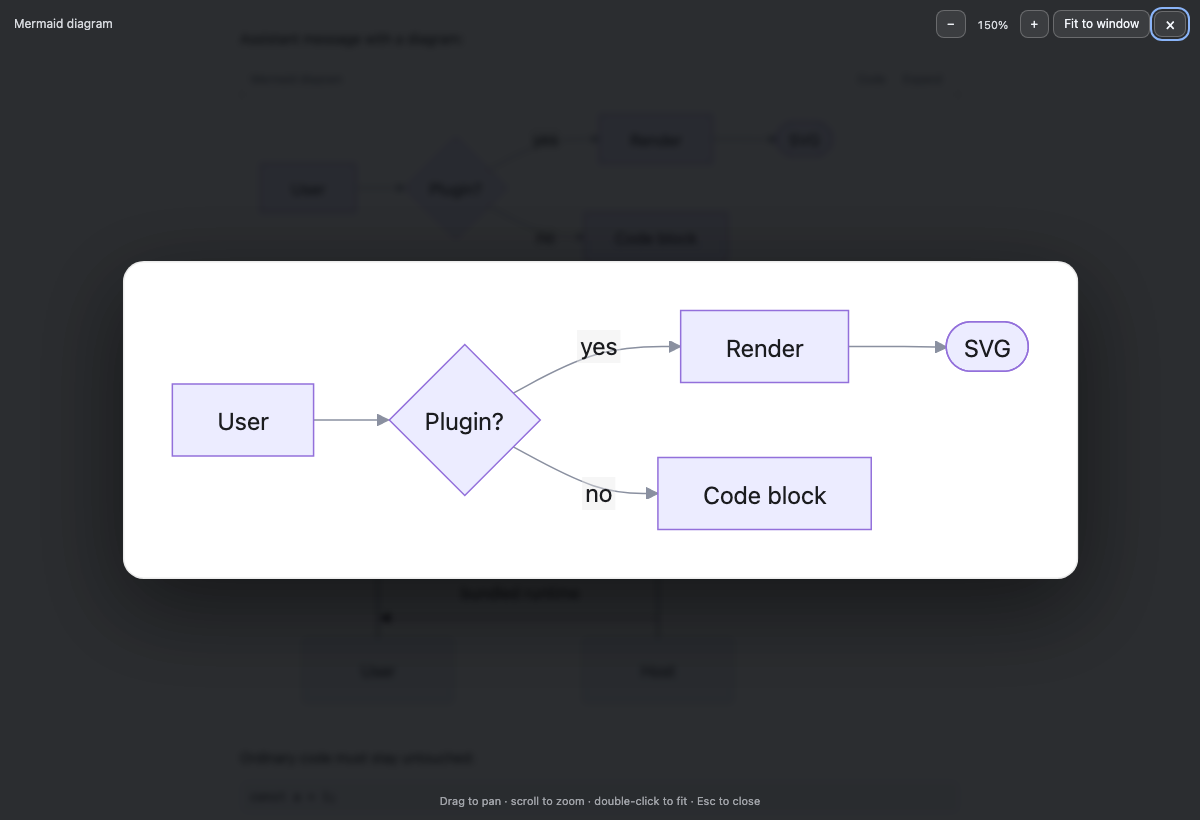
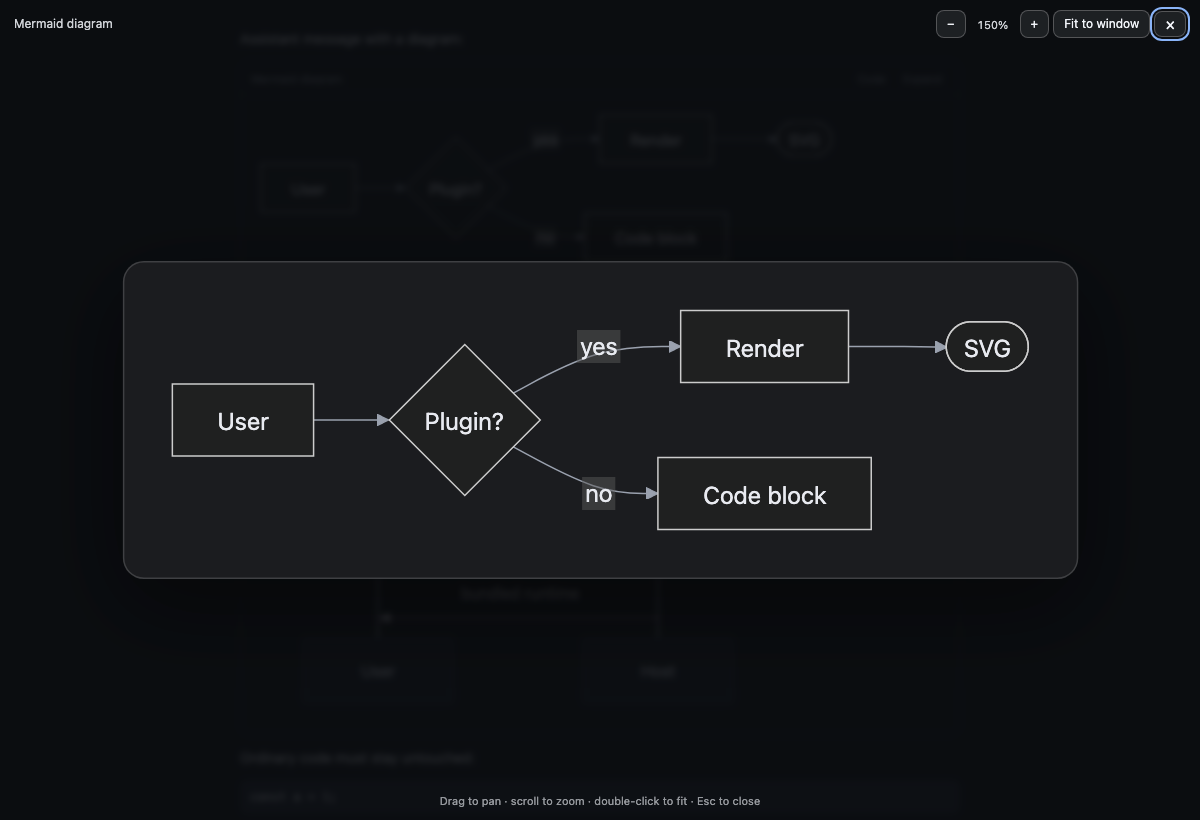
Fullscreen viewer, light and dark. The sheet is painted with the palette the diagram was rendered for, so labels stay readable in both themes — the bug that started this viewer was black text on a dark backdrop:
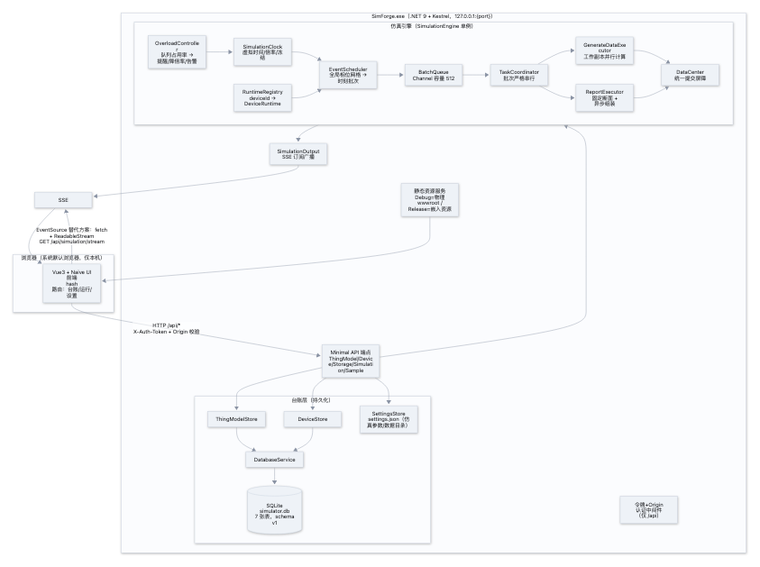
The same diagram, two layout engines
In a conversation column, width is what breaks a diagram: a wide graph has to be panned, a narrow one just scrolls with the page. ELK is the default; Settings → General → Diagram layout switches to dagre.
| dagre (standard) | ELK (compact, default) |
|---|---|
 |
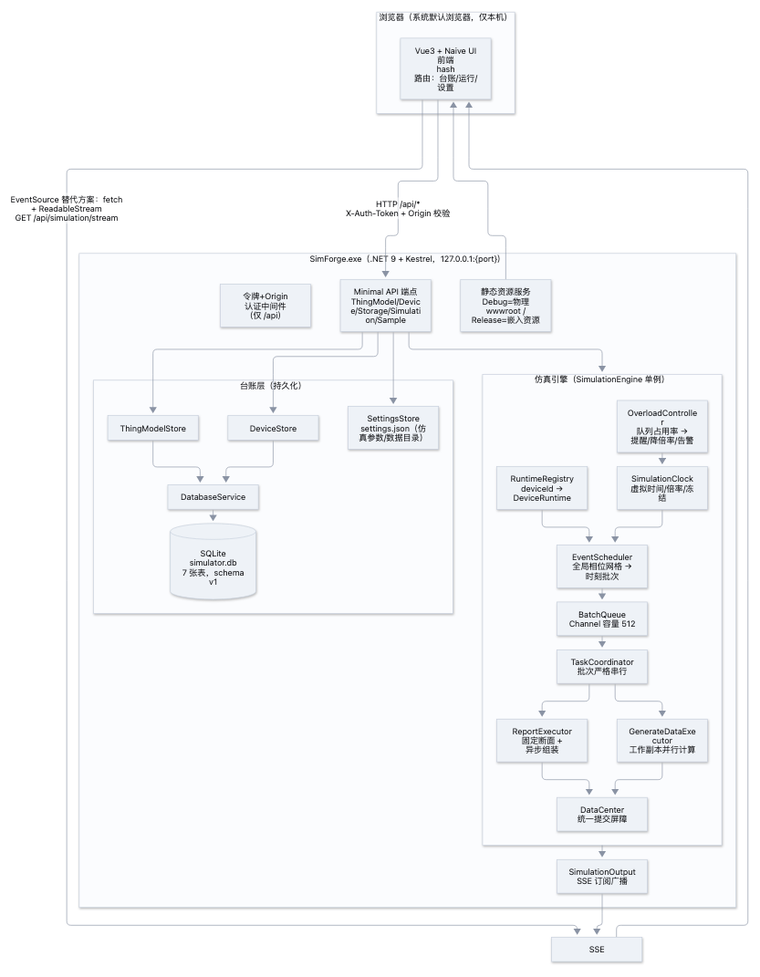 |
| 1956 × 1624 px | 1249 × 1833 px (−36% width) |
Measured on the corpus in test/bench/: ELK costs 5–20 ms per diagram
(and is faster on the 150-node case) while cutting the width of wide diagrams by
31–79%. See test/bench/results.md.
What it does
A fenced ```mermaid block in the conversation (or in a Markdown file preview) becomes a card:
- Compact layout by default — diagrams are layered with ELK, Mermaid's compact engine. On the benchmark corpus it cuts the width of wide diagrams by 31–79% at a cost of a few milliseconds per diagram; Settings → General → Diagram layout switches to the standard dagre layout, and switching re-draws the diagrams already on screen.
- On demand (default) — the source stays visible and a
Diagrambutton waits in the card header. The 5.4 MB Mermaid runtime is not downloaded and no layout work happens until you press it. - When visible — a diagram renders the first time its card scrolls into view.
- Always — renders as soon as the block appears (the classic behaviour).
Every rendered diagram can be opened fullscreen with zoom and pan, which is the point: a wide flowchart squeezed into the message column is unreadable, while the same diagram at natural size is fine.
Features
- Renders
mermaid,mermaidjs,mmdand unlabelled blocks that start with a diagram keyword. - Supports the diagram types the bundled Mermaid build ships:
flowchart/graph,sequenceDiagram,classDiagram,stateDiagram,erDiagram,gantt,pie,mindmap,journey,timeline,quadrantChart,xychart,gitGraph,requirementDiagram,C4,block-beta,packet-beta,sankey-beta,kanban,architecture-beta, and more. - Theme-aware: diagram colours are derived from the app's live design tokens, and a palette change re-renders only the diagrams you are looking at.
- Streaming-safe: a block is handed to Mermaid only after its source settles, so a half-written fence never flashes a parse error.
- Cached: a rendered diagram is kept by source + palette + layout engine, so switching between Code and Diagram, or reopening the viewer, costs nothing.
- Copy: the card header copies the fence source, replacing the code block's own toolbar when the card replaces it.
- Coexists with other renderers: a block another Mermaid renderer already claimed, and its error echo, are left alone.
- Takes over the code-block frame, not the transcript: the card replaces the application's frame, keeps its syntax-highlighted body, and puts the frame back on unmount.
- Fullscreen viewer: wheel zoom, drag to pan, double-click to fit,
Escto close, focus-trapped dialog, restores focus and page scrolling. - Falls back to the visible source with a short error line when a diagram does not parse.
- Unmounting restores every code block to its original place in the transcript.
Settings
Settings → General has two rows owned by this plugin:
| Row | Values | Default |
|---|---|---|
| Mermaid diagrams | On demand · When visible · Always | On demand |
| Diagram layout | Compact (ELK) · Standard (dagre) | Compact |
Benchmarks
test/bench/ is a reproducible benchmark (nine diagrams, real Chrome
over CDP with the real clock) used to choose the layout default and to re-check an
upgrade. Results: test/bench/results.md.
Install
dsh plugin --profile <profile> add dsh-mermaid-plus
Or install it from a catalog in Settings → Plugins → Marketplace (see the DSH 1024Store listing). Restart the app or reload the page afterwards.
The Mermaid runtime is bundled with the package (vendor/mermaid.esm.min.mjs, Mermaid 12.2.0) and served from the plugin's own Host route, so rendering works offline and no CDN is contacted. The fullscreen viewer and card never send diagram source anywhere.
Settings
Settings → General → Mermaid diagrams offers the three modes. The choice is stored per page origin and is namespaced by package name, so it never collides with another diagram plugin.
Compatibility
- Built and verified against DSH
0.2.0-rc.2; last checked on Desktop2.0.21-next(code-block DOMdiv.md-code-block > [data-code-block-content] > pre). - DSH is a developer preview: client plugin contracts, slot keys, and rendered Markdown can change between releases. This plugin decorates the rendered
<pre><code>output, which is the part most likely to shift; if a release breaks it, the cards simply stop appearing and the code blocks stay intact. - Requires a browser or Electron renderer with
IntersectionObserver(used only in "when visible" mode) andDOMParser.
How it works
- Host half (
index.js) mounts one prefix route that serves the vendored Mermaid ES module. The route is derived from the package name (/x-dsh-mermaid-plus), so two diagram plugins can coexist. - Browser half (
client.js) is a normal DSH client bundle: it registers a root-scoped occupant onshell.overlay(which exists before any session), plus a status row and the settings row. It never imports Harness client packages and never touches the model's context. - Because the shipped Markdown renderer exposes no code-block extension point, the browser half decorates the rendered output: it moves a mermaid
<pre>into a card it owns, and puts it back on unmount. The original DOM node is preserved, so the transcript, copy, and select all keep working.
Troubleshooting
The browser half reports lifecycle events to its Host half, which appends them to a bounded log:
<os tmp>/dsh-mermaid-plus/report.json
It records lifecycle events only — start, apply-ok, apply-throw, adopted, render-ok, render-error, blocks-unmatched — with counts, not document text: no diagram source, no file contents, no paths beyond the plugin's own. If diagrams stop appearing, that file plus the browser console (a failed import) usually identifies the cause.
Development
The plugin has no build step for its own code: index.js and client.js run as they are. Only vendor/mermaid.esm.min.mjs is generated, and only when the bundled Mermaid version changes.
npm install                 # mermaid 12.2.0, esbuild, jsdom
node build.mjs              # rebuild vendor/mermaid.esm.min.mjs
node test/run.mjs           # host route, real cordis mount, jsdom browser-half behaviour
node test/serve-e2e.mjs     # then open http://127.0.0.1:8732/ for 35 real-browser cases
node tools/doctor.mjs       # activation, install mode, last browser events
node tools/dev-sync.mjs     # copy this checkout over an npm-installed copy
docs/development.md covers the debug loop, what each symptom means, and the release flow.
License
Contributing
The plugin is intentionally small: two JavaScript files, no runtime dependencies, no build step for its own code. Bug reports with a minimal diagram source and contributions of any size are welcome.
CONTRIBUTING.md— setup, the test loop, where each change goes, PR expectations.docs/development.md— the debug loop, what each symptom means, release flow.CHANGELOG.md— what changed and why.SECURITY.md— private vulnerability reporting.
Credits: Dunianggg (pull request #1 — coexistence, the code-block frame,
suppressErrorRendering) and Songyanglin-curious (the Mermaid 12 / ELK fork —
the ELK direction, render-validity guards, cache versioning, the Windows build fix)
are recorded in CREDITS.md.
Wanted, with a working prototype in a community fork:
- Compact layout (ELK) — Mermaid 12's ELK layout makes wide diagrams like the architecture sample dramatically more readable; it costs runtime size and a license notice, so it needs a design (a setting, or automatic by diagram size) before it lands.
- Diagram export — SVG and PNG from the viewer, with the theme background baked in.
- More browser fixtures — one case per diagram type keeps the decoration layer honest across DSH upgrades.
See issue #2 for the invitation and the review notes.
License
MIT. The bundle also carries Mermaid (MIT) and its layout engine ELK (EPL-2.0);
see THIRD-PARTY-NOTICES.md and vendor/*.LICENSE.
中文说明
把对话(以及 Markdown 预览)里的 ```mermaid 代码块渲染成图表卡片。
默认按需渲染:代码块保持源码可见,卡片右上角有一个「图形」按钮;在你点它之前,Mermaid 那个约 5.4 MB 的运行时不会被下载,也不做任何布局计算。另外两种模式是「滚动可见」(卡片进入视口才渲染)和「立即」(出现即渲染)。
默认使用 ELK 紧凑布局。同一张架构图,标准布局(dagre)宽 1956 px,ELK 宽 1249 px(−36%);在基准里宽图普遍收窄 31–79%,代价是每张图多 5–20 ms。设置里可以切回标准布局,切换会立刻重绘已经显示的图——数据见 test/bench/results.md。
渲染后的图表可以全屏放大:滚轮缩放、拖动平移、双击适应窗口、Esc 关闭;全屏只克隆已有 SVG,不会重新渲染。
其他特性:
- 配色取自应用当前的
--dsw-*设计令牌,明暗主题各自适配;主题切换只重绘你正在看的图。 - 流式输出期间不会渲染半截源码。
- 渲染结果按「配色 + 源码 + 布局引擎」缓存,切换「代码/图形」或重开全屏都是零成本。
- 卡片头部可以复制源码;当卡片取代应用自己的代码块框时,语言栏与复制按钮的职责由卡片承担。
- 与其它 Mermaid 渲染器共存:被别的渲染器标记过的块、以及它失败时回显的源码,都不会被重复接管。
- 解析失败时保留源码并给一行错误提示;ELK 排不出来的图会自动用 dagre 重试一次。
- 卸载时把每个代码块(连同应用原来的代码框)放回原位,不破坏对话内容。
两个设置在 设置 → 通用:
| 行 | 选项 | 默认 |
|---|---|---|
| Mermaid 图表 | 按需 · 滚动可见 · 立即 | 按需 |
| 图表布局 | 紧凑(ELK) · 标准(dagre) | 紧凑 |
Mermaid 运行时随包内置(12.2.0),由插件自己的 Host 路由提供,不访问 CDN、离线可用,图表源码不会发往任何地方。
其中 ELK 布局引擎以 EPL-2.0 随包分发(插件自身仍是 MIT),许可证与来源见 THIRD-PARTY-NOTICES.md。
兼容 DSH 0.2.0-rc.2(桌面版已在 2.0.21-next 上验证)。DSH 处于开发者预览阶段,客户端插件契约可能变化;本插件装饰渲染后的 <pre><code>,是最容易受影响的一层——若某次升级后卡片不再出现,代码块本身仍然完好。
排障:浏览器半侧会把生命周期事件报告给 Host,写入 <系统临时目录>/dsh-mermaid-plus/report.json(start / adopted / render-ok / render-error / apply-ok / apply-throw)。
No comments yet. Be the first to write one.