dsh-session-tools
English | 中文
Session management for the DeepSeek Harness sidebar. Lock a conversation, send it to a recycle bin with or without the files it wrote, handle Sessions in bulk per workspace, or move one — files included — into another workspace.
Everything except the explicitly chosen direct delete is reversible from the recycle bin.
Screenshots
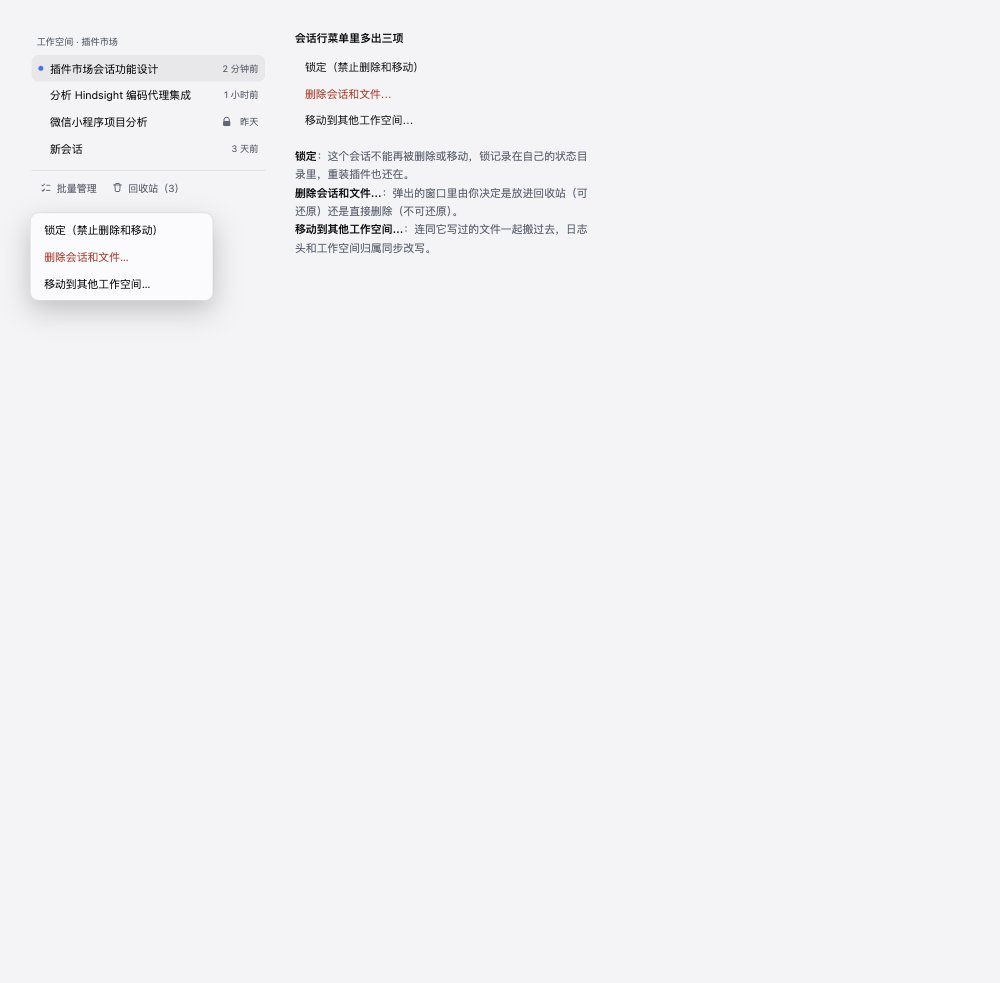
The Session row menu, and the lock mark on a protected row
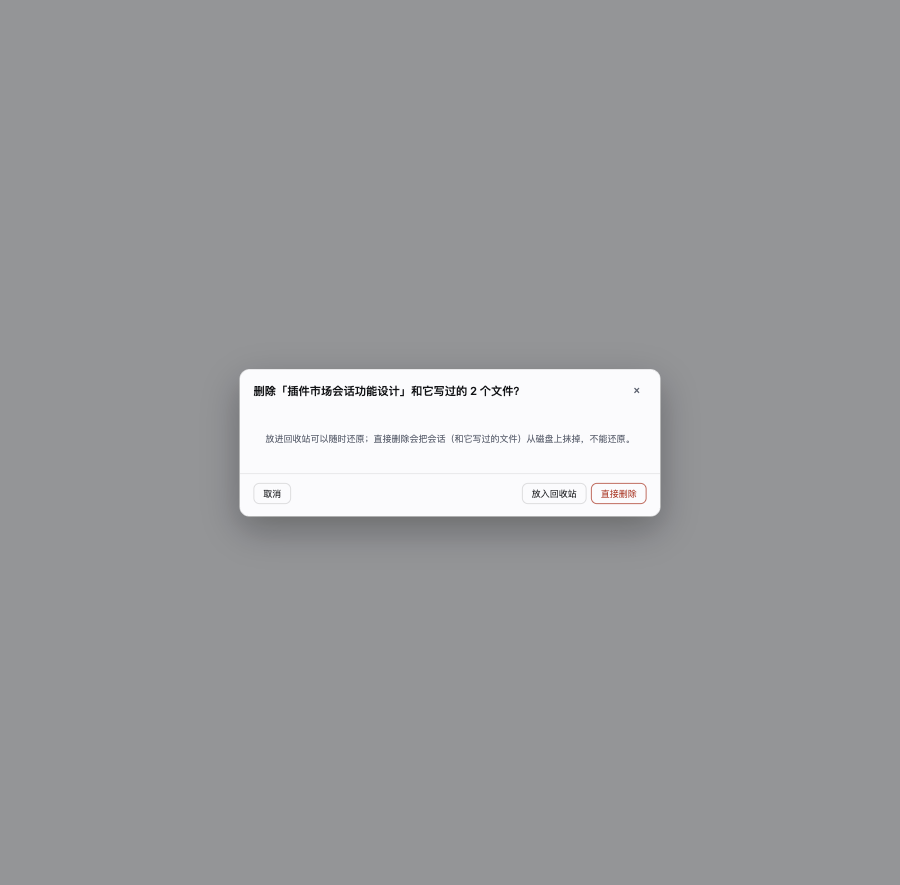
Delete asks which way you want it to go
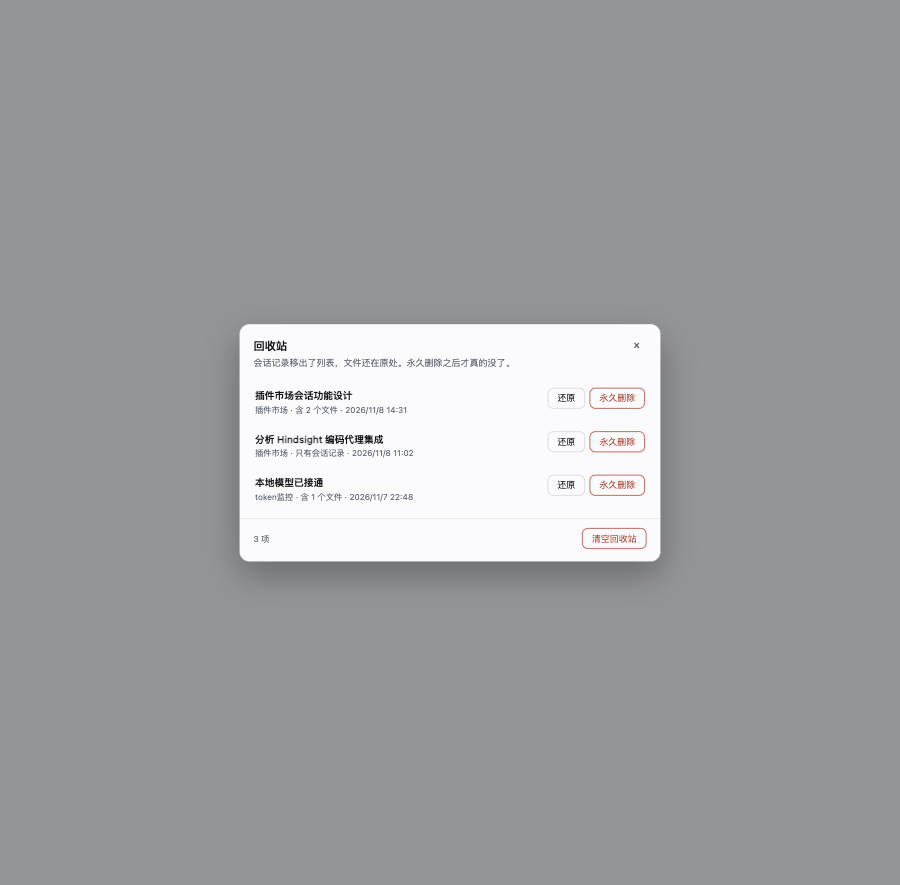
The recycle bin
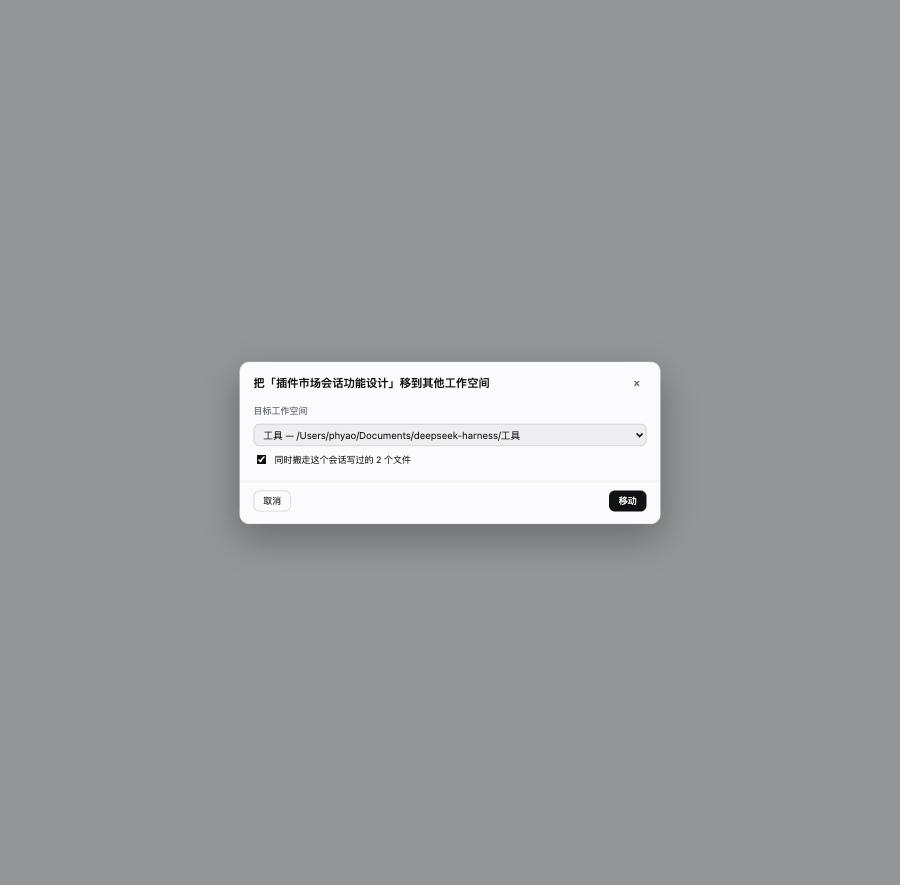
Moving a Session, and its files, to another workspace
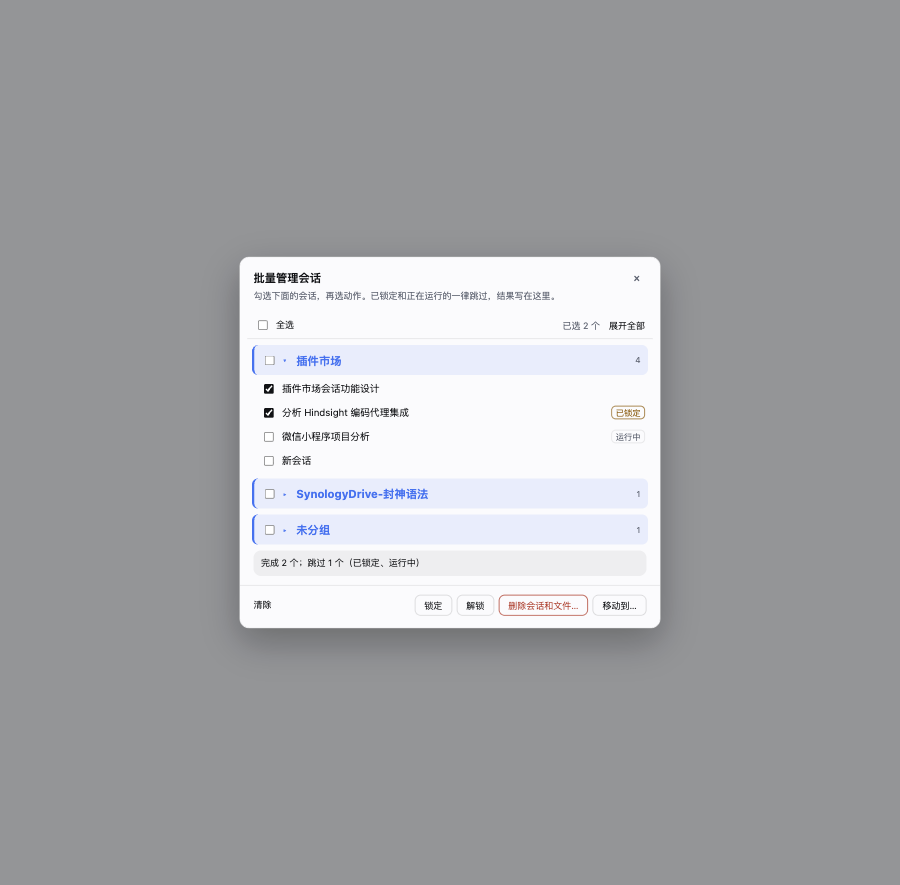
Bulk management, grouped by workspace
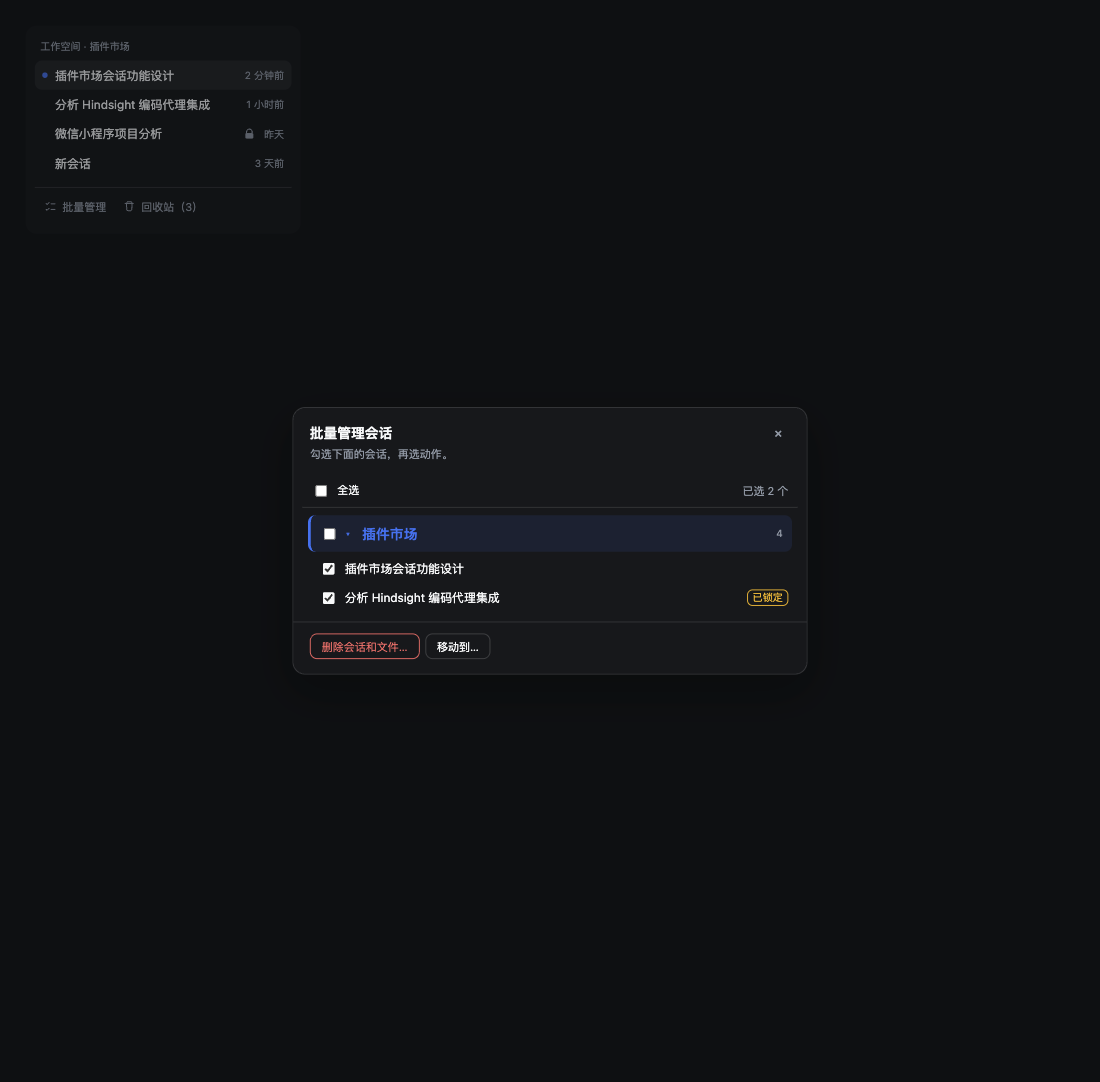
Dark theme
What it adds
| Where | What |
|---|---|
A Session row's ⋯ menu |
Lock / unlock · Delete Session and files… · Move to another workspace… |
| Session row, trailing seat | A lock mark on a locked Session |
| Sidebar foot, beside Settings | Manage (bulk) · Recycle bin, with a count |
| Frame overlay | Bulk panel, recycle bin, move dialog, confirmations |
The four operations
- Lock — the Session can no longer be deleted or moved. The mark lives in
~/.dsh/session-tools/state.json, so it survives reinstalling the plugin. It does not block ordinary conversation, and it does not block DSH's own Archive (archiving only hides a Session). - Delete Session and files… — one entry, one question, two exits:
- Move to the bin — the Session (and the files it wrote) move to the recycle bin and can be restored; the files' original paths are recorded, so a restore puts them back exactly.
- Delete directly — the Session's log and those files are removed from disk. This one cannot be undone, which is why it is a separate button and not the default.
- Recycle bin — restore, delete forever, or empty. Logs live in
~/.dsh/session-tools/trash/<entry>/(session/plus, when they travelled,files/). - Move to another workspace — the Session and the files it wrote move to the target workspace.
This is a real change of ownership: the header frame's
cwdis rewritten to the target path, the log directory moves into that workspace's Session directory, and the Workspace registry account is re-pointed. A restart therefore derives the same answer instead of moving the row back. - Manage — the bulk panel: Sessions grouped by workspace (collapsed by default), one checkbox per row plus group-wide selection, then lock / unlock / delete / move for everything selected. One refused Session never aborts the rest: locked, running, already-binned and vanished Sessions are skipped, and the panel states the split.
Where "running" comes from
Not from "is this Session in memory" — the sidebar keeps every Session it has opened resident, so an
idle Session you merely opened would otherwise be refused forever. The plugin asks DSH's own
workspace/session-activity channel (the signal the shipped Archive uses): a turn, subagent, background
job or schedule actually running counts, and the refusal names which. An idle Session that is open can
be deleted, and the page is told to drop the row.
Files it touches
~/.dsh/session-tools/— the plugin's own state: locks, recycle-bin entries, move history, and the loaded build stamp. Deleting this directory clears locks and the bin, nothing else.- The Session store (
~/.dsh/sessions/<workspace>/<session id>/) — the Session log of what you delete or move. A log is never rewritten except for the header frame'scwdwhen moving, and every later frame is copied byte for byte. - The workspace registry (
~/.dsh/storages/workspace.json) — the accounted-Session list of the two workspaces involved in a move or a delete.
The files a Session "wrote" are the paths its own log recorded through write / edit /
apply_patch, restricted to the Session's workspace. Other Sessions' files are never touched, and
neither are files the Session never wrote.
Install
# from npm, once published
dsh plugin add dsh-session-tools

# or straight from this repository (no build step, no build approval)
dsh plugin add github:panhaiyao1982-bit/dsh-session-tools
Restart the app once after installing; the sidebar foot then shows Manage and Recycle bin.
Platforms
macOS, Linux and Windows all work; the plugin contains no platform branch.
Three things that usually break across platforms are handled here:
| Concern | How |
|---|---|
| The Session directory's path encoding | Byte-for-byte equivalent to DSH's own JSONL store (projectKey / encodeSegment): Windows drive letters (C:), backslashes, non-ASCII paths and over-long paths all agree — checked with a differential test against the real build |
| Path comparison | Windows paths are case-insensitive, so comparisons normalize case and separators; POSIX keeps its case, where it is significant |
| Relative paths in the bin manifest | Always stored with forward slashes — \ is a legal file name on POSIX but a separator on Windows, and pinning one spelling breaks the other |
A move across drives (Windows C: → D:) uses fs.rename and falls back to copy-then-delete when the devices differ.
node:zlib's zstd ships with Node 22.15+ / 24 on every platform; without it the move says so instead of failing quietly.
Compatibility
Requires DSH >=0.2.2-rc.1 <0.3.0-0 and Node >=22.15.
Moving a Session relies on the Workspace registry's durable account table and its canonical-path
index (@deepseek-ai/dsh-workspace). Those are stable enough to have survived this release line but
are not a public API: the plugin fails closed (registry/unavailable, nothing touched) rather than
guess, so a DSH upgrade should be followed by a re-run of the suites before widening engines.dsh.
Development
No build step. index.js is the Host half (one POST route plus the file operations), client.js is a
hand-written Module Loader bundle registering four slots, and locale/*.json feeds the plugin list.
The suites live outside this package (they build a synthetic Session store and drive the Host half the way the panel does):
cd ../tests && ./run.sh
No comments yet. Be the first to write one.