dsh-plugin-groups
English | 中文
A DeepSeek Harness plugin that adds one row of category tabs to the Plugins page's Installed list, and nests patch plugins under the plugin they patch.
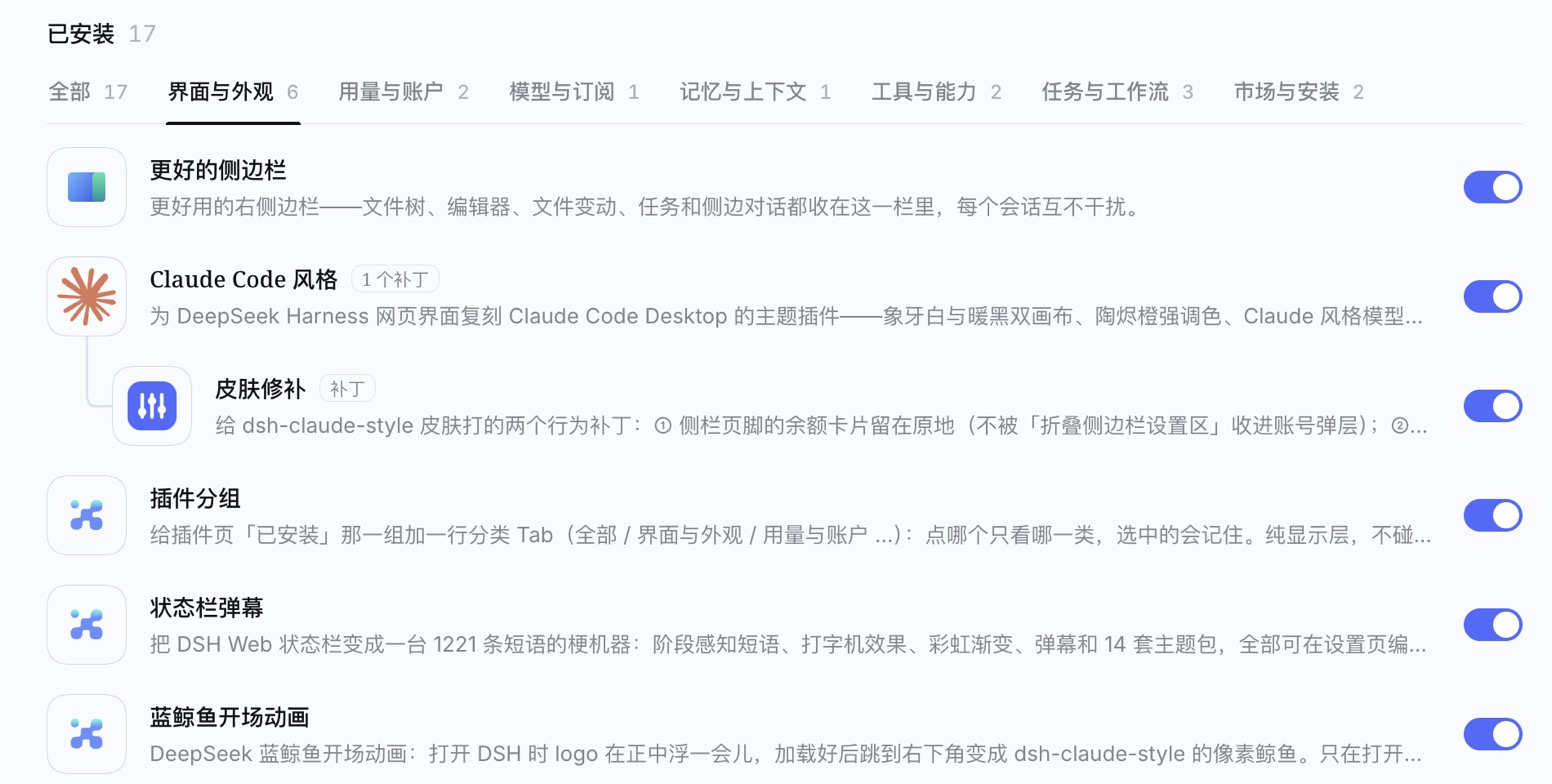
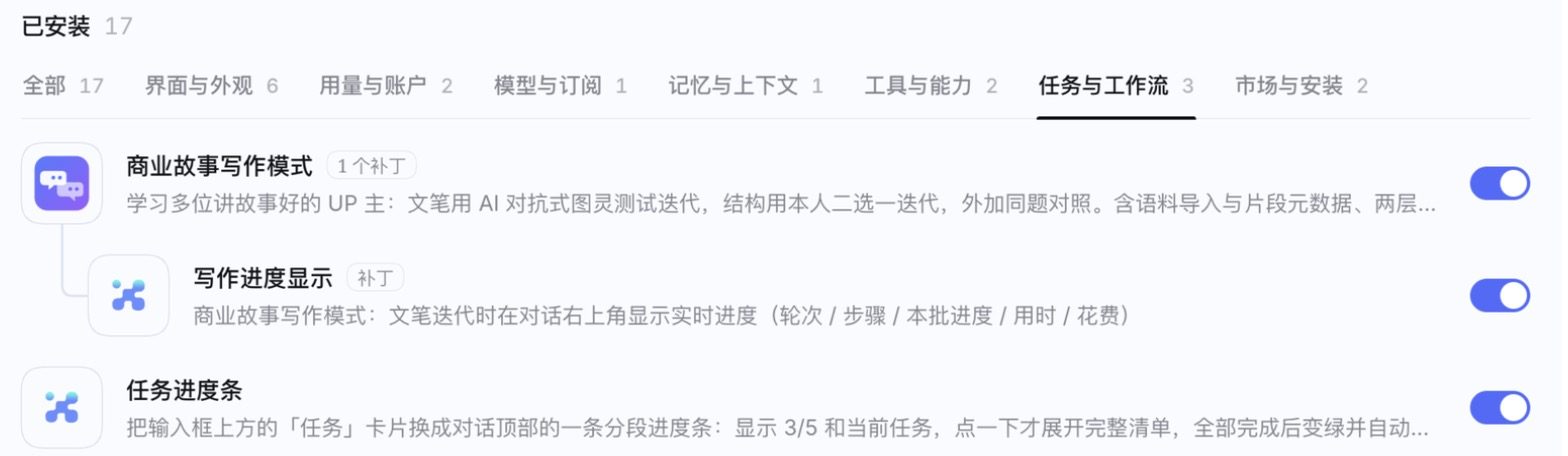
What it does
- Category tabs —
All · Appearance & UI · Usage & account · Models & subscriptions · Memory & context · Tools & abilities · Tasks & workflow · Market & install. Pick a tab to see only that category; the choice is remembered per browser and the counts follow installs / uninstalls live. Plugins that match no category land in Other, always last. - Patches nested under their parent — a plugin that exists only to patch another one is shown right below
it, indented, joined by a thin
└line and tagged Patch; the parent gets an N patches tag. A patch follows its parent's category. If the parent is not installed, the patch is shown on its own as usual. - Looks native — the tabs copy the official settings tabs (
gap: 22px, 13/20px, 2px underline, official focus ring) and use only DSH design tokens, so they follow light / dark and third-party skins. - Display only — no slots, no config, no files written, no network. It never touches another plugin or DSH itself. Disable or uninstall it and the page is exactly as before.
Install
# desktop app
dsh plugin --profile desktop add github:p56568833/dsh-plugin-groups
# web
dsh plugin --profile web add github:p56568833/dsh-plugin-groups
Then fully quit and reopen DeepSeek Harness (or restart dsh web and refresh the page).
Uninstall from the Plugins page, or dsh plugin --profile desktop remove dsh-plugin-groups.
Customize
Everything lives at the top of client.js:
| Table | What it does |
|---|---|
CATEGORIES |
Tab order = array order. packages are exact package names (checked first); keywords are regexes on the package name for plugins you install later. Matching is by package name, not by the displayed title, because titles change with translation plugins and UI language. |
PARENTS |
patch package → parent package. Add a line for any patch plugin you use. The shipped entries are examples from the author's setup; a pair only shows when both plugins are installed. |
Tab labels follow the page's own language (Chinese when the page heading is Chinese, English otherwise).
How it works
Against the official @deepseek-ai/dsh-client-ui-plugin-manager markup:
| Hook | Used for |
|---|---|
[data-plugin-panel] |
the Plugins page |
[data-plugin-group="bundles"] ul |
the Installed card list (a flex-direction: column list) |
li[data-plugin-package="<npm name>"] |
one card — the same attribute the page itself uses to scroll to a plugin |
The tab row is inserted as the list's first child with order: -1; filtering sets display: none on cards;
nesting only sets the flex order (cards are never moved in the DOM — React keeps owning the order) plus
data-dsh-pg-* markers styled by CSS. A MutationObserver re-applies after React re-renders and ignores its own
mutations. If the hooks ever disappear after a DSH update, the plugin does nothing and logs one warning.
Diagnostics on <html>: data-dsh-plugin-groups = idle / flat / active:N / broken / renamed, and
data-dsh-plugin-groups-tab = the active tab. The selected tab is stored in
localStorage["dsh-plugin-groups/tab.v1"].
Verify
node verify.mjs
Runs the tab and nesting behaviour against a fake DOM (switching, remembering, highlight fallback, idempotence,
clean uninstall), and — on macOS with the desktop app installed — reads the official plugin-manager source out
of app.asar to assert the DOM hooks still exist, with negative cases proving those assertions can fail.
No comments yet. Be the first to write one.