Conversation Tree (dsh-conversation-tree)
English | 中文





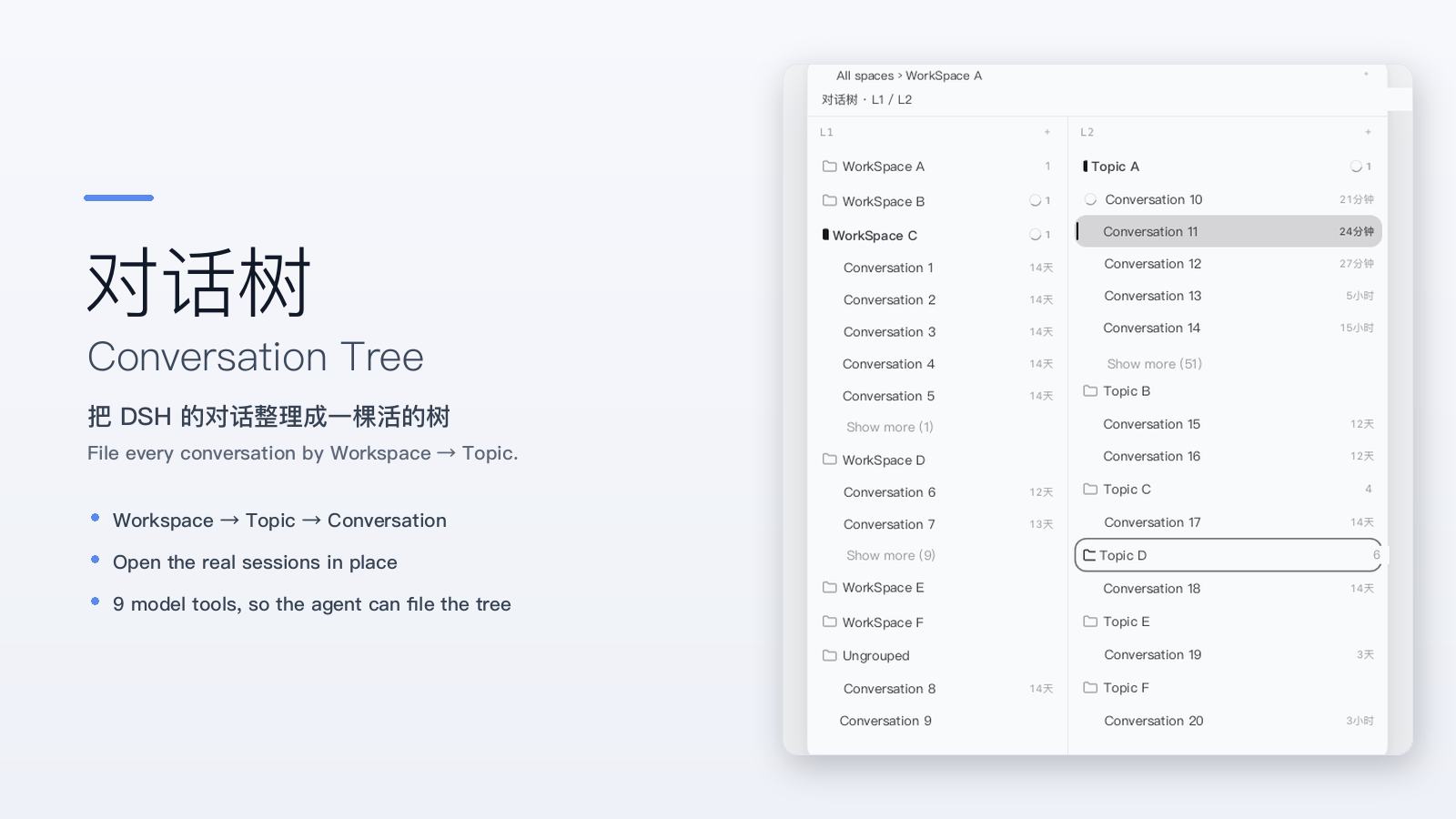
Turn DSH's conversation list into a living tree — file every conversation under «Workspace → Topic → Conversation», see the status at a glance, and let the model keep the tree tidy for you.
Screenshots use demo data: workspace, topic and conversation names are placeholders.
A DeepSeek Harness client plugin that adds a collapsible, resizable tree band to the left of the conversation column. The product's own conversation column, header, Chat/Trajectory tabs, right sidebar and composer keep rendering exactly as before — the band reserves a strip on the left and never replaces product UI.
Install
Requires DSH >=0.2.1-rc.3 (see engines.dsh in package.json).
dsh plugin --profile web add dsh-conversation-tree
Then restart DSH. The band starts collapsed: a 28×28 icon appears in the conversation header, and the persistent «Conversation Tree» row in the sidebar's panel rows works the same way.
Install from the plugin index (Discover)
In DSH: Plugins → Discover → Index sources, add:
https://cdn.jsdelivr.net/gh/orchivo/dsh-plugins-index@main/index.json
The index is served over jsDelivr's CDN; adding it to Discover makes the plugin installable from the UI.
Let the agent install it
Paste this into a DSH conversation:
Install the DSH plugin dsh-conversation-tree for me:
1. Run `dsh plugin --profile web add dsh-conversation-tree`.
2. If it is not found, add the plugin index source
   https://cdn.jsdelivr.net/gh/orchivo/dsh-plugins-index@main/index.json
   in Plugins → Discover → Index sources, then install it there.
3. Tell me to restart DSH when you are done.
30-second demo
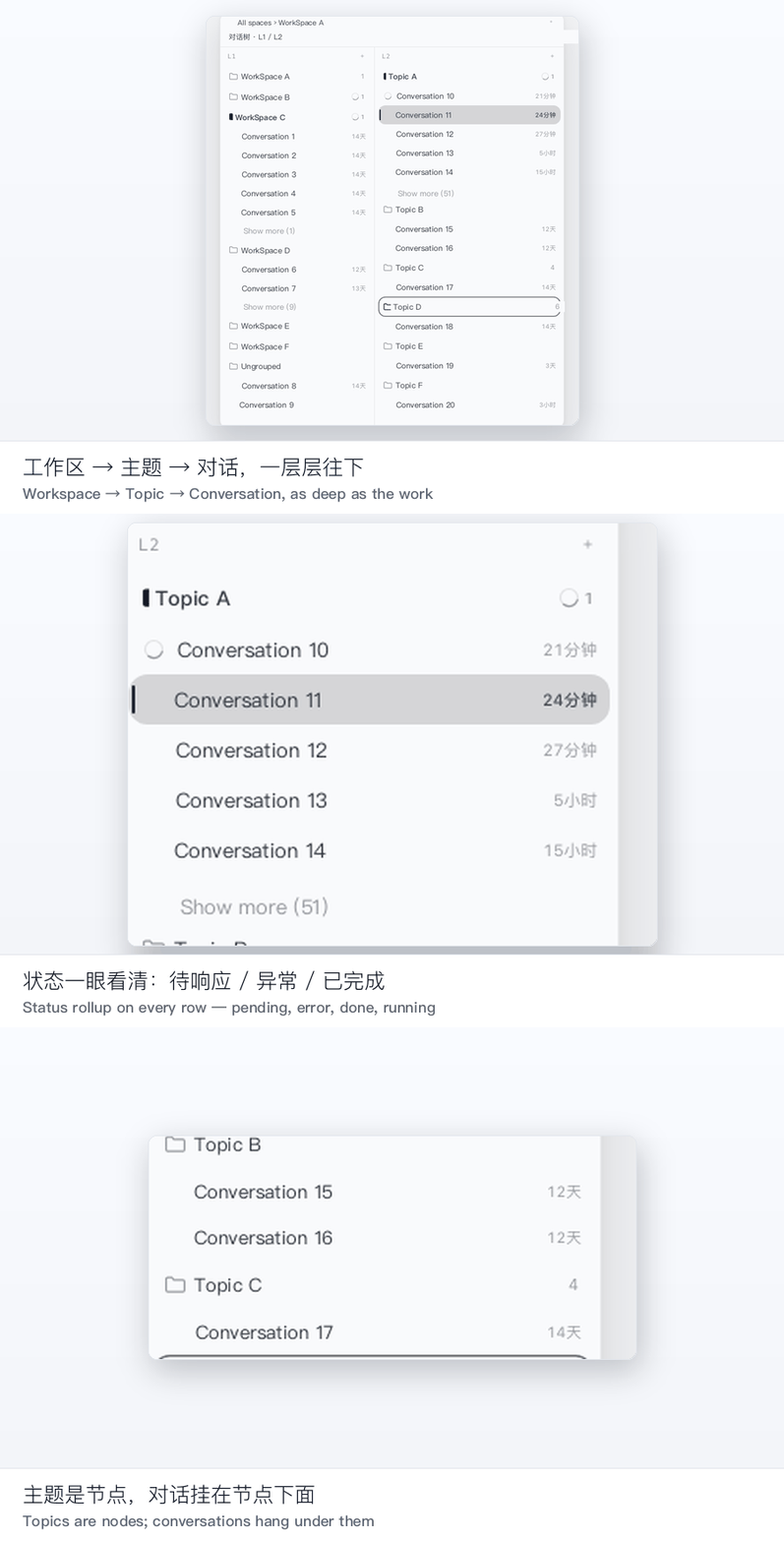
Three ways people use it
Multiple WorkSpaces, one tree. Every WorkSpace is the first level of the tree; each keeps its own conversation list. No more scrolling a single flat list wondering which project a conversation belongs to.
A long project, filed by topic. Topics are nodes, conversations hang under them, and a topic can nest as deep as the work does — goal → strategy → tasks. Open a conversation straight from the row; the tree highlight, the product's current session and the right sidebar always stay on the same conversation.
Let the model keep the tree. The plugin registers nine tools, so the agent can plan a goal structure, create/rename/move nodes and file existing conversations itself. You can literally ask: «review this thread and file it under the right topic».
Features
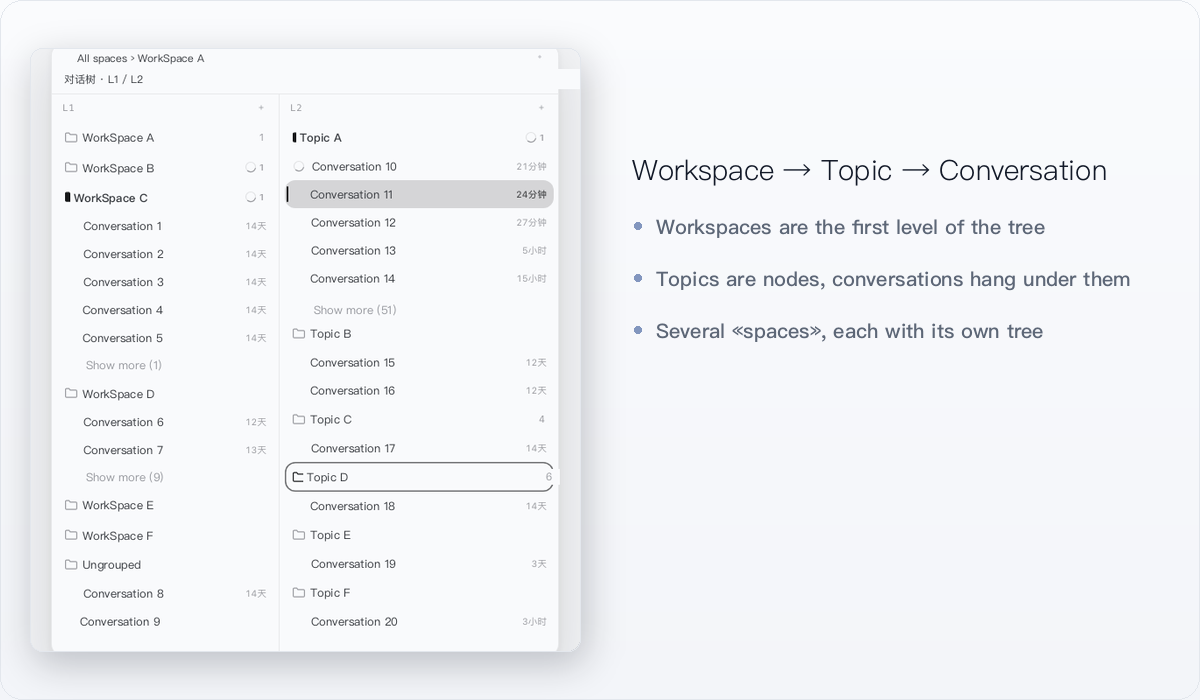
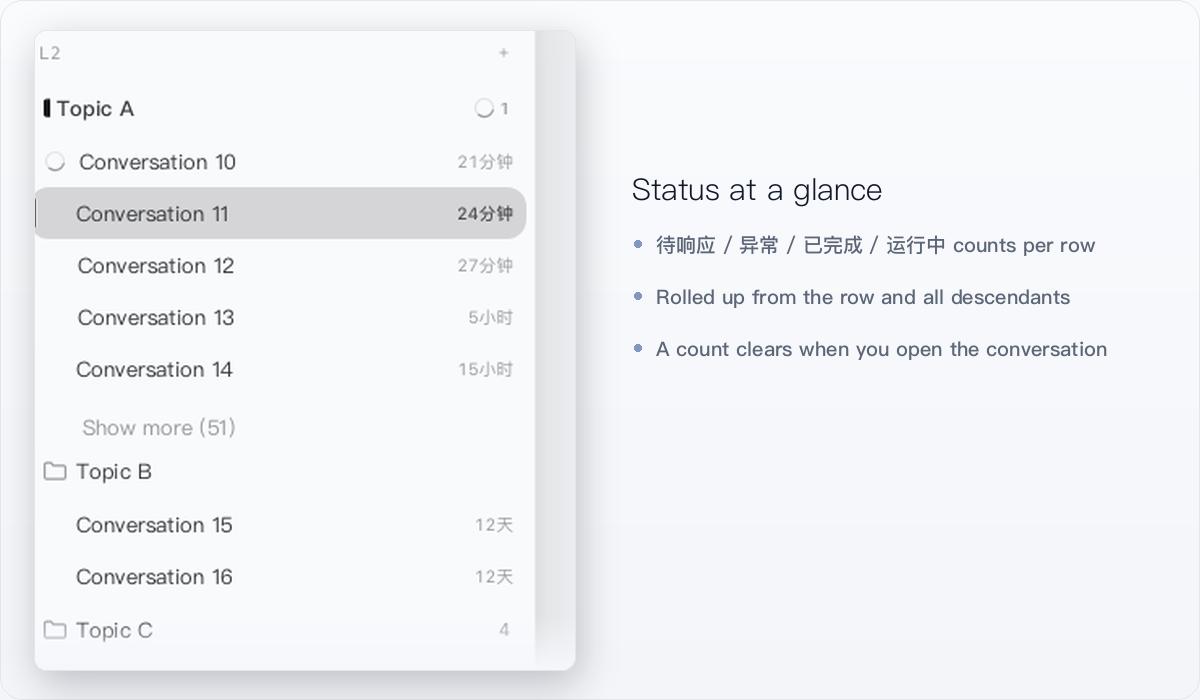
| Organise, don't replace — Workspace → topic → conversation, with nested topics and several «spaces» (each one its own tree). | Status at a glance — every row rolls up the status of its own conversations and all descendants; a count clears only when you actually open the conversation. |
 |
 |
- Find it again — the in-band search covers topic titles/descriptions, indexed conversation titles and conversation bodies (index built on demand inside DSH).
- Collapsed by default — a header icon and the sidebar panel row open the same band; the collapsed state is remembered.
- Bilingual UI — Simplified Chinese and English, following Settings → General → Language and switching live, no restart.
- Resizable and remembered — drag the band's right edge (minimum 320px); the conversation column keeps its own minimum width and is never squeezed away.
Not the same as a message-branch plugin
There are two different plugins with a similar name, and they solve opposite problems:
| Conversation Tree (this plugin) | Unintendedz/dsh-conversation-tree | |
|---|---|---|
| Layers | Organisation: Workspace → topic → conversation | Message branch: immutable reply branches inside one conversation |
| Changes DSH UI | Adds a side band only; product UI untouched | Different data model for replies |
| Model tools | 9 tools over the conversation tree | — |
On dsh.so the canonical slug /artifact/dsh-conversation-tree/ belongs to Unintendedz (a different plugin) — our page is /artifact/dsh-conversation-tree-2/.
Security & privacy
- Local data only. The authoritative document is
$DSH_HOME/conversation-map/map.json, read and written through the/conversation-mapRPC channel with optimistic revision locking. The plugin makes no network requests. - No network requests. The plugin never calls home; the only optional network step above is
npm install/ adding the index URL, both of which you start yourself. - No npm dependencies, no install scripts.
package.jsondeclares nodependencies/devDependenciesand noinstall/postinstallscript — the publishedlib/is prebuilt. - The nine tools only read and write this tree. They create, rename, move and file nodes and conversations in the map; they do not run commands, scan files or write outside it.
map_delete_nodesdeletes nodes only — conversations under a deleted node fall back to the Workspace root and are never deleted. Search indexing reads the session texts DSH already keeps locally, and stays in the Host process. - Degrades safely. If the product changes the DOM slots the band relies on, it shows a «temporarily unavailable» notice instead of covering the conversation column.
Compatibility
| DSH | >=0.2.1-rc.3 (engines.dsh) |
| Verified on | DSH 0.2.1-rc.3 — dsh.so L5 runtime verification on npm 0.1.3; also loaded on the DSH desktop 0.2.1-rc.5 build (development link) |
| dsh.so | L5 runtime verification on 0.2.1-rc.3, low risk, MIT |
| Built as | prebuilt lib/; installing needs no build and no toolchain |
Model tools
The plugin registers nine tools so the model can read and write the tree directly:
| Tool | Purpose |
|---|---|
map_list_workspaces |
List WorkSpaces |
map_get_state |
Read the current document (WorkSpaces, nodes, spaces, conversation filing) |
map_plan_goal |
Create a goal + strategy + task structure in one call |
map_create_nodes |
Create nodes |
map_update_nodes |
Rename / re-describe nodes |
map_move_nodes |
Re-parent or reorder nodes |
map_move_session |
File a conversation under a node, or rename/move it |
map_attach_sessions |
Attach existing conversations to a node |
map_delete_nodes |
Delete nodes (including their subtrees) |
Known limitations
- Depends on public product DOM contracts (the frame
shell.overlayslot, the conversation anchor, the header's leading seat, the sidebar-collapsed marker). If they change, the band degrades to a notice; the sidebar panel row keeps working. - Single left-band slot: coordinates with other band plugins through the public
html[data-dsh-band-owner]attribute. - Limited drag scope: re-parent a node through the
⋯menu; topics are not dragged. Spaces cannot be reordered by dragging. - No cross-Workspace conversation moves: ordering applies within one WorkSpace.
- Single writer: when the same
$DSH_HOMEis written by several processes, the last writer wins. - Windows desktop: not independently verified (tested on macOS).
- Search scope: exact substring matching over titles/descriptions/bodies — no fuzzy matching, segmentation or pinyin.
Uninstall
dsh plugin --profile web remove dsh-conversation-tree
(or delete the plugin from Plugins → Installed). Restart DSH afterwards. Your tree stays in $DSH_HOME/conversation-map/map.json, so reinstalling brings it back.
FAQ
Does it replace DSH's own conversation list? No. It adds a band on the left; everything the product renders stays where it was.
Do I lose my tree if I uninstall? No — the document lives in $DSH_HOME/conversation-map/map.json and is not deleted.
Does it work in a browser-only / CLI environment? When the Host half is unavailable the plugin degrades to a browser-local mode and shows «Local mode» in the band.
Can it touch my files or run commands? No. The tools only read/write the conversation tree document; there is no shell or filesystem access in the tools.
Where is the source? https://github.com/orchivo/dsh-conversation-tree. Published to npm prebuilt; building from source needs a DSH source checkout because the project carries no npm dependencies (the bundler and type declarations are borrowed from that checkout).
License
MIT, see LICENSE.
No comments yet. Be the first to write one.