
DSH Ready · DSH 就位
One-click desktop launcher for DeepSeek Harness
装好、启动、升级,全程不用终端




What is this?
DeepSeek Harness (dsh) is a command-line tool. For anyone who does not live in a
terminal, that means installing Node, remembering commands, picking a port, and
cleaning up stray processes.
DSH Ready is a small desktop window that does those seven things for you:
| Thing | What happens |
|---|---|
| Install | Picks the version, checks your Node/npm, then installs DSH into npm's default global prefix — no sudo; a missing runtime gets an official download link |
| Start | Reads your login shell environment, starts dsh web on your port, opens it in your browser |
| Stop | Stops the process group it started, or the external instance you asked it to take over |
| Status | Running / stopped / external instance / installing / upgrading, refreshed live |
| Logs | Live output panel plus an on-disk log, so failures are readable |
| Upgrade | Checks every third-party plugin against the target version first, then upgrades DSH and the plugins |
| Uninstall | Stops, removes plugins, clears the profile, removes DSH — keeps ~/.dsh and your npm setup |
It is deliberately not a plugin manager, not a MCP client, not a second DSH UI. It starts the official web UI in your system browser.
This is a community project. It is not affiliated with, endorsed by, or maintained by DeepSeek.
Download
| Platform | Installer | Notes |
|---|---|---|
| macOS Apple Silicon | dsh-ready-1.1.2-arm64.dmg |
M1 / M2 / M3 / M4 |
| macOS Intel | dsh-ready-1.1.2-x64.dmg |
Intel-based Macs |
| Windows x64 | dsh-ready-1.1.2-x64.exe |
Windows 10 / 11 |
Grab them from dsh.wordtk.com — the installers live on R2 and the site always serves the newest version.
The macOS builds carry an ad-hoc signature, so Apple Silicon accepts them without
a paid developer certificate. They are not notarized, so a freshly downloaded copy may
still be blocked once: open System Settings → Privacy & Security and choose
Open Anyway (macOS 14 and older: right-click the app → Open). If macOS claims the
app is damaged, run xattr -cr "/Applications/DSH 就位.app". On Windows, choose
More info → Run anyway if SmartScreen appears.
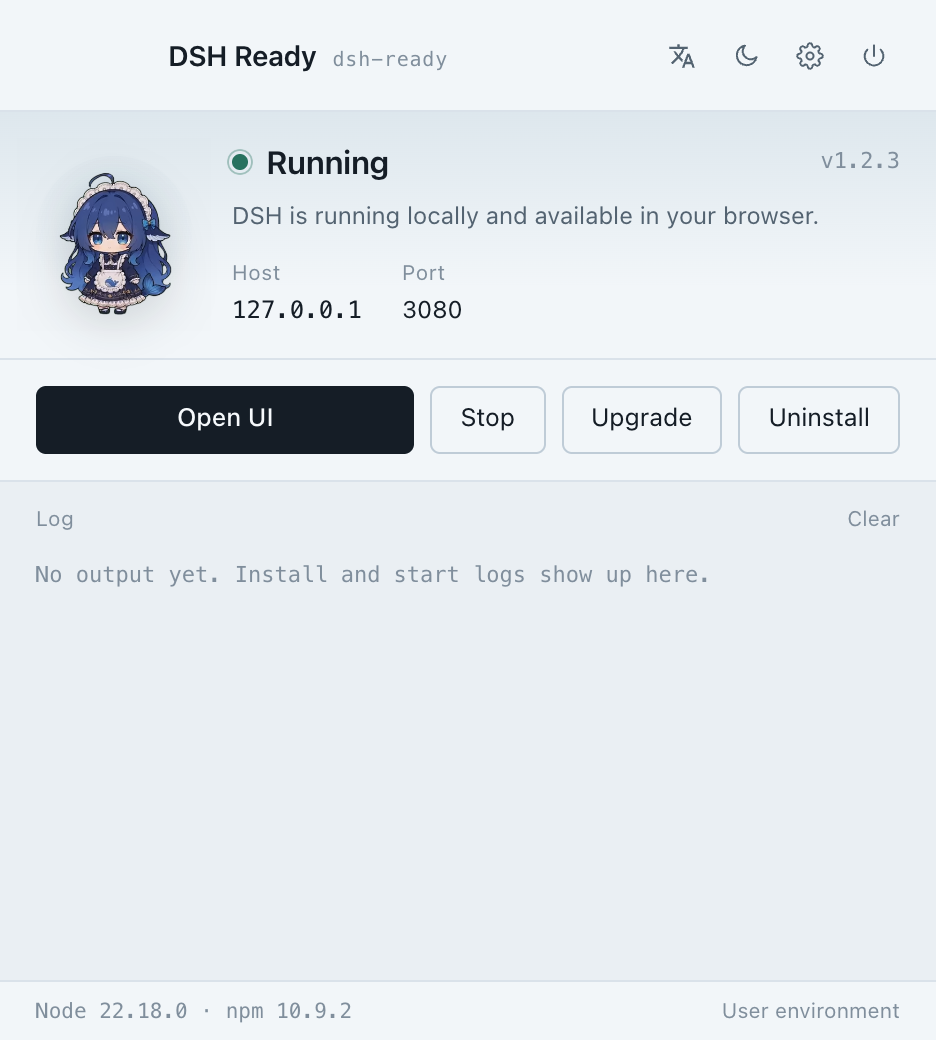
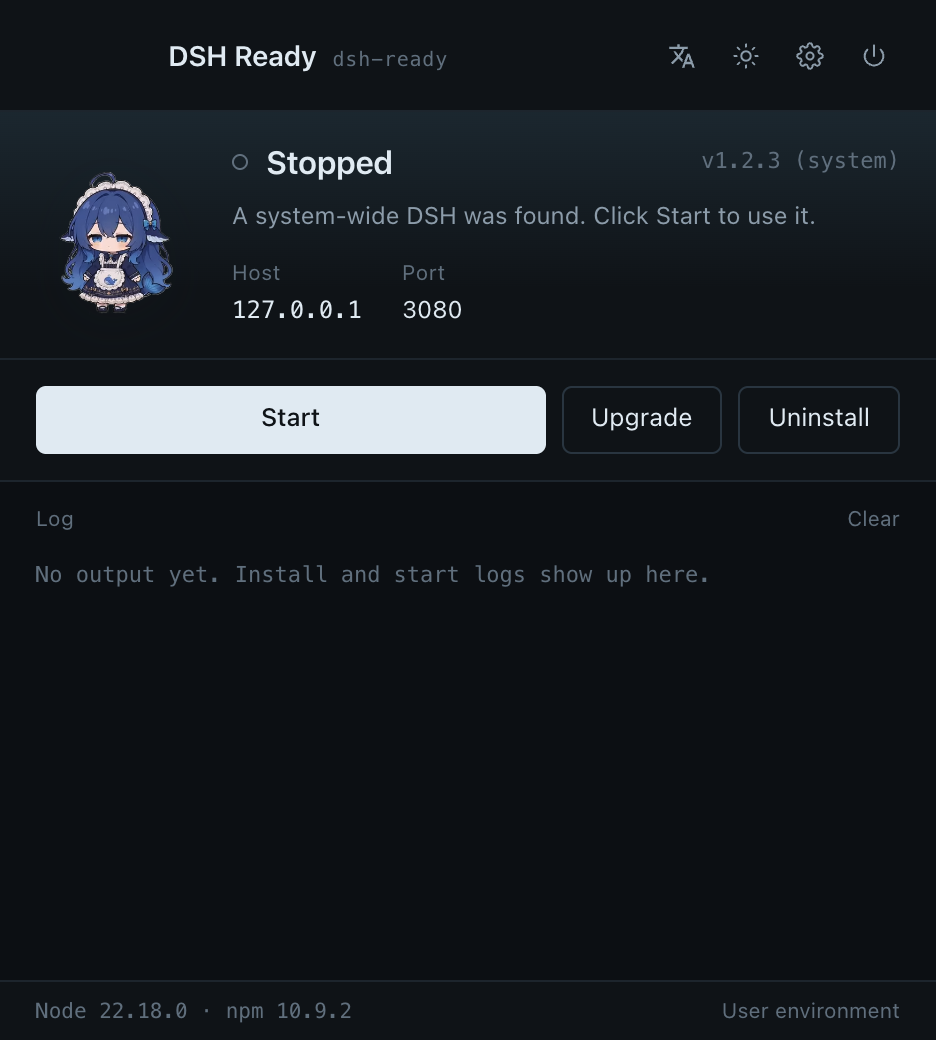
Screenshots
All screenshots are captured from the real app running inside a sandbox, by
npm run shots — no mockups, no compositing.
| Light theme | Dark theme |
|---|---|
 |
 |
How it works
- System DSH first. If
dshis already installed (npm global, Homebrew), the launcher uses it instead of installing a second copy.dshSourcereportssystemorappso the UI can say which one is live. - Login shell environment. Apps launched from Finder inherit launchd's minimal
environment. DSH Ready runs
$SHELL -ilc 'env -0'once and merges the result, so API keys, proxies andPATHfrom~/.zshrcwork exactly like in your terminal. Skip it withDSH_READY_SKIP_SHELL_ENV=1. - One instance, one port. It polls every 4 seconds for a
dsh weblistening on the target port; if something else runs there you can stop it or take it over. DSH on other ports is never touched. - Upgrade plan before upgrade. Plugin
peerDependencieson@deepseek-ai/dsh*andengines.dshare checked against the target version. A blocker is reported and nothing is touched; only a passing plan turns into executable commands. - Ports stay yours. The default is 3080, edited in the settings sheet (read-only in the main window); a busy port is reported instead of silently shifted, so the address you see is real.
- Settings in one place. The header is four icons — language (文A), theme, settings, quit.
The settings sheet is grouped: general (launch at login, DSH port, open the browser after
start, system tray icon, Dock icon on macOS, prevent idle sleep on macOS, theme, language),
network (npm registry auto/official/mirror, HTTP(S) proxy, extra DSH arguments) and privacy &
updates (anonymous launch report, daily check, manual check, plus a macOS-only system-permission
report that deep-links into Privacy & Security). The port is edited only there —
the main window shows it read-only — and extra arguments go through an argv whitelist, never a
shell, with
--portalways dropped. Sponsor entry at the bottom. - Your Node, your environment. DSH Ready uses the Node and npm from your login
shell. When Node is missing, older than 22.18, or has no npm, it does not modify
your environment and shows the localized Node.js download page (Chinese UI → the
zh-cn page, English UI → the English page). DSH itself is installed with a plain
npm install -g, never a private--prefix.
Repository layout
electron/            main process (install, run, upgrade, IPC, logging)
renderer/            the window: HTML, CSS, vanilla JS, whale-girl animation
site/                dsh.wordtk.com — Cloudflare Worker + static assets + D1/KV/R2
  src/index.js       /api/* : release manifest, ranged downloads, anonymous counts
  public/            the site itself (static-first, one theme)
  migrations/        D1 schema (ready_* tables)
scripts/             sandbox launcher + screenshot capture + release helpers
docs/zh, docs/en     design and deployment notes, one directory per language
Development
npm install
npm start                    # run the desktop app
npm run sandbox              # run it against an isolated DSH_HOME + app data dir
npm run shots                # real in-app screenshots, then the sandbox is removed
npm run dist:mac:arm64       # build the Apple Silicon dmg
npm run dist:mac:x64         # build the Intel dmg
npm run dist:win             # build the Windows installer
The sandbox (scripts/sandbox-test.sh, scripts/capture-screenshots.mjs) sets
both DSH_HOME and Chromium's --user-data-dir to a temp directory, uses a random
debugging port, and deletes everything on exit. Your ~/.dsh, your settings, and any
DSH you already have running are never touched.
The website lives in site/:
cd site
npm install
npm run dev                  # wrangler dev
SITE_URL=https://example.com npm run deploy
npm run release              # upload installers to R2 + rewrite latest.json
Privacy
- The desktop app sends nothing. No telemetry, no update pings, no accounts.
- The website itself collects nothing — no page-view counter, no cookies, no third-party scripts. The only data on this project's side is an anonymous launch signal sent by the desktop app: a random device id, the UTC date, the app version and Cloudflare's coarse geo (country / region / city). No IP addresses, no fingerprints, no user behaviour. The aggregates are public at dsh.wordtk.com/stats.
License
AGPL-3.0-only. Free for personal use, learning, research and open-source projects. If you want to ship a modified version inside a closed-source commercial product, a commercial licence is required — please open an issue to get in touch:
https://github.com/onblog/dsh-ready/issues
Built with
Electron for the desktop app. The site runs on Cloudflare Workers with D1, KV and R2.
No comments yet. Be the first to write one.