YuanHarness 桌面端
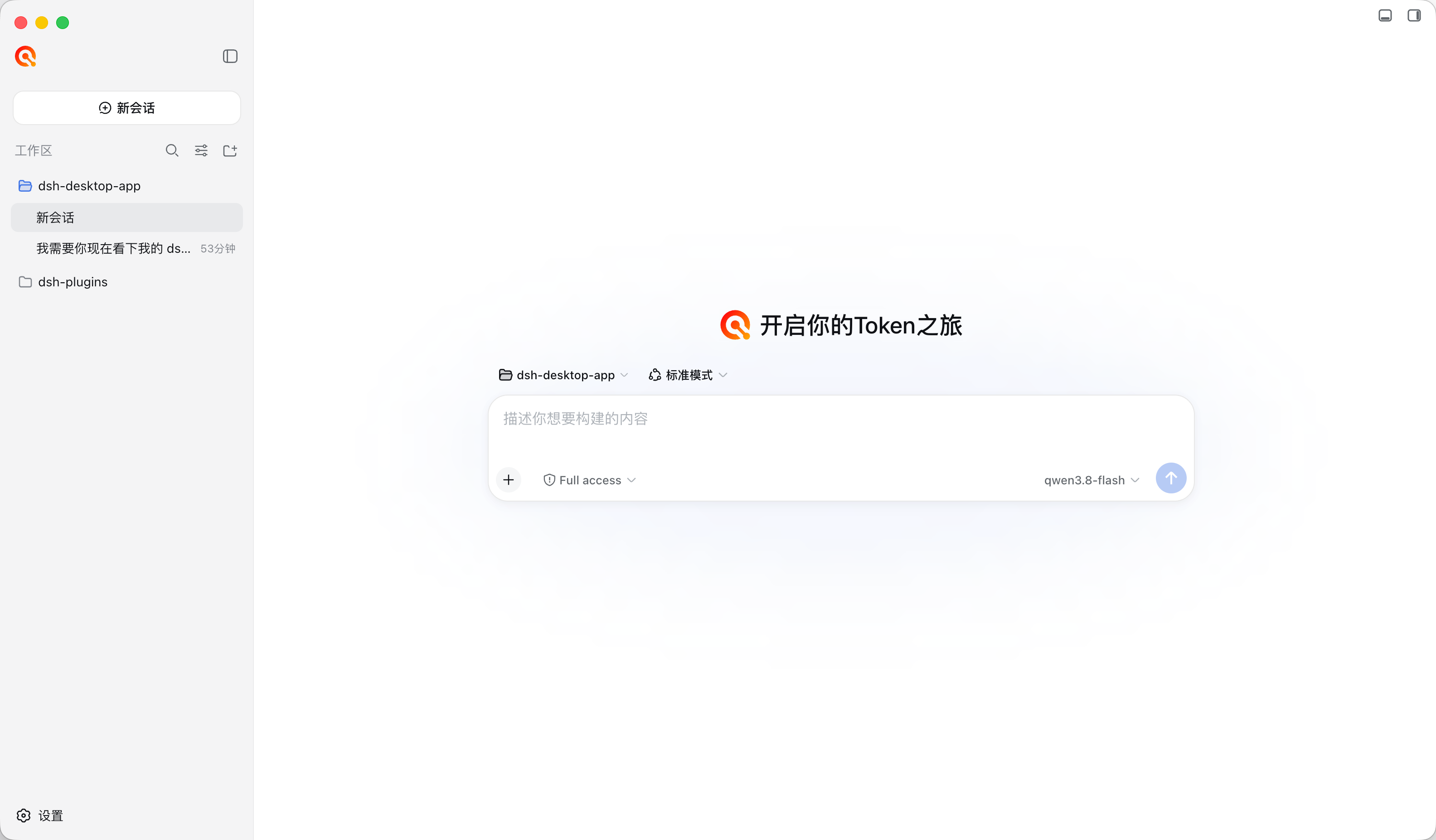
基于官方 DeepSeek Harness 桌面端架构(Electron 壳 + loopback DSH Web Host,壳核分离)的
YuanHarness 定制版桌面端。开箱即用:安装包内置四个插件与品牌默认外观,下载 → 安装 →
启动即可使用,无需手动 dsh plugin add。
下载
最新版本 v0.1.5(本板块由发布工作流自动更新,无需手工维护):
| 平台 | 安装包 | 大小 | 下载 |
|---|---|---|---|
| macOS(Apple Silicon) | yuanharness-0.1.5-mac-arm64.dmg |
≈182 MB | 下载 .dmg |
| Windows(x64) | yuanharness-0.1.5-win-x64.exe |
≈161 MB | 下载 .exe |
更多历史版本见 Releases。
首次启动
macOS:打开 DMG,把 YuanHarness 拖进「应用程序」。首次启动时 Gatekeeper 会提示 「无法验证开发者」(本包使用 ad-hoc 签名,未购买商业开发者证书)—— 右键(或控制键 + 单击)YuanHarness → 打开 → 再点一次「打开」即可,之后双击正常启动。 若提示方式不同(如「已损坏」,常见于旧版本包或经 AirDrop 传输的副本),在终端执行:
xattr -dr com.apple.quarantine /Applications/YuanHarness.app然后双击启动。
Windows:DSH 运行时启动时会创建
~/.dsh/profiles/node_modules回退符号链接, 若系统无法创建符号链接,请在 设置 → 隐私和安全性 → 对于开发人员 中启用「开发者模式」 (或以管理员身份运行),App 启动前会自动检测并提示。
内置插件
| 插件 | 说明 |
|---|---|
dsh-vision-plugin |
模型目录「图片输入」开关 + 可选视觉中转(vision_analyze / vision_status / vision_test / vision_configure) |
dsh-imagegen-plugin |
生图/改图中转(image_generate / imagegen_status / imagegen_test / imagegen_configure + 生图 skill) |
dsh-customui-plugin |
Web GUI 个性化:侧边栏 Logo、空对话欢迎区(Logo + 文案)、对话背景图 |
dsh-better-sidebar(omdsh-dev/DSH-better-sidebar) |
VSCode 风格右侧边栏(资源管理器 / 编辑器 / 终端 / git / 浏览器) |
首次启动时,App 会自动把上述插件安装到 $DSH_HOME/profiles/web(默认 ~/.dsh/profiles/web,
DSH_HOME 环境变量可覆盖)。插件的运行期依赖已随安装包预装(打包期生成,含
node-pty 全平台预编译二进制),首次启动无需联网、无需 pnpm、不依赖符号链接权限。
仅当检测到依赖被手工删除/损坏时,才会用随包 pnpm 联网修复(默认走 npmmirror 源,
可在 profile 的 .npmrc 修改);修复失败不阻塞启动。
开发
npm install          # electron / electron-builder
npm run fetch:all    # 拉取 resources/host(~300MB)、resources/pnpm,并预装内置插件运行期依赖
npm run dev          # 开发态启动(electron .)
开发态默认使用系统 PATH 的 node 作为 Host 运行时(可用 DSH_DESKTOP_NODE_EXECUTABLE 覆盖)。
打包
npm run build:mac    # → dist/yuanharness-<版本>-mac-<架构>.dmg
npm run build:win    # → dist/yuanharness-<版本>-win-<架构>.exe(NSIS 安装包)
npm run build:all    # 两者都打
- macOS 目标:DMG(Apple Silicon;
electron-builder --mac --x64可出 Intel 版, 注意resources/host需在同一架构机器上重新npm run fetch:host)。 - Windows 目标:NSIS 安装包(x64)。
- macOS 无 Developer ID 证书时执行 ad-hoc 签名(
scripts/after-pack.cjs): Gatekeeper 提示从「已损坏,无法打开」变为「无法验证开发者」,用户右键 → 打开即可 (无需终端)。配置CSC_LINK(Developer ID 证书 p12)+APPLE_ID/APPLE_ID_PASSWORD/APPLE_TEAM_ID环境变量后 electron-builder 自动切换为正式签名 + 公证。
自检
npm run selftest:mac
# 用全新 DSH_HOME 启动打包产物,走完 provision → Host 启动 → 截屏,
# 输出 dist/selftest/home(完整 DSH home)与 dist/selftest/screenshot.png
发布(GitHub Releases)
推送 v* tag 即触发 .github/workflows/release.yml:mac(dmg)与 win(exe)并行构建,
自动创建/更新 GitHub Release 并挂载安装包——用户即可在 Releases 页面一键下载。
git tag v0.1.1 && git push origin v0.1.1
与官方桌面端的关系
- 主进程生命周期/Host 监督逻辑源自官方
@deepseek-ai/dsh-desktop(MIT),保留其 安全策略(loopback 随机端口、会话加固、外链拦截、单实例锁、托盘常驻)。 - DSH 运行时来自 npm 发布的
@deepseek-ai/dsh(版本固定于scripts/fetch-host.mjs)。 - 内置插件来自各自仓库 / 本地维护版本,升级方式:替换
vendor/plugins/<插件>后重新打包。
License
MIT(各内置插件沿用其自身许可证,见 vendor/plugins/*/LICENSE)。
No comments yet. Be the first to write one.