dsh-terminal-keybar
English | 中文
A touch key bar for the DSH Web terminal. A phone's soft keyboard has no Escape, Tab, Ctrl or arrow keys, which makes the terminal unusable. This plugin floats a translucent column of those keys on the right edge of the screen and writes them straight into the terminal that is on screen.
- Vertical, translucent, so it does not cover the bottom of the terminal
- Appears only on touch devices and only while a terminal tab is active; desktop is untouched
- Centres itself in the visible area when the soft keyboard opens, so iOS does not hide it
- A browser-only plugin: it copies no terminal code and does not modify DSH itself
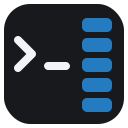
Keys
| Button | Sends | Typical use |
|---|---|---|
Esc |
\x1b |
leave vim insert mode, close less/pagers |
Tab |
\t |
path and command completion |
↵ |
\r |
run the command |
^C |
\x03 |
interrupt the running command |
↑ ↓ |
ESC [ A / ESC [ B |
history, menu navigation, vim movement |
← → |
ESC [ D / ESC [ C |
move within the line |
Presses use pointerdown + preventDefault(), so the terminal keeps focus and the
soft keyboard stays open: you can type and tap arrows in the same session.
Install
1. Through the Host's installBundle (installs and enables)
Ask the agent in a conversation:
install the plugin
github:miiy/dsh-terminal-keybar
or paste the same spec into the install field on the Settings → Plugins page.
Both call the Host's installBundle, which installs the package, adds it to
dsh.profile.bundles, and hot-applies it — one step.
2. From the CLI (dsh plugin, installs only)
dsh plugin --profile <profile> add github:miiy/dsh-terminal-keybar
dsh plugin forwards its arguments to pnpm inside the profile directory, so this step
installs the package but does not compose it. The row then shows up on
Settings → Plugins as installed and switched off; turn it on to add it to
dsh.profile.bundles. If the switch does not take effect live, restart dsh web.
A plain-JavaScript bundle has no build script, so a git install needs no allowBuilds
approval.
Accepted spec forms are the usual pnpm/DSH ones: github:user/repo, git+https://…,
an absolute local path, or an npm package name.
3. From a local checkout (development)
plugin_manager install_bundle /absolute/path/to/dsh-terminal-keybar
Usage
- Open DSH Web on your phone.
- Open a terminal tab in the right sidebar.
- The key column appears on the right edge; tap it. It also works with the keyboard closed.
Known limitations
- DECCKM (application cursor keys): the plugin writes bytes through the public
webTerminalsservice and has no access to the xterm instance, so the arrows always send the CSI form (ESC [ A). bash/readline, vim and less accept it; programs that strictly require SS3 (ESC O A) may not. - Floating panels: visibility is decided from the active pane's active tab, so a terminal floated into a floating panel does not show the bar.
- The column covers roughly the rightmost 46px of the terminal; it is translucent, and
styles.barinclient.jsexposesopacity/rightif you want it smaller. - Web only (
platform: web); the Desktop native window is unaffected.
Maintenance
See MAINTENANCE.md for the upstream API table (what breaks when DSH
changes what) and the post-upgrade diff procedure. The DEBUG switch at the top of
client.js paints an on-screen diagnosis badge when the bar does not appear.
node --check client.js && node --check index.js # syntax self-check
License
MIT
No comments yet. Be the first to write one.