dsh-wordcraft
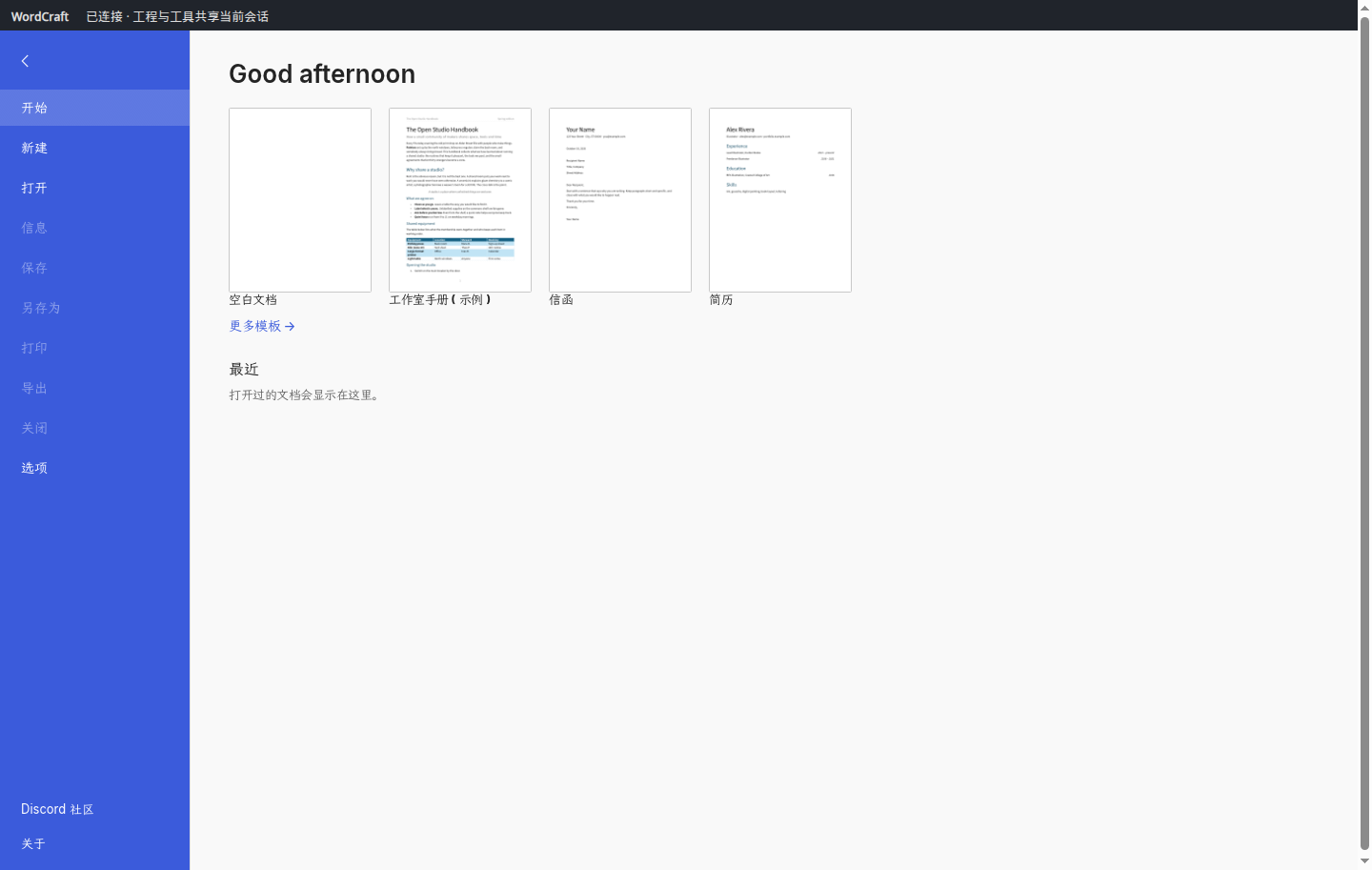
WordCraft editor panel for DeepSeek Harness — open a real, editable Word document in DSH's right Sidebar Browser and watch the agent edit it live, in the same editor session.
Unofficial community plugin. Not affiliated with DeepSeek or the WordCraft/ArtCraft teams.
What it does
- Registers one general
wordcraft-editorskill for the parts an agent gets wrong unprompted: panel handoff and attachment, editor-session and cursor semantics, Word layout checks (sections, TOC/caption fields, tables, pagination) and save/verify rules. No scenario writing templates. - Starts one stdio MCP server,
wordcraft-editor, over a bundled WordCraft runtime — no download at first use. - Serves the editor panel over a loopback HTTP URL with a random token. Click the link the agent prints: DSH opens it in the right Sidebar Browser.
- Keeps the panel and the agent on one editor session:
editor_status.attachedturns true once the page is loaded, and everytype_text/executecall shows up in the panel immediately.
Requirements
- DeepSeek Harness
>=0.2.1-rc.2 <0.3.0(declared throughengines.dsh). - Node.js 24 or newer (the bundled editor runtime requires it).
- The right Sidebar Browser enabled in your Web profile (DSH ships it disabled for Web; see below).
Install
From GitHub:
dsh plugin --profile web add github:lu123bing/dsh-wordcraft
Enable the right Sidebar Browser (one-time, in ~/.dsh/profiles/web/cordis.patch.yml):
- id: ui-sidebar-browser
  disabled: false
Restart DSH, then ask in a new session:
用 WordCraft 打开编辑器,帮我把这份周报整理成 DOCX。
The agent calls open_browser_editor, prints a http://127.0.0.1:<port>/<token>/ link, and waits until editor_status reports attached: true (usually 8–20 seconds). Click the link — the editor opens beside the chat and shares the agent's session.
If clicking the link opens a browser tab instead of the sidebar, set Settings → General → link opening → In-App Sidebar.
Uninstall
dsh plugin --profile web remove dsh-wordcraft
Remove the ui-sidebar-browser entry again if you no longer want the browser panel.
How it works
cordis.patch.ymlinserts the skill provider (lib/index.js) and one MCP client row (wordcraft-editor→ui/bootstrap.mjs).ui/bootstrap.mjsverifies the bundled runtime againstui/runtime.lock.json(45 pinned files) and starts the editor adapter.- The adapter (
src/adapter.mjs, bundled toui/dist/adapter.mjs) exposes the editor's MCP tools and a loopback browser page. The panel talks to the adapter through the same MCP session the agent uses, which is why edits are shared rather than copied. - Every editor asset is served through chunked MCP resources (2 MiB per chunk); the panel runs as WebAssembly.
Security and limits
- One workspace per MCP instance: the first
open_editorcall binds the workspace; switching requires restarting DSH. Paths outside the workspace are rejected. - The loopback page uses a random token and
Host/Originchecks; no Node.js APIs are exposed to the page. The runtime is verified by SHA-256 before it runs and is never downloaded at runtime. - The project bundles a pinned, prebuilt editor runtime; the panel UI has no network access (
connect-src 'none'). - Web sidebar iframes do not have the download permission: exports made inside the panel are written to
<workspace>/craft-exports/; prefersave_documentfor deliverables. - WordCraft's native CLI and the editor panel are separate sessions; save and reopen before switching.
Development
npm install
npm run build:ui   # rebuild ui/dist/adapter.mjs and ui/dist/host.js from src/
npm test           # manifest, runtime lock, MCP handshake, source-cleanliness tests
The prebuilt WordCraft editor binary under ui/dist/editor/ is a pinned artifact: run node scripts/update-runtime-lock.mjs after an intentional change and keep ui/runtime.lock.json in sync (npm test reports mismatches).
License and provenance
Apache-2.0 for this plugin's own code. The bundled WordCraft runtime and its automation overlay carry their own licenses and notices — see LICENSE, NOTICE, PROVENANCE.md and the complete third-party notices in ui/dist/editor/licenses/.
The modified editor build follows the WordCraft brand license: product, community and brand references were removed or replaced, while copyright attribution and every upstream license/notice file are retained.
No comments yet. Be the first to write one.