dsh-screenshot-win
给 DeepSeek Harness 用的屏幕截图插件(Windows)。它同时提供两半:
- GUI 按钮 —— 输入框左侧工具栏上的相机图标,点开后可选「框选区域 / 整个屏幕 / 指定某个窗口」。截图会作为一张普通的图片附件插入当前会话的输入框(你可以直接发送),同时 PNG 落盘到会话工作区。
- Agent 工具 —— 名为
screenshot的工具,模型可以自己截图,图片作为工具结果直接进入对话(模型能看到),文件同样落盘。
两半调用的是同一套宿主逻辑(同一个 /dsh-screenshot-win/capture 路由 → 同一批 PowerShell 采集脚本),不存在两套实现。
这是一个标准的 DSH bundle 插件:package.json 里声明 dsh.bundle.patch 与 dsh.client,可以像市场里的插件一样安装、在「插件」页面里启用/关闭/卸载,也可以直接发布到 npm 并提交到插件市场。
界面截图
两张实机截图(都是用本插件自己截的):
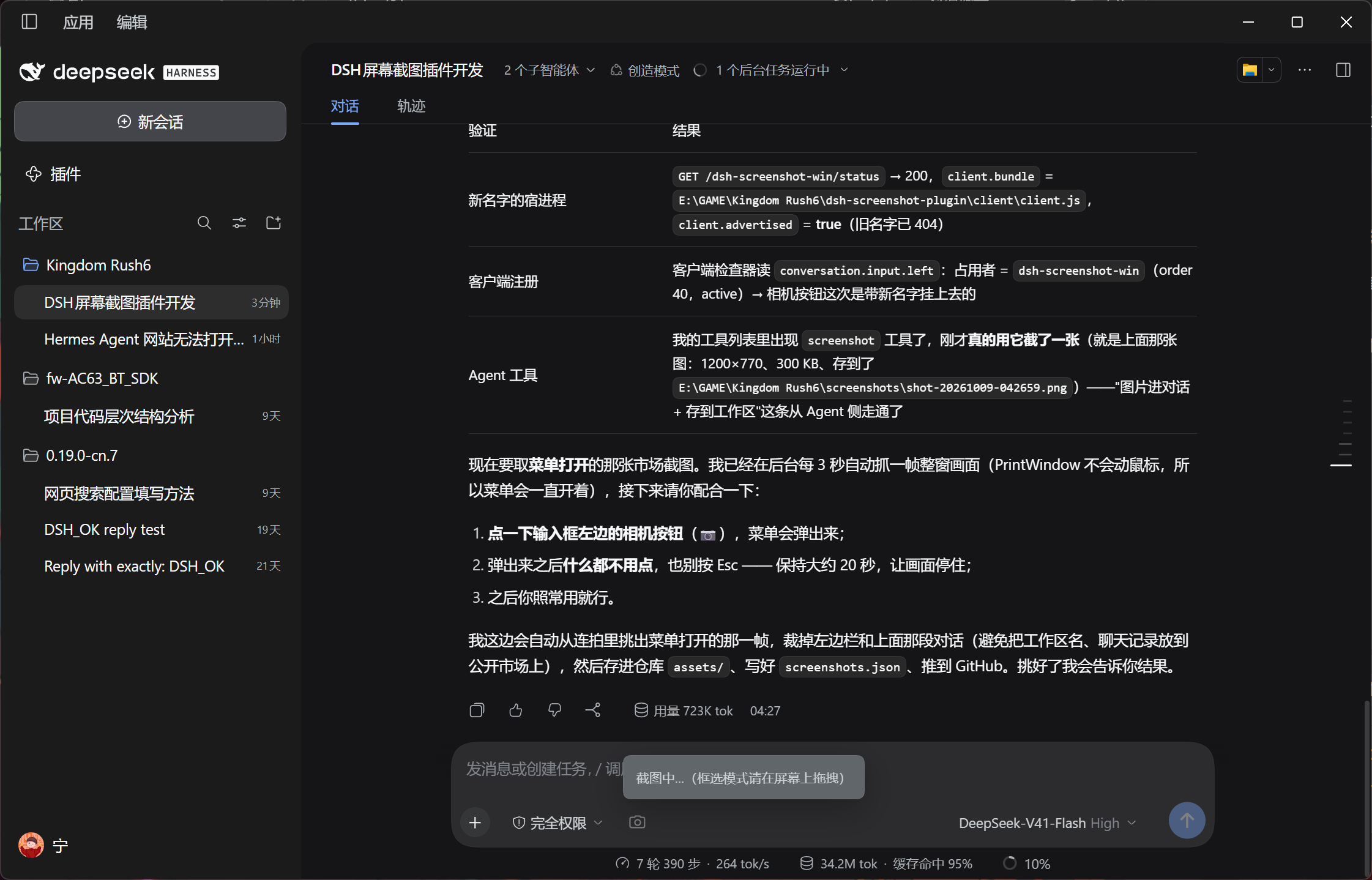
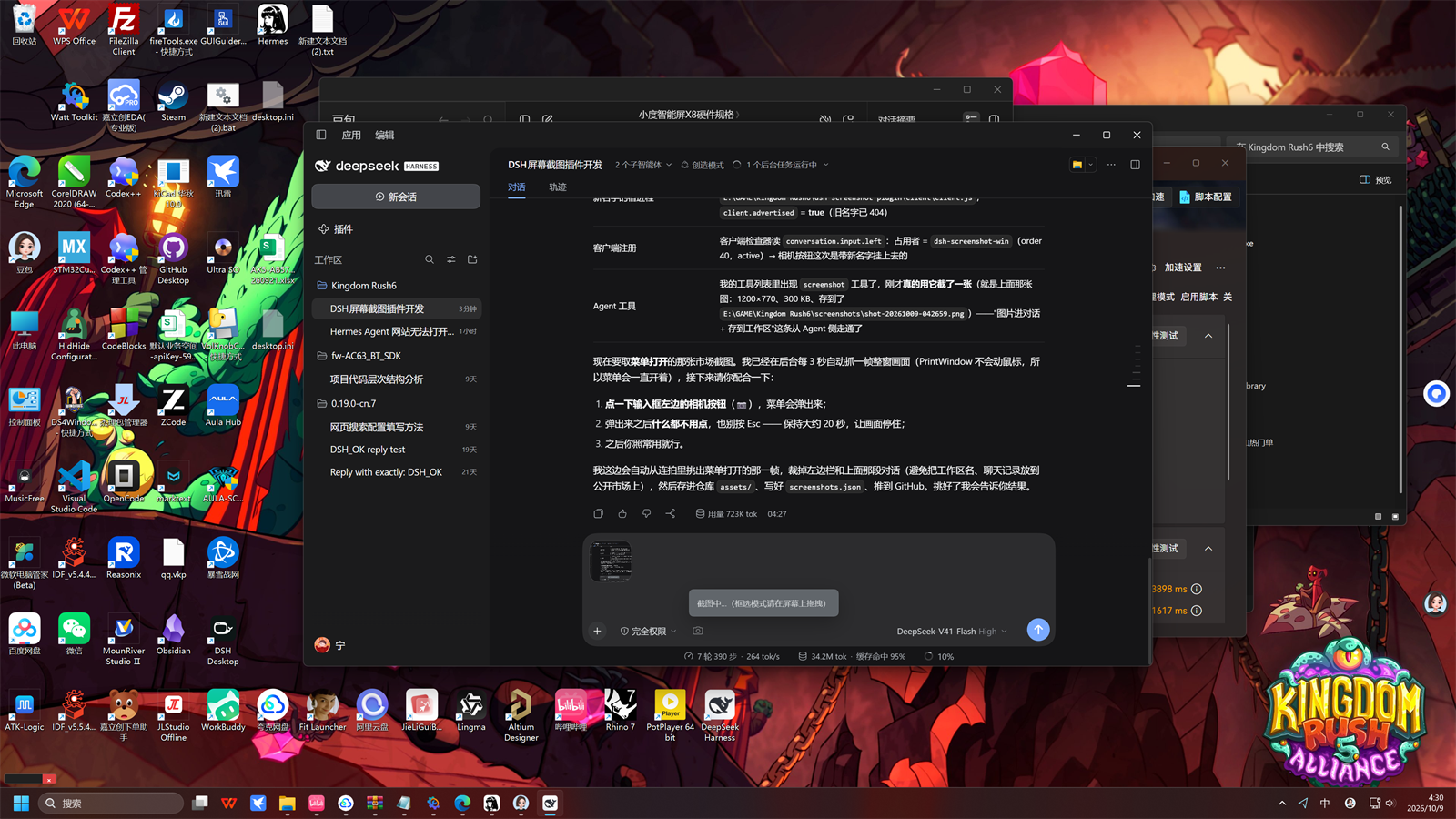
插件市场(如 dsh-market 的详情页)会读取仓库根目录的 screenshots.json(列出 1–8 张图,路径相对该文件)来展示这些截图。
目录结构
| 路径 | 作用 |
|---|---|
lib/index.js |
宿主(Node)半:配置、screenshot 工具注册、HTTP 路由、与 ctx.attachments 对接 |
client/client.js |
浏览器半:conversation.input.left 相机按钮 + tool.call.toolview 图片行 |
cordis.patch.yml |
bundle 补丁层:把自己这一行插进 profile |
locale/zh.json、locale/en.json |
市场元数据(meta.title / meta.description) |
scripts/WinApi.ps1 |
P/Invoke 与 GDI 封装(PrintWindow、DPI、显示器、窗口枚举、缩放、存图) |
scripts/capture-region.ps1 |
框选覆盖层(冻结画面、框选或点选窗口、Esc 取消、超时自动取消) |
scripts/capture-screen.ps1 |
整屏 / 指定显示器 / 指定矩形 |
scripts/capture-window.ps1 |
指定窗口(PrintWindow,可回退到屏幕拷贝) |
scripts/list-windows.ps1 |
可截取窗口列表(JSON) |
test/selftest.mjs |
工具参数/输出 schema 与渲染内容自检 |
test/e2e.mjs |
三种采集模式的端到端自检 |
test/client-sim.mjs |
浏览器半的宿主侧模拟(模块注册、按钮流程、插图、语言、失败分支) |
tools/asar.mjs |
只读读取 app.asar(安装环境排查用) |
tools/check-patch.mjs |
用真实的 dsh-app-boot / dsh-plugin-manager 预演 bundle 解析与 patch 合成 |
screenshots.json、assets/ |
市场详情页展示的界面截图(1–8 张,路径相对 screenshots.json) |
LICENSE |
MIT |
配置
在 profile 或用户级 cordis.patch.yml 的插件行里配置:
- insert:
    - id: dsh-screenshot-win
      name: dsh-screenshot-win
      config:
        saveDir: screenshots        # 相对会话工作区
        maxWidth: 1600              # 超过则等比缩小(0 表示不缩放)
        format: png                 # png | jpeg
        quality: 88                 # jpeg 质量
        timeoutMs: 300000           # 单次采集脚本超时
        regionTimeoutSec: 180       # 框选覆盖层的自动取消时间
        tool: true                  # 是否注册 screenshot 工具
        routes: true                # 是否挂载浏览器半用的 HTTP 路由
安装
方式 A:插件管理器 / 插件市场(标准做法)
plugin_manager action=install_bundle target="E:\GAME\Kingdom Rush6\dsh-screenshot-plugin"
装好后在 DSH 的「插件」页面里会出现这一项:卡片上的开关就是启用/关闭,进入详情页右侧的垃圾桶是卸载(卸载会把它从 profile 的 dependencies 里摘掉)。这两件事都由插件管理器改 profile 清单完成,不需要手工编辑。
方式 B:手工把它接成 profile bundle(本机当前采用)
本机 desktop profile 的 pnpm 安装被 profile 既有的供应链策略拦住
(ERR_PNPM_MINIMUM_RELEASE_AGE_VIOLATION,涉及 @openviking/dsh-memory-plugin@0.5.19,与本插件无关),
且 CLI 拒绝操作 Electron 托管的 profile(profile "desktop" is managed exclusively by the Electron application)。
所以本机用与插件管理器同样的数据结构手工接上,三步:
- 目录联接:
C:\Users\lsnnn\.dsh\profiles\desktop\node_modules\dsh-screenshot-win→ 本目录; C:\Users\lsnnn\.dsh\profiles\desktop\package.json: 在dependencies里加"dsh-screenshot-win": "link:E:/GAME/Kingdom Rush6/dsh-screenshot-plugin", 在dsh.profile.bundles里加"dsh-screenshot-win"(bundle 出现在这个数组里才等于「已启用」);- 用户级补丁
C:\Users\lsnnn\.dsh\cordis.patch.yml保持为空([])——插件这一行由本 bundle 自带的cordis.patch.yml负责插入,两处都插会挂载两次。
自检:
node tools\check-patch.mjs
它会用真实的 dsh-plugin-manager/dsh-app-boot 断言:清单里有依赖、bundles 里已选中、
包能被解析出 dsh.bundle.patch、补丁层里只有一处插入该行、合成后的 170 行里该行只出现一次。
关闭 / 卸载在方式 B 下等价于:从 dsh.profile.bundles 移除(关闭)或再从 dependencies 移除并删掉联接(卸载)。
等 profile 能正常安装后,删掉这三处、改用方式 A 即可。
宿主半的 JavaScript 只在启动时导入一次,改动 lib/index.js 需要重启应用;浏览器半每次加载页面都会从磁盘重新读取,改动 client/client.js 只要刷新页面。
使用
工具参数(screenshot):
| 参数 | 说明 |
|---|---|
mode |
region(默认,屏幕上框选)/ screen(整屏)/ window(指定窗口) |
out |
输出文件;默认 <会话工作区>/screenshots/shot-<时间戳>.png |
hwnd / window / process / active |
指定窗口(句柄 / 标题正则 / 进程名 / 当前前台窗口) |
focus |
截图前先前置该窗口 |
screen_fallback |
PrintWindow 失败时回退到屏幕拷贝 |
monitor / x / y / width / height |
整屏模式的显示器与矩形范围 |
scale / max_width / format / quality |
缩放与编码 |
list_windows |
只列出可截取窗口(结果通过错误信息返回,方便模型阅读) |
timeout_sec / no_window_pick |
框选模式超时 / 禁用「点选窗口」 |
窗口采集用 PrintWindow + PW_RENDERFULLCONTENT,因此被遮挡的窗口(含 Electron 窗口)也能正确截取;对少数 GPU 直绘窗口失败时会自动回退到屏幕拷贝(screen_fallback)。
界面语言跟着 DSH 走:ctx.locale.active 是 zh* 显示中文,其它显示英文;拿不到 locale 服务时按浏览器语言判断。
仓库与发布
包名(也是仓库名)是 dsh-screenshot-win。原本想用的 dsh-screenshot 在 npm 上已被别人占用(0.0.1);
dsh-screenshot-win 经镜像查询确认未被占用(https://registry.npmmirror.com/dsh-screenshot-win → 404)。
仓库已发布:https://github.com/lsnnn123/dsh-screenshot-win(public,默认分支 main,已打 dsh-plugin topic)。
别人这样安装:
plugin_manager action=install_bundle target="github:lsnnn123/dsh-screenshot-win"
本机怎么往上推
这台机器上 git push 到 GitHub 不可用,两个原因叠在一起:
~/.gitconfig里有url.https://gh.ddlc.top/https://github.com/.insteadOf = https://github.com/,把 GitHub 重写到镜像,镜像返回 429;- 绕过镜像直连时,schannel 报
CRYPT_E_NO_REVOCATION_CHECK,换 OpenSSL 报unable to get local issuer certificate(证书环境有中间人代理)。
而 PowerShell 的 Invoke-RestMethod -SkipCertificateCheck 访问 api.github.com 是通的,所以改用 Git Data API 发布:
pwsh -File tools\publish-github.ps1              # 把本地 HEAD 同步到 GitHub(只传变化过的文件)
pwsh -File tools\publish-github.ps1 -WhatIf      # 只看差异
凭据按 -Token → $env:GITHUB_TOKEN → Windows 凭据管理器里 GitHub - https://api.github.com/lsnnn123 的顺序取,token 不会打印。
(将来若要恢复 git 正常工作:git config --global --unset url.https://gh.ddlc.top/https://github.com/.insteadOf,并给 git 配好能通过代理的 CA。)
npm 发布(可选)
不被市场收录所必需;要发就这样:
npm publish --access public --registry=https://registry.npmjs.org/
发布前确认:
package.json的private必须不存在(本包已移除);files覆盖lib、client、scripts、locale、cordis.patch.yml、README.md、LICENSE—— 少了scripts装出来的包会在采集时报找不到脚本;main/exports["."]指向的文件必须真的存在(插件管理器安装时要求入口产物就位);author/repository/homepage与 LICENSE 的版权署名目前留空(若要发 npm,repository需指回本仓库)。
「插件」页面卡片直接显示 package.json 的 description(本包为中文);市场条目文案读
locale/zh.json、locale/en.json 的 meta.title / meta.description。
上传到插件市场
⚠️ dsh-market/dsh-market 是市场应用本身,不是插件目录(它自己的 README 明确写了"请不要往本仓库提插件条目")。
市场的插件列表来自精选目录 awesome-dsh-plugin/awesome-dsh-plugin,
站点是 https://awesome-dsh-plugin.com;市场每次打开都实时抓 awesome-dsh-plugin.com/plugins.json。
上架 = 给精选目录提一个 PR,只加一个文件:data/plugins/lsnnn123__dsh-screenshot-win.yml
(本仓库 market/ 下已经放好了这个文件,照抄即可)。description.en 必填,含 : 必须加引号;分类用 tools。
收录条件(CI 自动查):
| 条件 | 本仓库 |
|---|---|
package.json 声明 dsh.bundle(最常见的被拒原因是只写 dsh.client) |
✅ ./cordis.patch.yml |
| 仓库有真实可用代码 | ✅ |
| 仓库创建满 1 天 | 2026-10-09 创建 → 次日之后才能提 |
打了 dsh-plugin topic |
✅ |
| npm 包 | 可选,没有也能收录(install 走 github:owner/repo) |
screenshots.json |
可选,有的话市场详情页会展示截图 |
社区里已有别的截图插件(paicat1/dsh-screenshot、wangzhanchao883/dsh-screenshot-capture、
deepseekbluefish/dsh-screenshot-plugin、ntesicn/dsh-screenshot-xn),名字与功能侧重都不同,不冲突。
验证
node test\selftest.mjs     # 工具 schema
node test\e2e.mjs          # 三种采集模式(会真的截一张图)
node test\client-sim.mjs   # 浏览器半的宿主侧模拟
node tools\check-patch.mjs # bundle 接线与补丁合成
运行中还可以直接查询宿主半:
Invoke-WebRequest http://127.0.0.1:19387/dsh-screenshot-win/status
返回插件版本、默认保存目录,以及浏览器半的状态(client.bundle 是否已登记、client.advertised 是否已进入页面启动名单)。
已知限制
- 仅 Windows(依赖 GDI /
PrintWindow与 PowerShell 7)。 - 框选模式需要真人拖拽;纯自动化环境可传
-TimeoutSec观察取消路径。 - 浏览器半的槽位注册只能刷新页面后在真实 GUI 中确认(本插件无法控制浏览器)。
- 浏览器半若在页面加载时拿不到 locale 服务,会先按浏览器语言显示,并在下一次渲染时自动换成 DSH 的语言。
No comments yet. Be the first to write one.