DSH SAO Link Start
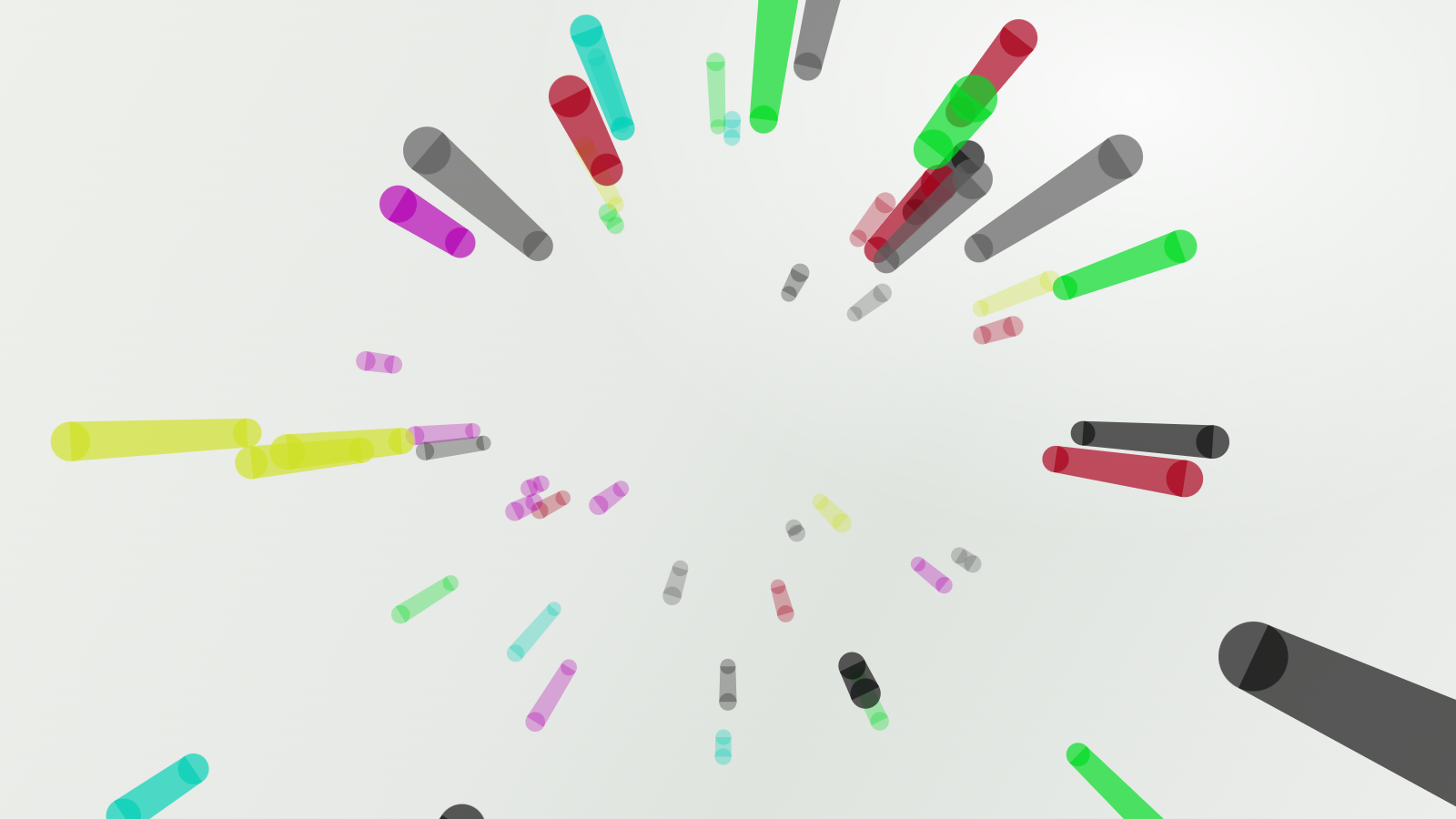
An unofficial, procedural recreation of an SAO-style login sequence for DeepSeek Harness. It plays as a full-screen overlay when the Harness UI starts, then removes itself automatically.
The plugin contains no anime footage, images, fonts, or game assets. Its tunnel, HUD dials, panels, and sound cues are generated with Canvas, CSS, SVG, and Web Audio.
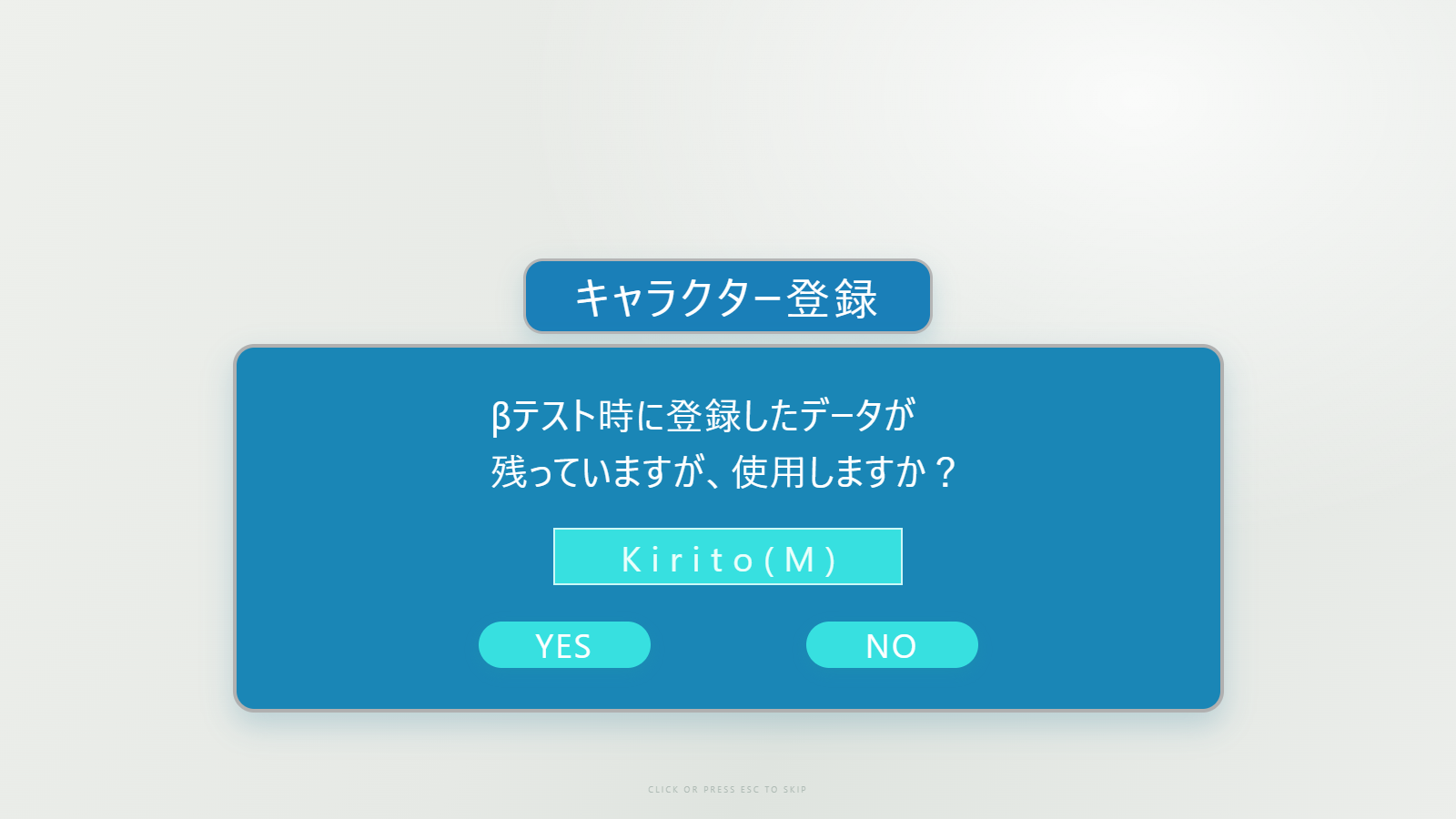
| Beam tunnel | Character confirmation |
|---|---|
 |
 |
English
Features
- Perspective capsule-beam tunnel with near-camera clipping to prevent flashes.
- Five animated cyan HUD dials followed by language, login, and character registration panels.
- A dedicated Settings → SAO Link Start page.
- Adjustable beam speed, beam length, beam density, and HUD dial size.
- Editable language and character labels; defaults are
JapaneseandKirito(M). - Click or press
Escapeto skip. PressCtrl+Alt+Lto replay while the Harness page has keyboard focus. - Respects reduced-motion preferences.
- The original rendering path is the default; an optional Compatibility mode (off by default) gives low-end GPUs a compositor-friendly fallback; see Compatibility mode.
- An optional Tunnel only intro (off by default) that plays just the beam fly-through and skips the rest; see Tunnel only.
Install
Replace desktop with the profile you use:
dsh plugin --profile desktop add github:liyansong0015/dsh-sao-link-start
Restart Harness after installation. Open the account menu, choose Settings, then select SAO Link Start in the left navigation.
Configuration
| Field | Range/default | Effect |
|---|---|---|
| Beam speed | 0.4–2.5, default 1 |
Fly-through speed |
| Beam length | 0.4–2.5, default 1 |
Capsule trail length |
| Beam density | 0.4–2, default 1 |
Number of visible beams |
| Dial size | 0.35–1.2, default 0.65 |
Scale of the five HUD dials |
| Language name | default Japanese |
Label beside the Language pill |
| Character name | default Kirito(M) |
Name in the registration dialog |
| Compatibility mode | off by default | Low-end GPU fallback that avoids per-frame layout; see below |
| Tunnel only | off by default | Play just the beam fly-through; see below |
Save settings and restart Harness to preview the new values.
Compatibility mode
Settings → SAO Link Start → Compatibility mode is off by default: the default state uses the original 1.3.x rendering, i.e. the high-fidelity performance path (2x device pixel ratio, exact per-frame layout). Both states look identical.
Check the box only when the overlay stutters (typically on integrated or older GPUs). The fallback then keeps the overlay out of the layout pipeline:
- the five HUD dials animate with a compositor-only
transform: scale()on a fixed 200×200 box instead of rewritingwidth/height/font-sizeevery frame; - per-dial style writes are cached, so
filter,z-index, and the chip text are only written when they actually change; - the beam canvas caps the device pixel ratio at 1.5 and falls back to 1x with fewer capsule details when frame times stay long;
- the
AudioContextis created on the first user gesture, and sound cues that would already be in the past are skipped instead of replayed late.
The choice is stored in the page's localStorage
(dsh:sao-link-start:compatibility-mode) and applies on the next replay
(Ctrl+Alt+L) or the next Harness start; toggling it does not require a restart.
Measured with a replay-isolated headless Chromium run of one overlay
(Ctrl+Alt+L, same environment), original → compatibility: layout count
37 → 9, layout time 0.087 s → 0.028 s, style-recalculation time
0.979 s → 0.252 s.
Tunnel only
Settings → SAO Link Start → Tunnel only is off by default. Check it to play just the perspective beam fly-through and skip everything after it:
- the five-sense HUD dials, the language pill, the login panel and the character registration dialog are not rendered at all;
- the overlay fades out at ~3.7 s and unmounts at ~4.3 s instead of 14.4 s;
- only the opening whoosh and a short exit whoosh play — no dial/panel cues;
- the beam/dial/language settings above only affect the full sequence.
The preference is stored in localStorage
(dsh:sao-link-start:tunnel-only) and applies on the next replay
(Ctrl+Alt+L) or the next Harness start. Compatibility mode and Tunnel only are
independent: if the full sequence stutters, use Compatibility mode.
Permissions and network use
The plugin adds a startup overlay and a settings section. It does not request credentials, read conversations or workspace files, or make network requests.
中文说明
这是一个非官方的 DeepSeek Harness 启动动画插件,以程序绘制方式重现 SAO 风格的登录流程。Harness 界面启动时会显示全屏动画,播放结束后自动卸载。
插件不包含动画原片、图片、字体或游戏素材。光束隧道、HUD 圆盘、界面和音效均由 Canvas、CSS、SVG 与 Web Audio 实时生成。
功能
- 带近相机裁剪的透视胶囊光束隧道,避免光束穿过镜头时闪屏。
- 五个青色 HUD 圆盘,以及语言、登录、角色确认界面。
- 独立的 设置 → SAO 连结开始动画 页面。
- 可调光束速度、光束长度、光束数量与圆盘大小。
- 可编辑语言名称和人物名称,默认分别为
Japanese与Kirito(M)。 - 点击画面或按
Escape跳过;Harness 页面获得键盘焦点时,可按Ctrl+Alt+L重播。 - 支持系统的减少动态效果偏好。
- 默认使用原版渲染(即性能模式);另提供可选的兼容模式(默认关闭), 给核显/低配机器一个更省主线程的回退路径;见兼容模式。
- 可选仅光束穿行片头(默认关闭):只播放光束穿行,跳过后面所有动画; 见仅光束穿行。
安装
把 desktop 换成你实际使用的配置名称:
dsh plugin --profile desktop add github:liyansong0015/dsh-sao-link-start
安装后重启 Harness。从账号菜单打开设置,在左侧选择 SAO 连结开始动画即可调节参数。
兼容模式
设置 → SAO 连结开始动画 → 兼容模式,默认关闭:默认状态就是原版渲染, 也就是性能模式(2x DPR、逐帧精确布局),两种状态画面完全一致。
只有在动画卡顿时(常见于核显/较旧的 GPU)才需要勾选。开启后改用合成器友好的 精简路径:
- 五块 HUD 圆盘改为对固定 200×200 盒子做合成器
transform: scale(), 不再每帧重写width/height/font-size; - 每个圆盘的样式写入会做缓存,
filter、z-index与 chip 文本只在真正变化时写入; - 光束 canvas 的 device pixel ratio 上限为 1.5,帧时间持续偏长时自动降到 1x 并减少胶囊细节;
AudioContext延迟到首个用户手势才创建,已经错过的音效不再补播。
选择保存在页面 localStorage(dsh:sao-link-start:compatibility-mode),
在下次重播(Ctrl+Alt+L)或下次启动 Harness 时生效——单纯切换开关不需要重启。
实测(重放隔离的无头 Chromium,一次完整动画,同一环境,原版 → 兼容模式): 布局次数 37 → 9,布局耗时 0.087 s → 0.028 s,样式重算耗时 0.979 s → 0.252 s。
仅光束穿行
设置 → SAO 连结开始动画 → 仅光束穿行,默认关闭。勾选后只播放最前面的 透视光束穿行,后面全部跳过:
- 五感 HUD 圆盘、语言标签、登录面板、角色注册界面对话框完全不渲染;
- 遮罩约 3.7 秒开始淡出、约 4.3 秒卸载(完整序列是 14.4 秒);
- 只保留开场音效和一段收尾音效,没有圆盘/面板提示音;
- 上面的光束/圆盘/语言参数只影响完整序列。
选择保存在 localStorage(dsh:sao-link-start:tunnel-only),
在下次重播(Ctrl+Alt+L)或下次启动 Harness 时生效。兼容模式与仅光束穿行是
两个独立开关:完整序列卡顿时再开兼容模式。
权限与联网
插件只注册启动遮罩和设置栏目,不读取对话或工作区文件,不请求凭据,也不会发起 网络请求。
Attribution
The beam concept and palette were adapted from unixzii/SAOLinkStart, released under The Unlicense. This project is also released under The Unlicense.
Sword Art Online and related names are trademarks of their respective owners. This fan project is not affiliated with or endorsed by the rights holders.
No comments yet. Be the first to write one.