dsh-bot







A MiniMax-Bot-style always-on agent team for DeepSeek Harness (DSH). Create named Bots, chat with them one-on-one, pull them into groups, give them shared or private memory, schedule recurring work, dispatch background tasks, and read the usage ledger — while every Bot reply is a real DSH Agent session you can open at any time.
English | 中文
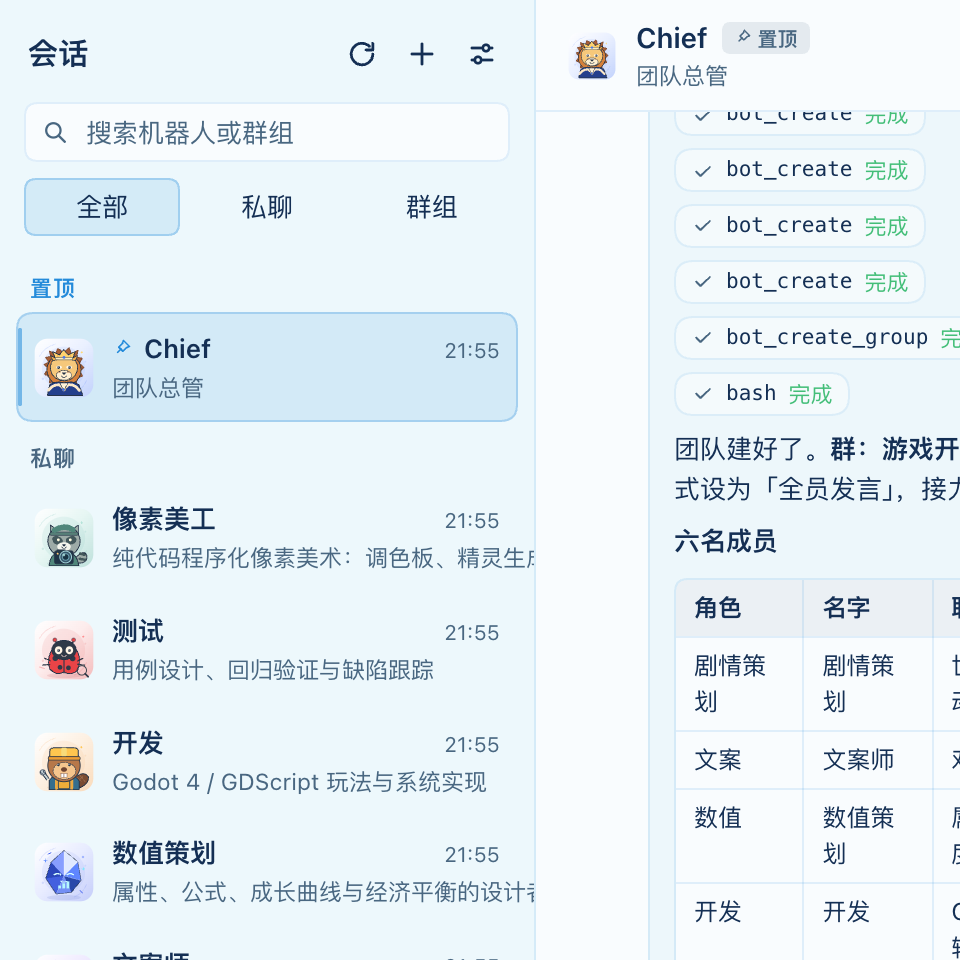
v0.5 highlights — tool calls now show their arguments and output inline; a right-side file browser previews the project the Bots are working on; memory writes itself (with a review queue you can edit).
Why
In DSH a Session is an Agent. dsh-bot does not invent a second execution layer: it gives each Bot its own real Session (grouped in a dedicated workspace), injects the Bot persona/team/memory into the prompt, and turns every message into one real turn. The workbench is a thin product layer on top — so you keep native tool cards, approvals, queueing, search and model selection for free.
Features
| Area | What you get |
|---|---|
| Bot team | Named Bots with role, instructions, avatar, model, reasoning effort, permission preset and pinned workspace. Chief Bot is created first and is the only one that may edit the roster and groups. |
| Pinned chats | Pin any conversation; Chief's private chat is pinned on first launch. |
| Private chats | Every message is one real Agent turn. Streaming text, tool rows, retry, cancel, quote, copy, markdown rendering. |
| Group chats | @Name mentions with a member picker and @all, speaker routing with a per-round cap (maxSpeakers, default 3), group-first collaboration (work goes to the group, private chat stays one-to-one), auto-captured decisions in the group note, admin/all reply modes, [PASS] skipping, hop limit with a wrap-up turn, handover of the previous conclusion, and a group note that survives clearing the chat. The main Bot can create/update/delete groups and post into any group. |
| Task dispatch | bot_dispatch_tasks / bot_get_tasks / bot_cancel_tasks: batched background delegation with request-id idempotency, receipts, result relay and cancel cascade. |
| Background helpers | Hidden child sessions for work that should not block the chat; the report comes back and the Bot verifies it in its own words. |
| Memory | Team and per-Bot stores, selected into the next turn under a 6,000-character budget with revision guards and a journal — with automatic capture and a review queue (see below). |
| Schedules | Daily / every-N / once, delivered by the Host schedule service to a Bot session. |
| Rich input | Text, images and files like the native composer: paste, drag, picker; the Bot receives absolute paths and can read them. |
| Avatar library | 40 original SVG avatars; new Bots auto-match from name/role keywords (unknown roles fall back deterministically). |
| Usage | Turns and characters per Bot over 7/30/90 days; workflow-level task panel. |
| Tool details | Every tool call shows a one-line summary (command, path, URL); expand it to read the arguments and result, with copy buttons. Failed calls open automatically. |
| File browser | A right-side panel lists the Bot / group project directories, previews code with line numbers, Markdown, and images; local file paths in chat are clickable. |
| Auto memory | After a turn, strong instructions are stored automatically; other preferences and conclusions wait as candidates for you to accept, edit or reject. Both team and per-Bot scopes are editable. |
| Bilingual | Chinese and English UI, notices and tool guidance. |
| Publish-ready | 21 model-facing tools, dsh.bundle + dsh.client, market metadata, icon, locales, CI. |
Install
From the plugin market (once listed): install @lisongjianustc/dsh-bot from Settings → Plugins → Discover, or the Workshop card.
From this repository (local development):
git clone https://github.com/lisongjianustc/dsh-bot.git
# in DSH: plugin_manager install_bundle with this directory,
# or: dsh plugin add @lisongjianustc/dsh-bot   (after npm publish)
node scripts/build-client.mjs
Then open the Bot team row in the sidebar, click Create the default Bot, and send your first message.
Requirement: DSH
>= 0.2.2-rc.1with the Web extension bundle.
Quick start
- Open the workbench → the empty state creates Chief (team lead, automatic pinned chat).
- Ask Chief to build a team: “Create a researcher and an engineer, then open a group with both.”
- Chat privately, or post a group discussion; mention members with
@Alice. - Attach an image or a file — the Bot gets the path and can read it.
- Pin any conversation; Chief's chat is pinned by default.
Architecture
Browser (client half)                      Host process (host half)
┌──────────────────────────────┐           ┌────────────────────────────────────────┐
│ sidebar row + workbench page │  HTTP/SSE │ /dsh-bot/api/*  (webServer routes)      │
│ composer · timeline · settings├──────────►│ ledger (state.json + per-chat JSONL)   │
│ avatar library (SVG)         │           │ dispatcher · group relay · task engine  │
└──────────────────────────────┘           │ runtime ──► sessionController.prompt()  │
                                            │            ──► real DSH Agent session   │
                                            │ tool surface: 21 × bot_* (model-facing) │
                                            └────────────────────────────────────────┘
- Host half — plain ESM,
node:*only; owns the ledger under$DSH_HOME/dsh-bot/, the session runtime, the group dispatcher, the task engine, the avatar matcher and the model-facing tools. - Client half — hand-written CommonJS bundled into
window.__ModuleLoader__.load(no build toolchain beyond a 60-line script); React elements only, host theme tokens. - Every Bot reply is a real session turn; open it natively with one click.
Documentation
| Doc | Contents |
|---|---|
| docs/COVERAGE.md | Feature-by-feature comparison with MiniMax Bot (tools 21/21) and the honest v0.4 backlog |
| docs/DELIVERY.md | Delivery and verification report, milestone history, known limitations |
| docs/PROTOCOL.md | Frozen Host↔Client contract (routes, SSE frames, data shapes, tools) |
| docs/AVATAR-LIBRARY.md | 40-avatar SVG library and the auto-matching algorithm |
| docs/AVATAR-PROMPTS.md | ChatGPT prompts for a consistent image-based avatar set |
| docs/PUBLISH.md | dsh-market publishing checklist |
Screens
| Chat — tables, code, avatars |
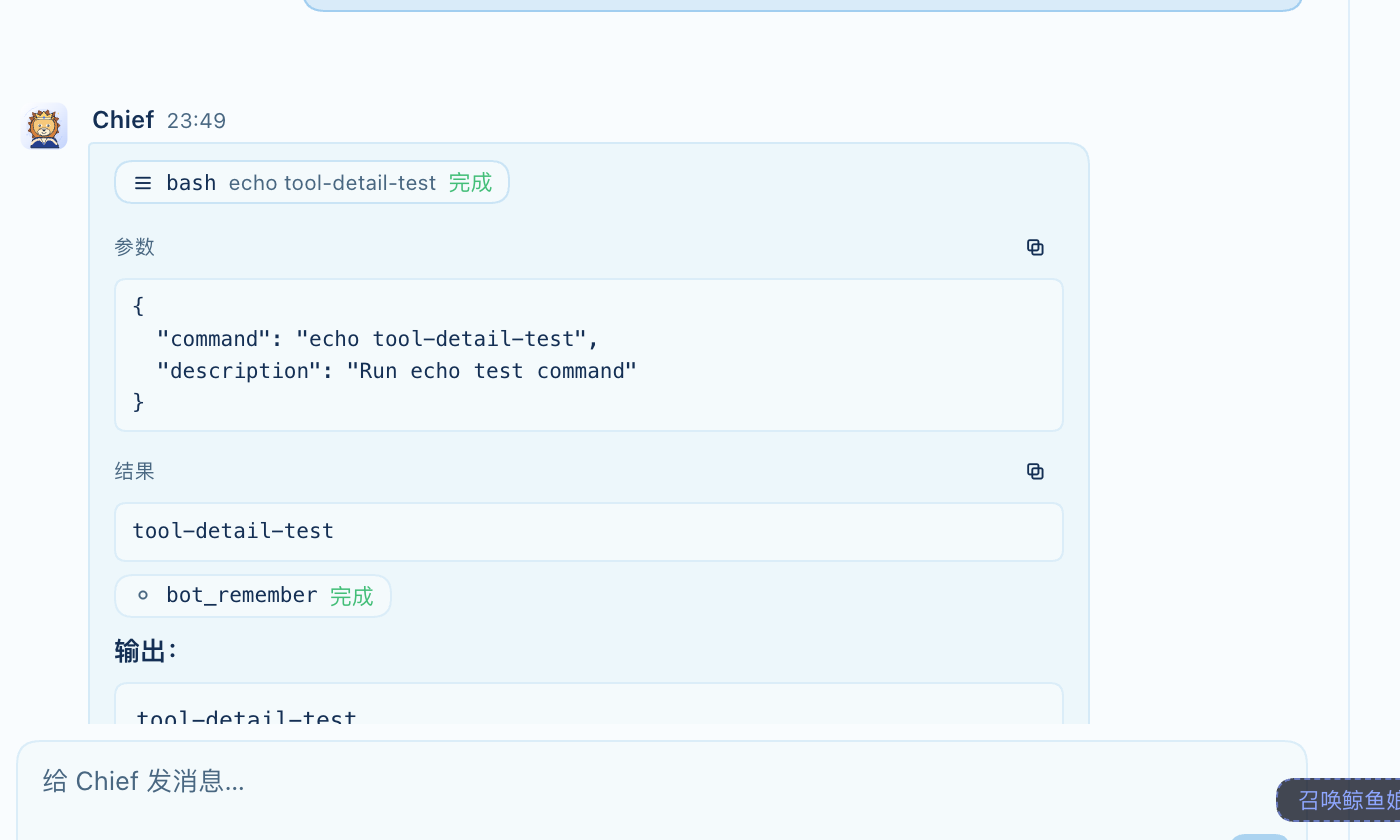 Tool details — arguments and output inline |
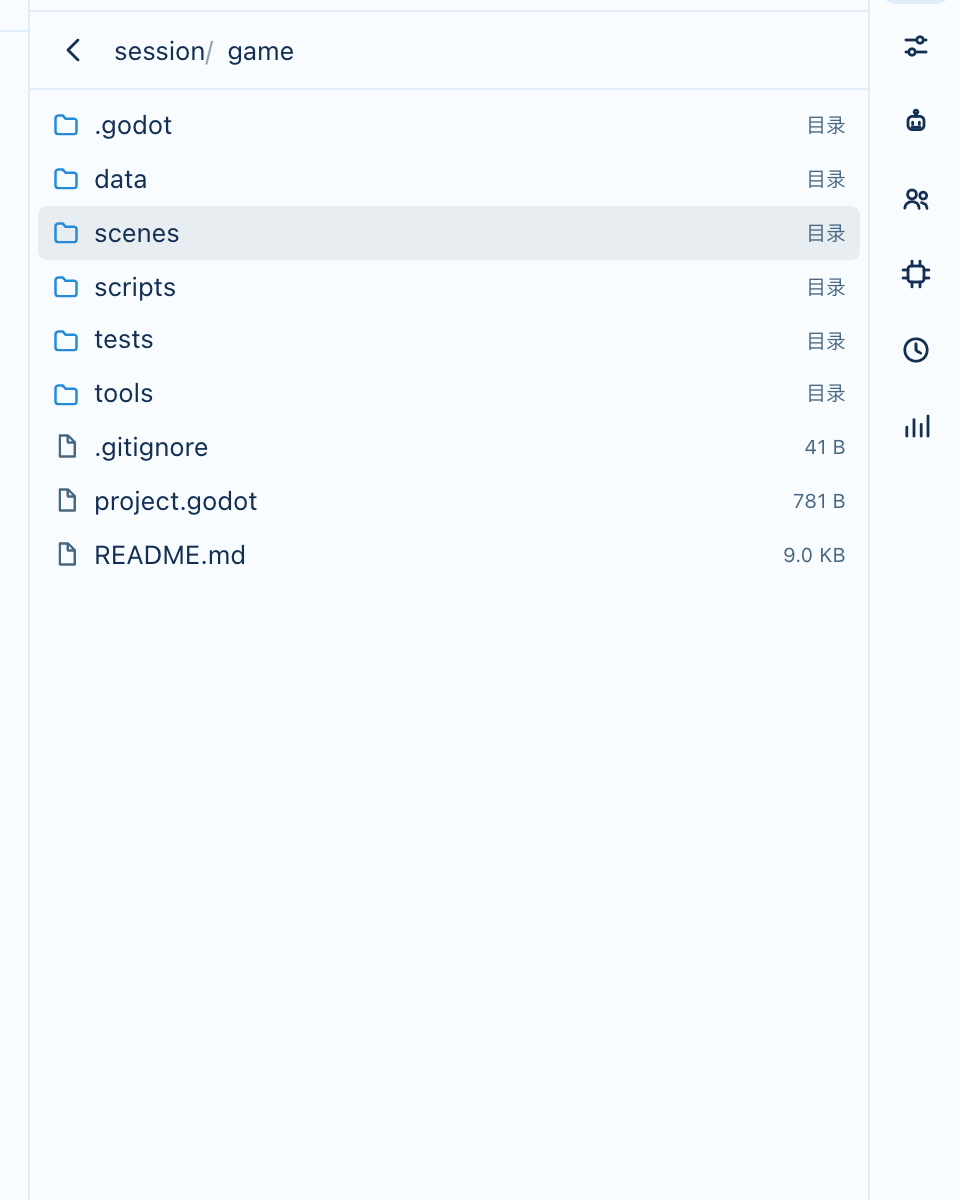 File browser — project directories |
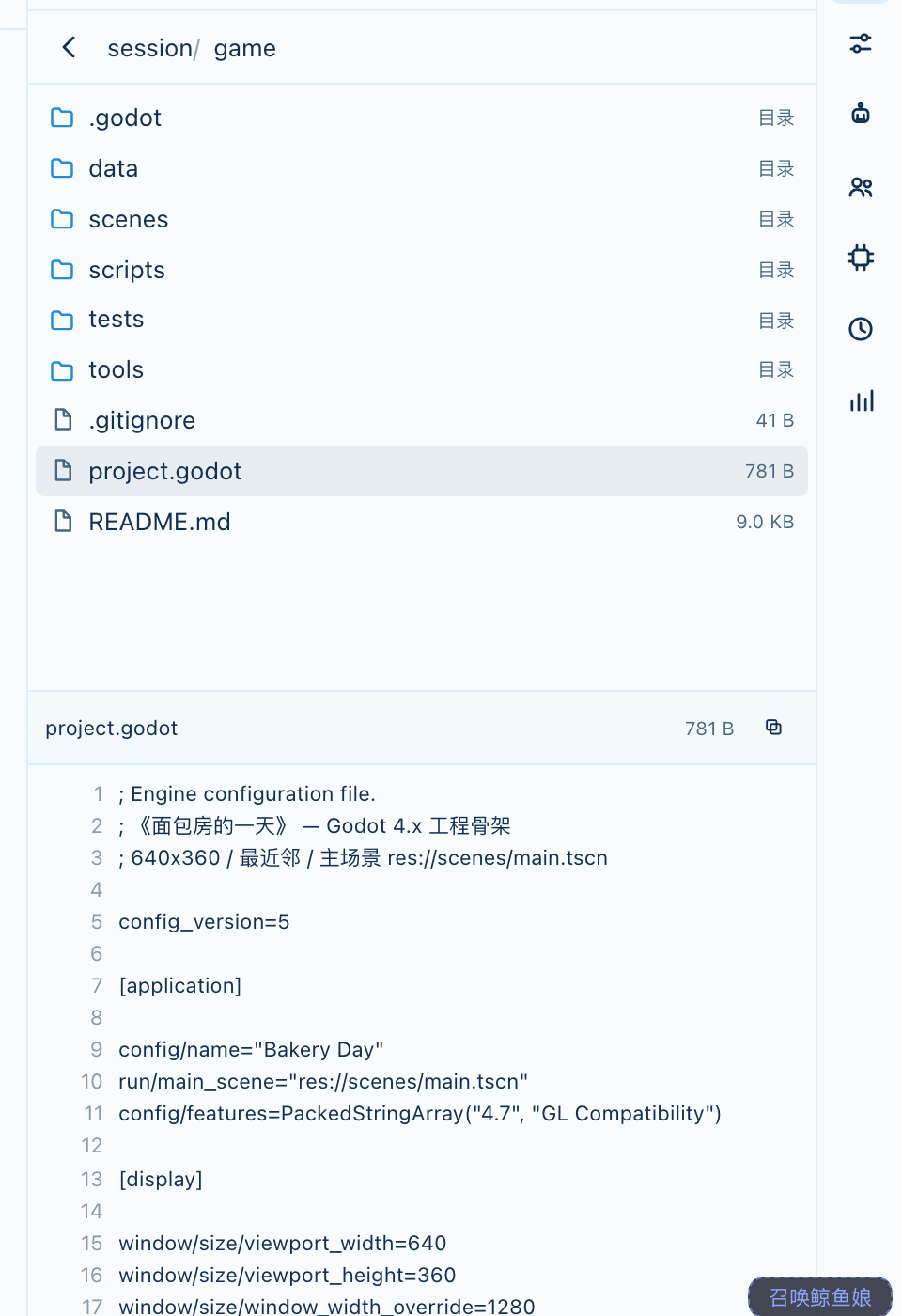 File preview — code with line numbers |
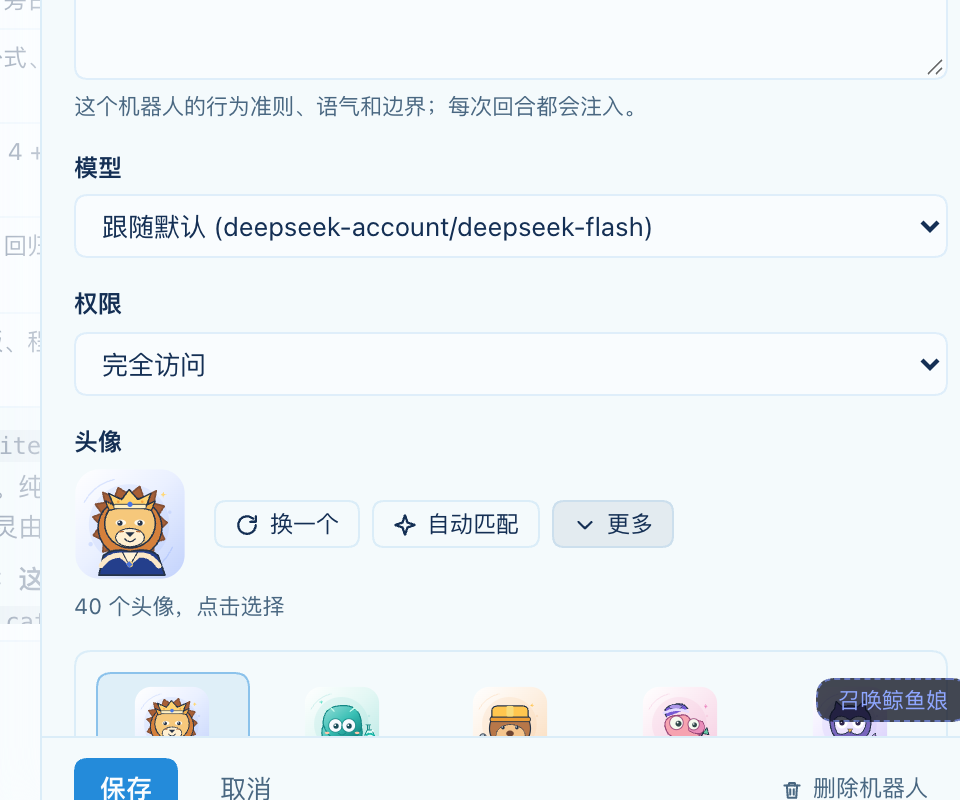 40 SVG avatars with auto-matching |
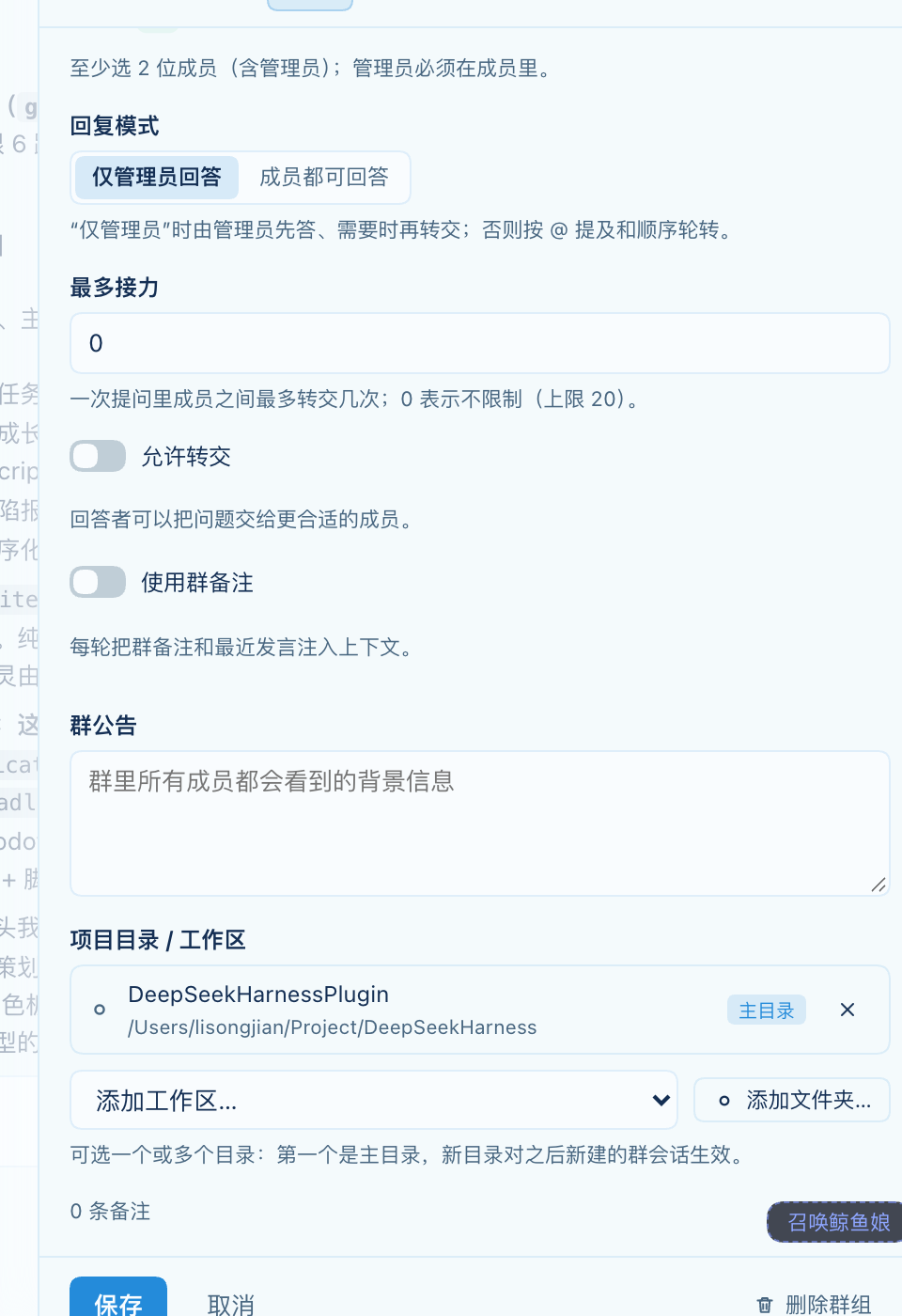 Group project directories |
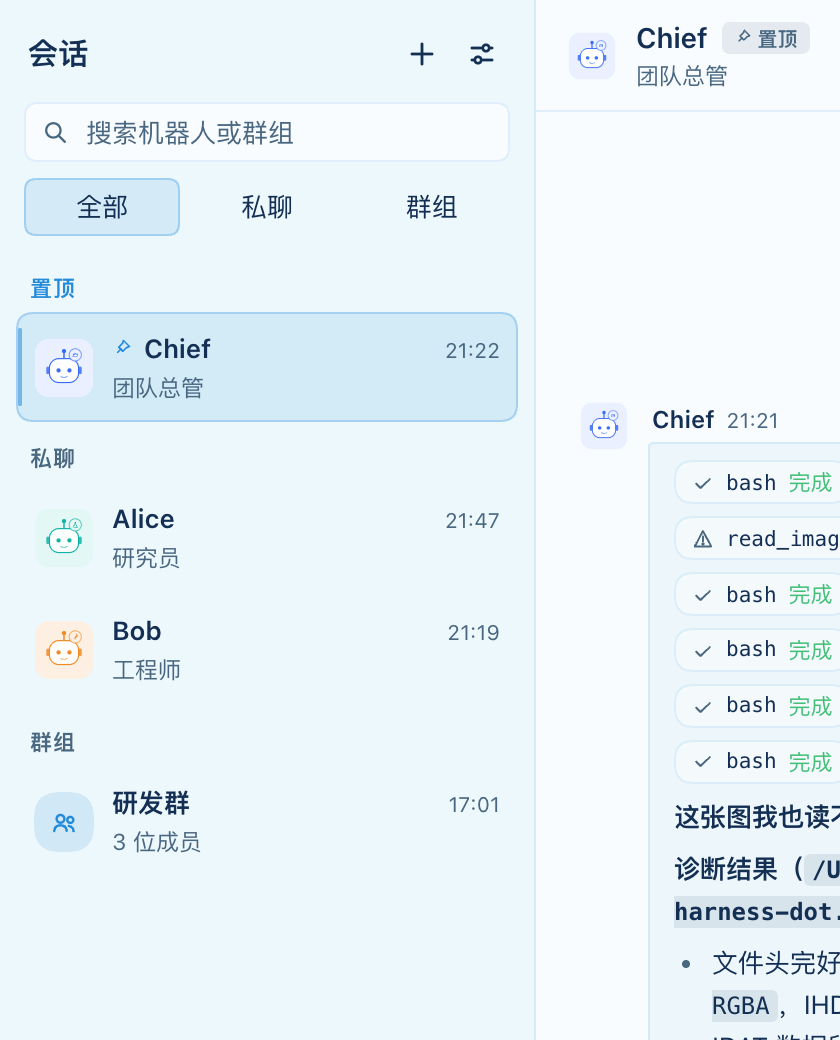 Pinned chats |
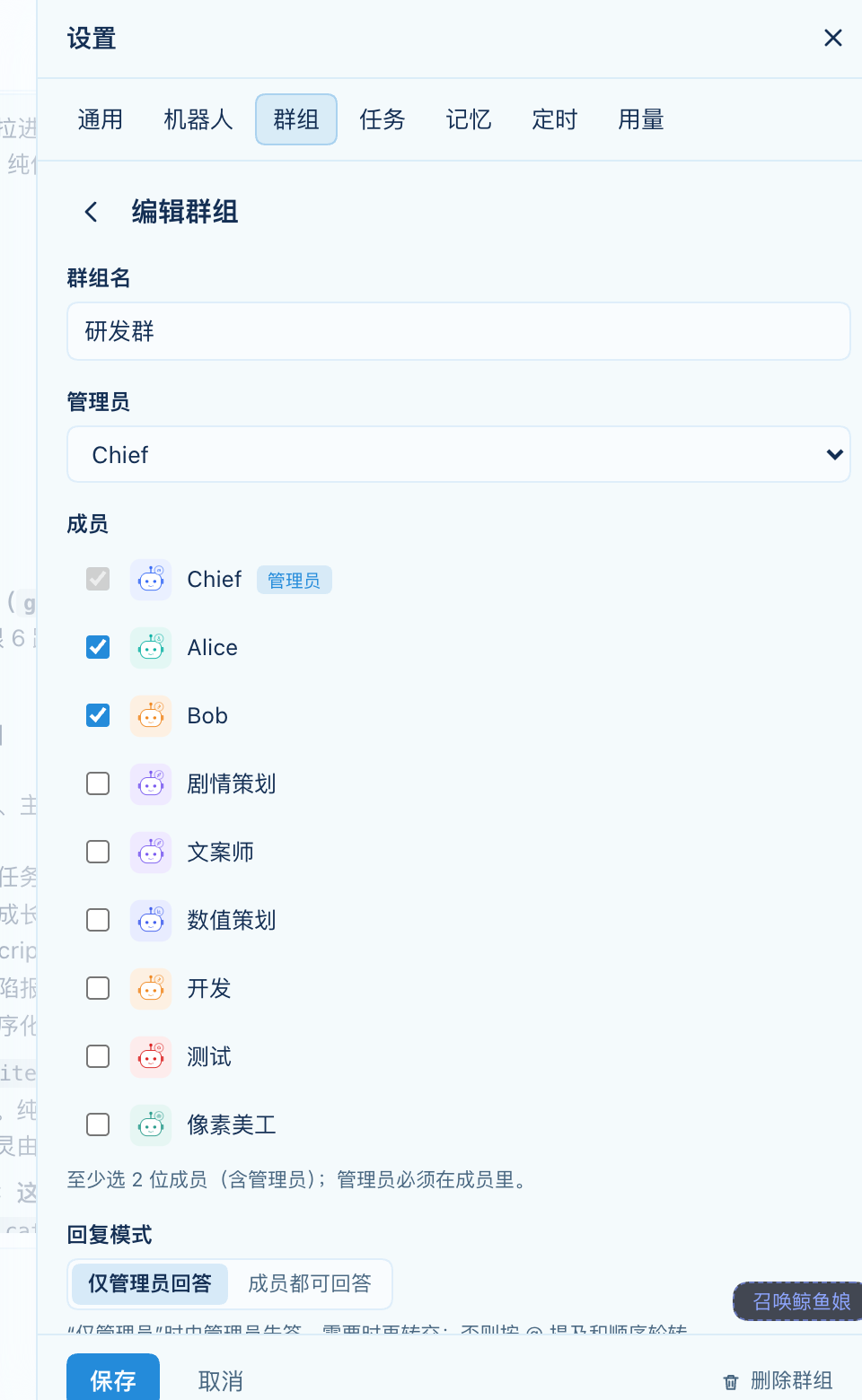 Group settings — members, directories, notes |
Roadmap
- Real-session Bots, private/group chats, memory, schedules, helpers, usage
- Group management tools + task dispatch (21/21 tool parity); group @ mention picker, speaker routing and group-first collaboration
- Rich input (images/files), per-Bot workspace, 40-avatar SVG library, pinned chats
- Tool call details, right-side file browser/preview, automatic memory with review queue
- Multiple conversations per Bot
- Reactions, HTML/PDF previews, in-workbench approval cards
- Task dependency review turns, usage detail
Development
node scripts/build-client.mjs   # src/client/*.js -> lib/client.js
node --test test/*.test.js      # 210 host tests
node scripts/smoke-client.mjs   # 290 client checks
node scripts/verify-live.mjs http://127.0.0.1:<port>   # live Host smoke
Contributing
Issues and pull requests are welcome. Keep the tool names stable (bot_* once defined), run the three checks above, and describe user-visible changes with a screenshot.

No comments yet. Be the first to write one.