DSH HUB
首页插件商店插件包社区排行榜资源发布指南
插件源码
返回插件目录

limccn /

deepseek-vl-support

已验证

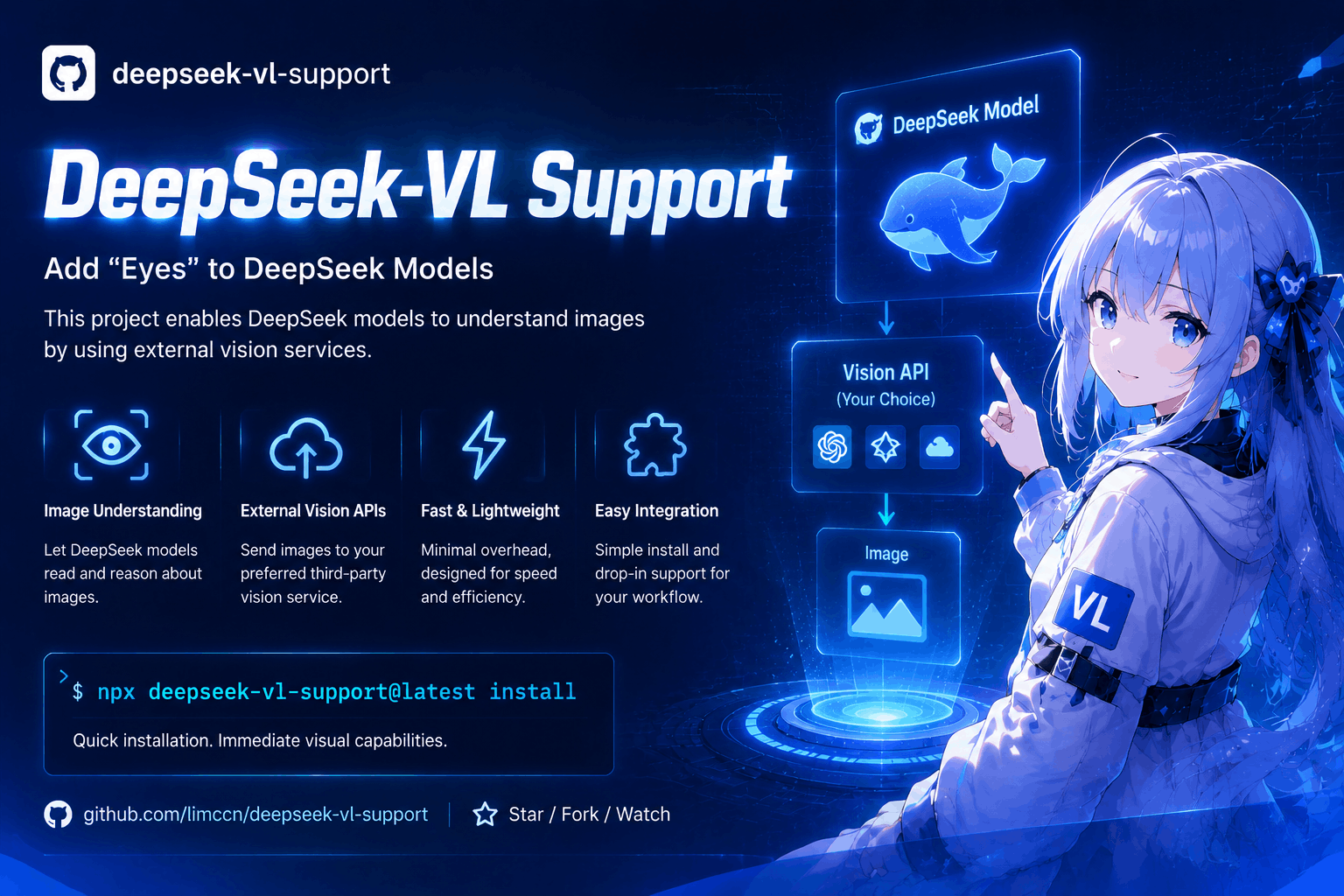
Give DeepSeek (text-only) models **vision** in Claude Code and Codex by routing image files to any OpenAI-compatible vision endpoint (OpenRouter, SiliconFlow, DashScope, Ollama, llama.cpp, vLLM, LM Studio, …). Zero runtime dependencies, MIT licensed.

★ 1 Stars0 Forks0 IssuesN/A 社区评分0 已确认安装
查看 GitHub
README来源: main@4a8309f3
deepseek-vl-support — Give DeepSeek vision capabilities with external vision models

deepseek-vl-support

中文说明 → docs/README.zh-CN.md

What this does

Some AI models (such as DeepSeek) are text-only: they can read your files, but they cannot look at pictures. Screenshots of errors, UI mockups, charts — these are invisible to such models.

This small tool gives them "eyes". Once installed, whenever the model tries to read a picture, the tool sends that picture to a vision service of your choice (Moonshot, OpenRouter, SiliconFlow, Ollama …), receives a detailed text description, and hands that description to the model. The model then works from the description, as if it could see the picture.

Model (DeepSeek)  Read screenshot.png
  → this tool intercepts the read
  → picture → your vision service → detailed text description comes back
  → the model receives: "[Vision of screenshot.png]: <detailed description>"
  → the model continues from the description

No model settings to change, no extra configuration files to write — it works automatically after a one-time setup. One command to install, one command to remove. MIT licensed.

Who this is for

  • You use a text-only model (such as DeepSeek) in any of the supported agents: native — Claude Code, Codex, OpenCode; skill-based — Trae, Pi Coding Agent, DeepSeek Harness; Agent Plugins clients — GitHub Copilot, Cursor, Kiro, OpenClaw, Hermes Agent, VS Code, ChatGPT & Codex, Grok Bot, NanoClaw, and other spec-compliant agents.
  • You want that model to understand pictures: error screenshots, UI mockups, charts, photos of notes.

Before you start (what you need)

  1. Node.js 18 or newer. Check with node -v — if it prints a version number, you are ready. If not, install it from https://nodejs.org.
  2. An account at a vision service, and its API key. The vision service is the "eyes provider" — a website that looks at pictures for you. Cloud options you can register for: Moonshot, OpenRouter, MiniMax, Zhipu GLM, StepFun, OpenCode Zen, SiliconFlow, DashScope. Free local options: Ollama, llama.cpp, vLLM, LM Studio (these run on your own computer). The API key is a secret code from that service (usually under "API keys" on its website). The installer asks for it once and stores it only on your computer.
  3. Any of the supported agents above already installed — a plugin client, a skill-based agent, or Claude Code / Codex / OpenCode.

Install (about 2 minutes)

Open a terminal in your project folder:

cd path/to/your/project
npx deepseek-vl-support@latest install

No CLI? Let your agent install it from GitHub. The 10 Agent Plugins clients (GitHub Copilot, Cursor, Kiro, OpenClaw, Hermes Agent, VS Code, ChatGPT & Codex, Grok Bot, NanoClaw, and other spec-compliant agents) can install the plugin themselves — no terminal needed. Just ask in the conversation:

Install the plugin from https://github.com/limccn/deepseek-vl-support and enable it

It works because the repo root is an Agent Plugins v1.0.0 plugin (plugin.json + mcp.json + skills/), and open-standard agents install plugins straight from a GitHub repo URL. Two caveats: (a) this only covers the Agent Plugins clients above — Claude Code, Codex, OpenCode, Trae, Pi, and DeepSeek Harness do not support the standard and must use the npx wizard; (b) a GitHub install brings the plugin only, it does not create ~/.deepseek-vl/config.json — configure the vision endpoint afterwards with npx deepseek-vl-support@latest install --target <client> or environment variables (see Configuration via environment variables). Per-client install commands are in Agent Plugins mode.

A numbered menu appears and asks 7 questions. Most have a sensible default — just press Enter to accept it.

# Question What it means Default
1 Which agents should get vision? Pick one or more (comma-separated numbers): claude, codex, opencode, trae, pi, omp, dsh, qwen, reasonix, kilo, workbuddy, devin, copilot, cursor, kiro, openclaw, hermes, vscode, chatgpt-codex, grok, nanoclaw, other. Selected agents that were not detected on this machine are flagged during install with an "install it first" hint — non-blocking, the manual guidance still prints claude, codex + the agents detected on this machine
2 Vision endpoint preset Which "eyes provider" to use — pick the one you have an account for (see the endpoint table below), or choose Decide later (last option) to skip endpoint configuration for now openrouter
3 Base URL The address of that service (the preset fills this in) from preset
4 API key Your secret code for that service; stored only on your computer Enter skips
5 Vision model id Which "eyes" to use (the preset fills this in) from preset
6 Fallback models Backup "eyes" if the main one fails (optional) Enter skips
7 Install scope This project only (recommended), or all your projects. Only asked when a native agent (claude, codex, opencode, qwen, reasonix, kilo, workbuddy, devin) is selected project

Decide later: choosing it (or --preset later in non-interactive runs) skips the Base URL / API key / model / fallback questions — everything else installs normally, but the installer prints:

Vision not configured: images cannot be described until a model is set.

Fix it any time with npx deepseek-vl-support@latest config set model <id> (plus config set baseUrl <url> if you are not using the default), or set the VISION_MODEL / VISION_BASE_URL environment variables.

Re-running on a configured project: if config.json already exists the wizard asks Keep existing (skip config write) or Overwrite (merge new answers in) — the default keeps your current endpoint settings. Choosing Decide later (or --preset later) keeps the existing config without asking. When a skill file already exists at one of the target locations (from a previous install, or written by hand), a second confirmation follows: Keep existing skills (default) or Overwrite with packaged version. Non-interactive runs never ask — the config is deep-merged as in previous releases and skill files follow the existing rules (managed files are kept, hand-written files are skipped).

When it finishes:

  1. Restart the session — the installer prints this reminder, and it is required for the effect to kick in.
  2. Optional check — run the health check and look for [OK]:
npx deepseek-vl-support@latest doctor

Preview before committing (prints what would be written, writes nothing):

npx deepseek-vl-support@latest install --dry-run

Refreshing an install: to pull managed artifacts up to the current packaged version (for example after a package upgrade), re-run with --update:

npx deepseek-vl-support@latest install --update

--update skips the keep/overwrite questions: managed files are refreshed, and a hand-written (marker-less) skill file is backed up to <file>.bak before being replaced.

Tip: run npx deepseek-vl-support@latest … from your own project folder. Running it inside this tool's own source folder hits a known npx quirk ('deepseek-vl-support' is not recognized) — a run-location issue, not a package problem.

Try it out

Fastest check — describe a picture directly in the terminal:

npx deepseek-vl-support@latest describe path/to/a/picture.png

A good text description comes back → everything is wired up correctly.

From then on:

  • Claude Code: read any picture in the session (png / jpg / jpeg / gif / webp / bmp) — the model automatically receives the description. Manually: /vision path/to/picture.png "your question".
  • Codex: ask the model to call mcp__deepseek-vl__describe_image(path); mcp__deepseek-vl__vision_status() shows the current settings plus a health check. A project-scope Codex install additionally writes the skill to .agents/skills/deepseek-vision/SKILL.md in the project — the Codex skill contract location that Cursor, GitHub Copilot, Kimi Code, etc. read skills from, so those tools pick up vision too. (Global-scope installs skip it.)

Choosing the endpoint (reference)

Endpoint base URL Example model
Moonshot https://api.moonshot.cn/v1 moonshot-v1-32k-vision-preview
OpenRouter https://openrouter.ai/api/v1 qwen/qwen2.5-vl-72b-instruct
MiniMax https://api.minimaxi.com/v1 MiniMax-VL-01
Zhipu GLM https://open.bigmodel.cn/api/paas/v4 glm-4v-flash
StepFun https://api.stepfun.com/v1 step-1o-turbo-vision
OpenCode Zen https://opencode.ai/zen/v1 mimo-v2.5-free
SiliconFlow https://api.siliconflow.cn/v1 Qwen/Qwen2.5-VL-72B-Instruct
DashScope https://dashscope.aliyuncs.com/compatible-mode/v1 qwen-vl-max
Ollama (local) http://localhost:11434/v1 qwen2.5vl:7b (run ollama pull qwen2.5vl:7b first)
llama.cpp (local) http://localhost:8080/v1 llava (llama-server -m llava.gguf)
vLLM (local) http://localhost:8000/v1 deepseek-ai/deepseek-vl2
LM Studio (local) http://localhost:1234/v1 qwen2.5-vl-7b-instruct

Everyday commands (cheat sheet)

What you want Command
Install npx deepseek-vl-support@latest install
Health check npx deepseek-vl-support@latest doctor (add --all to check fallbacks too)
Describe a picture now npx deepseek-vl-support@latest describe picture.png
See current settings npx deepseek-vl-support@latest config get
Change a setting npx deepseek-vl-support@latest config set maxBytes 5242880
Remove the tool npx deepseek-vl-support@latest uninstall
Remove + delete settings too npx deepseek-vl-support@latest uninstall --purge-config

Changing settings

Your answers are saved in .deepseek-vl/config.json inside the project folder. Usually you never need to touch it. The two settings worth knowing:

Setting Meaning Default
maxBytes Pictures bigger than this are skipped (saves time and money) 10485760 (10 MB)
timeoutMs How long to wait for one description 120000 (2 minutes)

Example — skip pictures over 5 MB:

npx deepseek-vl-support@latest config set maxBytes 5242880

Describing the same picture twice is free: results are cached on your machine (64 MB limit). Change the picture and it gets described again.

Configuration via environment variables

Every setting can also be set through environment variables instead of config files. They apply to all consumers — the Claude Code hook, the MCP server plugin clients launch, and the describe CLI all read the same merged config — and you do not need to re-run the installer after changing them.

Variable What it sets Example value
VISION_BASE_URL The vision service address https://api.moonshot.cn/v1
VISION_MODEL The vision model id moonshot-v1-32k-vision-preview
VISION_API_KEY Your secret API key sk-...
VISION_TIMEOUT_MS How long to wait for one description (ms) 120000
VISION_MAX_BYTES Pictures bigger than this are skipped 10485760
VISION_FALLBACKS Fallback models, model@baseUrl comma-separated qwen/qwen2.5-vl-72b-instruct@https://api.siliconflow.cn/v1
VISION_DISABLE Switch vision off entirely (1 / true) 1

Precedence: environment variables override the config files field by field — VISION_* > project .deepseek-vl/config.json > global ~/.deepseek-vl/config.json > built-in defaults. This is also the simplest way to configure vision after the GitHub prompt install described above, which creates no config file at all.

Bash:

export VISION_BASE_URL="https://api.moonshot.cn/v1"
export VISION_MODEL="moonshot-v1-32k-vision-preview"
export VISION_API_KEY="sk-..."

PowerShell:

$env:VISION_BASE_URL = "https://api.moonshot.cn/v1"
$env:VISION_MODEL = "moonshot-v1-32k-vision-preview"
$env:VISION_API_KEY = "sk-..."

Troubleshooting

Symptom What to do
The model still doesn't describe pictures 1) Restart the session (required after install). 2) Run … doctor and look for [OK].
doctor shows "VISION_MODEL not set" / no model configured You chose Decide later during install. Configure a model now: config set model <id> (plus config set baseUrl <url> if not using the default), or set the VISION_MODEL / VISION_BASE_URL environment variables (see Configuration via environment variables).
doctor shows "unreachable" or no [OK] The service address or key is wrong: check the base URL ends with /v1 and the API key is correct. (If the service hides its model list, doctor shows a warning instead — that is fine as long as it says reachable.)
"image too large" hint The picture exceeds the limit — compress or crop it (e.g. under 5 MB, long side ~2000 px), or raise the limit with config set maxBytes ….
Descriptions are slow Lower the limit (config set maxBytes 5242880) or switch to a faster endpoint.
Pasted (Ctrl+V) pictures are not described Pasted images bypass the read path — save the picture as a file first, then read it (or use /vision / describe_image).
Codex: mcp__deepseek-vl__* tools not visible A known Codex bug hides them. The installer fixes it automatically; manual fix: in ~/.codex/models.json set "supports_search_tool": false for the DeepSeek entry.
Codex asks for approval on the first tool call Normal for any MCP server — click Allow once. In non-interactive codex exec, use deepseek-vl-support describe <file> instead.
Windows terminal shows garbled text Run chcp 65001, or use Windows Terminal / the VS Code terminal.
DeepSeek v4-r1 / reasoning models unusable Reasoning models cannot call tools. In Codex use [model_providers.deepseek] wire_api = "chat" plus a non-reasoning model; prefer a non-reasoning vision model too.
Nothing happens and the model sees [Unsupported Image] Vision is switched off (VISION_DISABLE=1 or enabled: false in the config) — turn it back on to use vision.

Advanced (optional)

Full settings example (.deepseek-vl/config.json, editable via deepseek-vl-support config set <key> <value>):

{
  "baseUrl": "https://api.moonshot.cn/v1",
  "model": "moonshot-v1-32k-vision-preview",
  "apiKey": "sk-...",                    // optional; lives only in .deepseek-vl/config.json
  "timeoutMs": 120000,                   // per-request timeout (fallbacks share the total budget)
  "maxBytes": 10485760,                  // pictures above this are skipped
  "fallbacks": [
    { "model": "Qwen/Qwen2.5-VL-72B-Instruct", "baseUrl": "https://api.siliconflow.cn/v1" },
    { "model": "qwen2.5vl:7b" }          // missing fields inherit the primary config
  ]
}
  • Fallbacks: if the main service fails (network error / timeout / empty answer), the tool retries with the next one, in order, sharing one time budget. doctor --all checks each entry.
  • Environment variables override the file (field by field): see Configuration via environment variables; install-time DVLS_TARGET / DVLS_SCOPE behave the same way.
  • Non-interactive / CI install (no menu; all answers as flags):
npx deepseek-vl-support@latest install --non-interactive \
  --target claude,codex --preset custom \
  --base-url https://api.moonshot.cn/v1 --model moonshot-v1-32k-vision-preview \
  --api-key sk-... --fallbacks "qwen/qwen2.5-vl-72b-instruct@https://openrouter.ai/api/v1"

# skip endpoint configuration entirely (same as the wizard's "Decide later")
npx deepseek-vl-support@latest install --non-interactive --target opencode --preset later

--target takes a comma-separated agent list (claude, codex, opencode, trae, pi, omp, dsh, qwen, reasonix, kilo, workbuddy, devin, copilot, cursor, kiro, openclaw, hermes, vscode, chatgpt-codex, grok, nanoclaw, other); the default is claude,codex plus the agents detected on this machine. Any combination is allowed — e.g. --target claude,copilot installs the Claude Code hook AND registers the plugin with Copilot in one run. To skip the endpoint configuration entirely, pass --preset later.

Skill-based agents (OpenCode / Trae / Pi / Oh My Pi / DeepSeek Harness)

Five agents read Agent Skills but do not implement the Agent Plugins open standard, so they get their own integration (--target opencode,trae,pi,omp,dsh). OpenCode is a native agent, so its artifacts (opencode.json + the shared skill) follow the install scope you choose. The skill agents trae/pi/omp/dsh are project scope only and never trigger the install-scope question:

Agent What the installer does Verify / notes
OpenCode (opencode) MCP server entry in opencode.json (mcp.deepseek-vl, type: local, npx -y deepseek-vl-support mcp, enabled: true) + the shared .agents/skills/ skill. Project or global by the install scope; the file is deep-merged (your other keys and MCP servers are never touched) and backed up to opencode.json.bak before the first change OpenCode reads .agents/skills/ natively; restart OpenCode, then ask for a screenshot description
Trae (trae) skill copied to .trae/skills/deepseek-vision/ + manual import guidance (Settings → Rules & Skills → Create/Import) + optional manual MCP setup (Settings → MCP) Trae is an IDE — there is no CLI automation; the MCP entry is manual (Trae's config paths are unverified)
Pi Coding Agent (pi) shared .agents/skills/ skill; guidance prefers the native package (pi install npm:deepseek-vl-support) — one command gives pi the user-level skill and a native extension (automatic image description); writes mcpServers.deepseek-vl to ~/.pi/agent/mcp.json only when the pi-mcp-adapter extension is detected (file or ~/.pi/agent/npm/ present) pi core has no MCP — the packaged skill works without it; for MCP tools add the adapter (pi install npm:pi-mcp-adapter), restart pi
Oh My Pi (omp) shared .agents/skills/ skill (omp reads it at priority 70) + guidance omp install npm:deepseek-vl-support — one command gives omp the skill, automatic MCP tools and the native extension (the package's .mcp.json is auto-registered); no config file is written (omp's user-level MCP paths are unverified) omp is a pi fork with built-in MCP; activate with /reload-plugins — no restart needed
DeepSeek Harness (dsh) shared .agents/skills/ skill (dsh reads <project>/.agents/skills at rank 200); guidance prefers the native package (dsh plugin --profile web add deepseek-vl-support@latest) — one command gives dsh the describe_image + vision_status native tools dsh plugin --profile web add deepseek-vl-support@latest → restart the dsh web session; the wizard skill path keeps working alongside

Five more CLI agents got native support in 0.2.3 (--target qwen,reasonix,kilo,workbuddy,devin). All are project or global by the install scope; every file change is a JSON deep-merge (foreign keys never touched, .bak backup before the first change) and re-runs are idempotent:

Agent What the installer does Verify / notes
Qwen Code (qwen) skill copied to .qwen/skills/deepseek-vision/ + settings.json mcpServers.deepseek-vl (npx) + a PreToolUse hook (matcher Read) that routes image reads to the MCP server (node "<abs path to hook.cjs>"); global scope uses ~/.qwen/ Qwen does not read .agents/skills/, so the skill lives in .qwen/skills/; a commented (JSONC) settings.json is reported as manual — file bytes untouched
Reasonix (reasonix) shared .agents/skills/ skill + project .mcp.json mcpServers entry + .reasonix/settings.json hook; global scope writes a [[plugins]] block into ~/.reasonix/config.toml + ~/.agents/skills/ The plugin block is wrapped in managed # deepseek-vl-support:start/end markers and updated in place; a foreign block without our markers is left untouched (manual)
Kilo Code (kilo) shared .agents/skills/ skill + mcp.deepseek-vl entry in project .kilo/kilo.json (type: local, command as an array ["npx","-y","deepseek-vl-support","mcp"], enabled: true); global scope probes ~/.config/kilo/kilo.json then kilo.jsonc and writes to whichever exists Kilo uses the mcp key (not mcpServers); the config file is created as kilo.json when neither exists
WorkBuddy / CodeBuddy Code (workbuddy) skill copied to .codebuddy/skills/deepseek-vision/ + project .mcp.json mcpServers entry (type: stdio); global scope uses ~/.codebuddy/.mcp.json Shares the project .mcp.json with Reasonix — either agent's entry is seen as present by the other; a JSONC .mcp.json is reported as manual (bytes untouched)
Devin (devin) shared .agents/skills/ skill + mcpServers entry in project .devin/mcp_config.json; global scope uses %APPDATA%\devin (win32) or ~/.config/devin (posix) The Devin CLI has no official npm package — https://devin.ai/download

Selected-but-undetected agents are flagged non-blockingly at install time: ⚠ <Label> was not detected on this machine — install it first (<hint>).

Uninstall ownership: uninstall --target opencode|pi|omp|dsh removes each agent's own artifacts (the opencode.json / mcp.json entries) but keeps the shared .agents/skills/deepseek-vision/ tree — it may be used by other agents. The native CLI agents (qwen/reasonix/kilo/workbuddy/devin) follow the same rule, and qwen/workbuddy also remove their own skill copies (.qwen/skills/, .codebuddy/skills/) and hook files. Only uninstall --target codex removes the shared skill tree (or delete the directory yourself).

Pi and Oh My Pi native packages

Since 0.2.4 the npm package and this repo double as a native plugin for both agents — no wizard needed:

Pi Coding Agent

pi install npm:deepseek-vl-support          # published package
pi install git:github.com/limccn/deepseek-vl-support@<tag>   # from git (pinned)
  • What you get: the deepseek-vision skill at user level and a native extension — pi loads only what its pi manifest lists ("pi": { "extensions": ["./extensions"], "skills": ["./skills"] }). The skill is self-contained: it calls npx deepseek-vl-support describe, so it works without any MCP setup. The extension makes vision transparent: pasting or dragging an image into a prompt describes it automatically and injects the description into the conversation; read on an image file returns [Vision: …] text instead of a "model does not support images" note; /vision shows the endpoint + model status and a startup self-check notifies you when the vision setup is incomplete.
  • The extension delegates every description to the packaged CLI (node …/dist/cli.js describe), so it shares the exact same endpoint configuration, size guard, cache and fallback chain as the skill and the MCP server — configure once (deepseek-vl-support config set … or the VISION_* env vars), use everywhere. The extension (transparent), the skill (explicit call) and MCP tools run in parallel and never conflict.
  • MCP tools are not included — pi core has no MCP. If you want the describe_image / vision_status tools too, install the community adapter (pi install npm:pi-mcp-adapter, restart pi) and re-run this installer, or use the wizard's adapter-aware path.
  • Uninstall: pi remove deepseek-vl-support (the adapter is a separate package — remove it with pi remove pi-mcp-adapter).
  • Notes: restart pi after installing — the extension module loads at startup (and after every pi update); trust the project on first run for project-level skills. If you already installed the project-level skill via the wizard, the packaged skill is equivalent — no need to install twice.

Oh My Pi

omp install npm:deepseek-vl-support         # published package
omp install github:limccn/deepseek-vl-support@<tag>  # from git (pinned)
  • What you get: the deepseek-vision skill and automatic MCP tools — omp (a pi fork with built-in MCP) reads the package's .mcp.json and registers the deepseek-vl server with describe_image / vision_status — plus the same native extension as pi (omp loads the pi manifest entry, so pi.extensions applies here too): pasted images and image reads are described automatically, /vision and the startup self-check are available. Activate with /reload-plugins — no restart needed.
  • omp falls back to the pi manifest key, so the same package works for both agents; it also reads the project .agents/skills/ shared tree (priority 70), so a wizard-installed project skill is picked up as well. The extension shares the same configuration as the skill and MCP tools — one deepseek-vl-support config set … or VISION_* setup covers all paths.
  • Uninstall: omp plugin uninstall deepseek-vl-support.
  • Note: omp iterates very fast — if a future version stops accepting the pi key fallback (extensions and skills both), report it; the wizard path (shared skill + guidance) keeps working regardless.

DeepSeek Harness native plugin

Since 0.2.6 the npm package and this repo double as a native cordis tool plugin for DeepSeek Harness (dsh) — no wizard needed:

dsh plugin --profile web add deepseek-vl-support@latest    # published package
dsh plugin --profile web add github:limccn/deepseek-vl-support@<tag>  # from git (pinned)
  • What you get: two native tools, describe_image and vision_status, registered in-process (no npx subprocess), with the exact same names, descriptions and output format as the MCP server. They read the same configuration as every other surface — one deepseek-vl-support config set … or VISION_* env setup covers the plugin too (the wizard does not write any dsh-specific config).
  • Activation: the package's dsh manifest key (bundle.patch) points at cordis.patch.yml, whose insert row loads the plugin through the package main entry (dist/dsh-plugin.js). The dsh profile closure injects @deepseek-ai/cordis + @deepseek-ai/dsh-tools at runtime — the plugin ships no copies of the official packages.
  • The wizard skill path still works and complements the plugin: the shared .agents/skills/deepseek-vision/ skill (rank 200) is read by dsh for team repos; native tools and skill coexist without conflict.
  • Verify: dsh --profile web --dump-config shows the deepseek-vl layer in the bundle patch stack.
  • Uninstall: dsh plugin --profile web remove deepseek-vl-support (then restart the dsh web session).
  • Notes: restart the dsh web session after install; editing a local add . install is a pnpm file: copy, not a link — remove then add . again to pick up changes.

Agent Plugins mode (10 compatible clients)

Beyond Claude Code and Codex, the package ships as a portable Agent Plugins v1.0.0 package (root plugin.json

  • mcp.json + skills/deepseek-vision/SKILL.md), so agents that load plugins get vision too — the deepseek-vision skill plus the describe_image / vision_status MCP tools backed by the same endpoint configuration. The MCP server is launched as npx -y deepseek-vl-support mcp (your environment needs npm/npx), and a .mcp.json copy of the server config is shipped for Copilot's native MCP convention.
# one-shot installer: copies the plugin dir to ~/.deepseek-vl/plugin/ and
# registers it with the clients you pick (the wizard menu defaults to the
# clients it detects on your machine)
npx deepseek-vl-support@latest install --target copilot,cursor,kiro,openclaw,hermes,vscode,chatgpt-codex,grok,nanoclaw,other

# non-interactive: same effect, or mix plugin agents with native ones
npx deepseek-vl-support@latest install --target claude,copilot

The legacy --clients copilot,cursor flag still works as a filter for plugin agents in non-interactive runs (effective plugin agents = --target ∩ --clients); the old --target plugin value is gone — list the plugin agents directly instead.

Per-client behavior:

Client Install Verify Uninstall
GitHub Copilot copilot plugin install + marketplace add (or enabledPlugins in ~/.copilot/settings.json when the CLI is missing) copilot plugin list, then ask for a screenshot description in a session copilot plugin uninstall deepseek-vl-support
Cursor copies the plugin dir to ~/.cursor/plugins/local/deepseek-vl-support/ (marked) Developer → Reload Window, then the skill/MCP server shows up re-run the installer's uninstall (removes the marked dir only)
Kiro manual — Kiro has no CLI automation surface Kiro → Powers panel → Add Custom Power → Import power from a folder → select ~/.deepseek-vl/plugin same panel, remove the power
OpenClaw openclaw plugins install ~/.deepseek-vl/plugin + openclaw gateway restart openclaw plugins list, then ask for a screenshot description openclaw plugins uninstall deepseek-vl-support
Hermes Agent hermes plugins install limccn/deepseek-vl-support --no-enable + hermes plugins enable deepseek-vl-support hermes plugins list, then check the skill is discoverable hermes plugins uninstall deepseek-vl-support
VS Code no CLI needed — sets chat.pluginLocations["~/.deepseek-vl/plugin"] = true in the user settings.json (backed up to .bak) reload the window, then the skill/MCP server shows up installer's uninstall removes only our chat.pluginLocations entry
ChatGPT & Codex local marketplace shim at ~/.deepseek-vl/marketplace/ + codex plugin marketplace add + codex plugin add deepseek-vl-support@deepseek-vl-support (guidance instead when no codex CLI) start a new Codex thread (or ChatGPT session), then the skill/MCP tools load codex plugin remove deepseek-vl-support@deepseek-vl-support (marketplace registration kept)
Grok Bot grok plugin install ~/.deepseek-vl/plugin --trust (guidance instead when no grok CLI) press r in the Plugins tab or start a new session; verify MCP tools with grok inspect grok plugin uninstall deepseek-vl-support --confirm
NanoClaw copies the plugin to ~/.deepseek-vl/nanoclaw-templates/ (NanoClaw rejects symlinks — always a copy) + ncl groups create --template deepseek-vl-support --name "DeepSeek Vision" (guidance instead when no ncl CLI) stamping does not wire a channel — run ncl wirings create; tasks start paused manual — NanoClaw has no plugin uninstall (delete the stamped group)
Other (any spec-compliant agent) materializes the plugin dir and prints generic install guidance for the Agent Plugins open standard see the printed guidance manual — reverse whatever you did to install it

The chatgpt-codex entry is the plugin-mode counterpart of the native codex target (MCP config + AGENTS.md): install both if you want Codex to see vision in every context. The marketplace shim lives OUTSIDE the materialized plugin dir (~/.deepseek-vl/marketplace/, not ~/.deepseek-vl/plugin/), so the materialized dir keeps exactly its four spec entries.

One client failing never blocks the others — the installer reports each client separately with guidance (a failed client is usually just "restart the app" or a manual command to run).

Configuration for the plugin clients is environment or global level: any install that includes a plugin agent writes ~/.deepseek-vl/config.json (there is no project/global choice for them — e.g. a mixed claude,copilot run installs the Claude hook project-scope but writes the endpoint config globally), and the MCP subprocesses the clients start see VISION_* environment variables. A project-local .deepseek-vl/config.json is not visible to them — use npx deepseek-vl-support@latest config set <key> <value> --global or VISION_BASE_URL / VISION_MODEL / VISION_API_KEY.

Uninstall reverses the registration and keeps the materialized plugin dir:

npx deepseek-vl-support@latest uninstall --target copilot,cursor,kiro,openclaw,hermes,vscode,chatgpt-codex,grok,nanoclaw,other   # keep config
npx deepseek-vl-support@latest uninstall --target copilot,cursor,kiro,openclaw,hermes,vscode,chatgpt-codex,grok,nanoclaw,other --purge-config   # + delete config/cache

For developers

npm install            # devDeps only: typescript esbuild @types/node
npm run build          # esbuild → dist/cli.js + dist/hook.cjs + assets/
npx tsc --noEmit       # typecheck
node --test tests/     # mock-based automated tests (requires a build first)

Real-endpoint E2E manual: docs/e2e-real-endpoint.md; release process: docs/releasing.md.

Acknowledgements

This project was inspired by pi-deepseek-vision — thanks to psychobarge for the open-source work.

License

MIT

—/ 5

暂无评分

已验证 DSH bundle

Commit 4a8309f30477

社区评论

还没有评论,来写第一条。

DSH HUB

社区维护的 DSH 插件索引。不是 GitHub 或 DeepSeek AI 的官方产品。

社区资源API关于