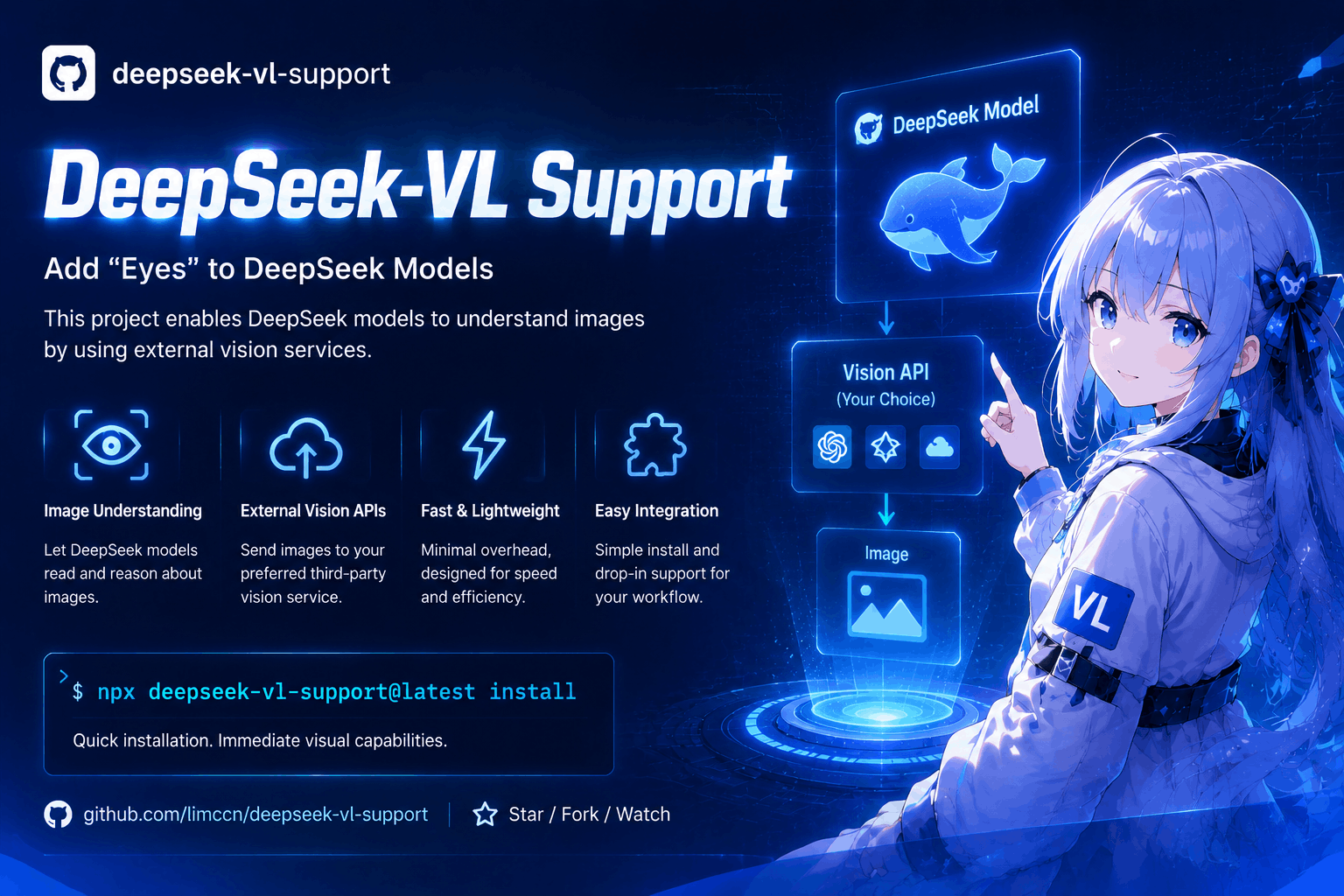
deepseek-vl-support
中文说明 → docs/README.zh-CN.md
What this does
Some AI models (like DeepSeek) can read your files, but they cannot see pictures. Screenshots of errors, UI mockups, charts — invisible to them.
This small tool gives them "eyes". Once installed, whenever the model tries to read a picture, the tool sends it to a vision service of your choice (Moonshot, OpenRouter, SiliconFlow, Ollama …), receives a detailed text description, and hands it to the model — as if the model could see the picture.
Model reads screenshot.png
  → the tool intercepts the read
  → picture → vision service → detailed text description comes back
  → the model receives: "[Vision of screenshot.png]: <description>"
  → the model answers from the description
No model settings to change, no config files to write — it works automatically after a one-time setup. One command to install, one command to remove. MIT licensed.
Who this is for
You use a text-only model (such as DeepSeek) in any AI coding agent or IDE and want it to understand pictures: error screenshots, UI mockups, charts, photos of notes. Pick your tool in the install wizard below — there is a one-command install for every supported agent, including Claude Code, Codex, Cursor, GitHub Copilot, VS Code, OpenCode, Trae, Qwen Code, and 14 more.
Before you start (what you need)
- Node.js 18 or newer — check with
node -v. Not installed? Get it at https://nodejs.org. - An account at a vision service, plus its API key — a vision service is the "eyes provider": a website that looks at pictures for you. Cloud options: Moonshot, OpenRouter, MiniMax, Zhipu GLM, StepFun, OpenCode Zen, SiliconFlow, DashScope. Free local options (run on your own computer): Ollama, llama.cpp, vLLM, LM Studio. The API key is a secret code from that service (usually under "API keys"); the installer asks for it once and stores it only on your computer.
- Your AI agent installed — any of the supported ones below.
0.2.x → 0.3.0: what changed, and how to migrate
Version 0.3.0 moves the npm package to a scoped name and publishes it to both npmjs and GitHub Packages. Your settings, cache, skill files, and the CLI command are unchanged — only the package reference moves.
| 0.2.x | 0.3.0 | |
|---|---|---|
| npm package | deepseek-vl-support |
@limccn/deepseek-vl-support |
| CLI command | deepseek-vl-support |
unchanged |
| config / cache / markers | — | fully compatible, kept as-is |
| install source | npmjs only (frozen) | npmjs and GitHub Packages |
Already on 0.2.x? Migrate with a single command — it refreshes every managed reference (hook, MCP configs, npx pins) to the scoped name and keeps your config and cache:
npx @limccn/deepseek-vl-support@latest install --update
Then verify with npx @limccn/deepseek-vl-support doctor.
Notes: the 0.2.x deepseek-vl-support package stays on npmjs (frozen — no
further updates, safe to keep installed); the two versions' config files never
conflict, so old and new installs can coexist.
Quick install wizard
Open a terminal in your project folder and run:
cd path/to/your/project
npx @limccn/deepseek-vl-support@latest install
That's the whole install — the wizard auto-detects the agents on your machine and asks 7 short questions. Almost every question has a sensible default: just press Enter. The two that matter: which agents should get vision (pre-selected) and which vision service + API key to use (choose Decide later, the last option, if you want to sort that out afterwards).
When it finishes, restart your session — the installer prints this reminder, and it is required for the effect to kick in. Optional check:
npx @limccn/deepseek-vl-support@latest doctor # look for [OK]
Re-running on the same project? It asks whether to keep your current settings — Enter keeps them.
No terminal? Ask your agent to install it. If you use a tool that supports the Agent Plugins standard (GitHub Copilot, Cursor, Kiro, OpenClaw, Hermes Agent, VS Code, ChatGPT & Codex, Grok Bot, NanoClaw, and other spec-compliant agents), just say in the conversation:
Install the plugin from https://github.com/limccn/deepseek-vl-support and enable it
After a GitHub install, configure the vision endpoint once with
npx @limccn/deepseek-vl-support@latest install --target <your agent> (or environment variables —
see Changing settings).
One-command install per agent
Everything below is equivalent to the wizard above — just narrowed to one agent. Pick yours:
Claude Code1. Install
npx @limccn/deepseek-vl-support@latest install --target claude
2. After install — restart your session, then read any picture: the description
arrives automatically (/vision path.png for manual use).
1. Ask Codex to install it
Install the plugin from https://github.com/limccn/deepseek-vl-support and enable it
2. Or install via npx
npx @limccn/deepseek-vl-support@latest install --target codex
3. After install — restart Codex, then ask it to describe a picture.
OpenCode1. Install
npx @limccn/deepseek-vl-support@latest install --target opencode
2. After install — restart OpenCode.
Trae1. Install
npx @limccn/deepseek-vl-support@latest install --target trae
2. After install — import the skill once: Settings → Rules & Skills → Create/Import.
Pi Coding Agent1. Native install (recommended) — skill + extension in one command
pi install npm:@limccn/deepseek-vl-support
2. Or install via npx
npx @limccn/deepseek-vl-support@latest install --target pi
3. After install — restart Pi.
Oh My Pi1. Native install (recommended)
omp install npm:@limccn/deepseek-vl-support
2. Or install via npx
npx @limccn/deepseek-vl-support@latest install --target omp
3. After install — run /reload-plugins (no restart needed).
1. Native install (recommended) — in-process tools, no subprocess
dsh plugin --profile web add @limccn/deepseek-vl-support@latest
2. Or install via npx
npx @limccn/deepseek-vl-support@latest install --target dsh
3. After install — restart the dsh web session.
Qwen Code1. Install
npx @limccn/deepseek-vl-support@latest install --target qwen
2. After install — restart Qwen Code.
Reasonix1. Install
npx @limccn/deepseek-vl-support@latest install --target reasonix
2. After install — restart Reasonix.
Kilo Code1. Install
npx @limccn/deepseek-vl-support@latest install --target kilo
2. After install — restart Kilo Code.
WorkBuddy (CodeBuddy Code)1. Install
npx @limccn/deepseek-vl-support@latest install --target workbuddy
2. After install — restart WorkBuddy.
Devin1. Install
npx @limccn/deepseek-vl-support@latest install --target devin
2. After install — restart Devin. (Devin's CLI has no official npm package — download it from https://devin.ai/download.)
GitHub Copilot1. Ask Copilot to install it
Install the plugin from https://github.com/limccn/deepseek-vl-support and enable it
2. Or install via npx
npx @limccn/deepseek-vl-support@latest install --target copilot
3. After install — check copilot plugin list.
1. Ask Cursor to install it
Install the plugin from https://github.com/limccn/deepseek-vl-support and enable it
2. Or install via npx
npx @limccn/deepseek-vl-support@latest install --target cursor
3. After install — reload the window (Developer → Reload Window).
Kiro1. Ask Kiro to install it
Install the plugin from https://github.com/limccn/deepseek-vl-support and enable it
2. Or install via npx
npx @limccn/deepseek-vl-support@latest install --target kiro
3. After install — import once: Kiro → Powers → Add Custom Power → Import from folder
→ ~/.deepseek-vl/plugin.
1. Ask OpenClaw to install it
Install the plugin from https://github.com/limccn/deepseek-vl-support and enable it
2. Or install via npx
npx @limccn/deepseek-vl-support@latest install --target openclaw
3. After install — restart the gateway, verify with openclaw plugins list.
1. Ask Hermes to install it
Install the plugin from https://github.com/limccn/deepseek-vl-support and enable it
2. Or install via npx
npx @limccn/deepseek-vl-support@latest install --target hermes
3. After install — verify with hermes plugins list.
1. Ask in a VS Code chat
Install the plugin from https://github.com/limccn/deepseek-vl-support and enable it
2. Or install via npx
npx @limccn/deepseek-vl-support@latest install --target vscode
3. After install — reload the window.
ChatGPT & Codex1. Ask ChatGPT or Codex to install it
Install the plugin from https://github.com/limccn/deepseek-vl-support and enable it
2. Or install via npx
npx @limccn/deepseek-vl-support@latest install --target chatgpt-codex
3. After install — start a new Codex thread or ChatGPT session.
Grok Bot1. Ask Grok to install it
Install the plugin from https://github.com/limccn/deepseek-vl-support and enable it
2. Or install via npx
npx @limccn/deepseek-vl-support@latest install --target grok
3. After install — press r in the Plugins tab or start a new session.
1. Ask NanoClaw to install it
Install the plugin from https://github.com/limccn/deepseek-vl-support and enable it
2. Or install via npx
npx @limccn/deepseek-vl-support@latest install --target nanoclaw
3. After install — run ncl wirings create per the printed guidance.
1. Ask Agent to install it
Install the plugin from https://github.com/limccn/deepseek-vl-support and enable it
2. Or install via npx
npx @limccn/deepseek-vl-support@latest install --target other
Any combination works, comma-separated:
npx @limccn/deepseek-vl-support@latest install --target claude,copilot
Or all 10 plugin clients in one run:
npx @limccn/deepseek-vl-support@latest install --target copilot,cursor,kiro,openclaw,hermes,vscode,chatgpt-codex,grok,nanoclaw,other
All supported agents at a glance:
| Agent | --target |
|---|---|
| Claude Code | claude |
| Codex | codex |
| OpenCode | opencode |
| Trae | trae |
| Pi Coding Agent | pi |
| Oh My Pi | omp |
| DeepSeek Harness | dsh |
| Qwen Code | qwen |
| Reasonix | reasonix |
| Kilo Code | kilo |
| WorkBuddy (CodeBuddy Code) | workbuddy |
| Devin | devin |
| GitHub Copilot | copilot |
| Cursor | cursor |
| Kiro | kiro |
| OpenClaw | openclaw |
| Hermes Agent | hermes |
| VS Code | vscode |
| ChatGPT & Codex | chatgpt-codex |
| Grok Bot | grok |
| NanoClaw | nanoclaw |
| Other agents | other |
Try it out
Fastest check — describe a picture directly in the terminal:
npx @limccn/deepseek-vl-support@latest describe path/to/a/picture.png
A good text description comes back → everything is wired up. From then on, just read pictures in your agent as usual — the description arrives automatically.
Choosing a vision service
The installer offers the same services as presets — no need to remember these URLs unless you configure manually:
| Service | base URL | Example model |
|---|---|---|
| Moonshot | https://api.moonshot.cn/v1 |
moonshot-v1-32k-vision-preview |
| OpenRouter | https://openrouter.ai/api/v1 |
qwen/qwen2.5-vl-72b-instruct |
| MiniMax | https://api.minimaxi.com/v1 |
MiniMax-VL-01 |
| Zhipu GLM | https://open.bigmodel.cn/api/paas/v4 |
glm-4v-flash |
| StepFun | https://api.stepfun.com/v1 |
step-1o-turbo-vision |
| OpenCode Zen | https://opencode.ai/zen/v1 |
mimo-v2.5-free |
| SiliconFlow | https://api.siliconflow.cn/v1 |
Qwen/Qwen2.5-VL-72B-Instruct |
| DashScope | https://dashscope.aliyuncs.com/compatible-mode/v1 |
qwen-vl-max |
| Ollama (local) | http://localhost:11434/v1 |
qwen2.5vl:7b (run ollama pull qwen2.5vl:7b first) |
| llama.cpp (local) | http://localhost:8080/v1 |
llava (llama-server -m llava.gguf) |
| vLLM (local) | http://localhost:8000/v1 |
deepseek-ai/deepseek-vl2 |
| LM Studio (local) | http://localhost:1234/v1 |
qwen2.5-vl-7b-instruct |
Everyday commands
| What you want | Command |
|---|---|
| Install | npx @limccn/deepseek-vl-support@latest install |
| Health check | npx @limccn/deepseek-vl-support@latest doctor |
| Describe a picture now | npx @limccn/deepseek-vl-support@latest describe picture.png |
| See current settings | npx @limccn/deepseek-vl-support@latest config get |
| Change a setting | npx @limccn/deepseek-vl-support@latest config set maxBytes 5242880 |
| Remove the tool | npx @limccn/deepseek-vl-support@latest uninstall |
Changing settings
Your answers are saved in .deepseek-vl/config.json inside the project folder — usually
you never need to touch it. The two settings worth knowing:
| Setting | Meaning | Default |
|---|---|---|
maxBytes |
Pictures bigger than this are skipped (saves time and money) | 10485760 (10 MB) |
timeoutMs |
How long to wait for one description | 120000 (2 minutes) |
Example — skip pictures over 5 MB:
npx @limccn/deepseek-vl-support@latest config set maxBytes 5242880
Describing the same picture twice is free: results are cached on your machine (64 MB
limit). Change the picture and it gets described again. Everything can also be set with
environment variables (VISION_MODEL, VISION_BASE_URL, …) — see
CLAUDE.md for the full reference.
Troubleshooting
| Symptom | What to do |
|---|---|
| The model still doesn't describe pictures | Restart the session (required after install), then run … doctor and look for [OK]. |
doctor says no model configured |
You chose Decide later during install. Configure a model now: config set model <id> (plus config set baseUrl <url> if not using the default). |
doctor shows "unreachable" / no [OK] |
The service address or key is wrong — check the base URL ends with /v1 and the API key is correct. |
| "image too large" hint | Compress or crop the picture (e.g. under 5 MB, long side ~2000 px), or raise the limit with config set maxBytes …. |
| Descriptions are slow | Lower the limit or switch to a faster service (see the table above). |
| Pasted (Ctrl+V) pictures are not described | Pasted images bypass the read path — save the picture as a file first, then read it (or use /vision / describe_image). |
More edge cases (Windows encoding, Codex-specific quirks, reasoning-model notes) live in CLAUDE.md and docs/README.zh-CN.md.
Acknowledgements
This project was inspired by pi-deepseek-vision — thanks to psychobarge for the open-source work.
Contributing
Contributions are welcome — see CONTRIBUTING.md for how to report issues and set up a development environment.
No comments yet. Be the first to write one.