READMESource: main@daceca48
dsh-database
English | 中文
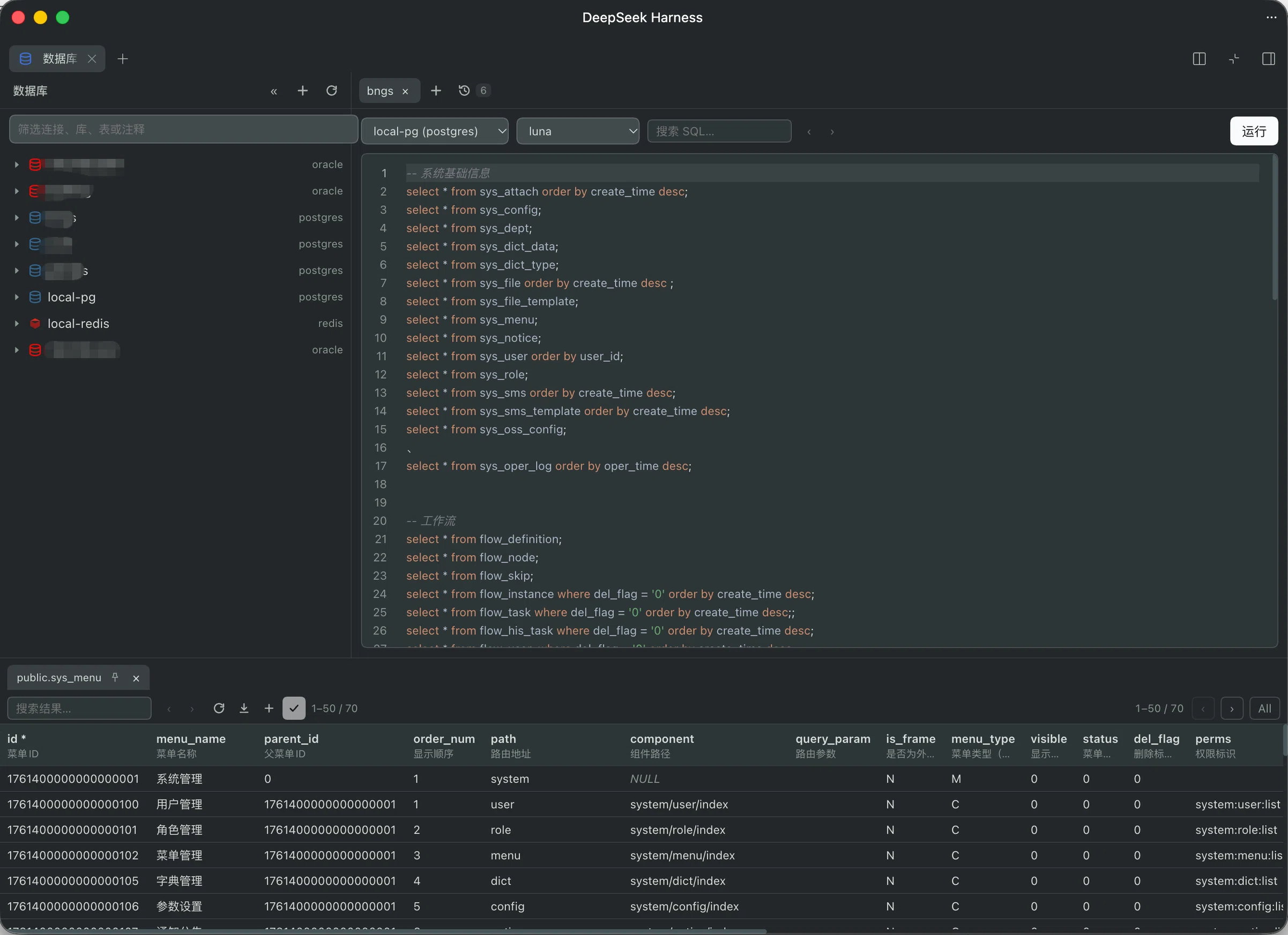
A database tool in the DeepSeek Harness right column.
Install
dsh plugin --profile web add /absolute/path/to/dsh-database
Restart dsh web, then refresh the page.
Features
- Connection tree: PostgreSQL, MySQL, Oracle, and Redis. Filter by name or comment, drag to reorder, and collapse the tree. A table row shows its comment when it has one
- SQL console: highlight and keyword completion follow the connection. Run the selection, or the whole script. Tabs can be renamed, pinned, closed, and reopened
- Result grid: 50 rows a page, or all (up to 5000). Double-click a cell to edit, add a row, and commit. A single-table result writes back; a join stays read-only
- Copy selected cells as plain values, or selected rows as
INSERTstatements. Export the visible rows as CSV - Table structure: columns, nullability, defaults, and comments. Open it from a table in the tree, or from a table name selected in the console
- Import and export SQL for a connection, schema, or table. Redis exports JSON. An import that contains
DROPorTRUNCATElists those statements and waits - Visible schemas: pick which schemas the tree shows. Leave it empty to show all. This filters the tree only, not what SQL can reach
- Redis: double-click a key to preview its type, TTL, and value. Copy the name, or delete the key
- Shortcuts: open the database tab (
⌘2/Ctrl+2), run SQL (⌘Enter/Ctrl+Enter), show structure (F1), and close the current console (⌘W/Ctrl+W). Rebind them from the footer. This does not depend on another plugin - Open mode: the status bar switches between fullscreen and the split column. The choice is shared with the editor and applies immediately
- Passwords stay in the harness credential store, not in the connection file. An empty password field on edit keeps the current one
- Oracle 12.2 and newer connect in Thin mode. Older servers need an Instant Client directory on the connection
No comments yet. Be the first to write one.