dsh-ptt
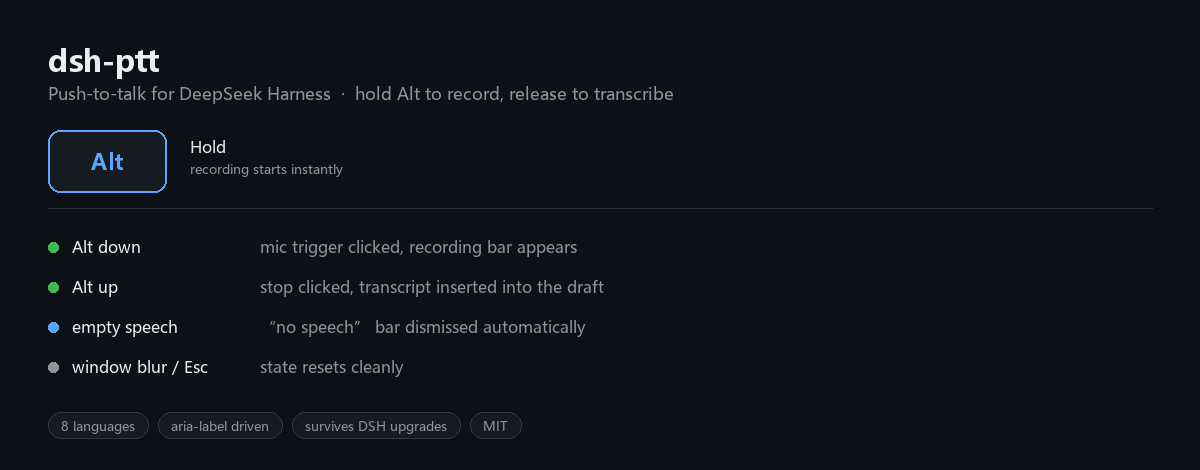
Push-to-talk for DeepSeek Harness. Hold Alt to record with the built-in voice input plugin, release to transcribe.
What it does
DeepSeek Harness ships a voice input plugin (@deepseek-ai/dsh-experimental-client-ui-voice-input) that only works by clicking a microphone button. This plugin adds the missing keyboard interaction:
| Action | Result |
|---|---|
| Hold Alt | Recording starts immediately (no mouse needed) |
| Release Alt | Recording stops, speech is transcribed into the draft |
| Alt released too early | Stops as soon as recording actually begins — no dangling session |
| Transcription empty / failed | The "no speech" bar is dismissed automatically, ready for the next press |
| Recording interrupted (Esc, window blur, max duration) | State resets cleanly |
It does not reimplement recording, transcription or text insertion. Those stay in the official plugin — this one only drives its buttons, so audio handling, model selection, language settings and permissions all keep working exactly as before.
Requirements
- DeepSeek Harness
0.2.x(desktop ordsh web) - The official voice input bundle enabled:
@deepseek-ai/dsh-experimental-voice-input-bundle - For local recognition: the SenseVoice models must be downloaded once (click the microphone manually the first time and finish the setup flow)
Install
From a local checkout
git clone https://github.com/leslie941012/dsh-ptt.git
Add it to your profile as a file: dependency and mount it in the patch layer.
Edit ~/.dsh/profiles/desktop/package.json:
{
  "dependencies": {
    "@yg/dsh-ptt": "file:./dsh-ptt"
  }
}
Run pnpm install inside the profile directory, then append to ~/.dsh/profiles/desktop/cordis.patch.yml:
# Push-to-talk: hold Alt to record, release to transcribe (@yg/dsh-ptt).
- insert:
    - id: ptt-voice
      name: '@yg/dsh-ptt'
Restart DeepSeek Harness and refresh the window.
Verify it is loaded
In the Plugins page, look for ptt-voice / @yg/dsh-ptt marked enabled / active.
Configuration
Labels are matched against the voice input plugin's aria-label attributes, so no configuration is needed in normal use. All shipped interface languages are supported:
zh · en · ja · es · fr · de · ru · pt
If a future DeepSeek Harness release renames those buttons, the only thing to update is the label tables at the top of lib/client.js — the recording, transcription and insertion logic is untouched.
How it works
The client half is a small state machine that watches for the official plugin's buttons in the DOM:
idle ──Alt down──▶ waiting ──recording bar appears──▶ recording ──Alt up──▶ stopping ──bar closed──▶ idle
                      │                                                      │
                      └─ release before start ─▶ stop as soon as it begins    └─ message bar ─▶ click × ─▶ idle
- Buttons are located by
aria-label, not by CSS class or DOM position, so styling changes do not break it. - The × on the cancel bar ("Cancel") is dismissed automatically; the × on the discard transcript bar ("Discard transcript") is never touched, since it guards text the user may still want.
Compatibility with upgrades
The plugin lives entirely in your DSH profile directory. Upgrading DeepSeek Harness replaces app.asar but leaves profiles untouched, so this plugin keeps working across upgrades — unlike patching files inside the installation.
Notes
- Alt is a system key: Alt+Tab, Shift+Alt and similar combinations are ignored.
- Recording is cancelled if the window loses focus, so do not switch windows mid-recording.
- Browser microphone access requires HTTPS or a loopback address (
127.0.0.1is fine).
No comments yet. Be the first to write one.